


For many years as an Android user, there was a time (a stretched one) when I was hooked on Nova Launcher.
I loved it for its deep customization options. It was my beloved Android launcher on many of my devices.
However, I eventually dropped it after running into hiccups ranging from performance issues to navigation problems. Although they addressed these, the update took a while to arrive.
I searched for something lightweight that features a cleaner UI and without these constraints. Microsoft Launcher was one of the better alternatives I came across.
After a couple of weeks running it as my primary setup, it’s now harder to leave.
Microsoft Launcher has matured into a reliable daily driver
Prominent concerns have finally been resolved
I used Microsoft Launcher in its early days, even before it was renamed from Arrow Launcher. It has a clean presentation and swift navigation despite it starting with fewer features.
But after upgrading handsets and staying invested in Samsung hardware for years, I settled on One UI Home, largely because of the flexibility the Good Lock suite provides.
I have only recently begun testing standalone home screen apps again. I tried returning to Nova Launcher since my Prime license is still valid.
However, I cannot stand the heavy AI push, and the software felt heavier, choking down the performance of my Google Pixel and Samsung Galaxy devices.
Recent updates have brought more bugs, from app shortcuts freezing in the feed to minor, yet noticeable delays when initiating a search.
Microsoft Launcher delivers rock-solid performance
It runs smoothly without dragging down my Pixel
I abandoned Microsoft Launcher early on because it was unstable and had overly rigid settings. I remember it was hard to recommend, mainly because of recurring glitches.
Those bugs affected the UI and responsiveness, causing broken widgets, missing notification counters, and occasional home screen crashes, among other issues. They were simply frustrating.
I installed Microsoft Launcher on my Google Pixel 9 Pro XL expecting those familiar headaches, but I was mistaken.
While I appreciated how lightweight and responsive it felt back then, it runs noticeably snappier today, likely because developers properly optimized it for modern chipsets.
From initial setup to everyday tasks, it runs smoothly and fluidly, even on my Samsung Galaxy Z Flip 7, which often stumbled when running Nova and other launchers.
On my Pixel phone, where Microsoft Launcher is my default home, launching apps and pulling up the drawer feels just as responsive as the native Pixel Launcher.
That responsiveness extends directly to gestures and system animations. I noticed virtually no stutter, even when I swiped abruptly between pages or resized dense widgets.
From basic interface to a power-user tool
Meaningful customization controls make all the difference
Another reason I am inclined toward Microsoft Launcher is its flexibility and layered personalization.
In its early days, the clean, minimal aesthetic was its main selling point. But Microsoft has since integrated deeper controls, giving users more features over their setup.
Now, Microsoft Launcher easily rivals other popular third-party alternatives for deep home screen and app drawer customization.
It also supports dynamic theming that automatically switches between system light and dark modes. Plus, you can adjust opacity and blur strength in the theme menu, or apply blur across the entire screen.
I also appreciate being able to define custom accent shades and tailor notification dot colors.
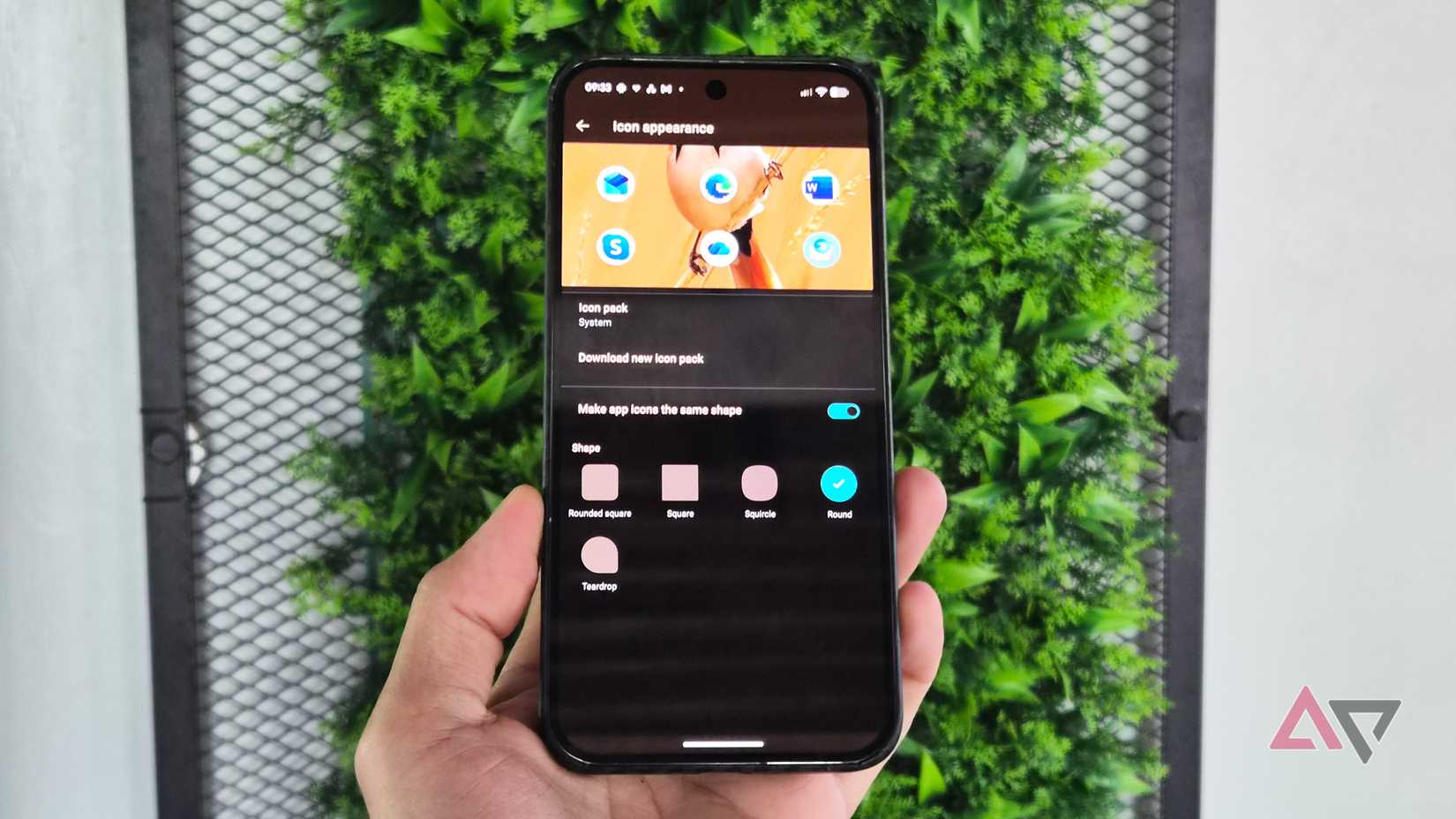
Alongside grid adjustments, tweaking app and folder shapes is effortless, mirroring Nova and Lawnchair’s styling.
Still, I hope Microsoft eventually introduces scalable folder dimensions and granular styling.
Right now, you can only adjust the view when you expand and rename a folder, though that’s more than enough for basic organization.
Beyond folder adjustments, I would love to see Microsoft add themed app icons that match the Pixel Launcher’s look.
Glance feed and custom gestures are gems
I can purge Microsoft apps and Copilot
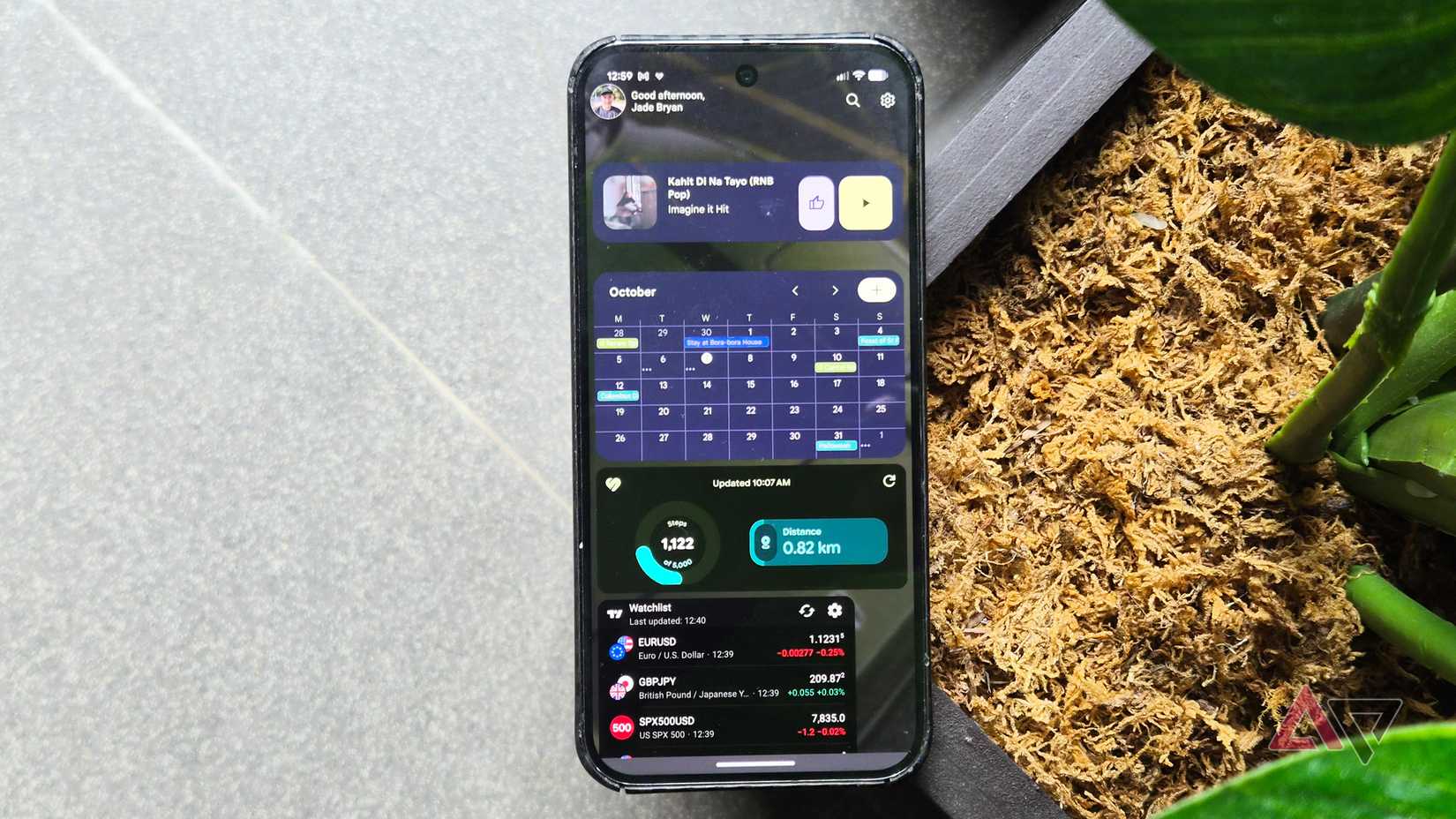
The revamped Glance screen offers genuinely useful flexibility. For instance, you can strip out bundled apps and features like Copilot and replace them with Google and third-party widgets.
Rearranging and resizing individual widgets in the feed works seamlessly, letting you build customized panels.
More importantly, I encountered zero synchronization errors across different widgets in this section.
Widget changes apply instantly, as seen with the Sticky Notes or Keep Notes integration. Weather and media controls also refresh consistently.
Gestures are another highlight in Microsoft Launcher that won me over. It doesn’t beat Nova in terms of gesture combinations, but it offers a rich assortment of tap, swipe, and pinch triggers.
They make navigation and triggering specific actions faster, although building muscle memory takes a day or two of practice.
I stopped paying for launchers
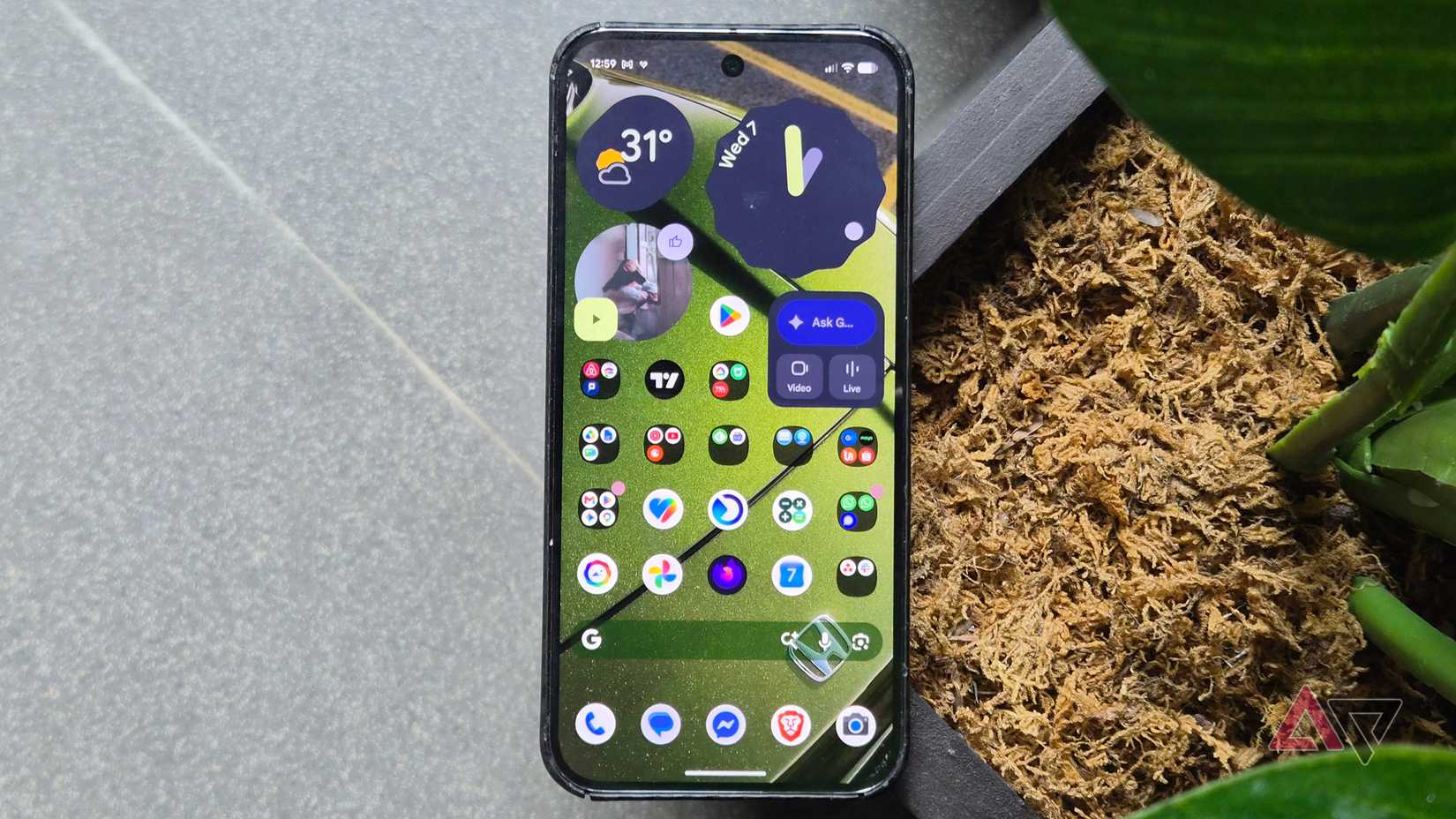
I still miss a few visual touches, like native app icon styling. However, the launcher supports custom third-party icon packs out of the box, which is more than enough to spice up my home screen.
Although Microsoft will nudge you toward its first-party apps, the launcher allows you to remove or hide them entirely, giving you full control over your device.
Microsoft Launcher may not win on extended customization against paid Android launchers. But if you want a reliable, snappy daily driver without a paid subscription or unwanted AI gimmicks, it’s an absolutely easy recommendation.









