


I strongly advocate limiting the apps available on Android Auto because it helps us stay safe on the road. In addition, choosing the right set of apps in Android Auto is important for safe driving.
Since safety is the top priority, I avoid entertainment while driving, except for listening to music.
I rely on only one app to listen to my favorite tracks. But for navigation, I can’t rely solely on Google Maps because it isn’t a good fit for all kinds of situations on the road, especially in heavy traffic.
That was reason enough to look for alternatives. After months of online research, I picked a few highly rated navigation apps to test and decide which one would replace Maps in heavy traffic.
I tested four Android Auto navigation apps, and one underrated option handles heavy traffic better than Google Maps.
Why I no longer rely solely on Google Maps when I drive
Google Maps doesn’t live up to expectations in heavy traffic
I don’t critique Google for aggressively pushing AI features into Google Maps, even though I never used them. However, I don’t love the company doing it while ignoring the worsening condition of basic navigation features.
Google Maps would first tell me to go a few miles in the wrong direction, then take me back to where I started before finally suggesting the correct route. This happens more often when I drive in small towns.
If that wasn’t bad enough, I followed Google Maps’ suggestion to reach my destination faster but found myself facing closed roads because of work that had been going on for several days.
So, if you are running late and there is traffic ahead, you need to be brave enough to trust Google to help you reach your destination on time through an alternate route.
Before I started to look for an alternative, I remember not using Maps for a few days and relying on suggestions to find the best alternate route to get around traffic.
But you won’t always find a local when congestion is heavy. In such cases, I prefer to stick to the current busy roads rather than moving to ones where I can’t drive properly because of their poor condition.
At one point, I considered installing entertainment apps using hacks to keep myself calm in heavy traffic. However, it wouldn’t have lowered my frustration even if I had installed those.
Even if I normalize sitting for a long time while stuck in traffic, I can’t tolerate how bad Google Maps is at estimating the time of arrival when there is traffic or when I drive through an always-congested corridor. The world’s most popular Maps app never gets it right.
This was my last straw.
OSMAnd is a great Google Maps alternative, but it feels like a downgrade
OSMAnd is designed to work completely offline
More than 250,000 users put their reviews of OSMAnd on the Google Play Store and gave it an average rating of 4.5 stars.
That was impressive enough to convince me to download OSMAnd, only to find out the app was designed to work offline.
OSMAnd doesn’t have built-in live-traffic data or dynamic traffic rerouting. This is a huge limitation and makes OSMAnd feel like a downgrade, even though OSMAnd is great, or even better than Google Maps at many other things.
I especially like how the offline maps include foot, hiking, and bike paths. Its offline maps are updated every month, so you stay up to date with the latest changes.
You can also use OSMAnd Live, a subscription-based service that gives you hourly map updates.
However, even if you want to use it for offline maps, OSMAnd feels more complex than Google Maps or any other map app.
OSMAnd isn’t for me, even though I appreciate its deep customization and the effort to improve the offline maps experience. It didn’t take me long to give up on it and start testing other highly rated Google Maps replacements.
TomTom GO and HERE WeGo are great alternatives
But they aren’t as reliable as I would’ve wanted
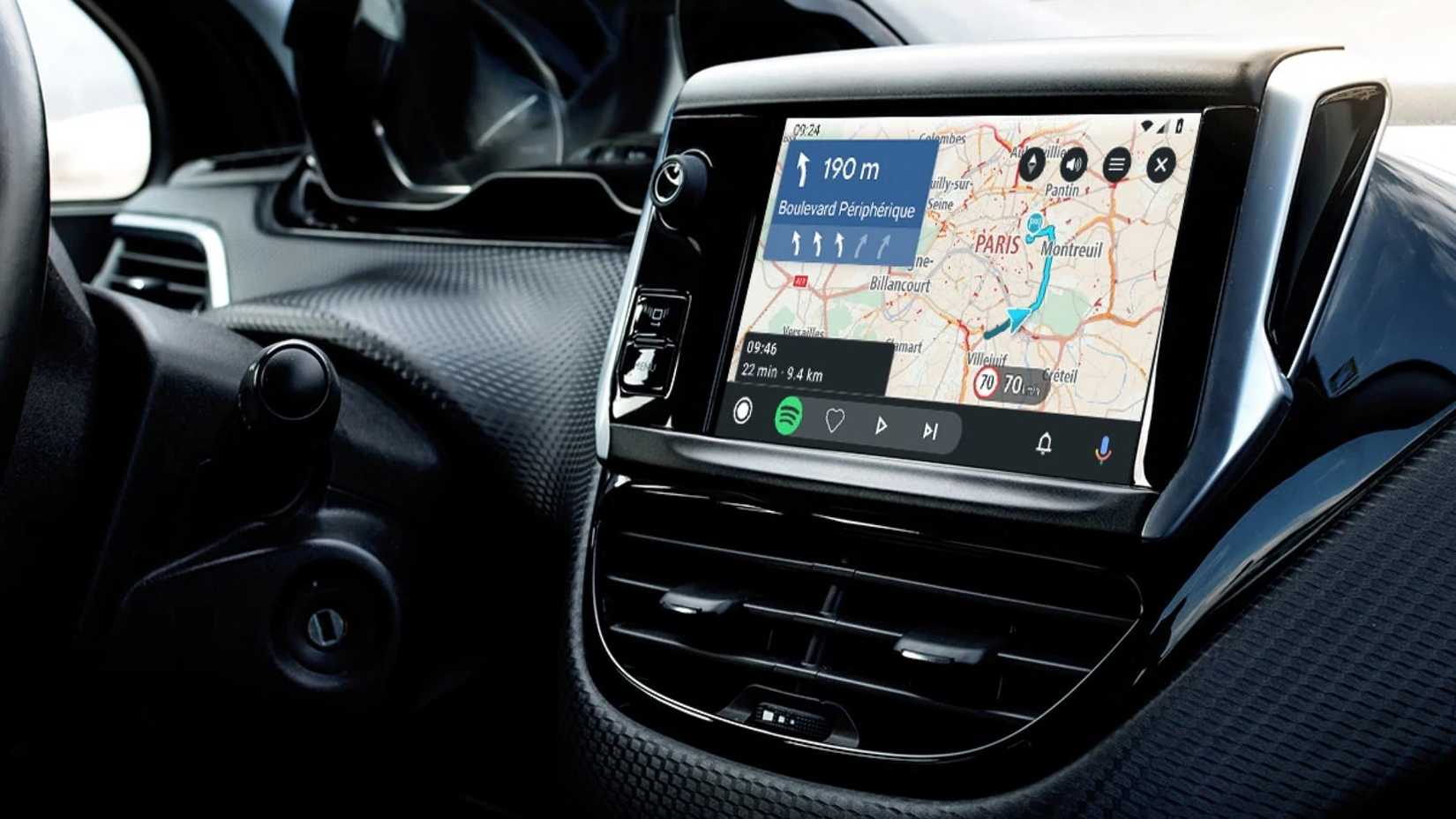
Credit: TomTom
Both TomTom GO and HERE WeGo provide real-time traffic data, so I would call them more suitable for what I was looking for than OSMAnd.
However, I found the HERE WeGo app less reliable than TomTom GO for traffic info. For example, the app displayed a slowdown ahead of me, but there was no heavy traffic.
I faced this multiple times during testing in my city. I didn’t expect it to be this unreliable, so it wasn’t hard to ditch HERE WeGo and switch to TomTom GO.
TomTom GO doesn’t have the problems that I experienced in HERE WeGo and OSMAnd. It gave more accurate real-time traffic data and updated my path quickly to help me avoid jams.
It updates the path when there is a slowdown, and it reroutes you for road closures, roadworks, and hazards. This information was mostly accurate.
I also loved how it helped me reach the nearest compatible charging station. It also supports offline navigation, Route Bar, and most everything I wanted.
I would’ve replaced Google Maps with TomTom GO had I not tried Waze.
Waze is a clear winner
It’s designed for driving
I heard many of my colleagues at Android Police praise Waze for its crowdsourced power. This was the only reason I gave Waze a chance, and I was blown away by its performance.
Real-time user reporting is Waze’s biggest strength. How does it work? Waze modifies suggestions in minutes based on real-time crowdsourced updates instead of relying on historically validated data.
From live traffic to speed cameras, and even potholes, real-time crowdsourced data is a true game-changer. Waze automatically calculates the fastest route from the current location based on real-time traffic data and community reports.
Waze is also owned by Google, so you also get some handy Gemini features on top of the useful, crowdsourced updates.
Waze would’ve fully replaced Google Maps had it supported offline maps. The caching method works, but it’s nowhere near as good as full offline map support.
It’s still hard to ignore Google Maps
No matter how good a navigation app is, it’s hard to ignore Google Maps. Even though I rarely use Google Maps when I drive, I rely on it heavily for its impressive Reviews and Search features.
Even before you start driving, Google Maps can guide you to find the best place to get your job done. It also has a feature called Popular Times that tells you when to avoid visiting a place.
It accurately shows when a place opens or closes most of the time, helping you plan your visit. Google Maps has other goodies that aren’t linked to navigation, but everyone needs them.
While Google Maps is still the best all-round map and navigation app, Waze does better in real-time traffic and rerouting.











