Please provide your email address to finish creating your account.
<!–
Create an account
–>
*Required: 8 chars, 1 capital letter, 1 number
or
By creating an account, you agree to our Terms of Use and Privacy Policy.
You also agree to receive our newsletters; you can unsubscribe any time.
He swore it changed how he approached important daily tasks. Sure enough, I started using the app, and the first few days, and even weeks, were awesome.
Then, the novelty wore off, and tracking my activities in the app became a chore. I moved on. I haven’t used a habit app since.
That is, until I learned that I could rebuild the idea inside Google Sheets in a few minutes.
So, I created a new sheet, opened a feature almost nobody uses, told it what I wanted, and it gave me a fully gamified, interactive tracker with stats, XP, a leveling system, and more.
It makes me want to do my push-ups, read, and get work done, at least for now. It could do the same for you.
Here’s how I set it up.
Two Gemini features did all the heavy lifting
You’ve probably heard of them but never used them
Credit: Lucas Gouveia / Android Police
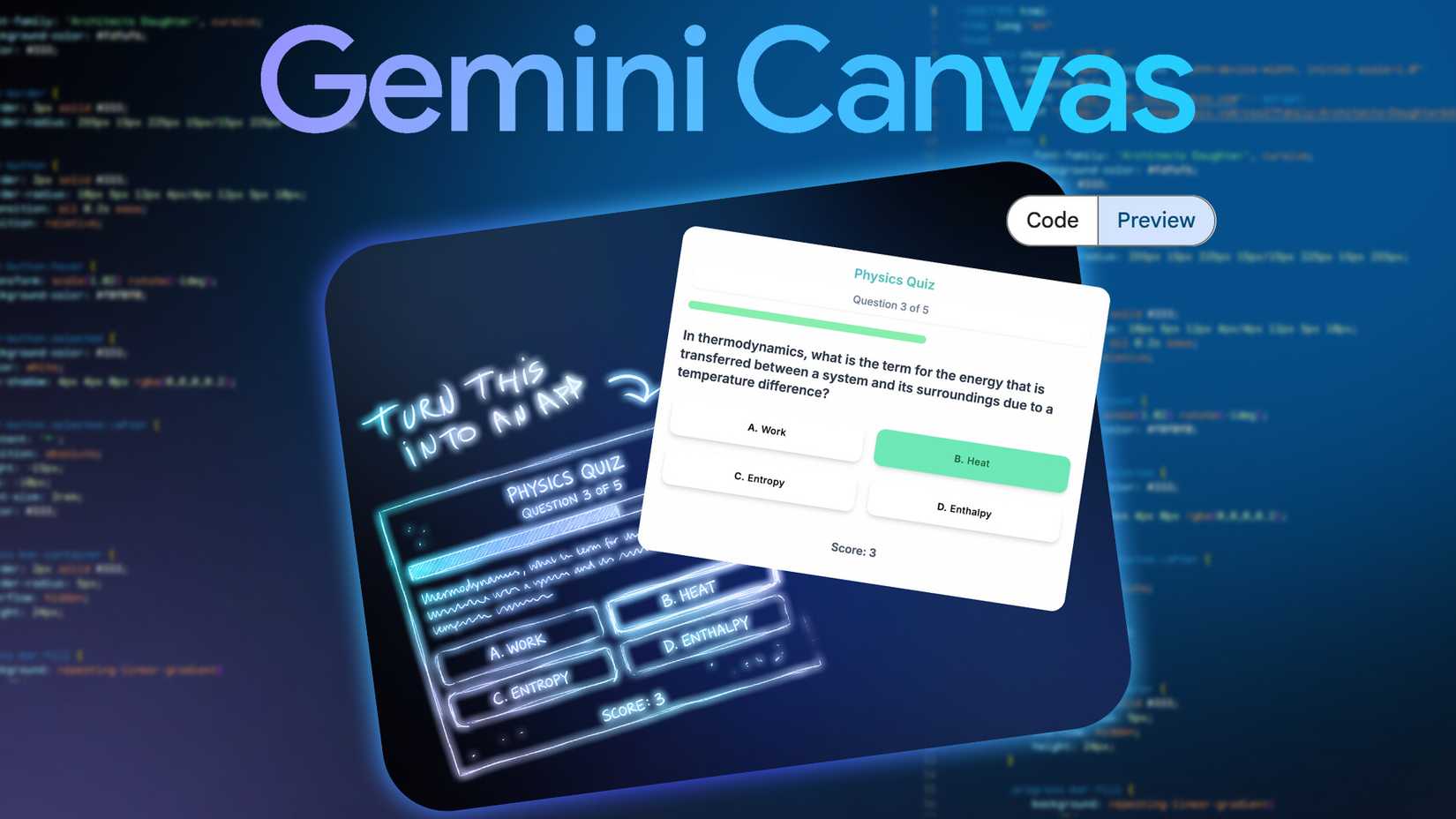
To create my RPG leveling system, I used Build, a Gemini feature that lets you create entire spreadsheets, formulas included, from a prompt, and Canvas, which turns text and data into interactive visual layouts without you writing any code.
Before you get too excited, you need a paid Google AI Pro or AI Ultra plan, and both only work in Sheets on the desktop.
I started by prompting the Build tool. I asked it to create a daily habit tracker for 12 habits grouped into six categories, each with an XP value and a checkbox for every day of the week.
I spelled out the 12 habits, six categories, and the XP for each based on how important they were to me. For example, push-ups were 25 XP, while tidying my workspace was 10.
I also asked it to include formulas to calculate the total XP, XP per category, XP per habit, a level for each stat (at 100 XP per level), an overall progress percentage, and an overall level, and to make the day cells checkboxes. It created the entire thing.
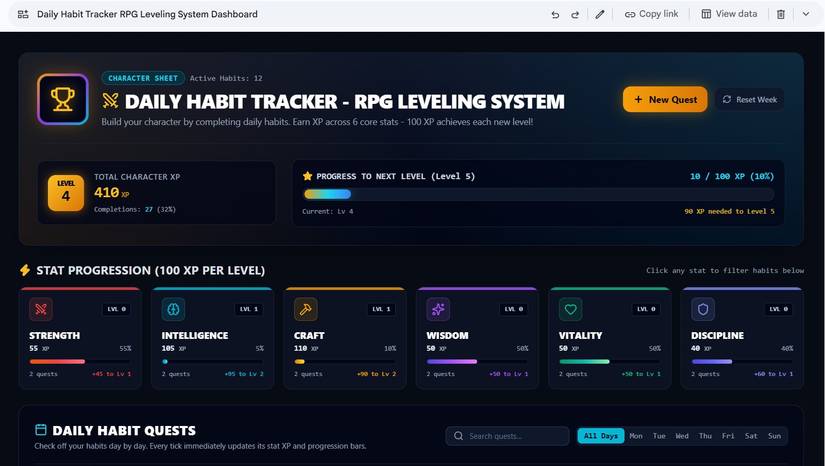
Then, I switched to Canvas and asked it to turn the existing sheet (created with Build) into an interactive RPG character dashboard with the top showing my character level, total XP, and progress to the next level.
Below that, I asked for a card for each of the six categories (Strength, Intelligence, Craft, Wisdom, Vitality, and Discipline) with their levels and progress bars.
I wanted the Daily Habit Quests as a checklist I could tick off day by day, such that checking a habit updates its XP and bars. For the look, I asked for a dark, glowing video-game character screen.
Interestingly, it made some nifty additions I didn’t ask for but appreciated.
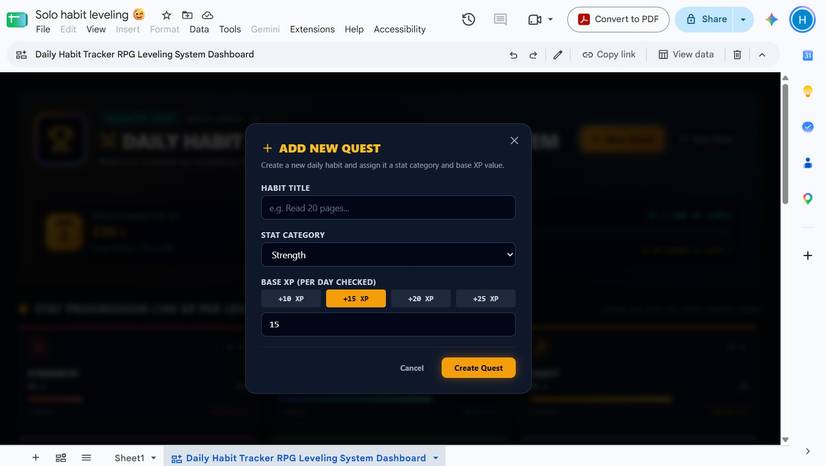
It included a button to add new quests (habits). Clicking it opens a pop-up box where I can enter the habit title, category, and XP. It also included a button to reset the data weekly, so I get a fresh page to work on, plus options to edit or delete existing habits.
It made me want to hit all my targets
And it might work for you too
Credit: Lucas Gouveia / Android Police | Roman Samborskyi / Shutterstock
I usually have a mental note of what I want to get done for the day. But sometimes, I start my day with heavy tasks like work, and I forget the smaller tasks when I really get into it.
But my new RPG made me want to knock as many things off the list as possible, so I can see that bar progressing and my character leveling up.
I focused more on starting my day with the smaller tasks like doing push-ups, reading five pages, reflecting, and learning something new before the heavier work-related stuff. Three days in, I’m already on level 4 with 410 XP.
One thing I noticed is that all levels have the same difficulty (the same number of XP points to level up). I’ll probably fix that with another simple prompt, so it feels even more game-like.
The one thing I wish Google would change
Can we get advanced features on mobile?
Credit: Lucas Gouveia / Android Police | Tartila / Shutterstock
I knew going in that Canvas only worked on desktop. Still, I hoped I could at least view my finished dashboard on my phone. No luck.
Open it on mobile, and you get a message saying, “This canvas cannot be viewed on a mobile device.”
I know there are several use cases for the feature, but it’s a deal-breaker for my specific build. The point of a habit tracker is to check things off throughout the day, wherever you are, which for me means my phone.
Should you build one?
Credit: Lucas Gouveia / Android Police
It’s a definite yes if you have a paid Google AI plan and love tracking your habits, but don’t want the gradual subscription creep and feature bloat that come with most apps.
It’s genuinely helpful if you don’t mind being tied to your PC. And it’s oddly fun and satisfying.