


For a long time, we downloaded cleaners, boosters, and battery savers by the billions to fix Android. But that era is over.
The hardware caught up. The software grew up. And the apps that once helped no longer resemble what they started as.
With the release of Android 16, Google has finally hammered the last nail into the coffin of the third-party cleaner apps.
Between Android’s built-in app archiving and the on-device machine learning working inside Files by Google, there’s nothing a third-party utility can do that the OS isn’t already doing better.
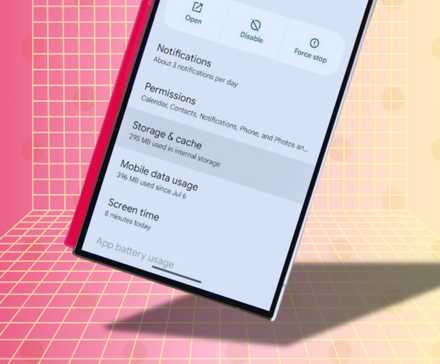
Cleaner apps started as useful tools, but became ad farms
In the early 2010s, Android ran on anything manufacturers could get away with.
The OS landed on devices with underpowered chips and minimal RAM. It was barely functional, let alone comfortable.
RAM management was primitive, NAND storage was slow, and if you didn’t manually kill background processes, slowdown was inevitable.
This created a massive market for tools like Clean Master and a dozen clones with identical feature sets.
As RAM ballooned from 1GB to 12GB and 16GB, the apps had nothing left to fix. Instead of gracefully exiting the stage, these companies shifted their business model and became ad farms with invasive permissions.
With Android 16, Google has baked every legitimate cleaner feature into the OS with a privacy-first design, so there’s no need for those apps anymore.
The low memory killer daemon handles app memory automatically
Credit: Lucas Gouveia / Android Police
A myth in the world of Android is that free RAM is good. Android operates on a simple premise that unused RAM is wasted RAM.
Android intentionally keeps apps suspended in your memory so they can launch instantly when you tap them.
If you open Instagram, look at a photo, and then switch to your email, Instagram sits in a suspended state in your RAM and doesn’t close.
If you go back to it, it’s exactly where you left it. This uses minimal CPU cycles and battery.
Android doesn’t need you to manage its memory because it has a built-in bouncer called the Low Memory Killer daemon (lmkd).
When you actually need more memory — say, to launch a heavy game — the LMKD looks at all your suspended apps and starts wiping out the ones you haven’t used.
When you press a boost button in a cleaner app, it forcibly kills the background process.
Let’s say the cleaner kills Facebook, WhatsApp, and Spotify. You see “500MB Freed!” and feel a rush of happy hormones. But those apps have scheduled jobs.
They are designed to check for notifications or sync messages. Within seconds, Android notices they aren’t running and restarts them.
This restart process pushes your CPU and drains the battery more than if the apps had just stayed idle in RAM.
Android 16 automatically archives apps you haven’t used in months
Credit: Lucas Gouveia / Android Police
Another standout feature of Android 16 is App Archiving. We all have those apps we open maybe once every six months, like the airline app for that one trip.
Before now, those apps would sit unused, taking up hundreds of megabytes. With Android 16, apps you haven’t opened in months are automatically archived.
Android removes the APK but keeps your data, logins, and settings.
You’ll still see a dimmed app icon on your home screen. When you tap it, the phone downloads the code again, and you’re back where you left off.
This frees up storage automatically, without any effort from you. No third-party app can do this because they lack system-level permission to modify other apps’ binaries.
Google’s official Files app makes storage management easier than ever
If you haven’t used Google Files, you’re missing out. Although it’s not a native system app, it’s an official app from Google designed to help you manage storage efficiently.
Files targets temporary files, orphaned installation folders, and error logs that have no secondary purpose.
The app also uses hash matching to find identical files on your storage. If you have the same 50MB video saved in two different folders, Files will find them.
Files even use machine learning to spot blurry photos. It then shows a Review and Delete card.
Third-party cleaner apps are no longer needed on modern Android.
If your phone feels slow in 2026, I promise you it’s not because you have too many junk files. Modern storage (UFS 4.0) is so fast that it doesn’t care about a few thousand temporary logs.
If your device is lagging, it’s usually due to an aging battery that can’t supply enough voltage, a poorly coded background app, or less than 10% free storage space.
Third-party nannies aren’t needed for that. Android 16 has grown up, is secure, and ready to take out the trash on its own.











