


Summary
- Samsung admits to another bug in One UI 6.1; Secure Folder can’t be uninstalled on Galaxy devices like S23 Ultra.
- Issue caused by latest Google security policy; new Secure Folder version to be released to fix the problem.
- You can turn off Secure Folder temporarily or downgrade to an older build until a fix is available.
Samsung recently rolled out the One UI 6.1 update for its 2023 flagship and premium devices, like the Galaxy S23 Ultra and Galaxy Z Fold 5. Since this was a significant update, some bugs inadvertently slipped through the company’s testing, leading to excessive battery drain, the fingerprint scanner not working correctly on the lock screen, etc. Samsung quickly acknowledged the problems and confirmed they would be fixed soon. Now, Galaxy users have run into another annoying bug in One UI 6.1.
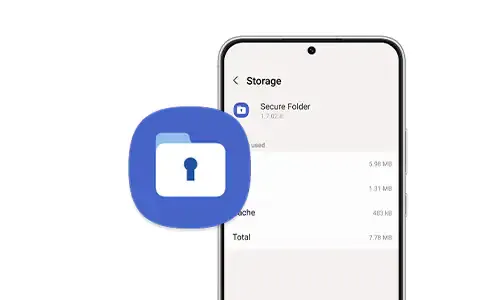
Samsung Secure Folder: The encrypted folder application every Galaxy smartphone owner should use
Keep your sensitive files private with Secure Folder
Samsung phones ship with Secure Folder, which lets you securely store private information, including photos and documents, hidden away from prying eyes. You can even move apps to this secure folder for additional security. While useful, not everyone would have a use for Secure Folder and would want to uninstall it from their phone.
After installing One UI 6.1, many Galaxy S23, Fold 5, and Flip 5 owners have noticed (via Reddit) that they cannot remove Secure Folder from their phones. Trying to uninstall it from the App Info page throws up an error saying, “If this keeps happening, contact Customer Service.”
A Samsung community forum moderator has acknowledged the inability to remove Secure Folder in One UI 6.1 (via SamMobile) and revealed the reason behind the issue. As per the moderator, “while applying the latest Google security policy to the software One UI 6.1, some exception handling of the Secure Folder app was not executed properly, so an app was distributed that restricts the deletion of the Secure Folder app.”
New Secure Folder build will fix the uninstall bug
Samsung will release a new version of the Secure Folder to fix the problem. This build is not live yet, but once it does, you can grab it from the Galaxy Store. Until then, you can turn off Secure Folder from the Quick Settings panel. Or, since the issue only appears to affect v1.9.10.27 of the app, you can downgrade to an older build and then uninstall Secure Folder from the Play Store.
While bugs are annoying, they are inevitable with major updates. So, it is good to see Samsung actively acknowledging them and promising to roll out fixes as soon as possible.











