


Popular design and prototyping tool Figma has already been integrated into two of Google’s native tools. Google Docs and Google Meet both support direct Figma integration, allowing users to preview and present Figma and FigJam files.
Starting today, Figma’s integration is expanding to a third native Google app.

The native app I’m talking about is Google Chat, which is officially gaining the Figma for Google Workspace add-on starting today (via Android Authority). With the new add-on, Google Chat users should now be able to preview Figma Design and FigJam files, “get update notifications, and reply to comments directly from Google Chat.”
Here’s every Figma function that Google Chat supports:
|
Link unfurl |
Invites |
Comments |
Tags |
Respond from Google Chat |
|
|
Figma Design |
✅ |
✅ |
✅ |
✅ |
✅ |
|
FigJam |
✅ |
✅ |
✅ |
✅ |
✅ |
|
Figma Slides |
✅ |
✅ |
✅ |
✅ |
✅ |
|
Figma Buzz |
✅ |
✅ |
✅ |
✅ |
✅ |
|
Sites |
✅ |
✅ |
✅ |
✅ |
✅ |
|
Make |
✅ |
✅ |
❌ |
❌ |
❌ |
Figma for Google Chat lets you:
- Receive notifications for invites to files, projects, and teams.
- Previews Figma files in notifications and group chats.
- See new comments and tags in the files you follow.
- Reply to Figma comments directly from Google Chat.
To get started, simply install the Figma Google Workspace add-on > head to the Google Chat navigation panel > under Apps, click Figma > in the chat, connect your Figma account as prompted. If you’ve already installed the Figma add-on for Docs or Meet, Figma will automatically be available to you in Chat.
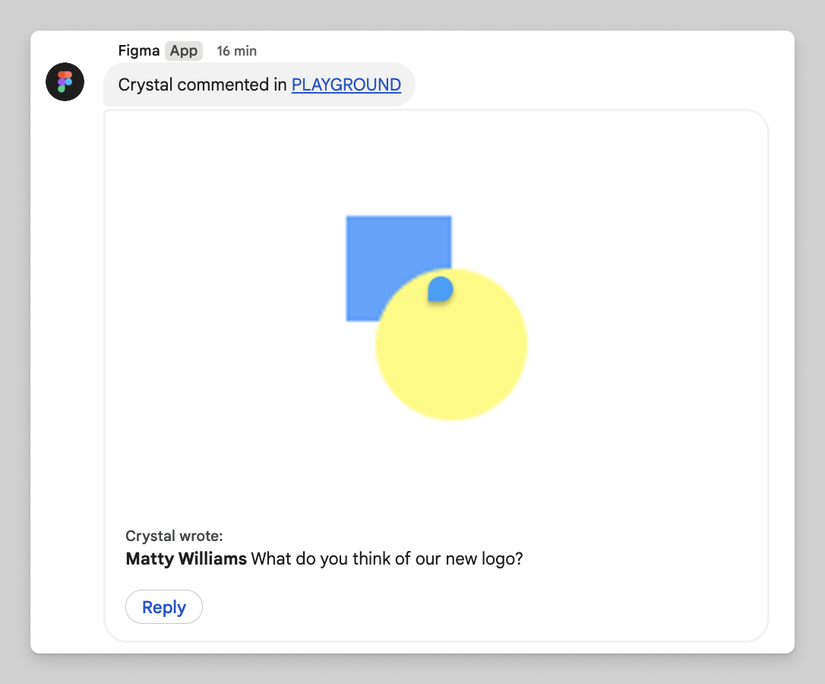
Credit: Figma
It’s worth noting that if you have a Figma file currently open in your browser, you won’t get Google Chat notifications you won’t get Google Chat notifications for comments and tags until said file is closed. Also worth noting is that FigJam won’t provide Google Chat notifications for tags in sticky notes.
The rollout is hitting all Google Workspace customers, Workspace Individual subscribers, and users with personal Google accounts today.











