


When Google started talking about Android XR, what appealed to me most wasn’t the full-on headset experience provided by the likes of the Samsung Galaxy XR, but the more portable and more immersive approach of glasses.
I don’t care about strapping a cinema to my face because I have a TV at home and I rarely, if ever, want to be isolated in a bubble with my entertainment. I’m also not a fan of logging anything voluminous or heavy around — it’s why I use earbuds and not headphones.
Glasses are the perfect solution for me; they’re light, they’re unobtrusive, and Google has plans to make multiple versions of Android XR for glasses ranging from two screens to one screen with overlays to a simple audio-only experience.
My first time trying this on was with the Xreal Aura, a pair of spatial computing dual-screen glasses that runs Android XR. After an hour spent discovering everything I could do with them, I was more than simply impressed. Now I’m more eager than ever to use Android XR in my daily life.
It starts with simple and portable hardware
Forget the bulky headset, this is better
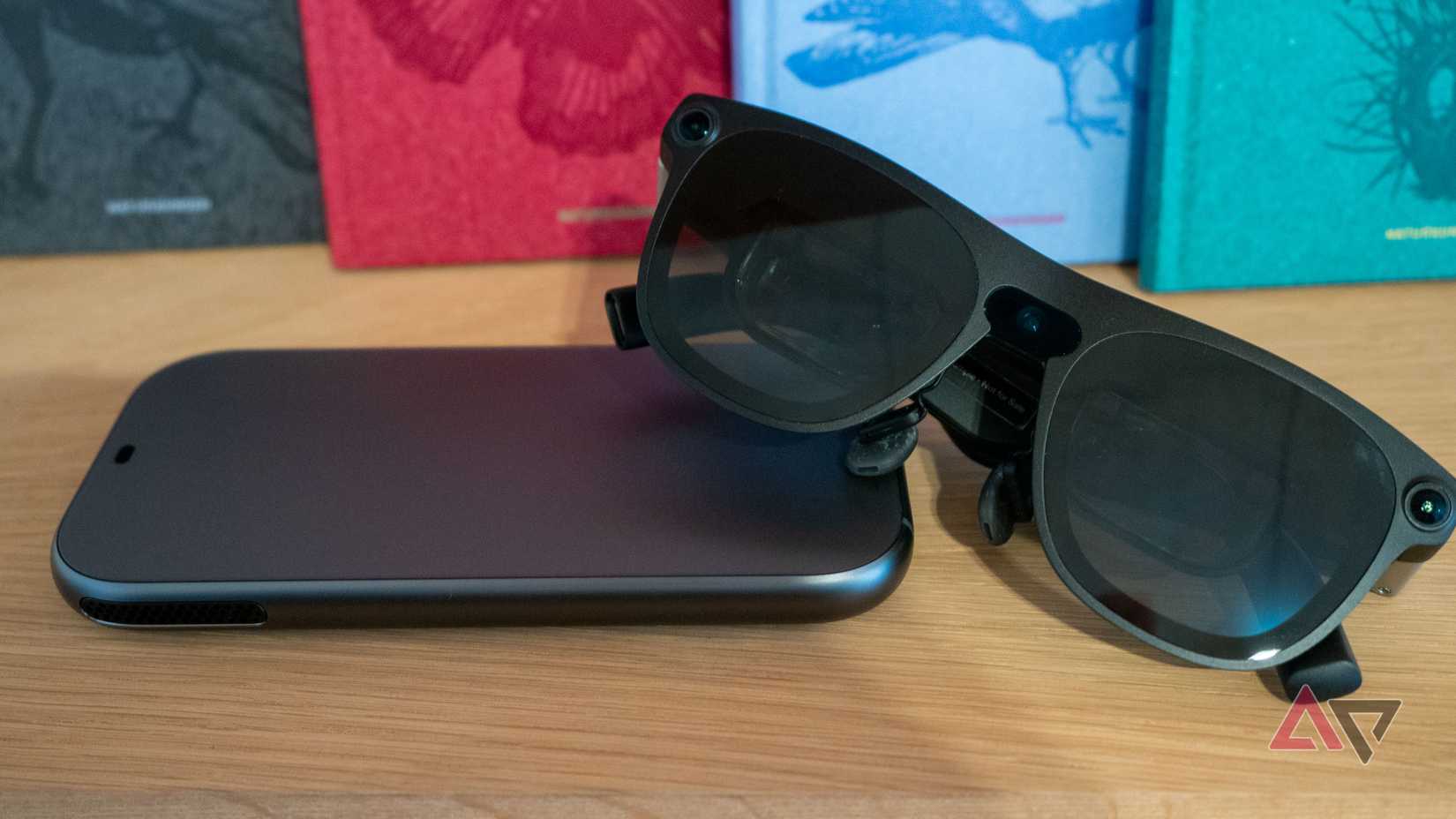
Xreal’s new Aura glasses are a combo of two main elements: the battery and brain housed within a phone-sized controller with a touch-sensitive interface for easier input, and the smart glasses. The two are connected with a USB-C-to-C cable.
There’s no bulky headset, no heavy equipment; everything fits in a pouch that’s the same size as a headphones case. It should easily slip into a backpack or stay next to your desk, without taking up much space. As I said, I hate carrying extra bulky things, and this comes close to solving my issue.
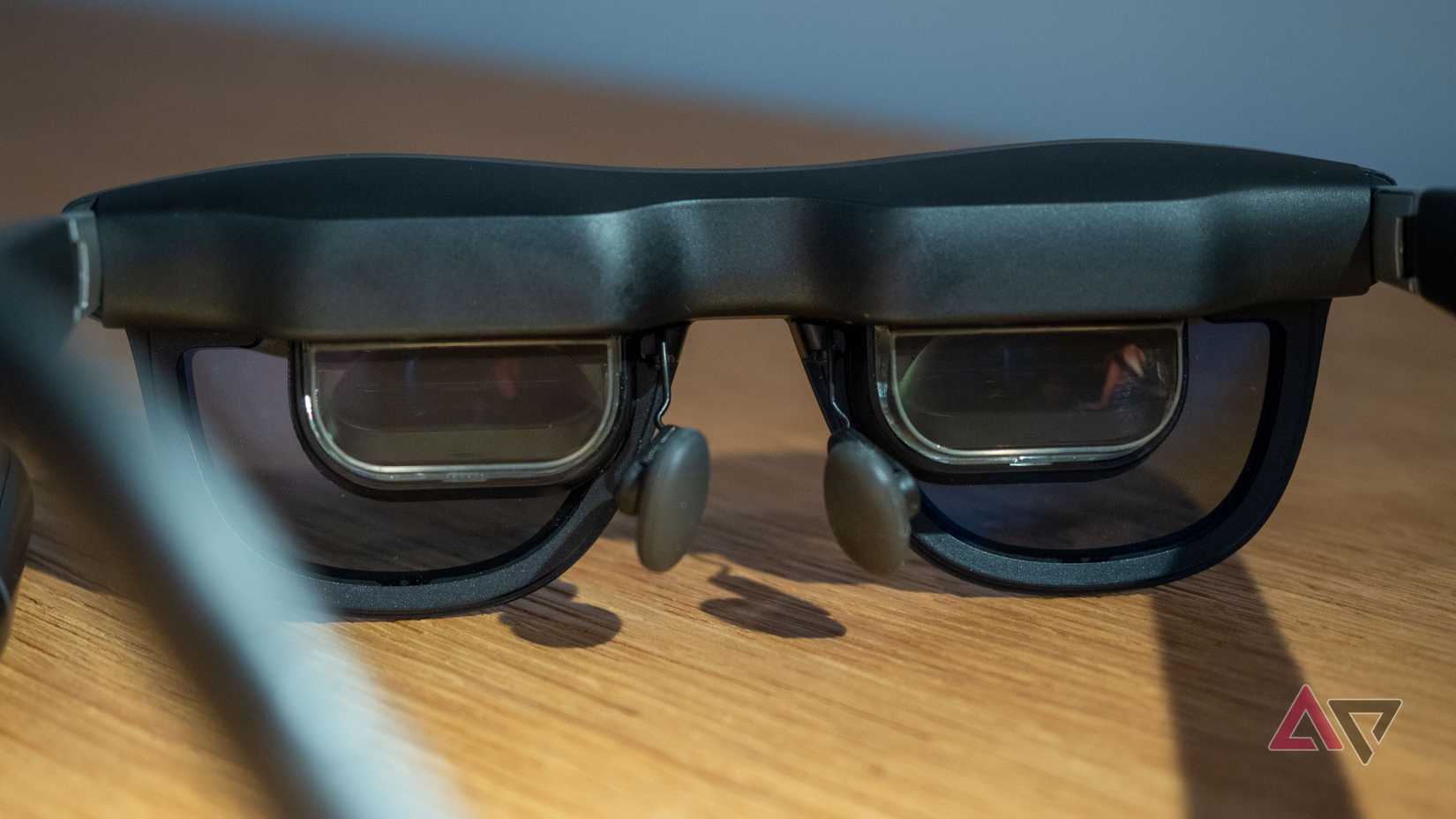
The glasses are obviously the most interesting part here. From the front, I could almost mistake them for normal glasses, if I didn’t stare for too long. The cameras are dead giveaways, though, if I do take a closer look, and the fact that they sit a little further away from your eyes.
From the back, you can see two glass screens, one for each eye. Built-in speakers and control buttons live on the eyeglasses’ arms and temples. I was pleasantly surprised by how light and comfortable they were, even after an hour of wearing them.
Not even the screens sitting a few millimeters away from my eyes annoyed me. And I didn’t even have to adjust the focus on my first try, despite my waning vision — everything was surprisingly crystal clear.
Wearing them for the first time felt a bit like strapping an Android tablet to my face and getting immersed, but their real strength is in mixing the real and projected worlds together. You pin apps around you and move to see them, you enlarge and move windows, you do whatever you want.
The only inconvenience I noticed was that the front of the Aura got a little hot, in the middle between the two glasses, but none of the parts touching my face or head did.
Gestures and Gemini make for a seamless experience
There are so many ways to control Android XR
Controls were the one aspect I was the most curious about when wearing a pair of glasses that claim to run a version of Android. How would the interface translate to something that can’t be precisely touched? Well, it turns out there are a few answers to that.
One of those is the controller’s touchpad, which can let you move around, select, and swipe almost exactly like you’re used to on Android. I’m sure it’s the one I will end up using the most in real life because it’s the most discreet, but there are other more ridiculous ways, too.
One is to hold your hand in front of the cameras and pinch, double-pinch, move, drag, and so on. It took me a few tries to figure out exactly how to trigger it, but once I did, I was waving my hands around by myself like an idiot. It worked so well in my demo time.
The other is to tap and hold the button on the glass temple to trigger Gemini. Then, you can ask it questions, talk to Gemini Live, tell it to launch apps, move things, and more. In text fields, you can use the microphone for input, or touch-type in front of your eyes, which works like magic.
I spent some time in Google Maps’ immersive view, drooling over the aerial views of a few cities, panning and zooming, then going down to Street View level and back up. I played a game where I had to reach out, grab my character, and move it. I tried YouTube and more.
An hour into my time with the Xreal Aura, I was much more confident picking when to use a gesture, when to call up Gemini, and how to do both. More time with the interface would surely result in faster and more precise interactions.
The real world is never too far away
Xreal makes interactions with the real world easy
What surprised me the most about the Aura was how smooth it was at detecting whether I was looking at the Android XR interface and floating windows, or turning sideways to talk to people around me.
The glasses have an immersive option that darkens everything around the main window when you’re using Android XR, then brightens when you look away. It’s fast, seamless, and feels like magic. One second, I’d be watching a video in an almost cinematic experience, and the next I’m chatting away and seeing the real world.
Gemini also has access to what your eyes see so you can “Circle to Search” the real world. I checked out a plant, a book, and a few other items around me. The gesture is finicky, though, and I wish it was a little faster. It should auto-detect objects with an option to pick one to know more.
And then I tried an app demo that scanned items around me and showed me their chemical components in augmented reality. That was unnecessarily cool.
And finally, Xreal has made it possible to plug any device into the controller via USB-C Display Port, so you can use the glasses as an external display for your Mac or Windows laptop, your gaming console, or your Android phone.
Better yet, whatever you see on that external display projection becomes accessible to Gemini, which means you can ask questions about it and have full-on Gemini Live conversations about what you’re seeing.
This transforms Android XR and Xreal’s Aura glasses into something akin to an interface for the real world and every other device you use. The possibilities are endless, and I haven’t even begun to think of all the ways I could make the most of it in my daily life.
Android XR is promising, and the Xreal Aura is proof of that
I was never tempted to buy Samsung’s Galaxy XR because, as I said, that product is not made for me. But the moment I took off the Xreal Aura, I picked up my phone and went to their official website to see how much they cost and when they were shipping.
Speaking to the Xreal team, I was told the price wouldn’t be more than $1,500 (less than Samsung’s then) and the expected shipping date is in Fall 2026 — likely around November. That tracks, since we’re expecting other Android XR devices soon.
Samsung and Google should be joining in with their own glasses, but those are everyday audio-only glasses with no display to look at. The Xreal Aura does much more than that, but only lasts about 5-6 hours on a charge with intensive use.
I’m curious to see how the Aura performs in the real world and whether something like this, with











