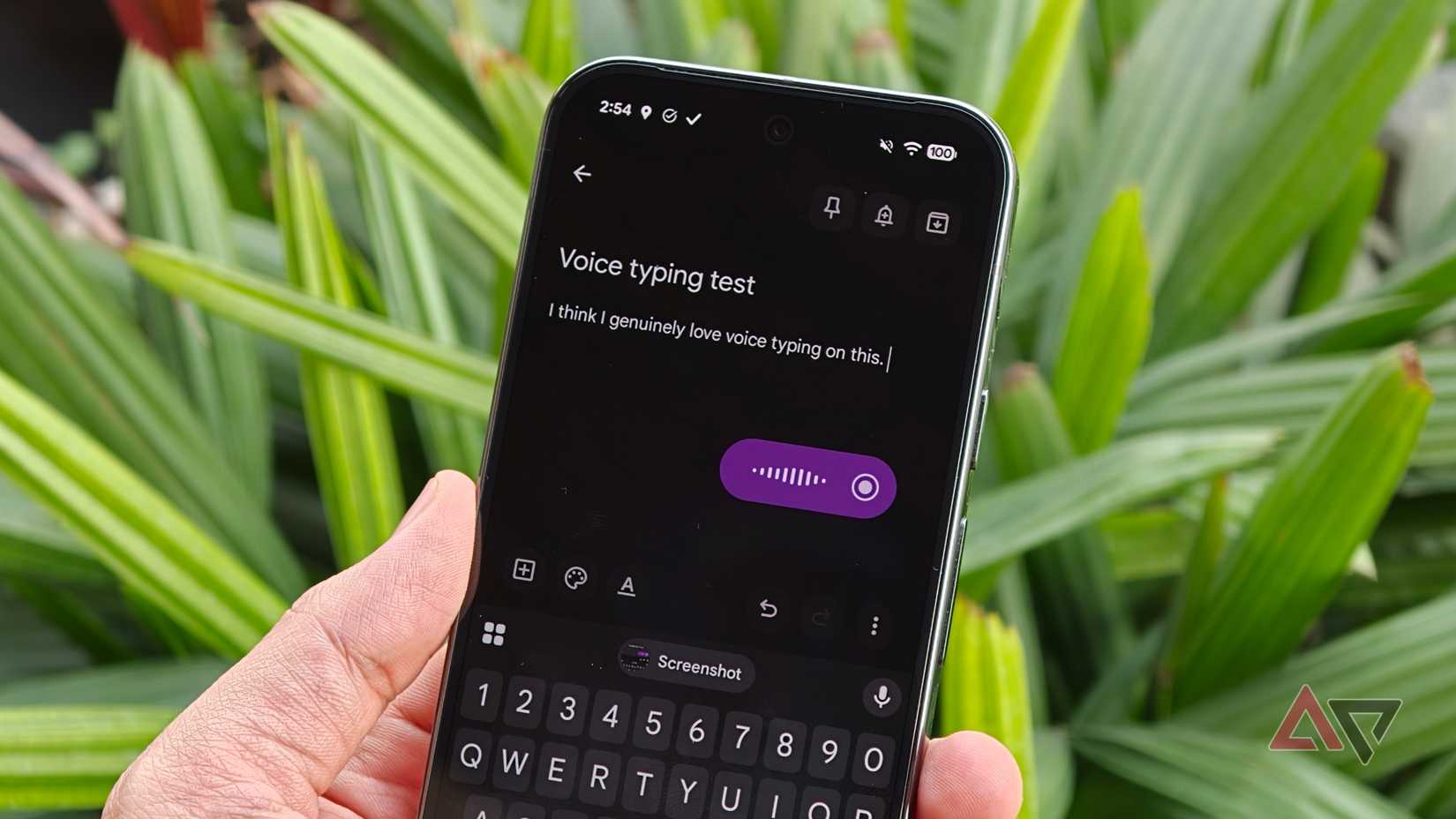
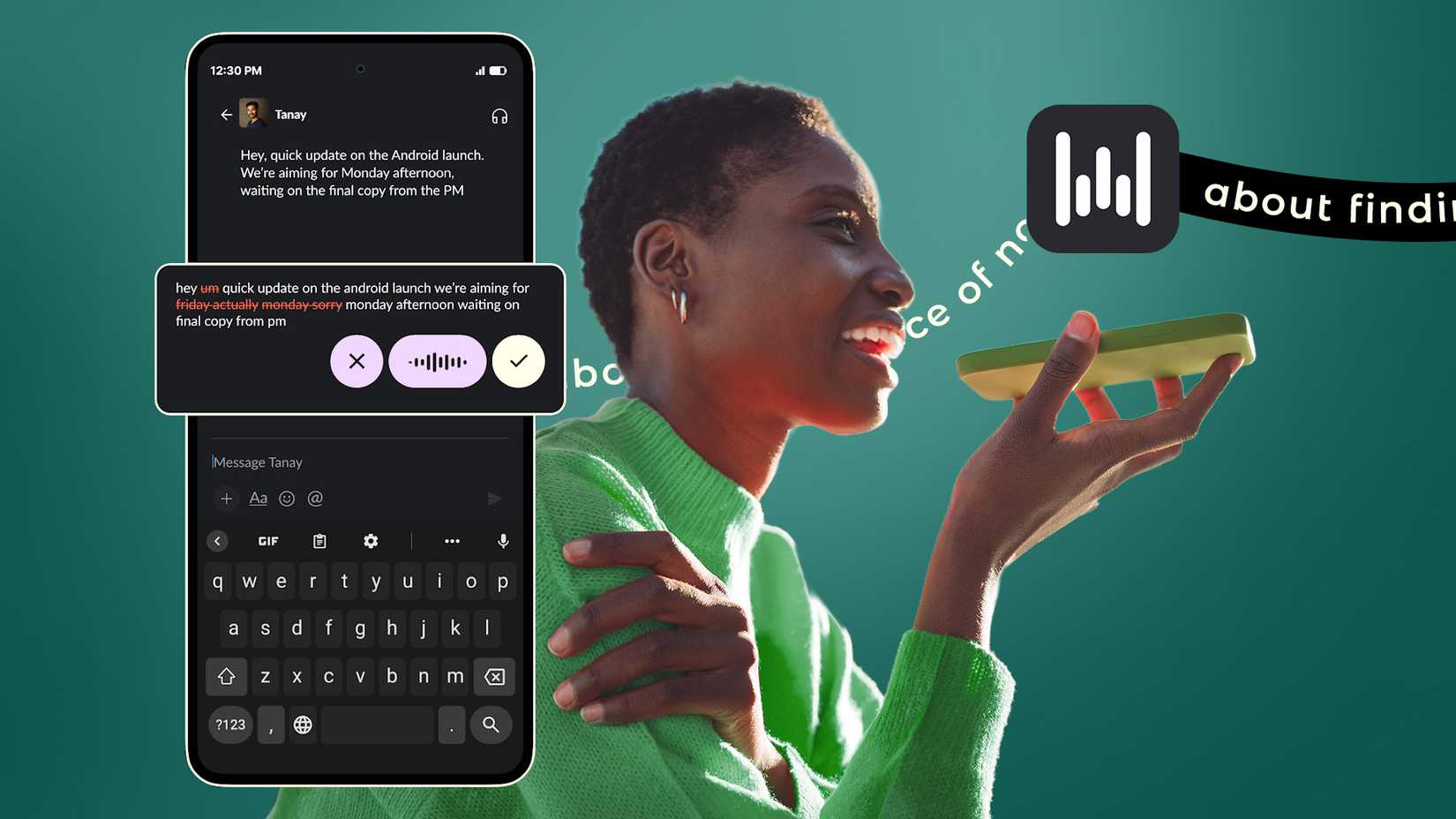
Rambler was the one Google Pixel 11 feature that caught my eye when Google showed it off. It takes messy speech, removes the filler, and produces text you can send without polishing it up.
<!–
Join Android Police now to
–>
<!–
Sign in or create an account to unlock all features and enjoy the full Android Police experience.
–>
Unlock Personalized Content & Exclusive Features For Free
Engage in discussions in Threads
Follow and Like top authors, topics, and trends
Browse with fewer ads across the site
Personalize your profile to showcase your activity
Get a content feed tailored to your interests
By creating an account, you agree to our Terms of Use and Privacy Policy.
You also agree to receive our newsletters; you can unsubscribe any time.
<!–
Log in – Create an account
–>
<!–
Unlimited Access & Enable All Features!
–>
<!–
Unlimited Access • All Features • Full Experience!
Please provide your email address to finish creating your account.
<!–
Create an account
–>
*Required: 8 chars, 1 capital letter, 1 number
or
By creating an account, you agree to our Terms of Use and Privacy Policy.
You also agree to receive our newsletters; you can unsubscribe any time.
I wanted to try it out, but then I read the requirements. Google’s support page lists the Pixel 11 series as a prerequisite, which leaves out my Pixel 10 even though it is only a year old.
Google is keeping the Pixel 11’s best features locked away from older models, and Rambler is one of them. But no matter how attractive it is, I won’t spend $899 on a new phone for a better keyboard.
After trying Gboard’s Fix it and Detailed edits to limited success, I installed Wispr Flow on my Pixel 10. It brought the same style of cleaned-up dictation to Android in February, six months before the Pixel 11 went on sale.
Pixel 11 exclusive, yet servers do much of the work
The support page shows how little Rambler does offline
The first thing that comes to mind when you hear of this Pixel 11 lock-in is that Rambler needs powerful hardware features that the older Pixel models don’t have.
However, Google’s support page also requires an active internet connection to access Rambler’s full set of features.
Without a connection, Rambler handles basic cleanup, punctuation, and capitalization. You need to be online to get rewrites that change your style and conversational voice edits.
Google temporarily processes your audio, text, and corrections. To me, that means a large chunk of Rambler’s work runs on Google’s servers rather than on the Tensor G6 chip.
Rambler is also subject to usage limits, but Google hasn’t told us what those limits are. This makes it hard to know how much dictation a heavy user can do in a day.
This situation is puzzling because my Pixel 10 runs Nano v3 comfortably, clearing the bar that Google set for its Gemini Intelligence features.
Google has not explained why Rambler skips a phone that meets its own requirements. It is a clear example of Android’s new AI fragmentation problem, where qualifying phones wait for features.
Wispr Flow gave my Pixel 10 the same cleanup
A floating bubble sits beside the keyboard I already use
A colleague had recommended the Wispr Flow desktop app after I complained about the strain on my wrists while typing.
They claimed it was faster and better than typing, and while I haven’t put that claim to the test, I remembered the suggestion when I learned about the Rambler lock-in.
Setup only took a couple of minutes. Wispr Flow needs Android 13 or newer, and it appears as a floating bubble whenever I tap into a text field.
It doesn’t replace Gboard, so I still type normally and tap the bubble when I want to talk. I can also long-press the bubble and speak only while I hold it, which is better for quick replies.
The app requested a couple of permissions to run properly, none of which are intrusive. Let it display over other apps, turn on its Accessibility Service, and grant microphone access, and you’re good to go.
Wispr also asks you to set Flow’s battery usage to Unrestricted so that Android doesn’t close it in the background.
Accessibility permission lets Flow detect text fields and insert dictated text, since Android offers no standard way for third-party apps to do either.
I mostly used Flow for long messages that must be delivered as text, and it works well. For example, when I changed a deadline halfway through a sentence, Flow kept only the corrected date.
Flow misspelled a contact’s surname early on, and all I did to fix it was add the correct spelling to its dictionary. Since then, it has always recognized the name and used the correct spelling.
It also drops filler words out of my messages without any effort on my end. When I listed tasks out loud, Flow turned them into a numbered list instead of one long sentence.
Flow misses a few Rambler extras, but it’s free for now
Rambler’s offline cleanup and voice rewrites give it an edge
Credit: Lucas Gouveia / Android Police | GaudiLab / Shutterstock
Flow’s dictation cleanup covers the core of Gboard’s new Rambler feature. Google’s version adds voice commands that rewrite tone and insert emoji, but Wispr does not list those among its Android features.
Flow also has no offline mode, while Rambler keeps its basic cleanup without an internet connection.
Wispr recommends using one language per dictation, but Google says Rambler follows you when you switch languages mid-sentence. Though, as a hopeless monolingual, this isn’t a problem for me.
Neither Flow nor Rambler shows my words while I speak. Flow places the cleaned-up text into the field after I tap to finish, and Rambler also waits until you tap the checkmark.
Flow wins hands down on price. Wispr’s pricing lists unlimited free dictation on Android, and its Pro plan costs $15 per month or $12 per month billed annually.
The Pixel 11 needs a better upgrade pitch than Rambler
If Rambler reaches the Pixel 10 in a future Feature Drop, I’ll test it, because offline cleanup and voice rewrites would help me. Though I doubt it would replace Flow on my phone.
Flow syncs my dictionary to my laptop, so the surname I added on my phone is also spelled correctly when I dictate at my desk. This matters more to me than offline mode, since I do most of my writing on a computer.
Google may still bring more of the Pixel 11’s most useful AI features to older phones. Until it does, other Pixel 10 owners can install Flow today and keep using Gboard for everything else.