


There are only a handful of tech products I depend on as much as Android Auto, and somehow fear using just as much.
Last Tuesday proved why. I was trying to get through a messy junction in the Sydney CBD, following the map on my car’s display as if my life depended on it.
Right then, my Google Pixel 10 Pro XL decided the connection didn’t feel like cooperating. The screen just went dark.
After years of reviewing this tech, you’d think I’d be numb to it by now. I’ve run Android Auto on Samsung’s flagships, the latest Pixels, and everything from OEM dashboards to aftermarket displays.
On paper, Android Auto sounds perfect. However, reality doesn’t always follow that script. Turning on the car shouldn’t feel like opening a new tech support ticket, but that’s where I often end up.
Android Auto can be draining because it puts the responsibility on me to keep it working. Instead of simply using it, I’m stuck dealing with its random breakages.

Android Auto still can’t get the basics of connecting right
Plug it in, cross your fingers, hope for the best
Credit: Lucas Gouveia / Android Police | VLADIMIR VK / Shutterstock
Android Auto’s problems begin right at the connection screen.
It doesn’t matter if I’m wired in or trying wireless; the experience feels like a coin toss. I still run into random dropouts while driving, and this happens even with reliable, data-rated cables.
You eventually realize that maybe the problem isn’t your gear but the handshake process Android Auto relies on. The process simply isn’t stable.
Android Auto depends on consistency, and Google’s broad ecosystem makes that difficult. There are too many phones, software versions, and head units in the mix. With so many devices and software setups, things break far too easily.
That’s why so many users look to Apple CarPlay as the standard. Its stability is the bar Android Auto still hasn’t cleared.
Switching to wireless mode brings its own issues. Sometimes the phone connects instantly, other times it decides to take a full minute to acknowledge the car is even there.
This is an unacceptable standard for something meant to support you while driving.
When Android Auto can’t even guarantee a clean start or finish to a connection, it shows that the core phone-to-car communication still isn’t under control.
Coolwalk’s design polish can’t fix deeper issues
New design, same old bugs
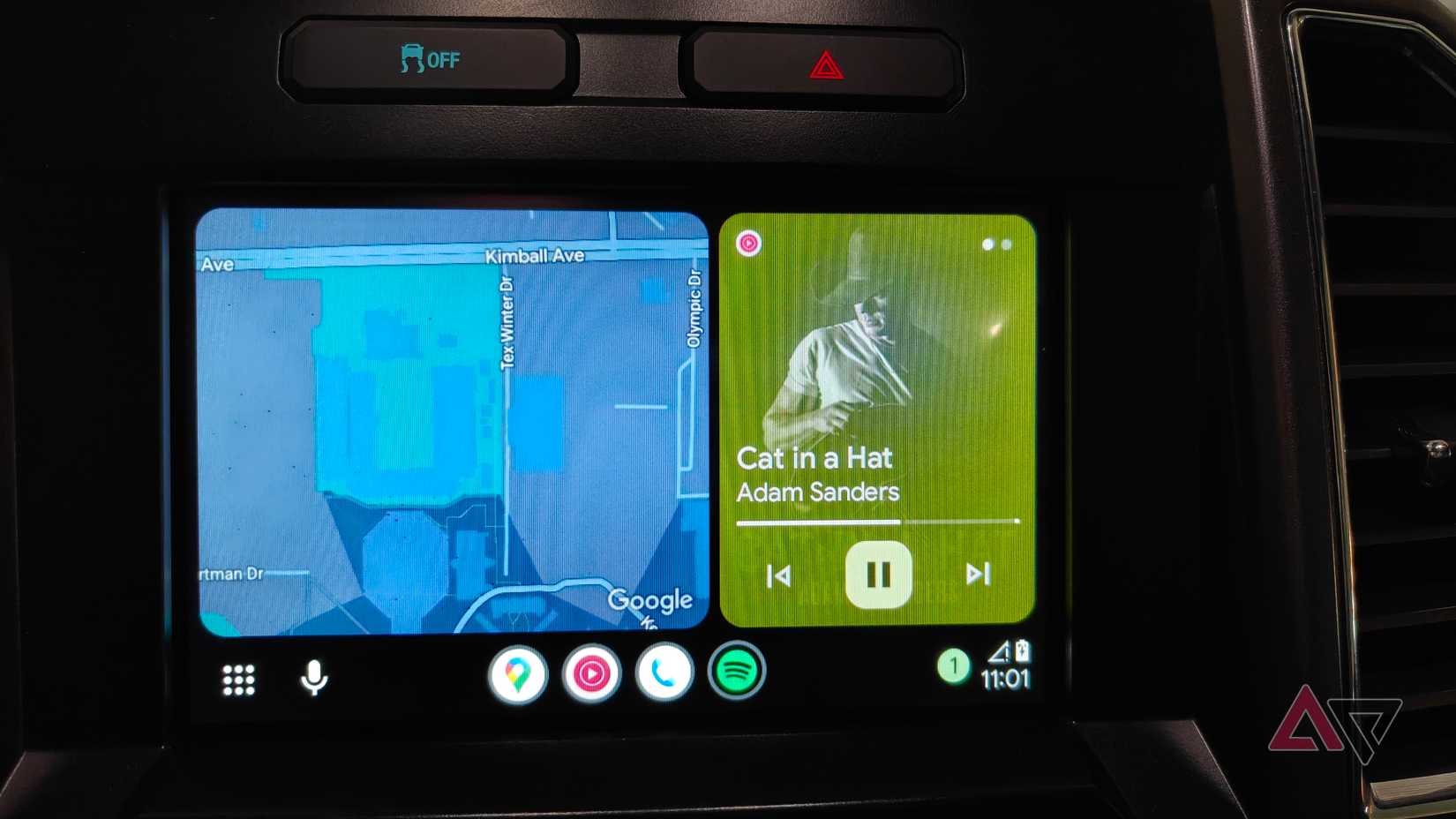
Coolwalk gave me a reason to be excited again.
The ability to run Google Maps and Spotify side by side was a big improvement over the old layout. Yet the upgraded design still sits on unstable ground, and the nicer look doesn’t hide the deeper issues.
Frequent glitches remind you that the visual polish can’t overcome the underlying problems. When Spotify or any other third-party app is pushed into the compact split-screen view, the interface sometimes breaks down.
Items overlap, controls hide themselves, or the app freezes entirely. And those issues sit alongside long-running bugs that still haven’t been addressed.
Another example is the magnified UI glitch. Coolwalk would suddenly zoom in so far that the interface became useless for navigation or simple tasks like placing a call.
Thankfully, Google eventually acknowledged the issue and pushed an app update that fixed it.
Major Android updates keep breaking Android Auto
Every update brings a new round of headaches

Credit: Lucas Gouveia / Android Police | N Universe / Shutterstock
Every major Android OS update is an existential threat to Android Auto. The platform doesn’t handle system changes well. Each release shows how weak Google’s cross-platform testing and fragmentation control still are.
Android 16 broke Android Auto for many users right after the update. Every attempt to connect ended with the black screen.
It was a software issue, and the only temporary fix users found was repeatedly uninstalling and reinstalling updates just to squeeze out a few successful connections before it crashed again.
Importantly, this issue didn’t only affect Google devices. Some Samsung users who updated to One UI 7 also experienced major failures with Android Auto.
Android Auto’s openness is holding it back
Android Auto’s openness means more third-party app choices, but that comes at the cost of stability and polish. Apple’s curated ecosystem sets a high bar, making Android Auto’s shortcomings clear.
Android Auto’s problems really shine a light on a bigger issue with how Google builds its products. They’re always chasing the latest flashy features, but often miss out on making the basics work smoothly.
What should be a tool to make driving easier ends up causing headaches because stability and polish take a backseat.
Instead of prioritizing Gemini’s poetic responses, they should pour resources into fixing Android Auto’s stability. That means connections you can trust. Both wired and wireless.
Right now, Android Auto is exhausting to use. Its instability creates a daily cycle of technical headaches and the ever-present fear that it might quit on me right when I need it.










