


There’s something special about an Android tablet that doesn’t break the bank. The OnePlus Pad Go 2 improves on its predecessor in key areas like the screen and processor, yet retains its value-led price.
If you’re after a media machine with some extra goodies, but don’t want to splash out on the big-name models, is it one to buy? I’ve used it for a few weeks to find out.
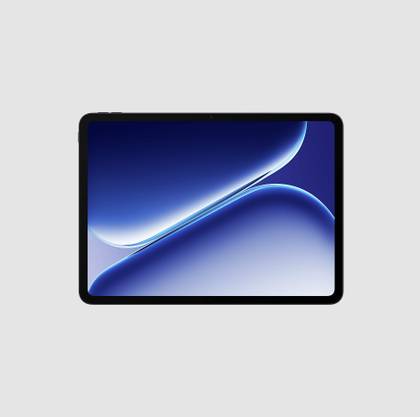
OnePlus Pad Go 2

- SoC
-
MediaTek Dimensity 7300 Ultra
- Display dimensions
-
12.1-inch
- Battery
-
10,050mAh
- Storage
-
128GB / 256GB
The OnePlus Pad Go 2’s big screen, feature-filled and slick software, plus the big-capacity battery makes it a brilliant at-home Android tablet that doesn’t cost a fortune.
- Big 7:5 aspect ratio screen
- Simple software with helpful features
- Good audio performance
- Only 128GB storage space
- Accessories potentially only free for a limited time
- No durability credentials
Specs, price, and availability

The OnePlus Pad Go 2 is available in the US now and at full price, costs $400. At the time of writing, OnePlus sells it for $350. It comes in one color, Shadow Black, and in one configuration of 8GB of RAM and 128GB of internal storage space.
Depending on where you live, you may find a 5G version of the OnePlus Pad Go 2 is available, a 256GB storage space option, and a second color called Lavender Drift. These are not listed in the US OnePlus store.
Its closest rival is the Samsung Galaxy Tab S10 FE, a 10.9-inch tablet which also comes with 128GB of storage space, and costs $400, but a 256GB version is available for $570. If full Google Play access isn’t an absolute requirement, and you want something much cheaper, consider the $140 Amazon Fire HD 10.
Spend a little more, and you get the high performance $700 Samsung Galaxy Tab S11, which comes packaged with the S Pen stylus, or OnePlus’s flagship OnePlus Pad 3.
Specifications
- SoC
-
MediaTek Dimensity 7300 Ultra
- Display type
-
LCD
- Display dimensions
-
12.1-inch
- Display resolution
-
2800 x 1980
- RAM
-
8GB
- Storage
-
128GB / 256GB
- Battery
-
10,050mAh
- Charging speed
-
33W
- Charge options
-
Wired
- Front Camera
-
8MP
- Rear Camera
-
8MP
- Cellular connectivity
-
5G
- Wi-Fi connectivity
-
Wi-Fi 6
- Bluetooth
-
Bluetooth 5.4
- Dimensions
-
266 x 192 x 6.83mm
- Weight
-
599 grams
- Colors
-
Lavender Drift / Shadow Black
Design and hardware
A bit of a beast

The OnePlus Pad Go 2 isn’t as much of a monster as the 13.2-inch OnePlus Pad 3, but at 12.1 inches, it’s not far off. It’s a millimeter thicker at 6.83mm too, and I’ve noticed it quite a lot, especially coming from the 5.5mm thick Samsung Galaxy Tab S11.
The frame is made of metal, but the rear panel appears to be plastic, and it does attract a lot of smudges. There’s no IP rating or military standard toughness certification, so you’ll have to be careful with it if you plan on using it outside, by the pool, or in the bath.
It feels substantial in your hands, but not always in a good way, as the nearly 600-gram weight gives it heft, which isn’t welcome when holding it for long periods of time.
It’s also very ordinary-looking, with a simple, single camera module on the back, a small OnePlus logo, and a set of small corner-mounted buttons. The hardware and design reflect the OnePlus Pad Go 2’s price, but the good news is that there are fewer compromises elsewhere.
Screen and performance
Middle of the road

The OnePlus Pad Go 2 has a big 12.1-inch LCD screen with a 7:5 aspect ratio, and a 2800 x 1980 pixel resolution. The aspect ratio is supposed to be ideal for reading, and best suited to side-by-side multi-tasking.
It looks good, with strong contrast levels and vibrant colors, making games fun and movies enjoyable. I’ve used it as a second screen on my desk for a few weeks now, and haven’t missed the Galaxy Tab S11 that was there before it.

The 900 nits maximum brightness is acceptable, but the ambient light sensor is poorly calibrated, often resulting in the tablet starting at its lowest brightness. The 120Hz refresh rate is very welcome and works consistently throughout the software and apps.
Powering it is the MediaTek Dimensity 7300 Ultra, versions of which are used inside the Poco X7 and the Motorola Razr 2024. It gets 8GB of RAM and a pitiful 128GB storage space, and no option to add a MicroSD card.

There are four speakers, and the audio is great. It creates a lovely, wide soundstage, yet doesn’t let vocals disappear in the midst, remaining controlled for music and movies. They’re loud too, without much distortion. I prefer the sound of the OnePlus Pad Go 2 to the more expensive Galaxy Tab S11.
There’s nothing here that immediately stands out as a single, top spec, but the OnePlus Pad Go 2 makes it all work together really well. It plays games, videos look good, and the sound is great. I use tablets as media machines, and the OnePlus Pad Go 2 has been great. Just be prepared to pay for cloud storage if you intend to store a lot of files, photos, or music.
Software and features
Surprisingly comprehensive

OxygenOS 16 is built over Android 16, and OnePlus will provide three major OS updates. This isn’t great, especially when Samsung will provide seven years of major OS updates on the Galaxy Tab S10 FE.
If you really want to take photos, there’s an 8-megapixel rear camera, which joins the 8MP camera on the front. The front camera is also used for face unlock, which is the only biometric security system. It is reliable, provided you don’t accidentally cover the lens with your hand, and its simplicity means the Pad Go 2’s biometric security is preferable to that on the Galaxy Tab S11.

OnePlus’s excellent split-screen multi-tasking is available, which, once you get the hang of setting it up, feels fluid and natural. I’ve used the Pad Go 2 for some light work in Docs and apps like Slack, and it has handled it without issue. The OnePlus AI suite is limited to translation for text and voice, plus an AI writing tool.
There are some great file-sharing tools, too. It’s possible to share files and photos between the OnePlus Pad Go 2 and iOS/Mac OS using the O+ Connect app, or with other Android devices using the Quick Share system.

I tried both. Quick Share is very fast and requires no setup at all. Sharing to iOS requires a little more initial effort, such as installing the app and configuring Device Connect, but it worked very effectively. I shared and accepted files from and to my iPhone 17 Pro Max in moments.
The OnePlus Pad Go 2 may not be OnePlus’s flagship tablet, but the software is more than capable of handling day-to-day tasks, light work, and some special cases, too. I’ve found it comfortable and fast to use.
Battery and charging
Decent, provided it stays at home

The OnePlus Pad Go 2 has a 10,500mAh battery inside, and it’s recharged using a USB-C cable at speeds up to 33W. This makes it fairly slow to fully recharge, with my Anker Prime charger taking to 100% in 90 minutes, with 50% coming up in 50 minutes.
Battery life depends on use, but the Pad Go 2 and Dimensity 7300 Ultra processor aren’t an overly efficient pairing. I’ve seen around five hours of screen time on a single charge. It’s fine, but I’d expect a little more from such a large-capacity battery.
Digging into some more detail, expect a one-hour YouTube video at 1440p and full brightness to take 17% of the battery, a 40-minute video call to take 6%, and a 20-minute benchmarking stress test from the 3DMark app to take 8%.

OxygenOS has been tuned to only sip power when in standby, and leaving the tablet alone overnight for a total of 15 hours saw the battery reduced by 6%. It means if you don’t use it all the time, at least the battery is unlikely to be completely flat when you return to it.
OnePlus estimates 15 hours of video playback and 60 days of standby from the Pad Go 2’s battery. One neat feature is its reverse charging, where you can plug a phone into the tablet and take power from the big battery to give your phone a top-up.
OnePlus extras
Free for now

When you buy the OnePlus Pad Go 2 from OnePlus’s online store, you currently get the Folio Case and the OnePlus Stylo stylus for free, saving you around $125.
The Folio Case has a fairly cheap-feeling polycarbonate frame and a soft screen cover that doubles as a triangular stand when folded in on itself. There’s also a magnetic flap to hold the cover closed, which often gets in the way when trying to use the cover as a stand. It has a plastic holder for the Stylo and without the Folio Case, there’s nowhere to keep the stylus.
The case provides considerable protection, but at the cost of weight. Attached to the tablet, the whole package weighs nearly 890 grams. It doesn’t have a keyboard section, so you’ll have to buy a separate Bluetooth keyboard if you want to work on the Pad Go 2.
The Stylo stylus connects with Bluetooth and is charged with a USB-C cable, ready for around 20 hours of continuous use. It’s cylindrical and reasonably pleasant to hold, but there isn’t much to do with it in OxygenOS. Almost all its functionality relates to the OnePlus Notes app.
It does a decent job writing or drawing, but it’s nowhere near as functional, precise, or pleasing to use as the excellent S Pen stylus, which comes packaged with the Samsung Galaxy Tab S11. As freebies, these are both great, but I’d think twice before paying an additional $125 for them both.
Should you buy the OnePlus Pad Go 2?

When tablets reach, or get close to costing $1,000, a laptop can make more sense if you want to do more work on it. But if you want to watch YouTube or Netflix, play some games, browse some apps, and maybe type a few words now and then, a much cheaper tablet may represent much better value.
This is where the OnePlus Pad Go 2 makes a lot of sense. It has done everything the Galaxy Tab S11 did, based on my general use, yet costs half as much. Obviously, there are differences, but if all it’s going to do is stay at home, they may not matter much to you.
It’s also a genuine upgrade over the OnePlus Pad Go, with an improved processor, screen, and larger battery, plus stylus support. When you can get the stylus, Folio Case, and tablet for $400, the OnePlus Pad Go 2 is a recommended purchase. Even without the extra goodies, it’s still a good buy.
OnePlus Pad Go 2
- SoC
-
MediaTek Dimensity 7300 Ultra
- Display dimensions
-
12.1-inch
- Battery
-
10,050mAh
- Storage
-
128GB / 256GB
For watching video, using apps, and playing games at home the OnePlus Pad Go 2 is ideal, but it’s not best suited to work or the outside world.










