


I’ve been a long-time advocate of Evernote.
The app was essentially my digital junk drawer through college, work, and beyond. It held everything from clipped articles to reminders, old travel plans that were years out of date, and more.
It’s familiar, and I’ve stayed local to the app because of inertia. But the shortcomings of the app have been painfully obvious. It’s slow, sync isn’t as reliable as it used to be, and the app feels antiquated compared to more modern, shiny alternatives.
I’ve tried making Evernote work and did everything from reorganizing notebooks to adding tags, cleaning duplicates, and more. But nothing has fixed the experience.
So, I decided to look outward at alternatives. That’s when I came across Notion. Now, this isn’t the first time I’ve heard of the app. It’s a popular choice. However, I never had enough of a reason to truly dabble in it.
But with Evernote running on life support, it was time to switch. Since then, Notion has let me build my own system instead of forcing me into its own.
The interface is easy enough to understand that you can get started with the basics in minutes, but there’s enough flexibility under the hood that you can spend days discovering new features.
Moreover, for the first time in a very long time, I’ve enjoyed taking notes again. Notion does everything Evernote doesn’t, and it does it without the sluggishness that has made me hate Evernote lately.
The problem with Evernote and why it doesn’t work for me anymore
Feature creep and slow search create more friction than they solve
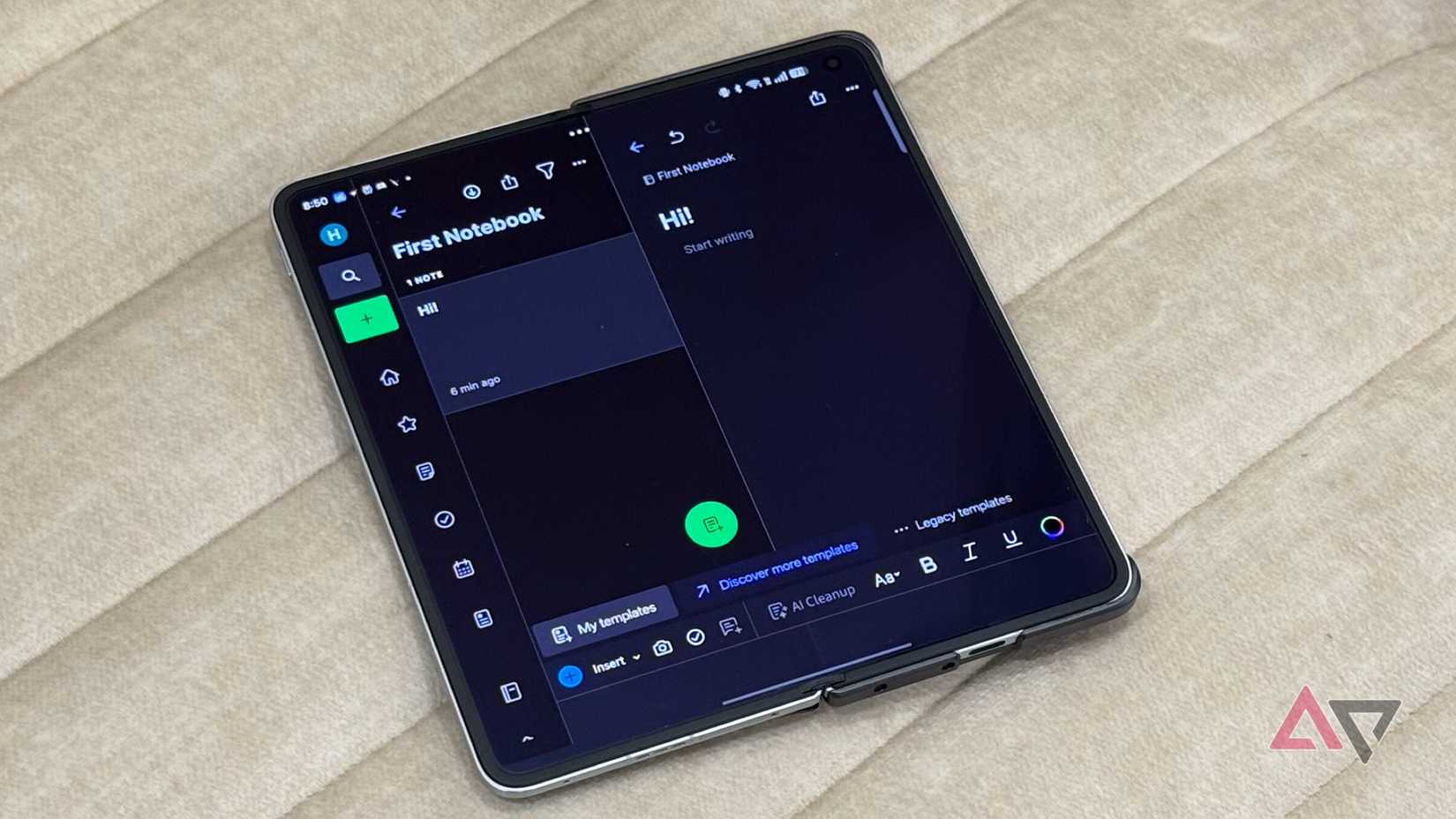
Even when Evernote worked well, it wasn’t the most well-designed app. The idea of stuffing notebooks within notebooks with tags added on top feels like something straight out of 2014.
Sure, the app tried to mimic the folder structure on my computer, which sounds simple, but it’s not as if that is the most modern way of doing things. When you have hundreds or thousands of notes, it can be a pain to find what you actually want to find.
Instead, I kept creating new notebooks because the old ones no longer served that specific purpose and added more tags as a way to keep things ordered, but really only added to the chaos.
Instead of a knowledge system, I’d developed a storage problem.
When you have hundreds or thousands of notes, it can be a pain to find what you actually want to find.
Search was the next big issue.
Yes, Evernote could technically scan text from images and dig through old notes. But all too often, either the feature just didn’t work, or was inaccurate.
Evernote encouraged effective culling, and over the years, this created a massive archive that was practically impossible to sort through. Truly an ever note, if you get what I mean.
There’s also the problem of feature creep.
Evernote, in a bid to stay competitive, has progressively added features. But these have become feature creep.
From tasks to calendar views, templates, and more. All of these are useful in theory, but together they make the interface feel excessively crowded.
Add to that smaller frustrations like the slow pace of loading notes or limited embedding potential, and the entire experience was frankly dated.
How Notion fixed what Evernote made complicated
Modern tools that match how we work today
The first thing that struck me about Notion was the blank page it offers. Effectively, a clean slate to start with. There’s a sidebar that can be tucked away, but that’s about it. The lack of stacked notebooks is a refreshing change of pace.
From there, Notion’s block-based way of doing things has been a revelation. Text blocks, headings, lists, toggles, checkboxes, databases, everything is a block that I can rearrange in settings. This single idea has changed how I take notes.
There’s no rigid layout, nor is it time-consuming to go back and change layouts. I can draft things in a flow state and rearrange them as I want, when I want, with ease.
Then there are linked pages. Yes, Evernote does let you link notes, but the implementation leaves much to be desired. In Notion, it’s a natural way of doing things.
Everything is interconnected and stays tidy without having to stack folders.
Any line of text can effectively become a new page. And these pages can hold more pages, databases, images, or, to be fair, anything you want. Everything is interconnected and stays tidy without having to stack folders.
Talking about databases, that’s the real upgrade.
I’ve created one for research, one for ideas, and one for articles in progress. All these databases live in a single dashboard view, but the item opens up as a separate full page. It’s a simple idea that works wonderfully for organization.
Evernote has always treated notes as static objects, whereas Notion treats them like living documents that can be transformed into tables, calendars, galleries, and more. It’s more representative of modern use cases.
Search is also much faster in Notion, and you still get basics like tagging. So, if you want to stick to old habits, you can do that too.
There are many such concessions to modern use cases built into Notion that would take forever to list, but I’ve really appreciated the ability to embed YouTube videos, PDFs, Figma files, or even tweets.
Notion has become the tool I wanted all along
Notion hasn’t replaced Evernote for me because it has more features. It’s replaced Evernote because it’s a better way to work for me in 2025.
While Evernote has always focused on accumulation, Notion is more focused on productivity and letting you adapt that content into whatever you need it for.
A page doesn’t need to stay a text page; it can be a database, a place for image galleries, or a page interlinking to other pages. More than that, it helped me remove friction and become more organized.

Notion is a flexible workspace that lets you turn simple notes into connected pages and powerful databases.







