


Gboard is one of the go-to keyboard choices for many Android users. Its popularity is not unfounded.
There is a reason why, despite the number of great Android phones with default setups, people are still drawn to Gboard over other keyboard options.
The app is reliable, user-friendly, customizable, and it integrates well with other Google services.
You can set up Gboard to work in different ways to assist your typing, such as swiping through keys and dictating words through voice control.
The app also includes fun ways to personalize your messages with GIFs and custom emoji creations in the Emoji Kitchen.
The experience has always been solid. So solid that I have always gone back to it after taking a break. However, the more time I spent away from Gboard, the more I realized it wasn’t the keyboard app I’d come to love.
Oftentimes, I find myself spending more time typing a message to fix autocorrect and ignoring more predictive text suggestions than using them.
I shudder at the thought of writing inappropriate words to the wrong people, and it has made me think twice before I send any message.
I’ve done this in the last few months, and every time an NSFW term (including awkward medical terms I never knew existed) appeared, I’ve had no choice but to start those messages over or edit them out.
Your keyboard app should be one you mostly trust, and not one that would worry about destroying our image or professionalism, which is why I’d rather wait out the storm before using Gboard again.

What happened to Gboard’s autocorrect function?
Gboard’s autocorrect isn’t what it used to be
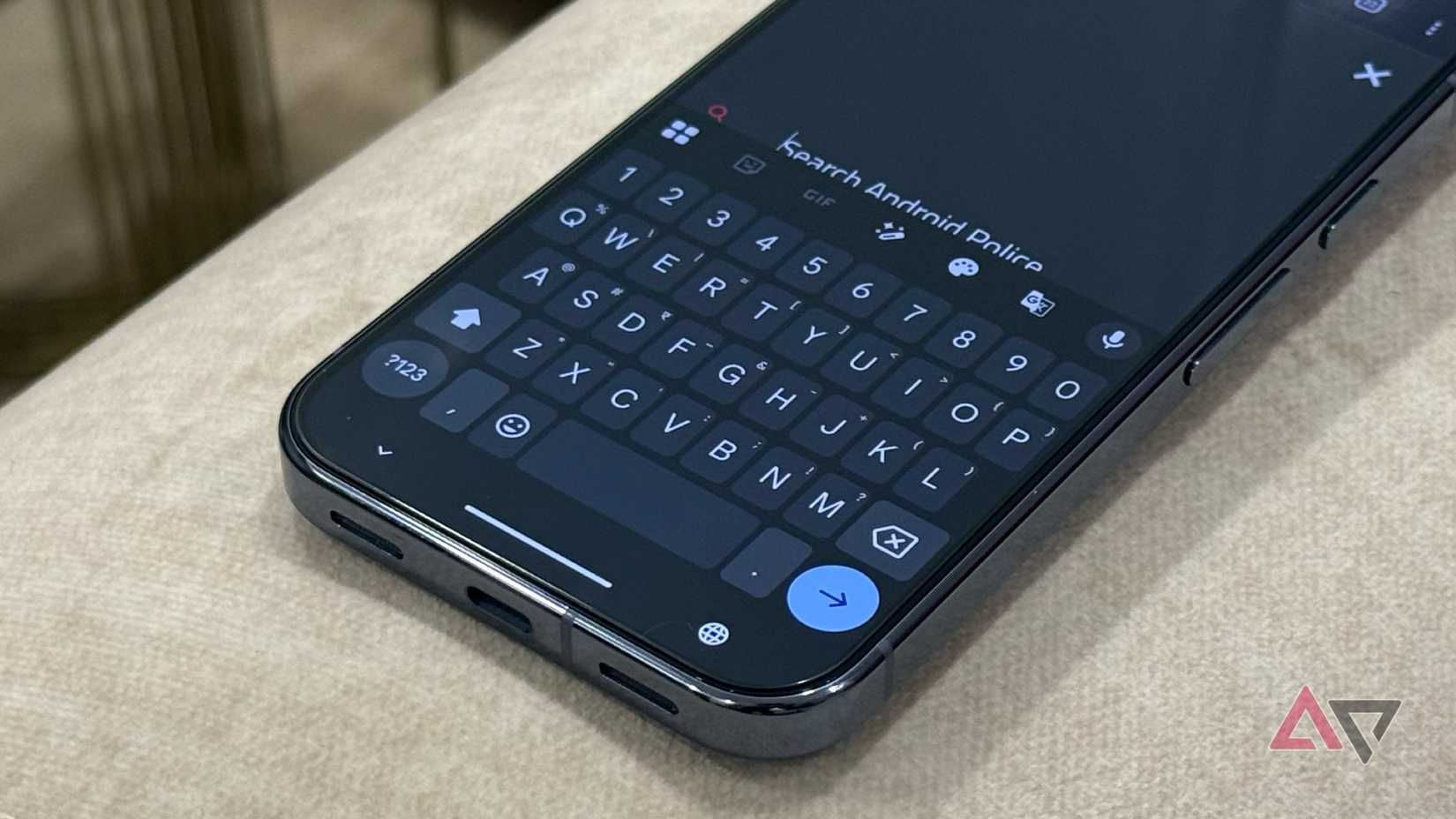
I’ve been an Android user for over a decade, and I’ve never really felt the need to complain about Gboard’s functionality. The keyboard provides great autocorrect and predictive text.
I also love being able to seamlessly switch between languages; being able to choose between French and even American (US) English, rather than Canadian English, has always been a nice perk of using it.
I usually only stop using Gboard when I want to take a break from Google. But I do return to it. However, for a few months now, I’ve noticed the autocorrect function has been strange.
Letters are being improperly capitalized, as if I am yelling the words, and even some old misspelled words are popping back up into my suggestions and being used.
Aside from just the autocorrect function, the predictive text has also been embarrassing, almost considered borderline inappropriate. But because of this, it’s completely slowed down my texting, forcing me to ignore its suggestions.
I never noticed the autocorrect getting progressively worse, since I tend to switch my keyboard every few months between Gboard, Samsung Keyboard, and others that pique my interest, like HeliBoard, SwiftKey, and the Grammarly Keyboard.
But after returning to Gboard and using my OnePlus device more frequently, I was perturbed at the difference.
It was even more frustrating that manually entering my old login credentials for apps kept giving me errors because autocorrect kept changing my email each time.
Turning off autocorrect is not the solution
It’s the feature I depend on the most
Credit: Lucas Gouveia / Android Police | Kaspars Grinvalds / Shutterstock
As someone who writes daily, it would drive me crazy to send messages with a bunch of spelling mistakes.
I also painfully capitalize every word and add the appropriate apostrophes (it is a pet peeve of mine) in a sentence if it requires it (that also includes casual text messages to a close friend or family member).
But unfortunately, I can’t always give my full attention to every message I send back and forth, which is why predictive text, paired with autocorrect, matters slightly more because it saves me time.
I’ve never been the one to use voice typing as an alternative. It’s a personal choice for me, and also, because I am privacy-conscious, I prefer not to dictate my personal messages out loud.
It can definitely have its perks if you need to reply to messages without using your hands, like when you’re on the road, and you get messages sent to you through Android Auto.
But so far, I don’t have an answer for fixing Gboard’s autocorrect issues, aside from rolling back to a previous version.
Clearing the Gboard app cache can help resolve temporary issues, so before changing or disabling the app entirely, clear the cache via your Android settings.
Otherwise, since I am a long-time Samsung user, I usually go back to the Samsung Keyboard. It’s the only other keyboard I am comfortable switching between on the fly without having to relearn it.
Since I’ve upgraded from my Samsung Galaxy S23 this year, I have been using Gboard less and less as I’ve become re-accustomed to using Samsung’s default keyboard on the Samsung Galaxy S25+.
It’s been a decent experience, even though I was worried about autocorrect and predictive text being a downgrade from Gboard. So far, it’s been much better than I remembered.
Plus, I have grown to enjoy some of the AI integrations the keyboard has. Recently, I have been using the AI sticker creation tool built into Samsung’s Keyboard.
It instantly brightens up my mom’s day when I send her a custom set of golden retriever puppies when I check in on her.
Another feature (as of late) I’ve enjoyed with Samsung’s Keyboard is Writing Assist. It’s another Galaxy AI feature I wasn’t as enthused about trying, but I tried it anyway.
I like to have it on hand because it can help me adjust my tone when I am writing a message. I mainly care about this when replying to an email on my phone, but it is nice to take the pressure off when addressing someone that I don’t usually correspond with.
While Samsung’s Keyboard is still an acquired taste, I’ve grown used to it again, and I don’t hate it.
This might be the option to try until I can finally find a keyboard that is more privacy-centric and can be updated more consistently (another perk I miss from Gboard).
Keep exploring more Gboard alternatives
Unfortunately, there’s no one-size-fits-all solution for finding the best keyboard app choice. I’ve tried different ones, like HeliBoard, Grammarly, Samsung Keyboard, and SwiftKey. But all have their pros and cons.
I usually jump back and forth between Samsung Keyboard and Gboard as my primary options. Still, HeliBoard was a nice option when I wanted to try an open source, privacy-focused alternative that wasn’t released by one of the big tech giants.
But I am pickier than most. The size of the keys, the customization, the overall design (like not defaulting to showing too much on the toolbar), and even the tactile feel of the on-screen keyboard matter a lot.
The responsiveness of the keys is what makes me enjoy Gboard more than other options I’ve tried. But the declining accuracy of its autocorrect is what pushes me to try different alternatives.










