


Getting a new smartphone is exciting. You get to unbox a new phone with lots of fantastic upgrades over your outgoing device.
However, setup is an important time, and whether it’s rushing through to get to all the fancy new features or just impatience, many of us don’t take the time we need when first powering on a new device.
There’s no better time to break old habits and get the most out of your new phone than when you’re first setting it up.
If you genuinely want to experience something different, and not just a slightly upgraded version of what you already had in your pocket, follow this advice when powering up that new phone for the first time.
Don’t bring over the same old apps over and over again
No better time to break free of clutter

I’m an app hoarder, and I’m not proud enough to admit it. I have apps for cars and home appliances I no longer own.
Instead of deleting apps, I pull everything over, phone after phone. And while I’m an extreme case, I’m sure many of you do the same, porting over apps that you haven’t used in years.
Setting up a new phone is the chance to leave the past behind. Your phone will run better because of it, and you won’t have a bunch of clutter and unused programs eating up your storage.
Take a few extra minutes and give yourself a clean installation from scratch. If you can’t remember an app you had on your old phone, guess what? It most likely wasn’t that important.
Pare your apps down to the bare essentials and add back as you need them, not as you remember them.
Just because you might remember having a particular app on your old device doesn’t mean you were using it. Be smart with your new phone, and you’ll enjoy the experience more.
Notifications can get overwhelming in a hurry
Limit permissions from the start

I’m overly liberal with app permissions. If almost anything asks to send notifications, I usually tap Allow.
That’s not a good thing, and while many of you may already be careful with the apps you allow to ping you, it’s a good idea to set boundaries from the start.
Each time you install a program on your new device, decide which permissions it should have and assign them.
That way, you’re not constantly struggling with rogue notifications from Reddit or Samsung News.
I was setting up the Motorola G Play 2026 and decided to do a clean install.
Not only did I enjoy fewer notifications all over my screen, but I also knew when I got one that it was something I cared about.
I had become desensitized to them, but now, when my phone buzzes, I pay more attention, since I know I only allow essential apps through.
Time to switch up that home screen layout
It’s not 2007 anymore
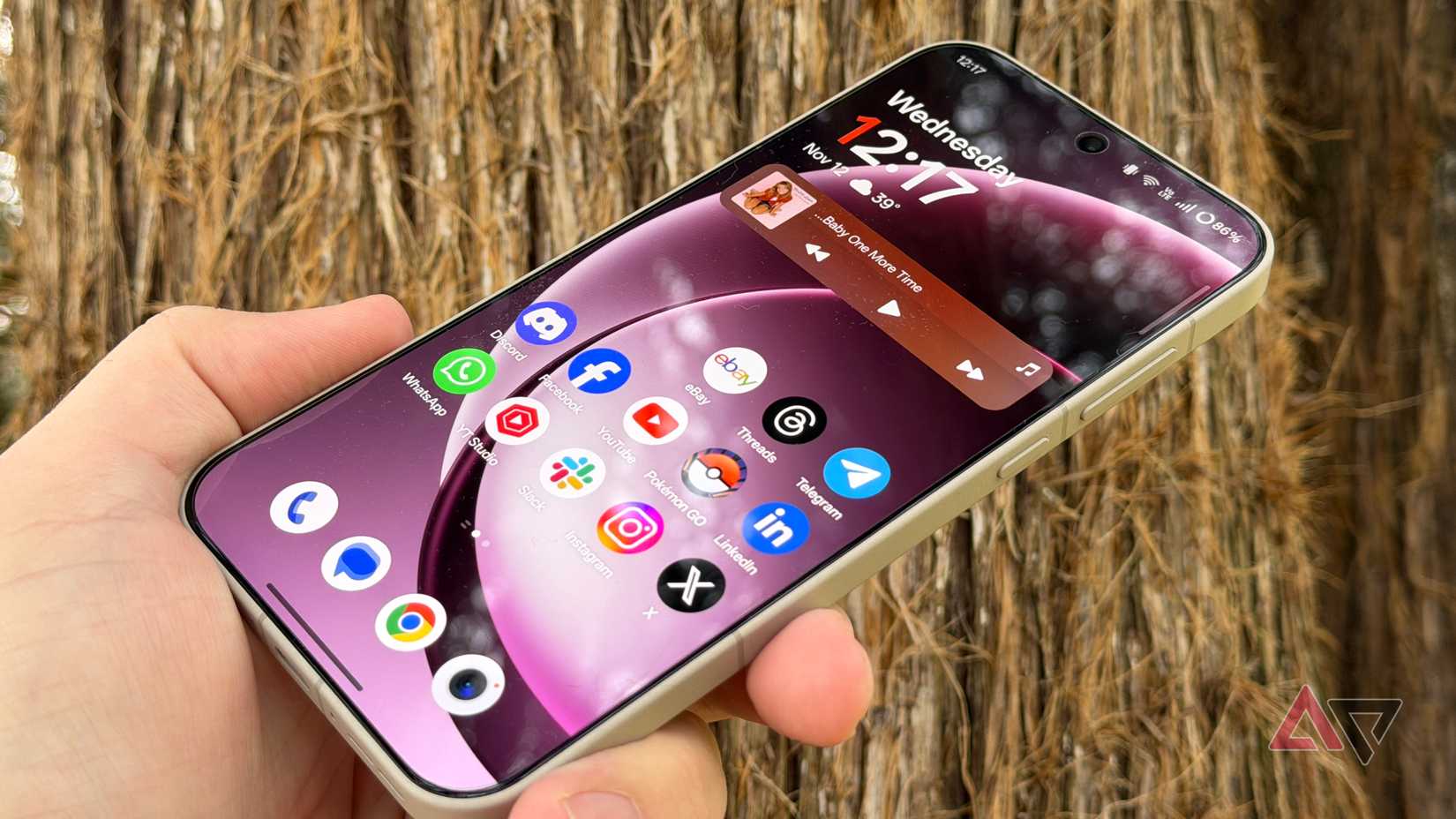
As a newer parent, I’m getting more comfortable telling people to do as I say, not as I do, and that definitely applies to home screen layouts.
Mine looks like an iPhone from 2007, consistently, with little use of folders or widgets. However, that’s not how you should do things.
Use the opportunity of buying a new phone to change old habits and explore which apps you use daily that have interesting widgets.
I recently wrote an article about weather apps, and I was amazed at how many cool weather widgets there were.
Organize the folders differently, or pick a new wallpaper. Don’t fall into the same trap I do over and over, copying and pasting your old phone onto your new one.
You bought a new device; at least let it feel new for a little while. Take a few minutes to decide how you use your phone, and set up folders and groups around that.
The initial setup is also a great time to experiment with a different launcher, since you don’t have anything to lose.
Spend more time than you usually would with your new phone
If you got a new phone over the holidays, or you’re taking advantage of some rather excellent deals, you should spend a bit more time with your new device.
Don’t copy and paste the same 100 apps over, and you’ll enjoy your new smartphone much more. Maybe I’ll take my own advice someday, but for now, mix it up with your new phone.










