

Whenever an app or process begins using your iPhone’s camera or microphone, iOS is programmed to display a certain color dot in the Status Bar and in Control Center to boost user awareness and make it less likely that you’ll be recorded without your knowledge.
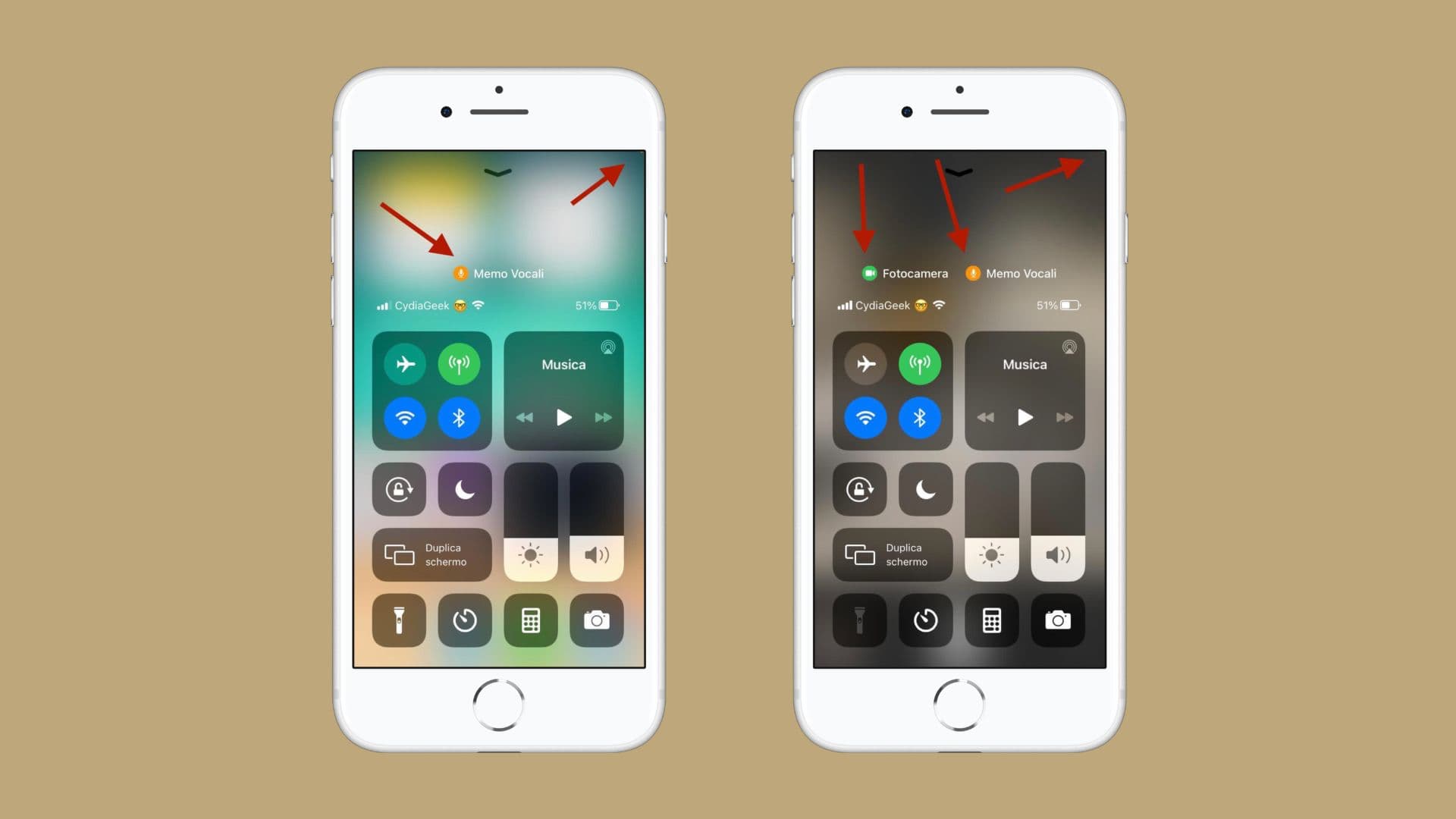
Some people like this layer of information, while others find the colored dots unsightly and contributive to clutter. For those reasons, iOS developer Cydia Geek created a free jailbreak tweak called NoColoredDots.
While I wouldn’t personally recommend hiding these colored dots for the sole reason that they exist to protect your privacy by alerting you to an app or process’ recording activities, the tweak can and will hide these dots for those who find them to be a nuisance.
According to the developer in the tweak depiction, NoColoredDots supports iOS & iPadOS 14 and later, all the way through iOS & iPadOS 16 and on the latest devices running rootful and rootless jailbreaks.
There aren’t any options to configure after installing NoColoredDots, so if using those indicators is your endgame, then all you need to do is install the tweak. Should you change your mind in the future, you can uninstall the tweak for them to return.
You can download NoColoredDots for free from the BigBoss repository using your favorite package manager app.
Are you going to be using the NoColoredDots jailbreak tweak? Tell us why or why not in the comments section down below.










