


Material 3 Expressive was my favorite upgrade to my Google Pixel phone since Material You debuted on the Pixel 6 in 2021.
It’s fundamentally changed how I use and interact with my phone, from tactile reactions to a space-saving Quick Settings menu.
However, while I enjoyed how the update reshaped my Android experience, I was already looking ahead. Google had established a brilliant software experience, but now it was time to dial in on practical upgrades.
Surprisingly, one of the features I called for Google to implement was well on its way. Lock screen widgets are here, and I took one of my rare sojourns into an Android beta release to test them out.
However, if you were just as excited as I was about this feature, I recommend that you curb your enthusiasm to avoid disappointment.

I was so excited for lock screen widgets
A classic Android feature, returned
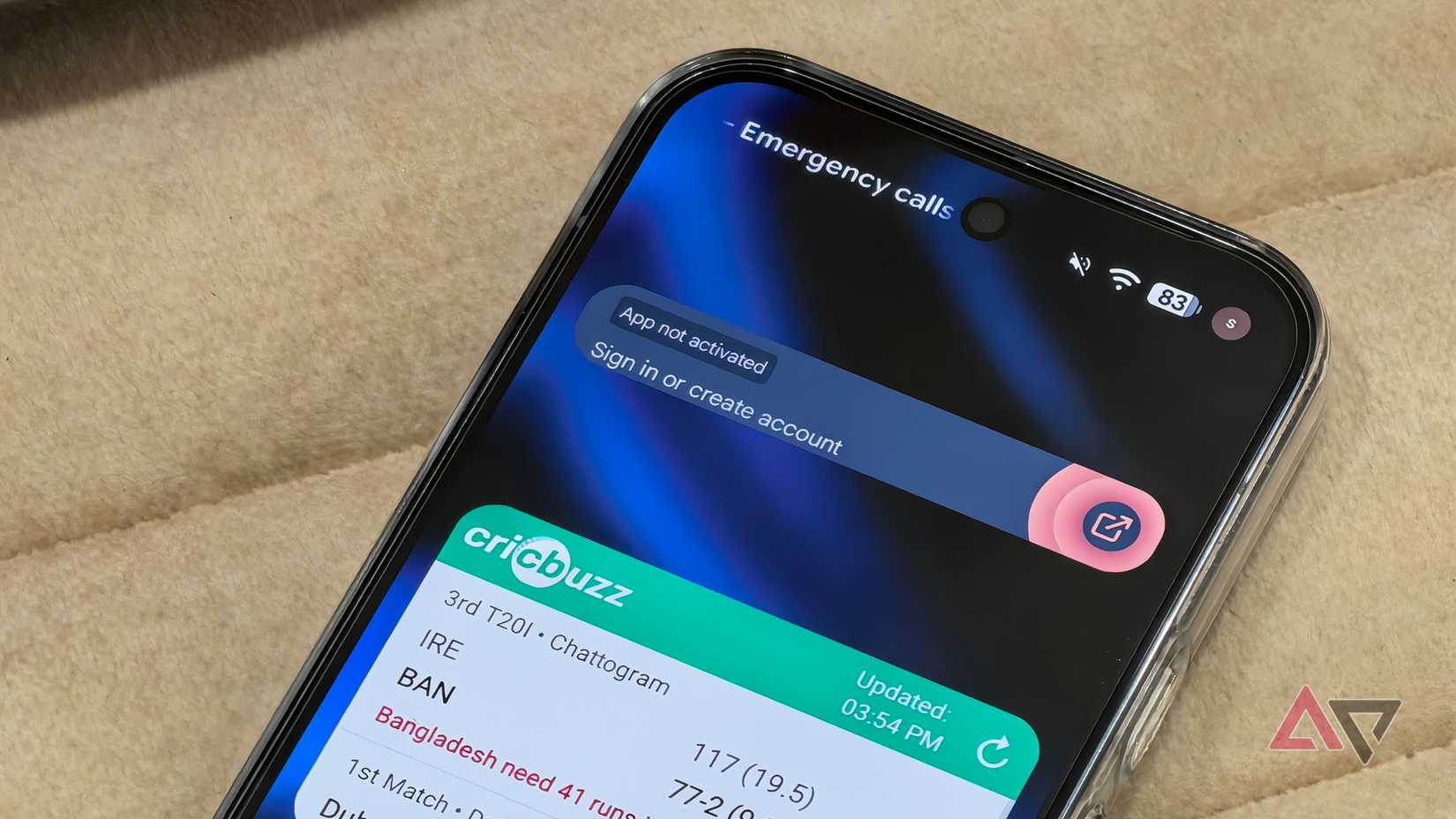
Lock screen widgets are currently only available on the Pixel 10 running the Android 16 QPR2 beta release. If you don’t want to install a beta build of Android, the stable release should arrive within the coming weeks.
After you’ve enabled lock screen widgets, simply swipe left on your Pixel 10’s home screen to activate it.
I have to admit, I was a little disappointed at first that I couldn’t place them on the main lock screen, but I soon realized the wisdom of a separate screen.
Unsurprisingly, Google sets Gemini as the topmost default widget (nice try, guys), the weather in the middle (actually useful), and a stock tracker at the bottom.
None of these I found particularly useful on my lock screen (the tiny weather display next to my lock screen clock is all I need at a glance), and so I swiftly removed them all and started afresh.
I like having my books, shopping list, and schedule accessible as quickly as possible. As every widget is compatible with the lock-screen display, I could add Play Books and Google Calendar easily enough.
Unfortunately, the limitations of the lock screen forced me to make some tough decisions.
Lock screen widgets are frustratingly limited
They are neither practical nor aesthetic
The biggest limitation of lock screen widgets is that they cannot be resized like on your home screen.
The lock screen divides the widget display into three sections stacked on top of one another. You can expand a widget to cover multiple sections, but you cannot reduce it to fit more widgets on your screen. Neither can you reduce their width to place two widgets side by side.
This minimum-size requirement for widgets is irritating. I don’t need my schedule to take up the entire width of the screen; I need it to occupy half the width as it does on my home screen.
But what feels like a serious lack of oversight from Google is the lack of support for 1×1 widgets.
I’ve recently switched to using OneNote for all my note-taking needs, and I’ve become accustomed to using the 1×1 shortcut that takes me straight to a new note.
It seemed like the ideal widget for my lock screen, but the result looked like this.
The tiny shortcut looks absurd in all that dead space, and there is no way to make it smaller. If this feature were properly implemented, I could line up a row of 1×1 widgets for all my favorite shortcuts.
Lock screen widgets are a disappointing resurrection of a classic Android feature
When flaws are this well-documented, why resurrect them?

What I find ironic about lock screen widgets in Android 16 is that they’re a fairly accurate recreation of the lock screen widgets introduced in Android 4. However, I’m surprised Google didn’t take the opportunity to improve the feature.
Technically, you can add as many widgets as you want, but with only three allowed on one screen, adding more causes so much swiping that it’s faster to unlock your phone and look at them on your home screen.
This half-hearted implementation makes me wonder at the usefulness of lock screen widgets. I can either swipe to look at three widgets or unlock my phone to look at up to 25 (if they were all 1×1 widgets on the small icon size).
The privacy concerns mean I’m not going to add widgets containing sensitive information to my lock screen.
Checking the weather is all well and good, but I’m certainly not going to add my WhatsApp conversations.
The perfect lock screen widgets don’t exist on iOS or Android
Apple’s implementation of lock screen widgets was so limited that I was keen for Google to show how it should be done. But now I can’t decide which one I dislike more.
iOS’s lock screen widgets limit you to four in a tiny area, whereas Android’s are no more convenient than adding them to your home screen.
I’ll still use lock screen widgets, but they certainly weren’t what I was expecting.
Perhaps there are technical limitations at play here, but overall, I’m disappointed that Google failed to achieve an aesthetic or practical implementation of lock screen widgets.
There may be future updates that improve this feature, but I won’t hold my breath.










