


If a stylus is an important part of your tablet experience, you’ll want to make sure you get the right one.
I’ve been using the stylus that comes with the Samsung Galaxy Tab S11, but is it any better than the stylus you can get for the OnePlus Pad Go 2?
After all, there’s a significant price difference between the tablets, so you probably expect the more expensive Tab S11’s stylus to perform better than the cheaper OnePlus Pad Go 2’s. I’ve found out.

Stylus specs
Charging and features

The S Pen that comes with the Galaxy Tab S11 and the Galaxy Tab S11 Ultra is made of plastic, weighs 8 grams, and has an IP68 dust and water resistance.
You don’t have to charge the S Pen, and it does not have a Bluetooth connection, so it doesn’t need pairing either.
Instead, it cleverly uses the screen for power, which also enables its Air Command features. You can store the stylus using magnets on the side of the Tab S11.
The OnePlus Pad Go 2 Stylo is different. It is recharged using a USB-C cable which is plugged into the port on the end of the stylus. It connects to the tablet using Bluetooth 5.4.
The stylus is almost a millimeter thicker than the S Pen, and much heavier at 11 grams.
If you want to store the Stylo with your OnePlus Pad Go 2, you need the Folio Case, which has a plastic holder attached to the side. It’s currently a free gift with the Pad Go 2, and is normally $45.
Both styluses provide 4096 levels of sensitivity.
Samsung includes the S Pen with the Tab S11 tablets, while OnePlus lists the Stylo as a free gift with the Pad Go 2, just like the Folio Case, at the time of writing.
This offer may not be available in the future, when you’ll pay $80 for the Stylo. The S Pen costs $65 if purchased separately.
Holding the stylus
The most pen-like option

Despite being relatively simple styluses, both are quite different to hold and use.
The OnePlus Stylo is plastic, cylindrical in shape, and thicker than the hexagonal S Pen. I don’t think the shape is especially comfortable, but it will stop it rolling off your desk.
Both have buttons on the end to activate different features, and the nibs on both can be removed and changed should they wear down.
Only the OnePlus Stylo has a USB-C port for charging.

The OnePlus Stylo is longer than the S Pen, and feels heavier in the hand. This is where the most obvious difference becomes apparent.
The Stylo has a lot more to grip, and it feels like you have more control, but the S Pen feels more precise.
Writing and coloring
Trying out the S Pen

Samsung’s experience making styluses is immediately obvious. The S Pen is a cohesive part of One UI and the Ta S11, with numerous features and functions to try out, which extend far beyond navigating the software.
The Air Command menu provides instant access to features which work with the S Pen. You can take a screenshot and add handwritten notes to it, and the button acts as an instant eraser.

The S Pen’s 1mm nib provides so much feel against the glass screen due to a softness missing from the OnePlus Stylo, making it a genuinely enjoyable writing experience.
When coloring in the PenUp app, the motion and feel is natural and pleasant.
While it may not have the pleasing chunkiness of the OnePlus Stylo, and I don’t always find the hexagonal shape very comfortable, you soon forget about it because the S Pen feels wonderfully natural, and works like a true extension of the S11.
Writing and coloring
Trying out the OnePlus Stylo

The Stylo lacks the functionality of the S Pen. It works almost solely in the OnePlus Notes app, where you can write on the screen, or if you press and hold the side button, you can take a screenshot and annotate it.
This is really where the features end, and it means the Stylo doesn’t feel like an integrated part of the software. The side button doesn’t even function as an eraser in the Notes app.
The harder nib emphasizes the on-glass feel when writing, and it’s not as pleasant as the S Pen. I also noticed a slight delay when writing, although it wasn’t pronounced enough to cause any problems.
Coloring using the PenUp and Color Oasis apps was still fun, but the Stylo’s hard nib lacks the feedback of the S Pen, meaning you may not feel as connected.
I didn’t notice any difference in effect when pressing harder on the screen with the tip, and both reacted in the same way.
Which stylus wins?
Not even close

If you want to really enjoy writing with a stylus on your tablet, making art, or using a coloring app, there is only one choice to make.
Samsung’s S Pen stylus with the Galaxy Tab S11 tablet provides a far superior experience to the OnePlus Pad Go 2 and the Stylo.
There are more opportunities to use the S Pen throughout the software, and it would be easy to incorporate it into your workflow, where it may prove genuinely useful.
If you want to draw or color, you’ll almost certainly appreciate the soft nib and feedback it provides.
The Stylo isn’t terrible, but it feels more like a third-party add-on, purely because it hasn’t been so neatly integrated into OxygenOS, as Samsung has achieved with the S Pen and One UI.
For stylus fans, there really is only one choice here, and it’s the S Pen and a Tab S11.
Money still matters
Check your wallet

Before you strike the OnePlus Pad Go 2 off your list, there is another important aspect to consider, and that’s the cost of the tablet and stylus together.
The OnePlus Pad Go 2 is $400 with the Stylo as a free gift at the moment, where the Galaxy Tab S11 with the S Pen included is $800.
Whether the S Pen’s superior experience is worth twice the price of the OnePlus Pad Go 2 will come down to just how much you want to use the stylus, and how often.
Either way, Samsung remains a master at making engaging, highly pen-like styluses for tablets.
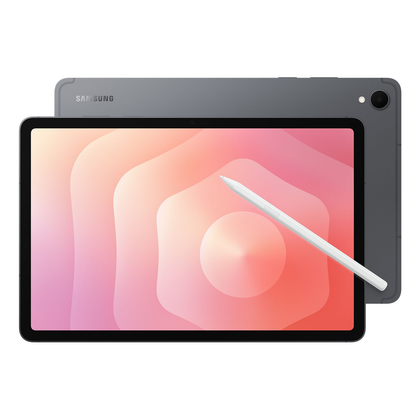
Samsung Galaxy Tab S11

- SoC
-
MediaTek Dimensity 9400+ (MT6991)
- Display type
-
Dynamic AMOLED 2X
- Display dimensions
-
11-inch
- Display resolution
-
2560 x 1600
- RAM
-
12GB
- Storage
-
128, 256, or 512GB
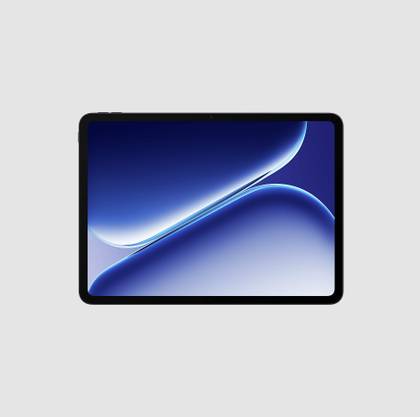
OnePlus Pad Go 2
- SoC
-
MediaTek Dimensity 7300 Ultra
- Display type
-
LCD
- Display dimensions
-
12.1-inch
- Display resolution
-
2800 x 1980
- RAM
-
8GB
- Storage
-
128GB / 256GB
The OnePlus Pad Go 2 is a 12.1-inch Android tablet with a MediaTek Dimensity 7300 Ultra processor, a 5G connection option, and a big 10,050mAh battery. It’s also compatible with the OnePlus Pad Go 2 Stylo stylus.











