


Spotify Wrapped is the most anticipated date in every Spotify fan’s calendar.
Every year, Spotify releases a rundown of your year of music, podcast, and audiobook listening. You’ll find out your most listened to artists, how long you’ve listened to various genres, and even whether you’re in the top percentage of artist listeners.
The stats are great fun, but the real meat here are the extra playlists that Spotify throws your way. There’s your most played for the year, of course, but there are also playlists showing you the top artists, top podcasts, and top audiobooks from across the entire world. So if you’re worried you’ve missed part of the zeitgeist, Spotify Wrapped lets you catch up. Here’s how to find it all.
What is Spotify Wrapped, and when is it available?
Spotify Wrapped is a review of your listening inside the app, first implemented in 2016, Wrapped generally becomes available near the beginning of December or the end of November. Wrapped features are then accessible in-app until the end of the year, though any playlists you save will be kept permanently.
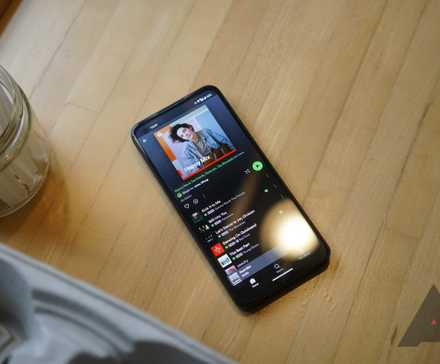
Wrapped illustrates your listening habits in a fun, colorful, story-style format that you can share easily. We all enjoy a year-end call-out, but the stats don’t end there. You can also check how many artists you listened to and which artist you played the most, complete with percentile rankings to let you know how your listening compares. In addition to an interactive slideshow about your listening habits, Wrapped includes some other goodies, including a personalized playlist of your 100 most-played songs of the year.
How do I find Spotify Wrapped?
Despite Wrapped now being a staple of the Spotify experience, locating it can be tricky if you don’t know where to look. You can access Wrapped on Android and iOS through the Spotify app or your browser. However, for the last few years, all the Wrapped content — your 2025 Your Wrapped story, Your Top Songs playlist for the year, tons of public 2025 in Music playlists, and more — all live behind a new Wrapped tab that appeared alongside options like Music and Podcasts at the top of the Spotify app.
Here’s how to get to your Wrapped content now it’s available.
How to find Spotify Wrapped in the Spotify app
- Open the Spotify app on your phone or tablet.
- In the strip of buttons at the top, tap the rainbow-colored Wrapped button.
- Tap Your 2025 Wrapped to start your Wrapped story.
- The story will start. You can tap on the right side of the screen to advance through the slides, tap on the left side to go back, or tap and hold to pause.
How to find Spotify Wrapped on your mobile browser
If you can’t find Spotify Wrapped on the app homepage or the app isn’t loading properly, you can manually locate and access it from your mobile browser. But it redirects you to the app and requires downloading and installing it. To find this shortcut, follow these steps:
If you want to watch the Spotify Wrapped 2025 directly on your web browser, it only works on the desktop version. Otherwise, it only redirects you to the app.
- Open your browser.
- Type spotify.com/us/wrapped. It takes you to the Spotify Wrapped page.
- Tap Open the app.
- Log in using the same information you use to sign in to the mobile app.
- Follow the steps above to locate and watch Your Wrapped slideshow.
- Once the slideshow ends, you’ll see options to share your 2024 Wrapped, start it over from the beginning, or open your personalized Your Top Songs playlist.
What info does the Wrapped story cover?
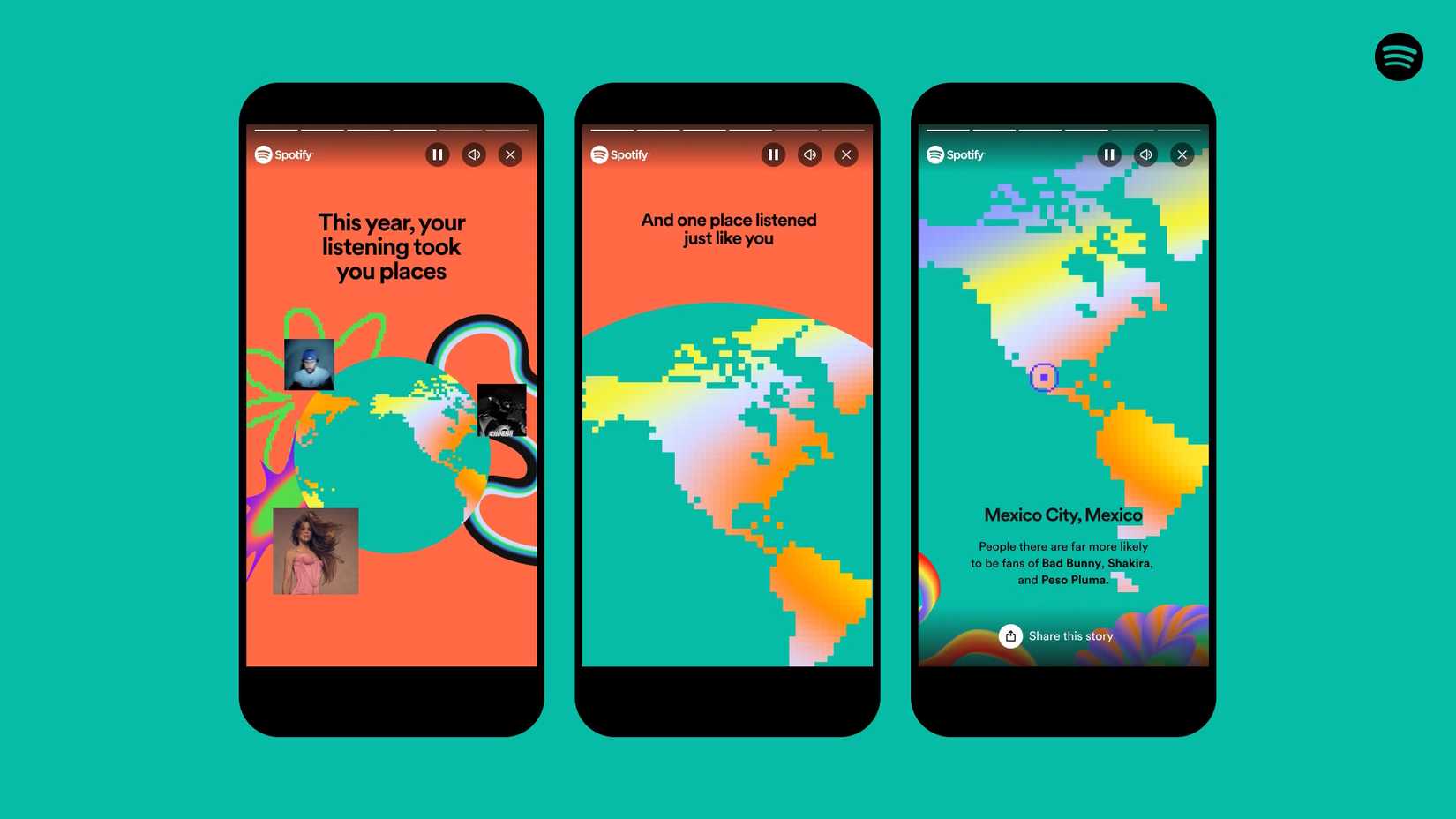
Once you’ve found Wrapped, you can peruse the features and statistics at your leisure, alongside stats like how many people are listening to the same things as you. Here’s an overview of the 2024 Wrapped screens and stats:
- Your biggest listening day with the total minutes.
- The number of songs you’ve listened to and your most-listened-to song of the year.
- Your top five songs of the year.
- The number of artists you have listened to and your most-listened-to artist of the year, including a listening streak measured in days and number of minutes.
- Your top five artists and songs.
- Your Listening Age, which compares your musical taste to your peers, and scores you based on when your most listened to music released.
- Your top albums for the year.
- Creator Wrapped for personalized stories if you’re a Spotify Artist, creator, or author.
- An AI feature: “Your Wrapped AI Podcast” powered by Google’s NotebookLM.
- Your Podcaster Clips that contain end-of-year messages from the top podcasters.
- A “Thank you” message(s) from your top artist(s).
- The total time spent listening to podcasts on Spotify.
- Your top five podcasts.
- The time spent listening to your number-one podcast.
- A shareable link to post on other platforms (not Spotify).
In addition to the option to share a summary of your Wrapped stats, you can also share individual screens from your story.
Your Wrapped Party
Spotify went in big on social aspects this year, adding the Wrapped Party. This new feature allows you to invite up to nine friends to view and compare each other’s stats. Who listened the most, discovered the rarest music, listened to then biggest variety of genres — stuff like that.
How to share your Wrapped stats
Wrapped stats are interesting, but it’s more fun when friends and followers can view them. Music, podcasts, and favorite artists are great ways to open up conversations and meet new people. Wrapped slides are for easy social media sharing, but you can also save and share them through messaging apps. Here’s how.
- At the bottom of each slide is an icon labeled Share this story. Tap it.
- You’ll see options to share the story in apps, send it in a text, copy a link to it, or download a copy directly to your device.
Can I access my Spotify Wrapped from previous years?
Accessing previous Wrapped stories is not currently possible, so if you want to refer back to your current Wrapped slideshow later on, record or screenshot it before it disappears on January 1.
You can, however, access Wrapped’s Top Songs playlists from previous years. You should be able to find other years’ playlists by searching for “Your Top Songs” along with the year you’re looking for — for example, to access 2022’s playlist, you’ll search “Your Top Songs 2022.” You can save these playlists to your library to make getting back to them later easier.
That’s a wrap for all Spotify users
Spotify Wrapped analyzes all the music you have listened to and turns them into shareable stats. Getting personalized statistics on your music preferences is a fun way to end the year. It’s also a great way to engage with your friends. The unfun part comes with the wait times. It always takes almost a full year to see your annual Wrapped playlist. But the fun doesn’t have to stop with this restriction; you can check out alternative platforms to analyze your listening habits all year round with Spotify’s data.







