


Soon after experimenting with how links appear in your messages, paired with a change to help you open shared media immediately after saving it, Google Messages now seems to be finalizing another media-based tweak.
For reference, said tweak was in testing earlier this year, and it seems to be rolling out now.
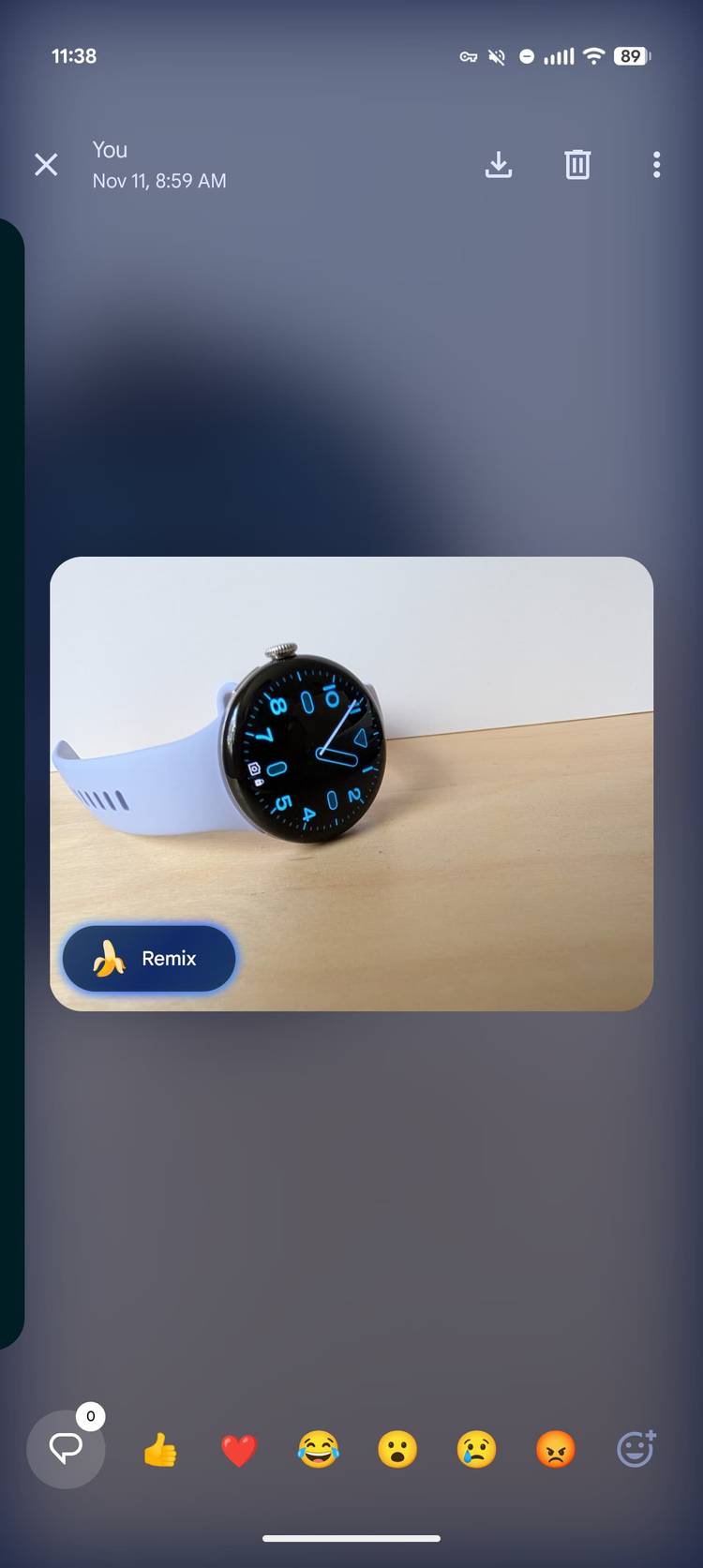
Highlighted by the folks over at 9to5Google, the tweak is aimed at making Google Messages’ in-chat media viewer less bare-bones and more modern, with the most immediate change being how an image appears once you tap on it within a conversation.
Currently, when you tap an image within a conversation, Google Messages opens a bare-bones preview on a black background. With what Google is rolling out now, you’re greeted by a full-screen preview that gives the image rounded corners, complete with a blurred background derived from the photo itself. This is not a huge change that makes or breaks Google Messages, but it sure does give the app a more modern polish.
Credit: 9to5Google
The same preview also highlights a Nano Banana Remix button, paired with emojis for quick reactions. At the top, you also see who shared the image and when, paired with options to download the image or delete it.
Cleaning up that clutter
Credit: 9to5Google
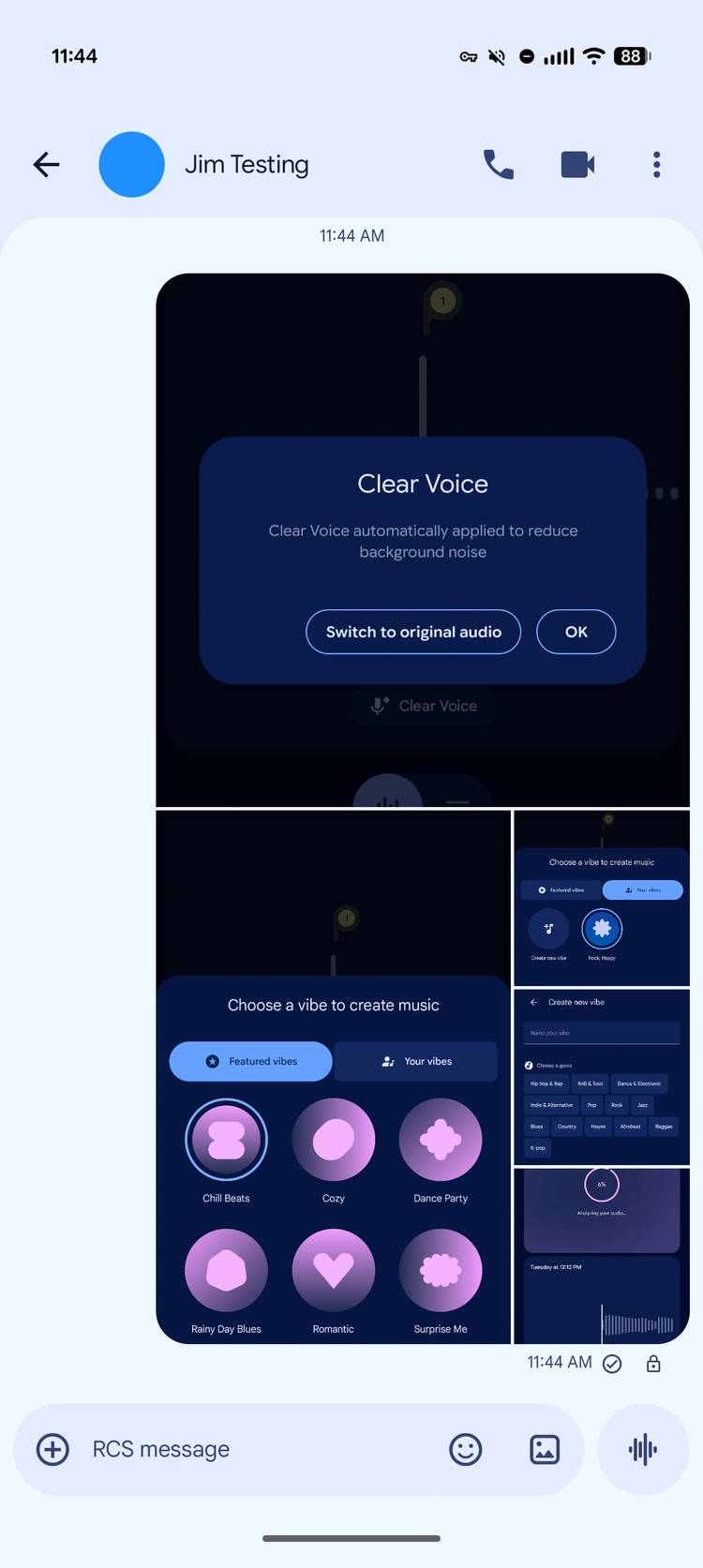
Elsewhere, Google Messages will now also start grouping together images sent in bulk at the same time. For reference, currently, images stack vertically, taking up a large amount of screen real estate. With what Google is rolling out, multiple images that are sent at once will now be displayed in a single, grouped UI.
The new image stack UI, and the media viewer are rolling out now.










