


Every morning, the first thing I do is reach out to my phone. It’s not something I think about, and it’s become instinctual.
But that instinctual reaching out for my phone doesn’t extend to how I unlock my phone.
I’ve been used to smartphones from OnePlus, Samsung, and others, and all this time later, I still haven’t gotten used to the fact that I can’t just straight up unlock my Google Pixel.
The screen would still be off when I picked up the phone, despite my thumb being on the display. The phone would refuse to unlock until I tapped the screen or pressed the power button.
It’s been annoying to say the least.
It slows me down at the start of the day. It slows me down when I’m working and need to check something quickly. And it definitely slows me down when I want to unlock my phone at night for a quick notification check instead of lighting up the room.
This has been the reality for Pixel users ever since Google switched over to under-display fingerprint sensors.
While the phone certainly has the hardware in place to read your fingerprints from a display that’s fully switched off, Google has only allowed it with the always-on display switched on.
If you, like me, didn’t keep it on. There’s only one recource. Wake up the display, then unlock it. It’s a basic use case that practically every other Android phone, from OnePlus to Samsung and from Vivo to Realme, has solved.
Google has finally solved it. With Android 16 QPR2, the phone can finally be configured to be unlocked from a fully dead screen. No waking the screen, no tapping, no wasted time.
Google has finally brought back screen-off fingerprints and fixed my biggest Pixel annoyance.

A small missing feature that’s become a daily frustration
A common fixture on other devices
On the face of it, this sure sounds like I’m nitpicking. You might think that an extra tap doesn’t matter all that much.
However, when you repeat that tap dozens of times a day, hundreds of times a week, and thousands of times a month, it becomes a part of your muscle memory. And Pixel users have been stuck with that friction for the longest time.
What really gets me, though, is that the restriction never made much sense to begin with. Practically every other Android smartphone has had screen-off unlock functionality for years.
And it’s not just flagship phones. Even budget devices get it right. All these phones let you press your finger on the display and unlock the phone without having to press the power button first.
As the flag bearer of Android phones, the lack of this feature has made Pixel phones feel like they’ve been one step behind.
You’d either fumble around with the phone, expecting it to be unlocked only if you remember that you needed to wake it first. Or you’d end up tapping the display or power button without thinking about it.
Or, you’d have the always-on-display turned on, which would chip away at the already less-than-stellar battery life.
None of these options are perfect. They are workarounds at best, and unlocking my Pixel phone has always taken more effort than it should.
How QPR2 finally fixes the Pixel unlock problem
A simple toggle that brings the Pixel up to speed
The new QPR2 update finally removes that annoying barrier that shouldn’t have existed to start with.
A brand-new toggle shows up within the fingerprint gesture area right under the Security and privacy settings.
After you turn it on, the phone immediately responds to your fingerprints even when the screen is completely off. It’s as simple and straightforward as that.
Moreover, this is exactly how it should’ve been and makes you feel why the feature wasn’t included to begin with.
The experience now finally matches what other Android phones have offered for years and finally puts the Pixel series on equal footing with the competition.
If anything, it feels rather well implemented because it doesn’t have any of the extraneous additions like on some other phones, which go out of their way with customizations.
Moreover, in my experience, the feature has worked as well as I could expect. Which is to say, without any drama or untoward experience. It just unlocks the phone, which is all you can expect.
The update Pixel users have been waiting for years
In a smartphone world where manufacturers are constantly looking for the next gimmick, I’m surprised Google took this long to fix such a basic feature.
But despite that, I’m glad that it did. It’s a basic addition that has existed on other phones for years, but it doesn’t mean I don’t appreciate the addition here.
It’s an improvement that affects and improves everyday use and how you experience the phone.
For me and probably for a lot of long-time Pixel users, this might be the most satisfying improvement that the phone has received in years.
Google has finally fixed the one thing that has held back the experience every single day. And now the Pixel finally feels complete.
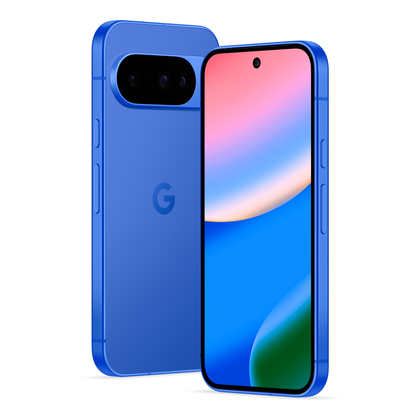
Credit: Google
Google Pixel 10

- SoC
-
Google Tensor G5
- RAM
-
12GB
- Storage
-
128GB / 256GB
- Battery
-
4970mAh
This striking-looking addition to the Pixel line offers a slew of Gemini features, an 5x telephoto lens, and seven years of updates, making this a smartphone that will last you a while.







