

Android 16 QPR2 is now available as a stable release for Pixel phones.
It’s an unusual one, as quarterly Android releases tend not to bring substantial changes to the Android experience.
However, just how Android 16 QPR1 changed how we experience Android with Material 3 Expressive, the second quarterly release added features you cannot ignore.
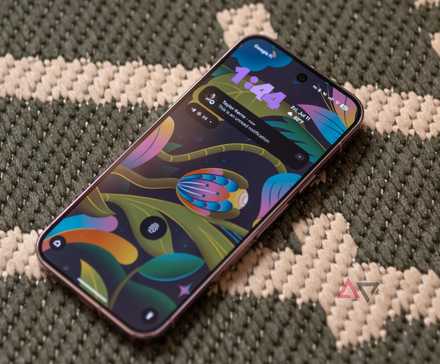
Android 16 QPR2 brings long-awaited features like lock screen widgets and custom icon shapes. There are also useful tools like a low-light mode for screensavers and AI-powered notification summaries.
It’s a huge update, and despite a few poorly thought-out features, this is an update you should be paying attention to.
Greater control over customization is key to the Android experience, and QPR2 has this in spades
Classic features make a return alongside new ones
Credit: Google
Material 3 Expressive was the biggest shake-up to the Android UI since Material You, but it wasn’t for everyone.
One of the more noticeable changes was the addition of a background blur to various menus, notably the app drawer.
However, whether it bothers your eyes or reminds you of iOS, you can disable it by diving into the Accessibility menu of the Settings app and disabling Reduce blur effects.
Unfortunately, there’s nothing else in QPR2 that allows us to dial back recent changes to Android. But there are two key updates to icons.
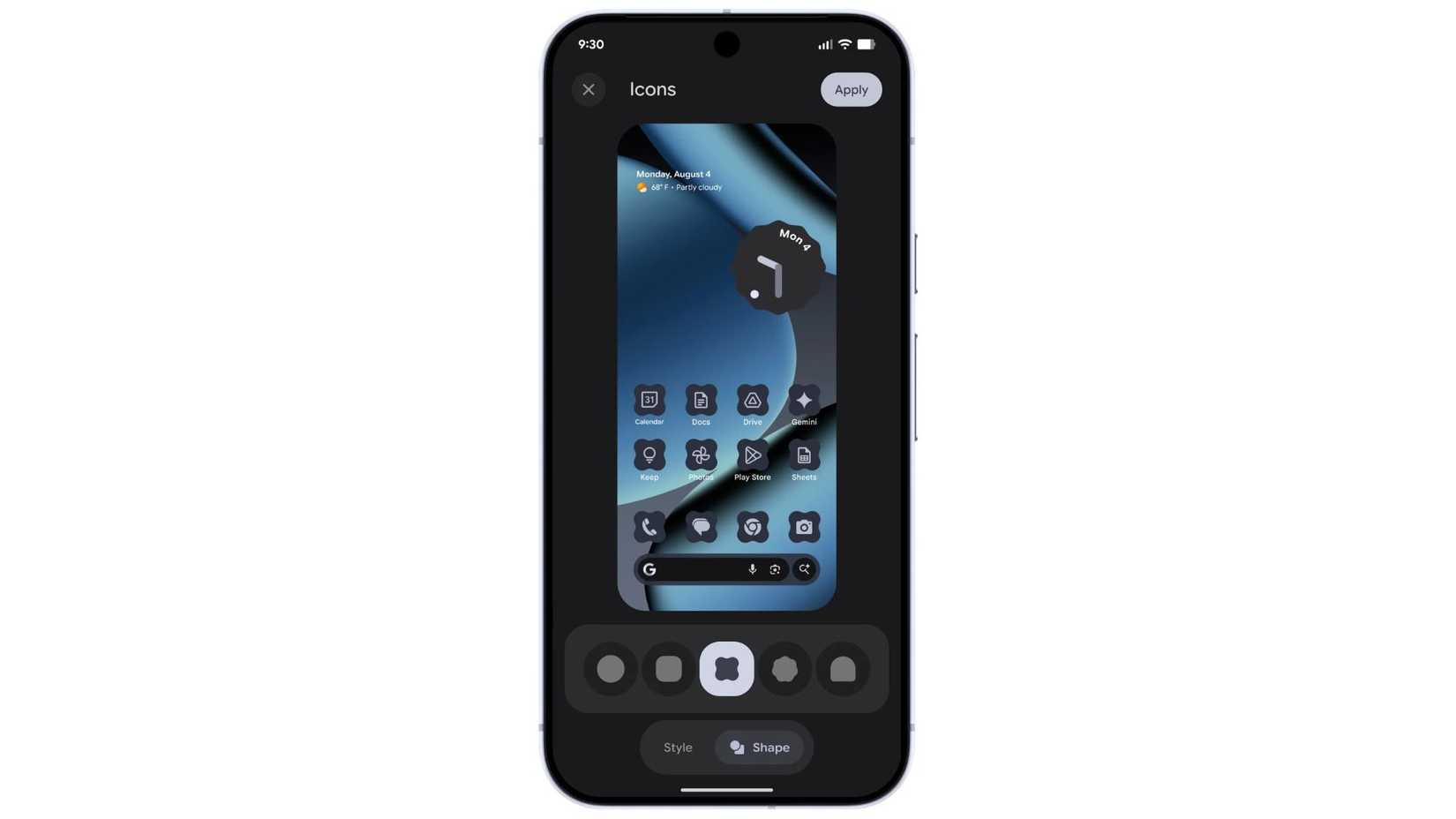
First, you can now choose between five icon shapes. This is a nice touch, but half-baked as the selected shape only shows up on your home screen.
A comprehensive change across the OS would have been preferable, so I recommend leaving this untouched if you like consistency across Android (which, ironically, was one of the goals of Material You).
Second, Google expands app theming to apps that didn’t already support it.
It’s a nice touch that brings uniformity to your apps, although the algorithm doesn’t always get it right.
Some apps don’t provide enough contrast to be easily identifiable at a glance, but the majority of apps play well with the new update.
There are a couple more changes to dark mode and HDR brightness, but I think another subtle but powerful feature stands out as one of my favorite changes.
Low-light mode automatically changes your screensaver to a dimmed clock when your phone detects a drop in ambient light, such as at night.
I’ve been using my Boox Palma 2 Pro as a night clock because of my Pixel’s bright screen, but this might make me change it back.
QPR2’s productivity features are a mixed bag
Google wasn’t bold enough to make these features great
The customization updates to Android 16 are overall great, but the productivity features aren’t as impressive. However, they are significant.
Without changing any settings, you will notice two changes to your notifications.
The first is AI-powered summaries. If a message doesn’t fit into the notification bubble, your phone will produce a summary of the content.
It’s somewhat useful, but for short messages, it’s not necessary. For longer messages, it can’t fit enough context in the bubble.
Either way, you end up opening the message, so it neither adds nor detracts from the experience.
On the other hand, the improved notification organizer is fantastic.
I’m a fan of the recent update to silence unimportant notifications, but QPR2 adds categories similar to those you see in Gmail.
This is great, as I can now dismiss all the Amazon shopping notifications at once. It’s a genuine improvement to the notification window that I think everyone will appreciate.
Lock screen widgets have returned! But they’re nowhere near as useful as they could be.
Google appears to have played it too safe, shifting the widgets to a separate screen to avoid cluttering your lock screen.
However, the new screen is no more convenient than simply unlocking your phone, and it’s frustratingly limited in customization options.
It’s a somewhat useful way to view three widgets at once, but otherwise, this is something you can forget about.
Finally, Google has brought back screen-off fingerprint unlock.
This returning feature doesn’t seem to be available on all Pixel phones, but Pixel 9 and 10 users should be able to toggle this option on.
The biggest change is one Google didn’t tell you about
You would think Google would want us to know its phones are more powerful
All the above features are noticeable and, despite some duds, create an improved Android experience.
But QPR2 also brings numerous changes to Android that improve the experience without you noticing.
The biggest change is in performance.
After the update, Pixel 10 devices are scoring higher on GPU benchmark tests. While this doesn’t appear to have improved gaming performance, users have reported smoother animations, less heat, and improved battery life.
Bizarrely, Google didn’t announce this change, so the exact reason is unknown.
However, a new feature that changes how Android uses memory, called Generational Garbage Collection, is the obvious cause.
Even the official developers’ blog post only dedicates two sentences to this feature, mentioning that the new feature results in “reduced CPU usage and improved battery efficiency.”
Android 16 QPR2 brings change for the better to your Android phone
After Material 3 Expressive launched, I thought it was time for Google to focus on practical, not aesthetic, improvements.
Android 16 QPR2 takes a tentative step towards this goal, but it doesn’t go far enough for me to celebrate it as the practical companion of the aesthetic revolution that was QPR1.
Nevertheless, it lays the groundwork for Android 17.
Android 16 QPR2 is currently only available for the Pixel 6 and later Pixel devices.











