


Nothing kills the vibe like a renewal notice with a bigger number on it.
Microsoft 365 Personal used to cost $70 a year. Microsoft added Copilot in January 2025, and now it’s $100. That’s an extra $30 for a subscription I was already side-eyeing.
It didn’t help that Excel kept making its own case worse.
Every time I opened it, I got the same crowded ribbon, the same stacked tabs and the same rows of tiny buttons. It’s a 2007 design in a 2026 world.
As if someone had dumped a whole hardware store on the table for a job that needed one screwdriver. I didn’t renew. I couldn’t justify the price for what I was using it for.
I moved to Google Sheets as a free alternative, and what I found on the other side surprised me. It turned out I didn’t need Excel, cheap or otherwise.
Most of your spreadsheets are probably simple lists with a little math
Nobody’s building financial models at home
Set aside the intimidating workbooks you’ve seen in the office and think about what you make at home.
A household budget answers two questions. What’s coming in, and what’s going out?
A trip plan answers a little more. When do we leave, where are we sleeping, and how much is this trip really costing?
A subscription tracker perhaps has the simplest job of all. What renews next month, and is it worth it?
Those are everyday jobs. They don’t get any harder just because Excel is the app you’ve always used.
Free Google Sheets handles every one of them. It even has templates for some. None of these files needs pivot tables, macros, or a single nested formula.
The value comes from seeing everything in one place, and any spreadsheet can pull that off.
So start with the file you need today. You can worry about running a finance department from your kitchen table if that day ever comes.
You can skip the formulas and ask for what you want
The AI has memorized every formula for you

Credit: Lucas Gouveia / Android Police
“But I already know Excel.” I agree that familiarity still counts for something.
But knowing your way around VLOOKUP doesn’t justify $100 a year anymore. Not when you can describe what you want.
Gemini works inside Google Sheets, and it can build tables and write formulas for you. Claude is another option in the same spreadsheet.
It opens in a sidebar, reads whatever file you have open, and makes changes for you, formulas included. You don’t need to know much. You ask, you check, and you ask again if it’s not quite right.
So why pay Microsoft every year to keep your Excel skills relevant?
The free version of Google Sheets doesn’t come with AI (yet)
Good thing you’re probably paying for some already
Credit: Lucas Gouveia / Android Police
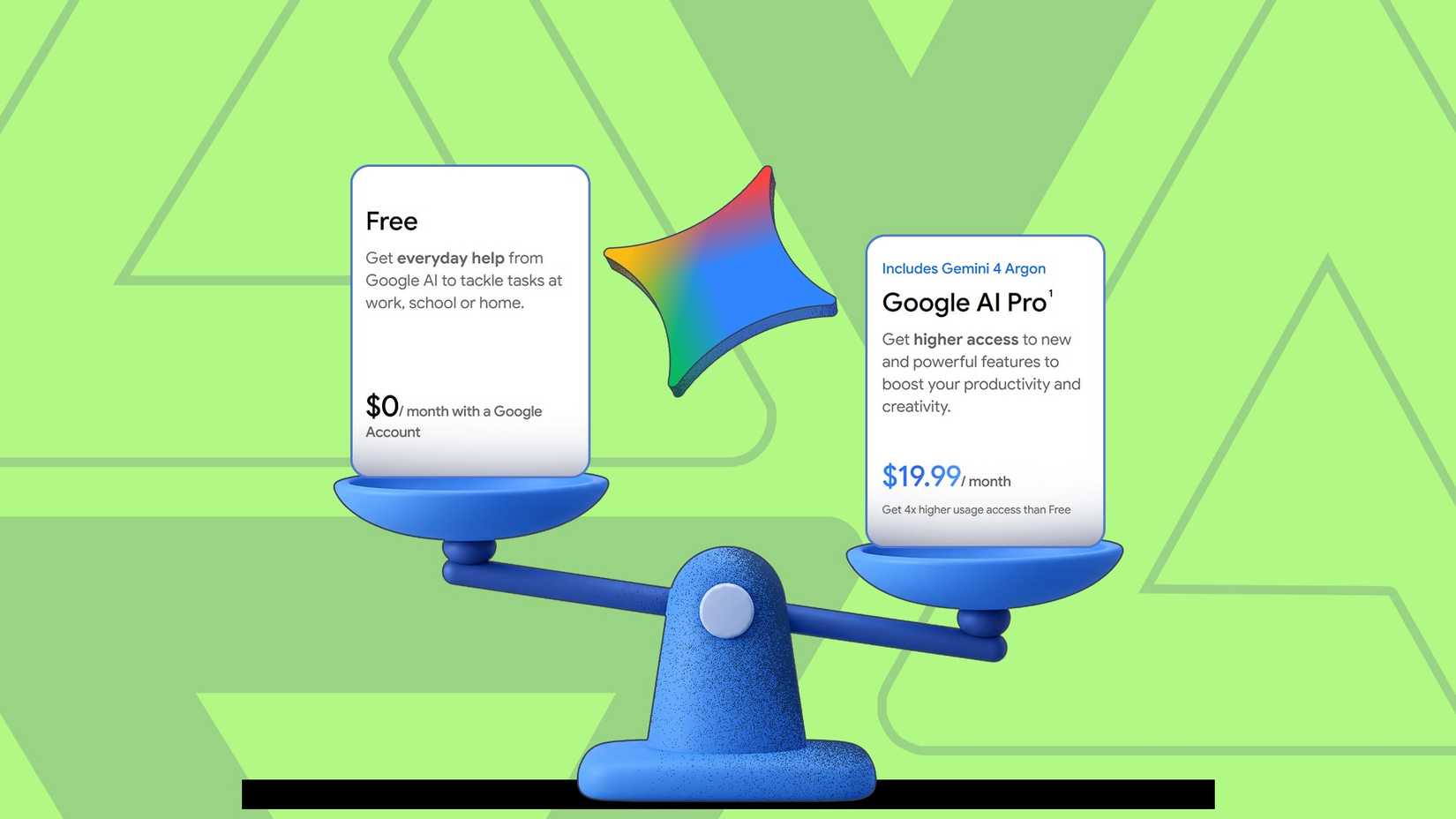
I should be upfront about one thing. Free Sheets doesn’t mean free AI inside Sheets.
Gemini in Sheets comes with Google AI Pro, normally $20 a month in the US, or the pricier Ultra plan.
Claude’s add-on needs a paid Claude plan that costs $20 or more a month in the US when billed monthly.
I wouldn’t pay for either one just to manage a guest list. Start with the free spreadsheet, and only add a paid assistant if you really need it.
It’s a different story if Claude or Google AI Pro is on your card. Most of us have at least one AI subscription by now.
If yours is one of those two, it will work with Sheets. The alternative is paying Microsoft for its assistant. That’s Copilot, the very thing that pushed the price up. Honestly, who’s choosing Copilot in 2026?
And yes, before you say it, I know Excel for the web costs nothing. I still prefer Sheets because its layout is clean and its menus stay out of my way.
Somebody at Microsoft really needs to discover white space.
Who should still pay for Excel?
Google Sheets can handle complex things too. It has pivot tables, its own scripting through Apps Script, and functions like QUERY and IMPORTRANGE that can pull data between files.
People build everything from habit trackers to small business dashboards. There are a lot of unique projects you can try yourself.
But Excel is still the gold standard for advanced tasks. If your work depends on VBA macros or automated buttons someone built, or on Power Query connections, those don’t carry over cleanly to Sheets.
Excel also handles very large files better. Sheets cap out at 10 million cells, while a single Excel sheet can hold over a million rows, and its Data Model can go well above that.
If your employer requires Excel files, use Excel (ideally on the company’s dime). Everyone else can let the subscription run out.










