
Updated on: February 12, 2026
Fact-checked by Hazel Shaw
-
🥇 ExpressVPN
: It’s not free, but it’s the best VPN for streaming Netflix in 2026, and it comes with a 30-day money-back guarantee for first-time subscribers, so you can test it risk-free for a whole month. It also has industry-leading security, so your internet service provider won’t be able to see that you’re on Netflix or the content you’re watching and throttle your speeds.
Finding a good free VPN that works with Netflix is difficult. Netflix’s VPN detection tools are advanced, so most free VPNs can’t bypass them. Some free VPNs work with Netflix, but they come with limitations like a very small server network, slow speeds, a daily or monthly data allowance, and more. Using a free VPN to stream Netflix can even be unsafe.
That’s why I always suggest using a premium VPN (like ExpressVPN) instead of a free VPN — they include excellent support for Netflix and other streaming platforms, a huge server network, better speeds, and stronger security features.
Fortunately, some premium VPNs offer free versions of their service. We tested dozens of free VPNs and found the best 5 for streaming Netflix — while all of them have some limitations, they’re secure, fast, and work with Netflix most of the time. Editor’s Note: ExpressVPN and this site are in the same ownership group.
Quick Summary of the Best Free VPNs for Netflix in 2026


February 2026 update: We replaced Avira Phantom VPN with TunnelBear. We also added pros and cons boxes for each VPN, expanded the Proton VPN mini-review, and fully fact-checked the article.
🥇1. ExpressVPN — Best Overall VPN for Netflix in 2026

Expert & Reader Favorite
Data limit
Servers in countries
Streaming support
P2P support
Number of devices
Money-back guarantee
Starting Price
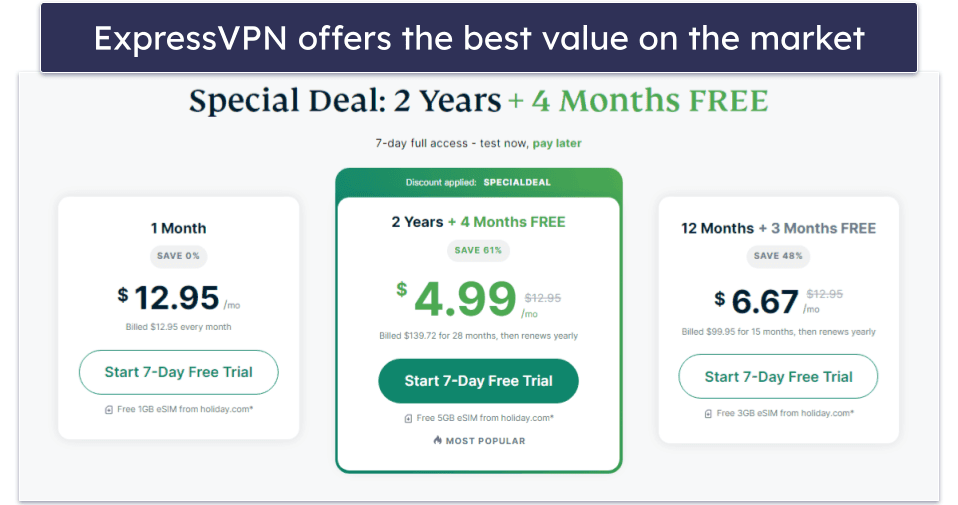
Basic 12-Months plan: £2.93 / month
1-month plan: £9.54 / month

ExpressVPN is my favorite VPN for streaming Netflix. It doesn’t have a free plan, but it has a 30-day money-back guarantee for first-time users, so you can subscribe risk-free and enjoy your favorite content for a whole month. It works with 10+ Netflix libraries, including the US, the UK, Japan, Australia, Canada, Germany, France, India, and more.
- Unlimited data
- Consistently fast speeds
- Works with 10+ Netflix libraries
- Regularly updated server IPs
- No free plan
This is because it regularly rotates its servers’ IP addresses, making it hard for Netflix to flag and block them. Most free VPNs lack the necessary resources to bypass Netflix’s VPN detection technology, making them generally unreliable for the platform.
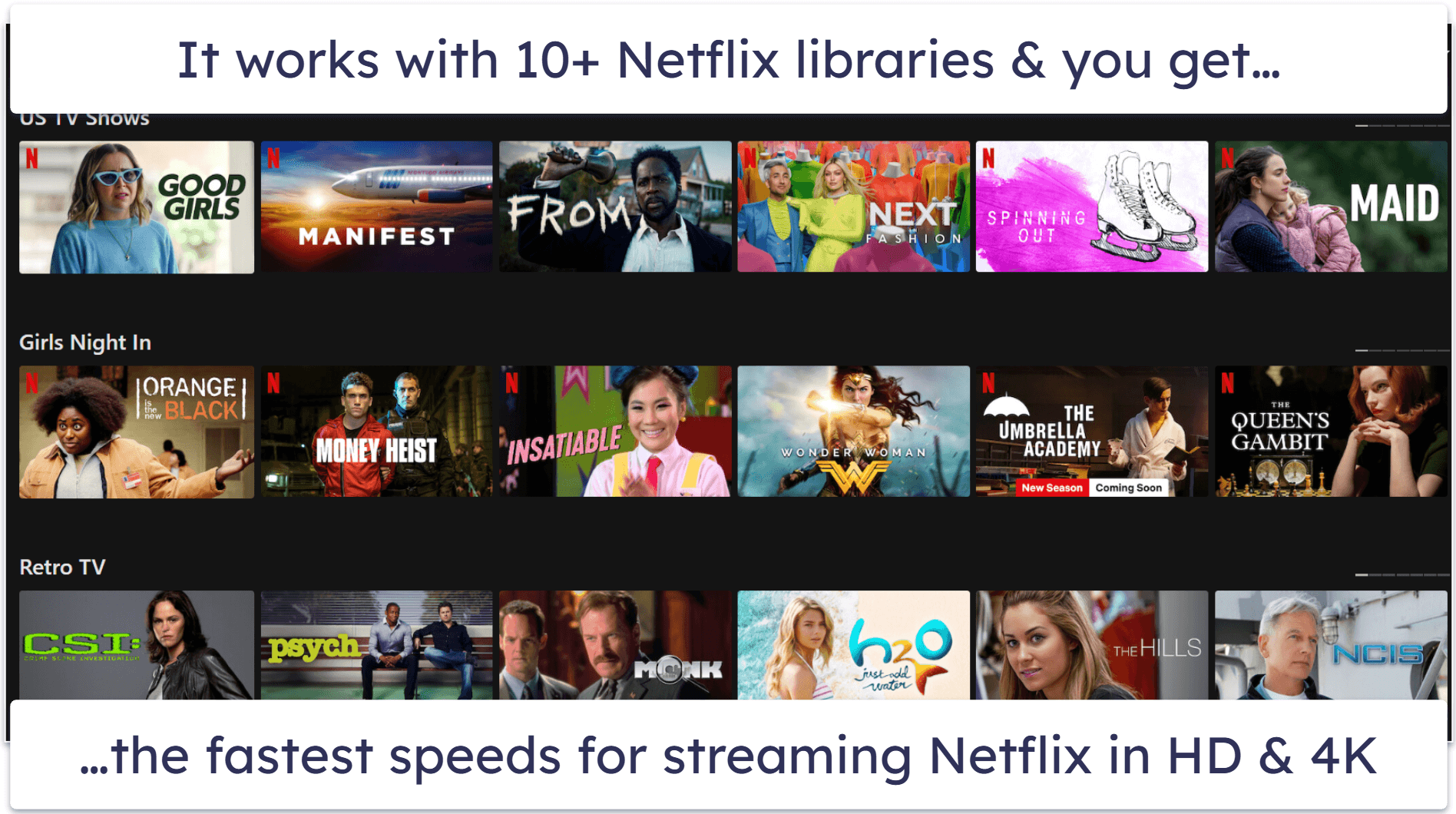
ExpressVPN has the fastest speeds on the market. It doesn’t throttle speeds, and you get access to its entire server network (105 countries), so you can always connect to a nearby server for reliable performance. This way, you can watch Netflix in HD and 4K without any interruptions. The fast speeds are powered by its proprietary Lightway protocol, which is built with minimal code for quicker connections. Moreover, Windows users can get even better performance with Lightway Turbo.
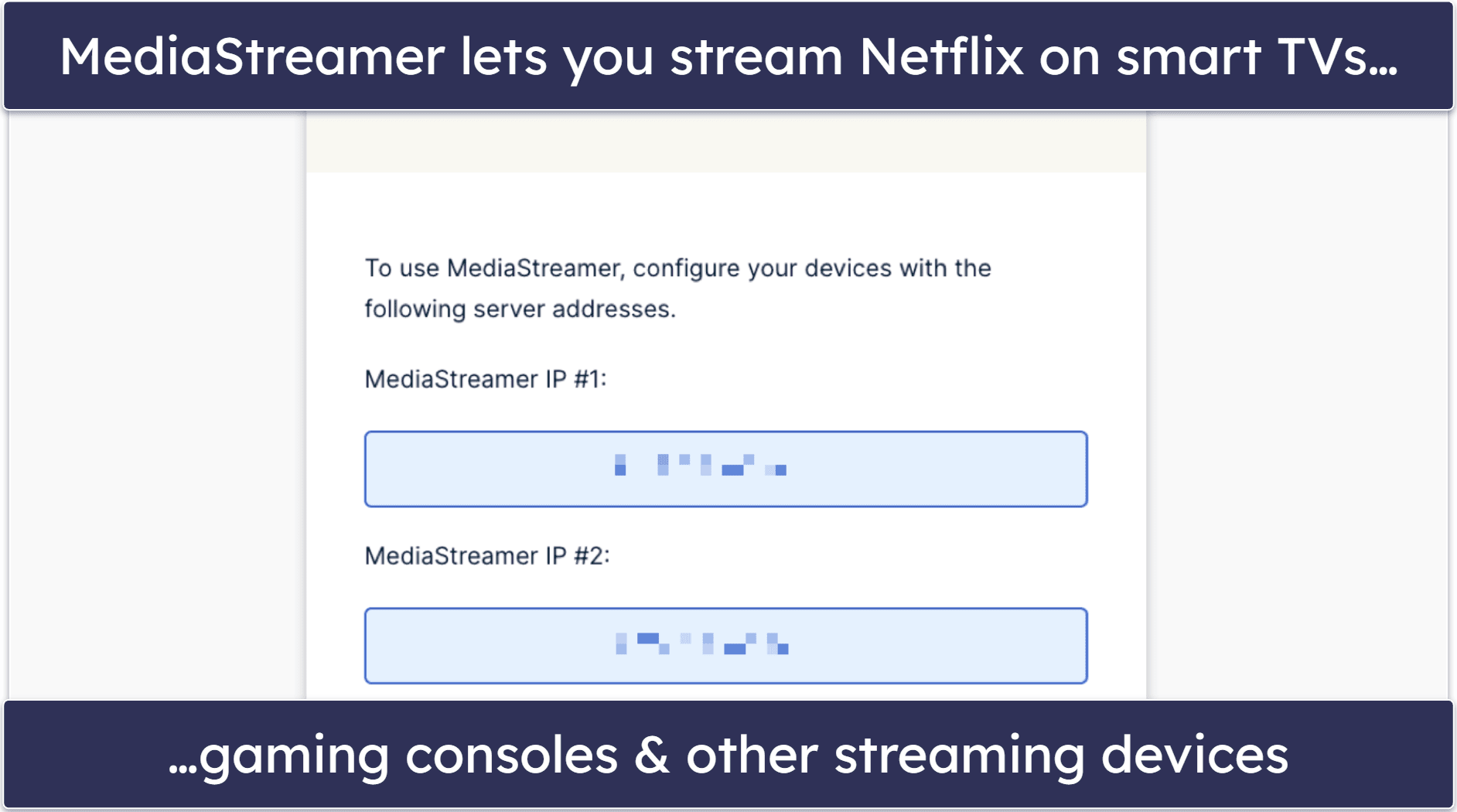
ExpressVPN’s MediaStreamer, which is the VPN’s smart DNS tool, works with the Netflix US and UK library and is great for streaming your favorite Netflix originals on smart TVs and other devices that don’t support VPNs like gaming consoles. It also offers an intuitive router app, which lets you connect all of the devices in your house to the VPN, including your smart TV or gaming console.
I also like its split-tunneling feature, which lets you control which apps route through the VPN and which ones bypass it. This means you can watch your favorite movies and shows on Netflix over the VPN connection and route the rest of your traffic through your internet provider’s network, which is convenient if you’re streaming and working, gaming, or studying at the same time.
Bottom line:
ExpressVPN isn’t free but it’s the best VPN for Netflix that we tested. It works with 10+ Netflix libraries, including the US, UK, Canada, and Japan. It lets you watch Netflix on devices that don’t support VPNs and offers the best speeds possible for watching Netflix in HD and 4K quality.
Read our ExpressVPN review here
🥈2. Proton VPN — Best Free Netflix VPN With Unlimited Data

Data limit
Servers in countries
Streaming support
P2P support
Number of devices
Money-back guarantee
Starting Price
12-month plan: £2.93 / month
1-month plan: £7.34 / month
Proton VPN’s free version doesn’t come with a data cap, so you can watch as much Netflix as you want. It comes with 8 free server locations, including the US, Japan, the Netherlands, Romania, and Poland, and can only work with these Netflix libraries about half of the time — unlike ExpressVPN.
- Unlimited data
- Fast speeds without limits
- Supports router configuration
- Supports a few Netflix libraries
- Can’t choose server location
- Inconsistent with Netflix
While free users are allowed only 1 connection at a time, Proton VPN is one of the few free VPNs that supports router configuration. This way, you can connect all of the devices in your household to the VPN, or watch Netflix on your TV or gaming console via the VPN.
However, I think the biggest disadvantage is that you can’t choose what server location to connect to. Proton automatically connects you to the best server based on your location. That said, there is an option to switch your server to another automatic choice every few minutes, which may give you the location you want.
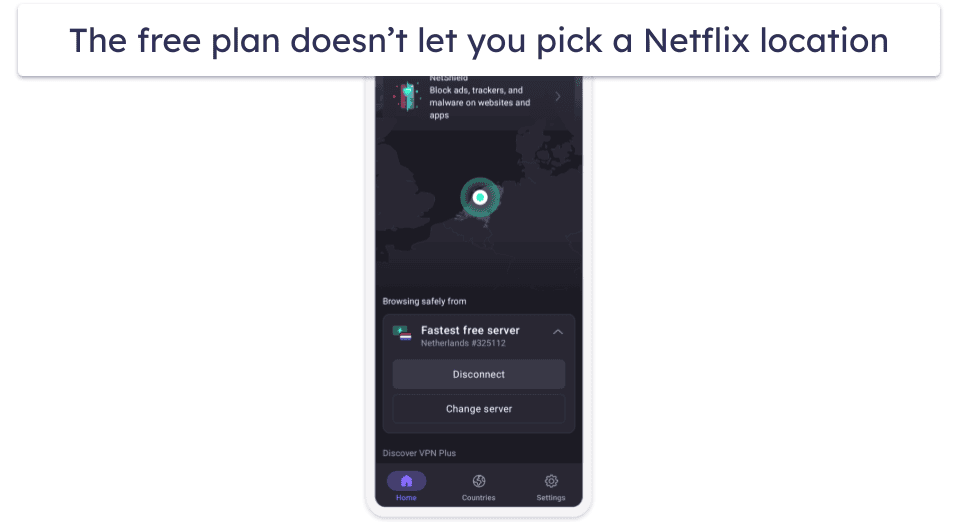
Proton VPN’s free plan has really good speeds for streaming HD content on Netflix. We mostly didn’t experience any buffering or lag, though some videos took longer to load during peak times.
ProtonVPN’s free plan also comes with Proton Pass, its secure password manager. This can be helpful for Netflix users by keeping login details safe, generating stronger passwords, and autofilling login details (like if you need to manage your account in the browser but forgot your password).
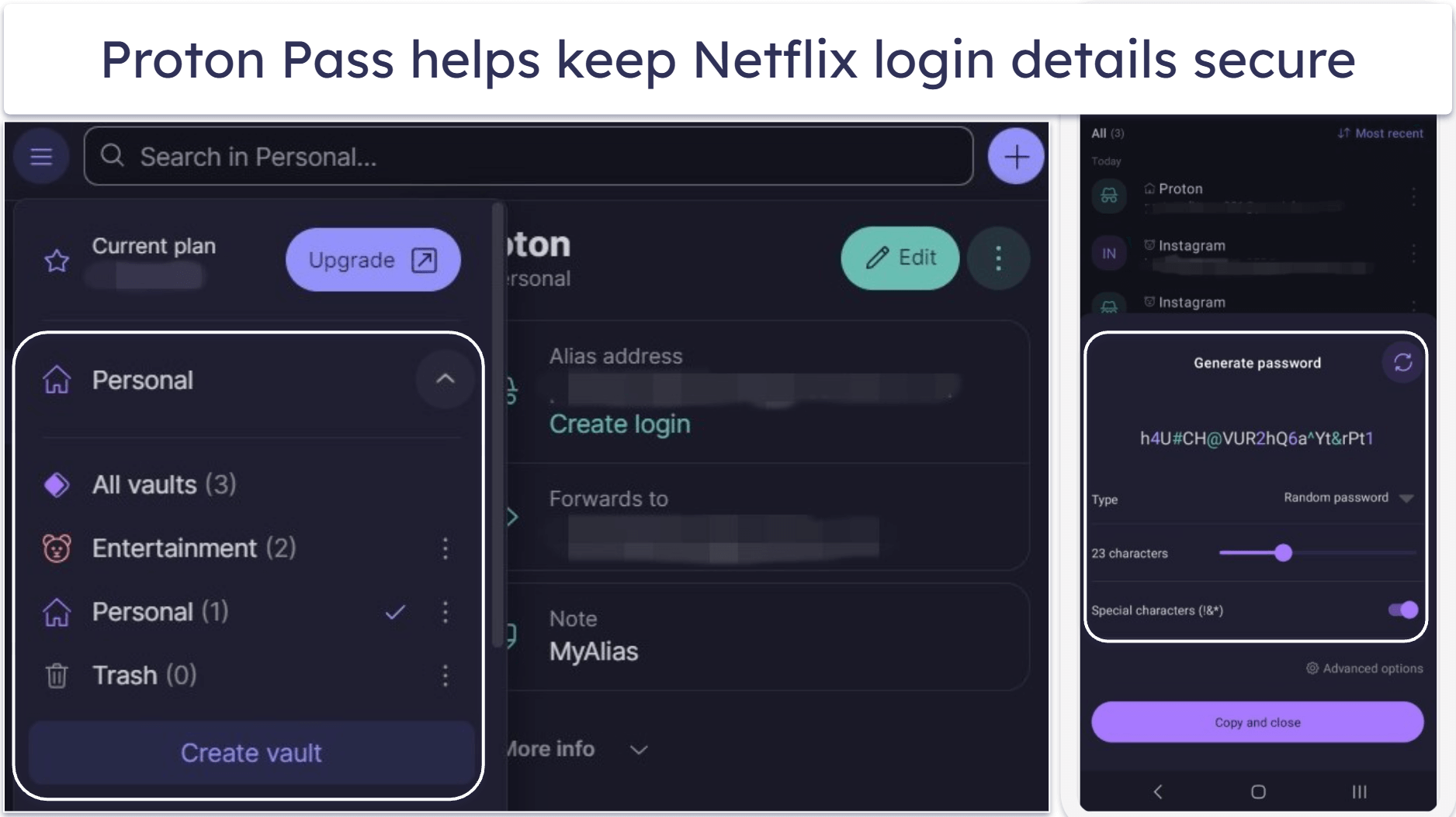
Proton VPN’s paid version includes streaming support for 25+ Netflix libraries and router support for watching on streaming devices that don’t support VPNs.
Bottom Line:
Proton VPN’s free version offers unlimited data for streaming as much Netflix content as you want, but it only includes 8 free VPN server locations, and works with those Netflix libraries only about half of the time. The free version only allows 1 device at a time, but it comes with router support, plus has strong privacy and a decent password manager. Upgrading to its premium plans gets you access to more countries and servers and more device connections.
Read our Proton VPN review here
🥉3. Windscribe — Great Free Netflix VPN With Servers in 10 Countries

Data limit
Servers in countries
Streaming support
P2P support
Number of devices
Money-back guarantee
Starting Price
1-month plan: £6.61 / month
Build A Plan: £2.20 / month
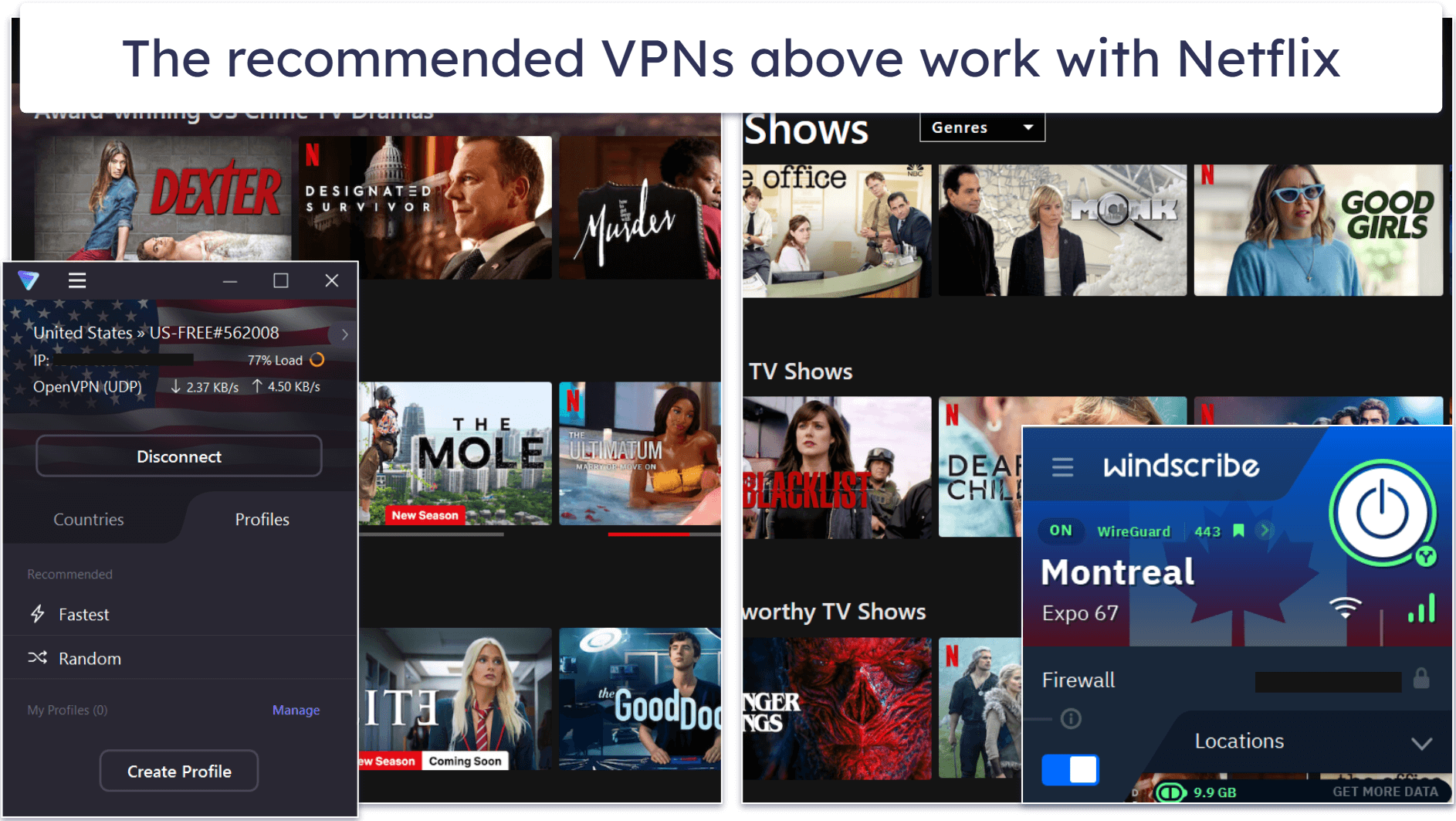
Windscribe’s free plan is one of the few that consistently works with Netflix. It works with a good number of Netflix libraries, as it offers free server locations in the US, UK, Canada, France, Germany, Romania, the Netherlands, Switzerland, Norway, and even Hong Kong.
- HD Netflix streaming
- Unlimited connections
- Allows split-tunneling
- Connects to your TV
- 10 GB data cap
- No router support
I also like how you get access to several cities in a couple of countries, including the US, Canada, and France. So, if you connect to the free server in Dallas in the US, and it doesn’t currently work with Netflix, you can try the free server in Atlanta.
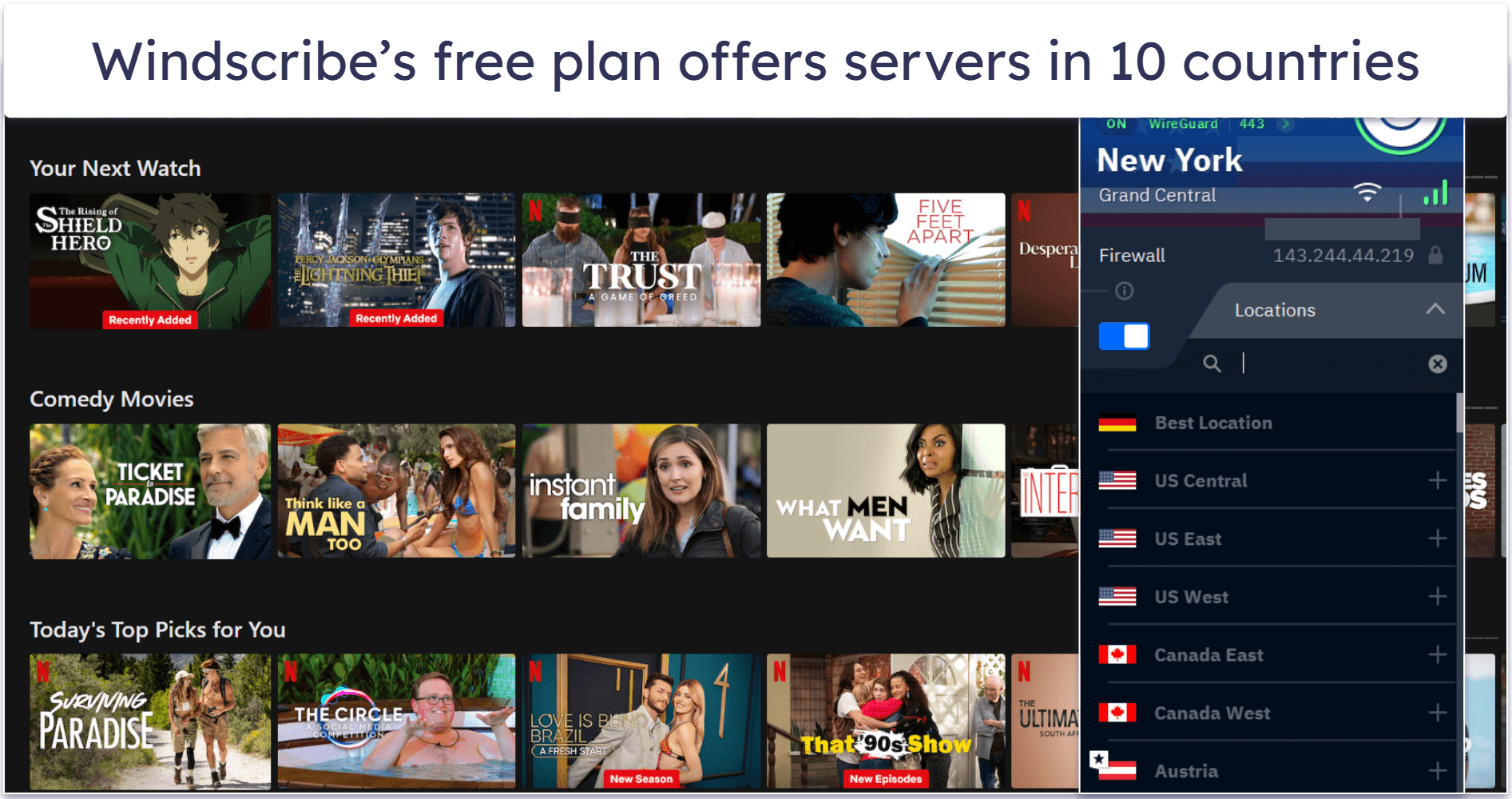
While the free plan comes with unlimited connections, you only get 2 GB of data per month if you don’t provide your email when creating an account. You can get 10 GB if you verify your email (this lets the VPN email you with offers to purchase the premium plan). With 10 GB, you can stream about 10 hours of Netflix content in SD or 5 hours in HD. You can also use its split-tunneling feature and only route traffic from the Netflix app and Netflix site via the VPN to manage data allowance.
Windscribe doesn’t have router support like Proton VPN, but it does have a particularly useful Proxy Gateway feature for watching Netflix on a smart TV. You can use it to turn your PC into a proxy server and route your smart TV or streaming device traffic through Windscribe’s servers to watch Netflix. Note that this setup can quickly use up your free data allowance.

I’m also happy with Windscribe’s speeds. When we tested it, all HD videos on Netflix took only about 1–2 seconds to load, and there was minimal buffering, which only happened when we skipped through the videos — ExpressVPN is still faster.
Windscribe’s premium plans give you unlimited data and access to more servers. It also has a “build-a-plan” option, which lets you customize your plan by adding access to individual servers.
Bottom line:
Windscribe has one of the only free plans that consistently works with Netflix. It has servers in 10 countries, including in the US, UK, Canada, Hong Kong, Germany, and Romania. However, free users can only reach a 10 GB/month data limit, so it’s not ideal for Netflix bingers. It does have split-tunneling to help manage its data cap. Upgrading to Windscribe’s premium plans unlocks unlimited data and a larger server network.
Read our full Windscribe review
4. TunnelBear — Fun Free VPN for Netflix with Access to All Servers

Data limit
Servers in countries
Streaming support
P2P support
Number of devices
Money-back guarantee
Starting Price
12-month plan: £3.06 / month
1-month plan: £7.34 / month
TunnelBear’s free plan includes access to all servers in 47 countries, which is rare for a free VPN. It works well with Netflix libraries like the US, UK, and Canada.
- Good speeds for streaming
- Servers in 47 countries
- Fun and intuitive design
- 2 GB monthly data limit
- No money-back guarantee
I like that TunnelBear also gives free subscribers full access to its paid features, including SplitBear, which is TunnelBear’s split-tunneling tool. The plan also allows unlimited device connections.
However, the catch is that you only get 2 GB of data per month, which translates to about 2 hours of streaming Netflix in SD. That makes TunnelBear’s free plan mostly useful for testing out the VPN rather than for regular Netflix streaming. If you need unlimited data, try Proton VPN instead.
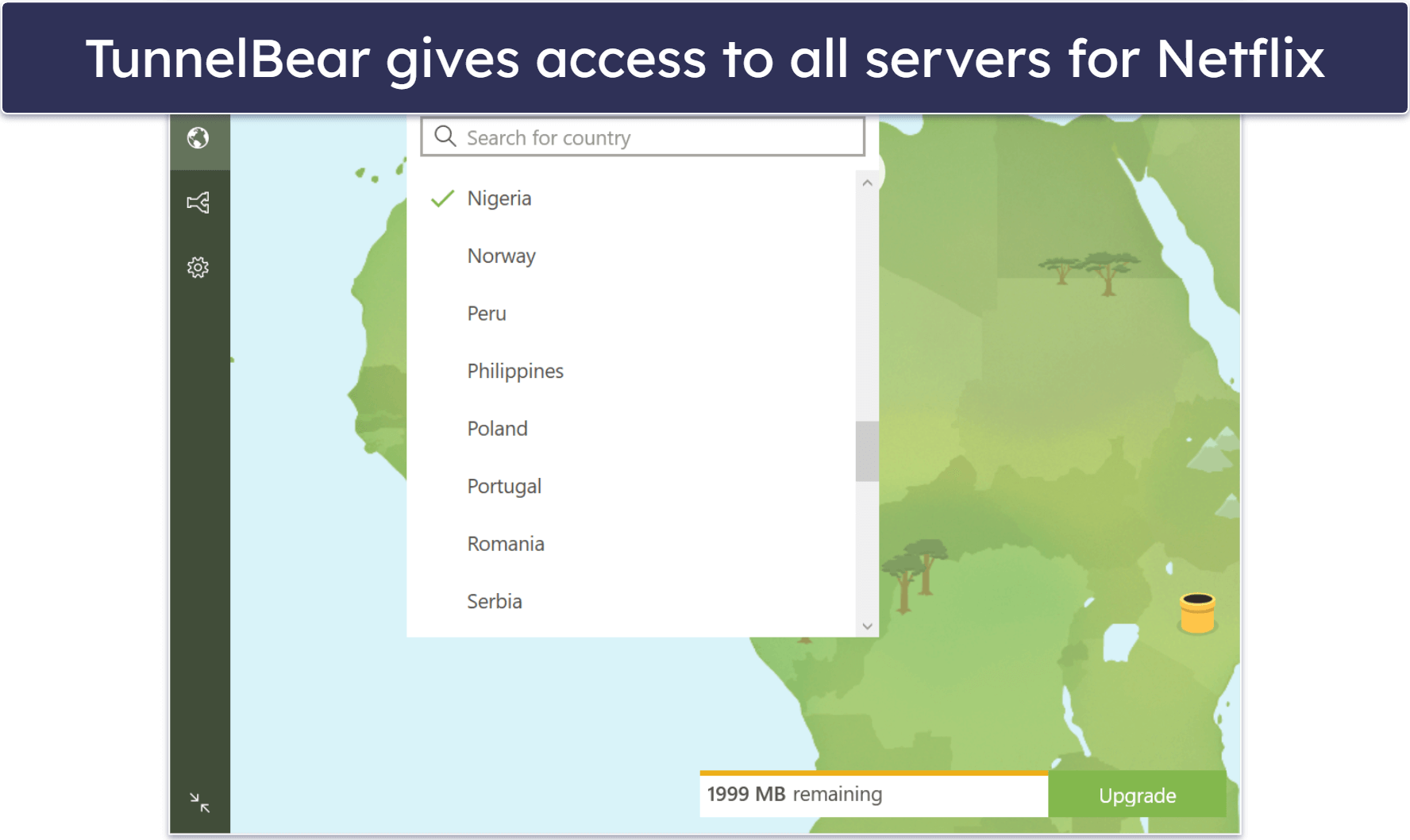
TunnelBear has one of the most fun and intuitive VPN designs on the market. The cute bear theme adds a playful touch, and the interactive map lets you tunnel to different countries by clicking on burrows. This makes connecting to servers simple and engaging, even for beginners.
The VPN offers pretty good speeds for Netflix on the free plan, mostly thanks to its large server network. In our speed tests, all videos loaded in no more than 2–3 seconds, and there was no buffering. However, ExpressVPN was faster and more reliable for HD and 4K streaming.
TunnelBear’s paid plans add unlimited data and P2P support.
Bottom Line:
TunnelBear is a fun and intuitive free VPN for Netflix that provides access to all 47 server locations and all premium features. It also allows unlimited connections and delivers pretty good speeds. However, its 2 GB monthly cap is only enough for light Netflix streaming or testing out the VPN.
Read the full TunnelBear review here
5. hide.me — Easy-to-Use Netflix VPN (Great for Beginners)

Data limit
Servers in countries
Streaming support
P2P support
Number of devices
Money-back guarantee
Starting Price
12-month plan: £3.36 / month
1-month plan: £7.31 / month
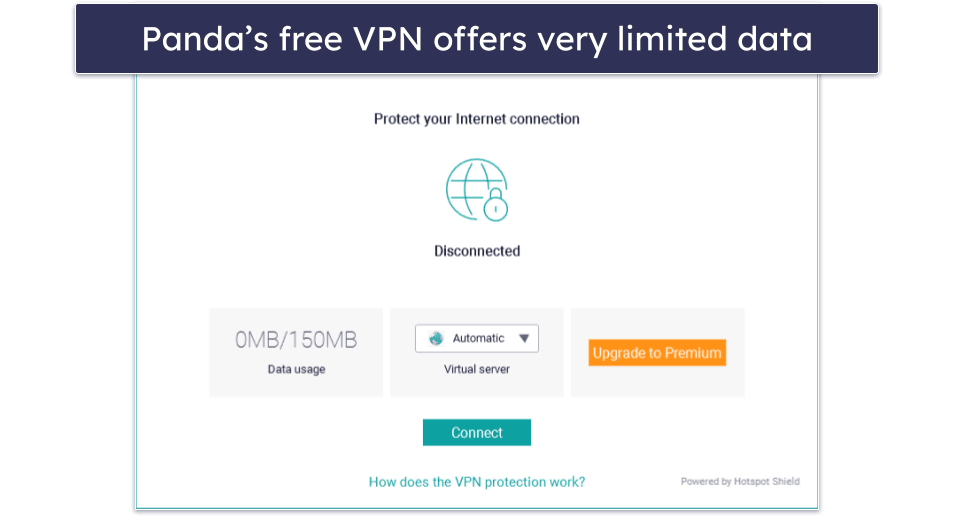
hide.me is an easy-to-use VPN that’s good for VPN beginners who want to securely watch Netflix. It has no data limit for streaming on Netflix, but it doesn’t guarantee that its free plan can access the Netflix site or app.
- Unlimited data
- User-friendly apps
- 8 free countries
- No guaranteed Netflix access
- Speed limits
hide.me offers 8 free server locations, including Germany, the Netherlands, the UK, France, Switzerland, and the US, making it a good option for Netflix. If a specific server location doesn’t work immediately, you might need to reconnect several times to get a different IP address that Netflix won’t flag. Unlike Windscribe, there are no different server locations to choose from within a specific country.
hide.me’s free version is very secure. It has Stealth Guard, a feature that prevents apps from accessing the internet when you’re not connected to hide.me (kind of like a customizable kill switch), which works great for preventing Netflix leaks.
During our speed tests, we only saw a bit of buffering with HD videos, but this was during peak times. hide.me limits your speeds on the free plan, unlike ExpressVPN, which allows unlimited speeds.
hide.me’s premium plans get you good streaming support for Netflix and 50+ server locations.
Bottom line:
hide.me is an easy-to-use free VPN with no data limit for watching Netflix. The free plan works with several Netflix libraries, including in the US, UK, and Germany, but not very consistently. However, its premium plans unlock unlimited data, come with more reliable streaming support for Netflix, and offer servers in way more countries.
Quick Comparison Table
Editor’s Note: ExpressVPN and this site are in the same ownership group.
Testing Methodology: Comparison & Ranking Criteria
I followed our comprehensive testing methodology to find the best free VPNs for watching Netflix. By evaluating each VPN’s performance in real-world scenarios, I ensured they met high standards for reliability, speed, and usability. Here’s what I considered to pick and rank each:
- I chose VPNs that work with Netflix. Most free VPNs don’t work with Netflix, so I made sure to only select those that do and work with at least 5 libraries.

- I looked for a large data limit. Streaming Netflix in SD can use up to 1 GB per hour, while HD content can use up to 3 GB per hour. The free VPNs I recommend here either have unlimited data or a large monthly data limit, so you get at least a couple of hours of Netflix time. Proton VPN and hide.me’s free plans both have no data cap.
- We tested for fast speeds. Many free VPNs have crowded servers that slow down your connection, making streaming pretty difficult. All the VPNs on this list provided speeds fast enough for streaming HD Netflix videos without buffering or lag. ExpressVPN was the fastest in our tests.
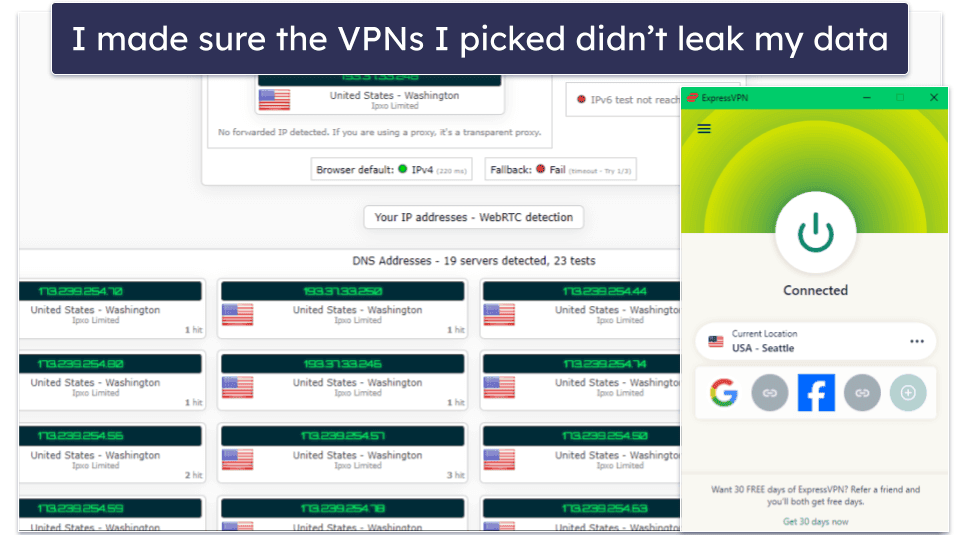
- I found VPNs with strong security. Free VPNs are known for being less secure than premium plans, so I made sure the free options I recommend come with the necessary basics like a kill switch (to prevent accidental data & IP leaks), military-grade encryption, leak protection, and a no-logs policy (meaning the VPN doesn’t store your browsing activity or connection data).

- I evaluated the value of their paid plans. Each VPN on this list offers affordable, feature-rich paid plans that work with lots of Netflix libraries. Most of them also come with a money-back guarantee, providing great options if you decide to upgrade.
Risks of Using a Free VPN to Watch Netflix
- Lack of security. Free VPNs are often unsafe, as they lack security features such as encryption and kill switches. They might even track your data and sell it to third parties. While you’re connected to a VPN’s server, it’s hard to know who is looking at your data unless you use a reliable VPN with trustworthy privacy and security protocols.
- Activity monitoring. Given that no-cost VPNs must make money somehow, they could potentially track your actions (such as online shopping and browsing) and trade your information to third-party entities. Premium VPNs such as ExpressVPN are stringent about never monitoring or trading user information.
- Security features hidden behind a paywall. Most security features are only available with a paid subscription, so if the VPN has an ad, tracker, and malware blocker, it’s likely not available.
- Potential malware. Some free VPNs have been found to contain malware, which can infect your device or steal sensitive information. Luckily, all the VPNs on my list are safe.
Free vs. Paid VPNs for Watching Netflix
The free VPNs I discuss on this list all have industry-standard VPN security features to protect your data, such as 256-bit AES encryption, a kill switch, and a no-logs policy. Some even include advanced features like full leak protection, RAM-only servers, and full-disk encryption to further maintain your data while you watch Netflix.
However, free VPNs typically lack the features that premium VPNs commonly offer. Plenty of free VPNs out there throttle speeds (leading to buffering and lag during streaming), impose monthly or daily data caps (limiting how much you can stream), restrict access to only a couple of server locations, and many of them don’t allow streaming.
For example, Proton VPN’s free plan has good speeds and doesn’t have a data cap, but it doesn’t work with Netflix 100% of the time, only allows you to access servers in 8 countries, and automatically connects you to the closest server (you can’t manually connect to a different server). Windscribe’s free plan works with Netflix consistently and has good speeds, but it has a data cap of 10 GB per month — which is only enough for about 8 hours of streaming on Netflix in HD.
Overall, upgrading to a premium VPN is better for streaming on Netflix. Top paid VPNs work with Netflix consistently, offer better speeds, have no data caps, and allow you to access a large VPN server network. They also typically provide advanced security features, such as better encryption and leak protection, ensuring your privacy while you enjoy Netflix. Most top VPNs offer a money-back guarantee, so you can try them out without risk.
Free VPNs to Avoid for Watching Netflix
- Hola VPN. Hola VPN doesn’t have a typical server network — it’s a peer-to-peer service, which means it assigns users the IP addresses of other users. This is incredibly dangerous because that means someone could use your IP address for illegal activities online. Also, it logs a lot of user data to share with third parties.
- SuperVPN. SuperVPN logs your personal data. What’s more, it suffered a large data breach that exposed a lot of its users’ IP addresses and locations, so it’s difficult to trust SuperVPN.
- TouchVPN. TouchVPN has good speeds on nearby servers, and its free plan works with Netflix. However, it has a very limited data cap of 500 MB/day, which is enough for about one 45-minute episode on Netflix.
- AceVPN. AceVPN only offers its free plan to journalists and bloggers, and it doesn’t work with Netflix.
- Opera VPN Pro. Opera VPN Pro works with Netflix pretty consistently, but it lacks a lot of security features (like a kill switch). Also, its free plan limits the VPN’s protection to traffic in the Opera browser.
Top Brands That Didn’t Make the Cut
- Hotspot Shield. Hotspot Shield is fast, secure, and easy to use, and it has a free plan with unlimited data — but it doesn’t work with Netflix on the free plan.
- Avira Phantom VPN. Avira Phantom VPN works with some Netflix libraries and has fast speeds for streaming. On the flip side, its free version only allows 500 MB of data per month, which is hardly enough for a single episode.
- PrivadoVPN. PrivadoVPN has free streaming support, offers 13 free server locations, and works reliably with Netflix. However, it limits you to 10 GB of data per month and isn’t as fast as the VPNs on this list.
Frequently Asked Questions
What’s the best free VPN for watching Netflix?
My favorite free VPN for watching Netflix is Proton VPN. It has ad-free unlimited data on the free plan, works with Netflix about half of the time, and delivers good speeds for streaming. It even has router support if you want to watch Netflix securely on your TV or connect all of your devices in your home to the VPN. However, it only allows 1 device connection (if you don’t connect it to your router), you can’t choose your server location, and you don’t get access to most of its features.
If you want reliable and safe access to Netflix and a full suite of features, I recommend using a premium VPN like ExpressVPN. It works with Netflix consistently, provides the fastest speeds, and has excellent security for safe streaming.
Can I watch Netflix US with a free VPN?
You usually cannot reliably watch US Netflix with a free VPN. Free VPNs often have limited server options, and Netflix actively blocks their IP addresses. While you might occasionally connect, the experience is usually slow, unstable, or completely blocked.
That said, several of the free VPNs on this list have servers in the US and support streaming, like TunnelBear.
Still, it’s way much better to use a paid VPN like ExpressVPN, which has a large network of servers in the US, lightning-fast speeds, and can safely access Netflix from anywhere.
How do I use a free VPN with Netflix?
You can follow these 3 quick steps:
- Download and install a VPN. I recommend ExpressVPN because it has excellent security, fast speeds, and easy-to-use apps for all platforms.
- Connect to a server. The closest server to your location gives you the best speeds.
- Log into Netflix and start streaming. Open Netflix on your browser or via the Netflix app, log into your account, and enjoy your favorite content!
Is it safe to use a free VPN to watch Netflix?
That depends on the VPN. The majority of free VPNs have questionable privacy practices, such as logging your data or displaying intrusive ads, and some even sell your browsing habits to third parties. Additionally, free VPNs may lack strong security features, leaving your online activities exposed to hackers or surveillance.
That said, the free VPNs I recommend in this article are generally safe. They follow a freemium model and are backed by reputable companies.
Do all VPNs work with Netflix?
No, not all VPNs work with Netflix. Premium VPNs like ExpressVPN have servers that work with Netflix reliably, so you’ll never run into this issue.
How do I watch Netflix with a VPN on devices that don’t support VPNs?
You’ll need a VPN that has a smart DNS feature or good router support. If you want to protect your traffic while watching Netflix on your smart TV, PlayStation, or Xbox, you can set up the VPN on your router — this way, your traffic is encrypted and every device connected to the VPN is protected. Smart DNS can also help you stream Netflix on a device that doesn’t natively support VPNs, but it won’t encrypt your traffic.
For watching Netflix on devices that don’t support VPNs, I recommend ExpressVPN. It has a dedicated router app that’s easy to use and install and a great smart DNS tool.
Why do free VPNs fail to unblock Netflix?
Free VPNs have too few servers and are quickly identified by Netflix’s anti-VPN measures. Many free VPN IPs are already blocklisted since they don’t regularly refresh their IPs, and limited bandwidth or overcrowded servers make streaming slow or impossible.
If you want a consistent Netflix VPN, I recommend a premium option like ExpressVPN, as it regularly updates its IP addresses, supports multiple libraries, and delivers fast speeds.