


When you get a new Google Pixel phone, the first thing most of us do is search for the killer apps.
We immediately look for productivity suites, knowledge management apps, powerful custom launchers, or AI-driven tools that promise to reinvent how we use our devices.
I spent months doing the same, downloading, testing, and uninstalling the biggest, most feature-rich software available, always searching for that single, transformative upgrade.
Still, after all that effort, I realized the best software enhancement I made to my Pixel wasn’t a massive application at all.
Instead, it was a tiny utility that fixed Android’s oldest irritations: the clipboard.
This is the story of how an unknown third-party clipboard app became a high-impact piece on my Pixel home screen.
The default clipboard is average
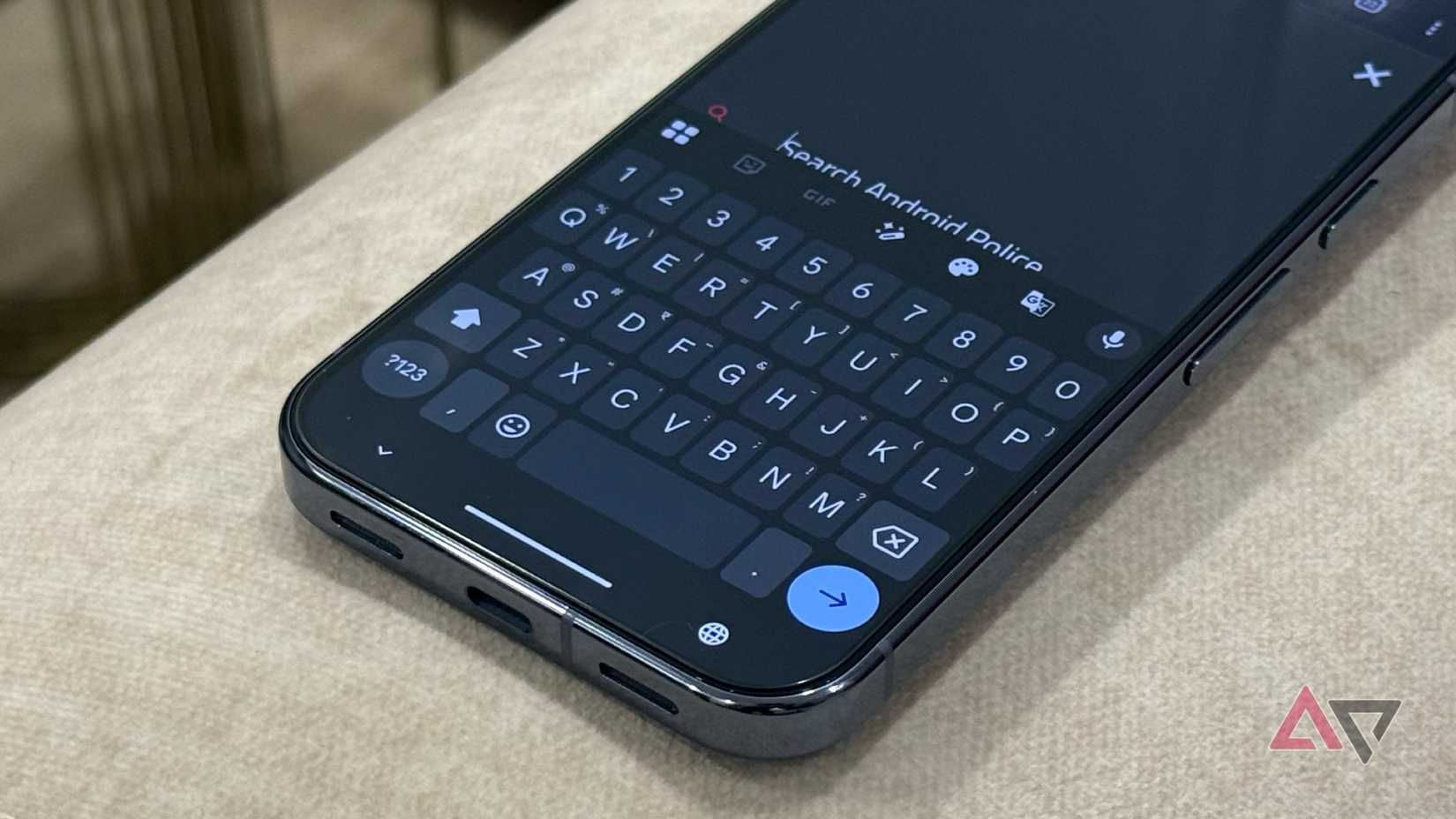
The moment you start trying to be truly productive on your Pixel, you face the biggest challenge: the clipboard situation. Sure, Gboard has a clipboard manager, and it works just fine.
However, if I need to paste something I copied two minutes ago, I have to open the text field, tap the four-square menu, then tap the clipboard icon, and finally select the item from the history.
That’s a minimum of three taps just to paste something that should be an instant action. But the real problem starts when I decide to use the phone how I want to.
Maybe I want to try a different keyboard like SwiftKey for its specific typing features. Suddenly, that entire Gboard history is gone because the clipboard is bound entirely to the keyboard app.
Even worse, as a user who switches between a Pixel and a Mac, the whole experience is a mess.
There is zero sync. My Pixel clipboard doesn’t communicate with my desktop clipboard, meaning I’m constantly emailing or messaging text to myself just to bridge the gap between devices.
Clipboard app is the solution
After I realized the fundamental flaw in the stock system, I began searching for a clipboard app.
The Play Store is packed with dozens of such options, and among them, I found Clipboard from 1Studio robust and worthy of having a place on my home screen.
First, it supports the Material You theme and feels like a native part of my Pixel UI. Most options are tucked at the bottom for easy access, and it doesn’t require any learning curve.
This wasn’t some ugly, over-engineered solution. It was a truly beautiful, minimalist utility that finally brought the kind of seamless function the Android platform deserved.
Quick access
The real magic of the Clipboard app is that while it appears simple and small, it’s packed with smart, practical features that deliver power without complexity.
The app automatically captures and logs every single piece of text I copy, from URLs to long paragraphs. That alone is a time-saver compared to the stock limit.
I can access my entire history from a persistent notification in the shade, or I can use a quick widget on my home screen.
It takes the three frustrating taps of Gboard and turns them into a single swipe and a tap.
Clipboard app is packed with features
I was initially sold on the Clipboard app by its simple, automatic utility, but I stayed because of how surprisingly feature-packed this tiny tool is. It also supports an excellent theming engine.
Beyond the essential ability to pin items — which I use constantly for my home address and complex database commands — I love how I can use the search feature to find a snippet I copied months ago in a couple of seconds.
This turns my clipboard into a searchable database.
And for my private information and text, I use the safe box. Knowing my sensitive texts, like verification codes or temporary notes, are saved only on my device and protected by biometrics.
Clipboard also has a native app for Mac and a web tool to access all your copied text everywhere. Just sign in with your Google account, and you are good to go.
In terms of organization, Clipboard supports tags and folders to handle your growing number of entries like a pro. I have tags like Finance, Personal, Email, Social, and more to organize my clippings.
Some of the features require a Premium subscription. Thankfully, there is a lifetime plan, which you can opt into after a free trial and avoid any recurring monthly expenses.

This tool blew me away
Overall, after months of chasing and testing every major application in the Android ecosystem, the clear winner for the single best software upgrade wasn’t a complex productivity platform or a massive system overhaul.
It was a humble clipboard app.
This app doesn’t promise to manage your entire life; it just ensures that the fundamental act of moving information on your phone is flawless.
The Clipboard app proves that the single best upgrade you can give your Pixel is often the most minimal, works silently in the background, and comes with a small price tag.
Aside from Clipboard, here are other essential apps that deserve a place on your Pixel home screen.










