


I never thought the day would come that I would stop using Todoist. The app has been a mainstay of my productivity suite.
But like many people who get obsessed with productivity tools, I was convinced that a premium subscription would be the clincher in making me more organized.
Todoist gave me things like labels, filters, natural language input, and every little feature I could think of while building a perfect task management system. What it didn’t give me was a friction-free interface.
So, I’ve gone back to Google’s way of doing things.
Over the last few months, Google has started rolling its scattered reminders features into a single spot and, as it turns out, that single spot is the underused Google Tasks app.
When I first switched over to Tasks, I barely noticed the new changes because I’d tried Tasks before and walked away unimpressed.
However, the latest updates have completely flipped that experience. Not only has Google moved Keep reminders into Tasks, but it has also unified Calendar reminders and cleaned up how Google Tasks works across Workspace.
All of these combined make Google Tasks significantly more integrated into the Google way of doing things.
Moreover, after I started using the new setup, I realized that perhaps the premium way of doing things was needlessly complicated at a time when the free Google Keep was enough to get things done.
So, I’ve made the switch. I left Todoist and moved all my tasks to Google Tasks, not because it’s more feature-packed. It isn’t. But because it’s now good enough to do everything I need.
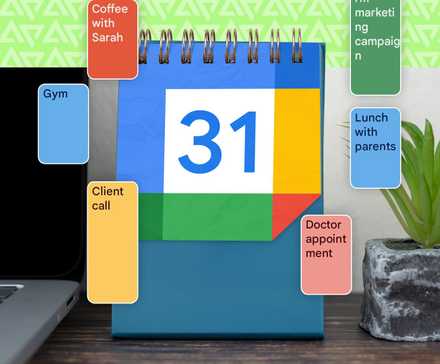
Google Tasks has finally grown into a proper daily planner
A unified reminders system makes all the difference
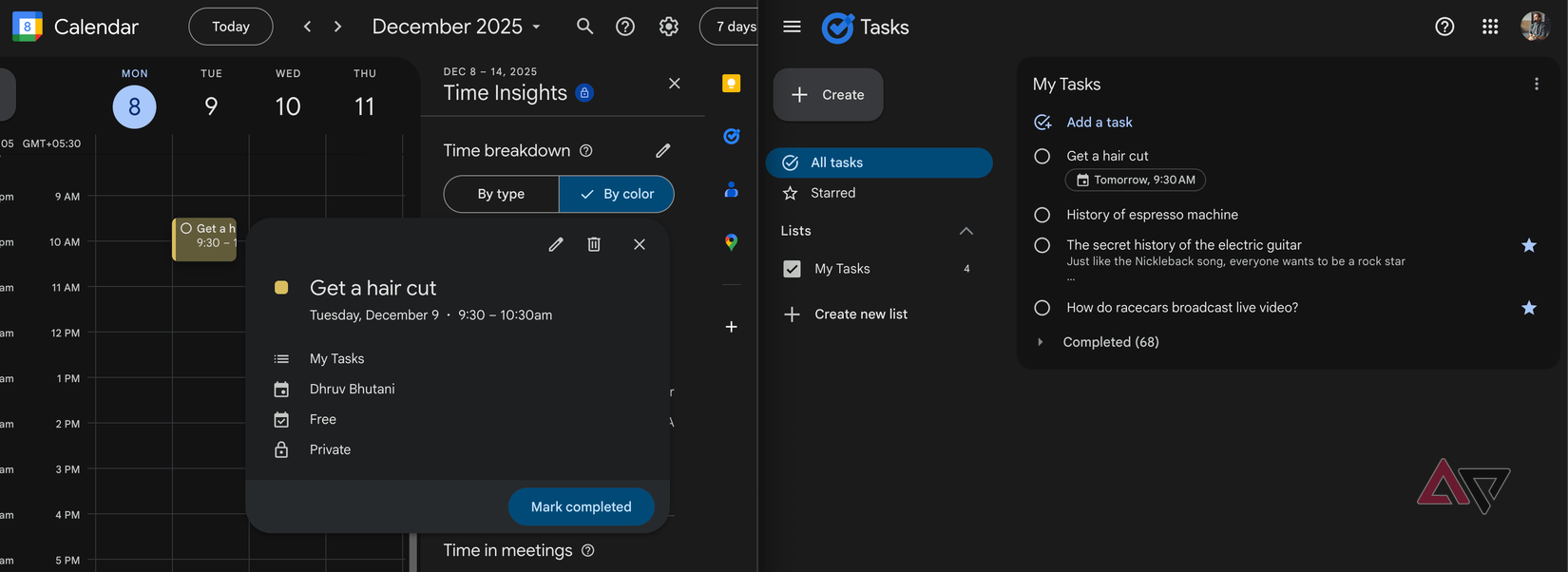
If the last time you used Google Tasks was when it integrated into Gmail, you’ll be in for a surprise. The app feels like a whole new product.
Let’s be honest, Tasks used to be utilitarian at best and just about functional for jotting down quick items, but it lacked enough features to be a full-out space to manage everyday tasks.
Over the last few months, Google has fixed the disconnect that plagued Google Tasks by pulling everything back into the app.
If you set a reminder in Keep, it now appears in Tasks. Similarly, if you add one in Google Calendar, it shows up in Tasks.
All those upgrades have made Tasks a unified home for all reminders across the Google ecosystem. That one upgrade has solved my biggest frustration with Google’s approach to reminders.
Productivity apps are supposed to reduce mental overload. I want to be able to set a consistent reminder straight from Gmail. But when reminders are split across three apps, Google was generating cognitive overload.
If I have to use a separate app, I might as well use a better app. But with everything now in one place, Tasks has become the backbone of my daily planning.
The other major upgrade is the mobile experience. The Tasks app finally feels modern with the refreshed interface.
It opens quickly, drops you straight into a clean list-based layout ,and includes subtasks, due dates, and reminders that sync with Google Calendar. None of these are unexpected features, but it’s the execution that matters.
And that clean interface matters more than you’d think.
As feature-packed as Todoist was, I found the sheer number of features getting in the way more often than not.
I’ve also found the Android widget to be more reliable and faster to refresh, and it’s my preferred way to keep an eye on tasks.
Power users will want more than what Google Tasks offers
Tasks works for its simplicity
If you’re a power user who wants the most feature-packed tasks app, Google Tasks isn’t going to cut it for you.
Todoist will give you much more powerful tagging, project nesting, and advanced filters. As useful as that is, it can also be overwhelming.
Moreover, much as I liked the app, the idea of paying a subscription fee for a to-do app always irked me. All said and done, it’s a very basic feature.
In its refreshed avatar, I’ve grown to love Tasks because it keeps things simple. You create a task, give it a time and date if needed, and move on.
Since it integrates deeply into Google’s ecosystem, there are other conveniences. For example, you can pull the smart assistant and ask it questions about your task list.
Elsewhere, Calendar suggestions can pull up items from your Tasks when you are creating events. Plus, since it’s a native app, things like notifications are more reliable.
Google Tasks wins out for its simplicity
Let’s be real. Google Tasks isn’t going to be the app of choice for productivity fiends. But that’s not who this is for.
Instead, it gets the basics right. Between the clean UI, fast performance, reliable reminders, and tight integration across the platform, it’s all I really need.
It certainly has been enough to make me switch from Todoist to Google Tasks, and I’m not complaining.










