


For researchers, students, and writers, navigating large volumes of text — from dense PDFs to meeting transcripts — often feels like a challenging task.
We spend hours scrolling, highlighting, and synthesizing only to miss a key connection. That frustration ended for me with NotebookLM’s audio overviews.
This feature isn’t just a simple text-to-speech function; it’s the single best tool that transformed me from a casual NotebookLM user into a power user.

Issues with understanding complex subjects
Before Audio Overviews, my research life was a mess.
Like many writers and researchers, my projects rely on understanding massive amounts of information — dense academic papers, client transcripts, multipage web articles, and huge meeting notes.
I would highlight key sentences, but inevitably, I would lose the overall argument.
I tried using NotebookLM primarily and treated all the information like a glorified folder system, and I knew I wasn’t maximizing its potential.
Sure, I can ask relevant questions and get summaries from my updated documents and PDFs. Still, I feel overwhelmed, inefficient, and burnt out by the process of manually synthesizing my digital workload.
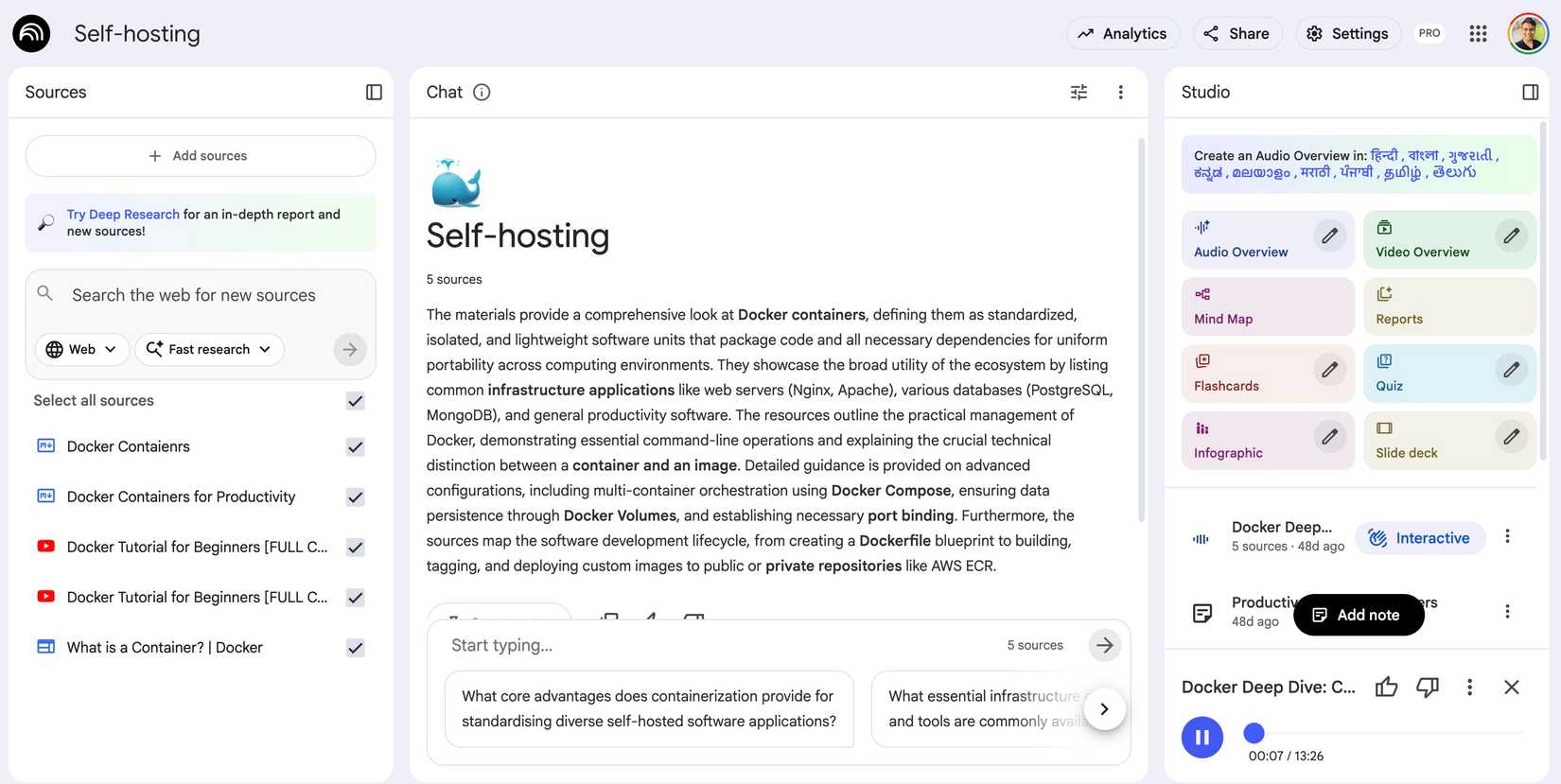
My personal litmus test was trying to master self-hosting via Docker — a process that requires knitting together dozens of guides, complex configuration files, and troubleshooting forums.
I would upload all the relevant documentation — the Docker manual, various tutorials, and Stack Overflow threads — into a single NotebookLM notebook. But even with the basic summary tools, I was still stuck in endless scrolling.
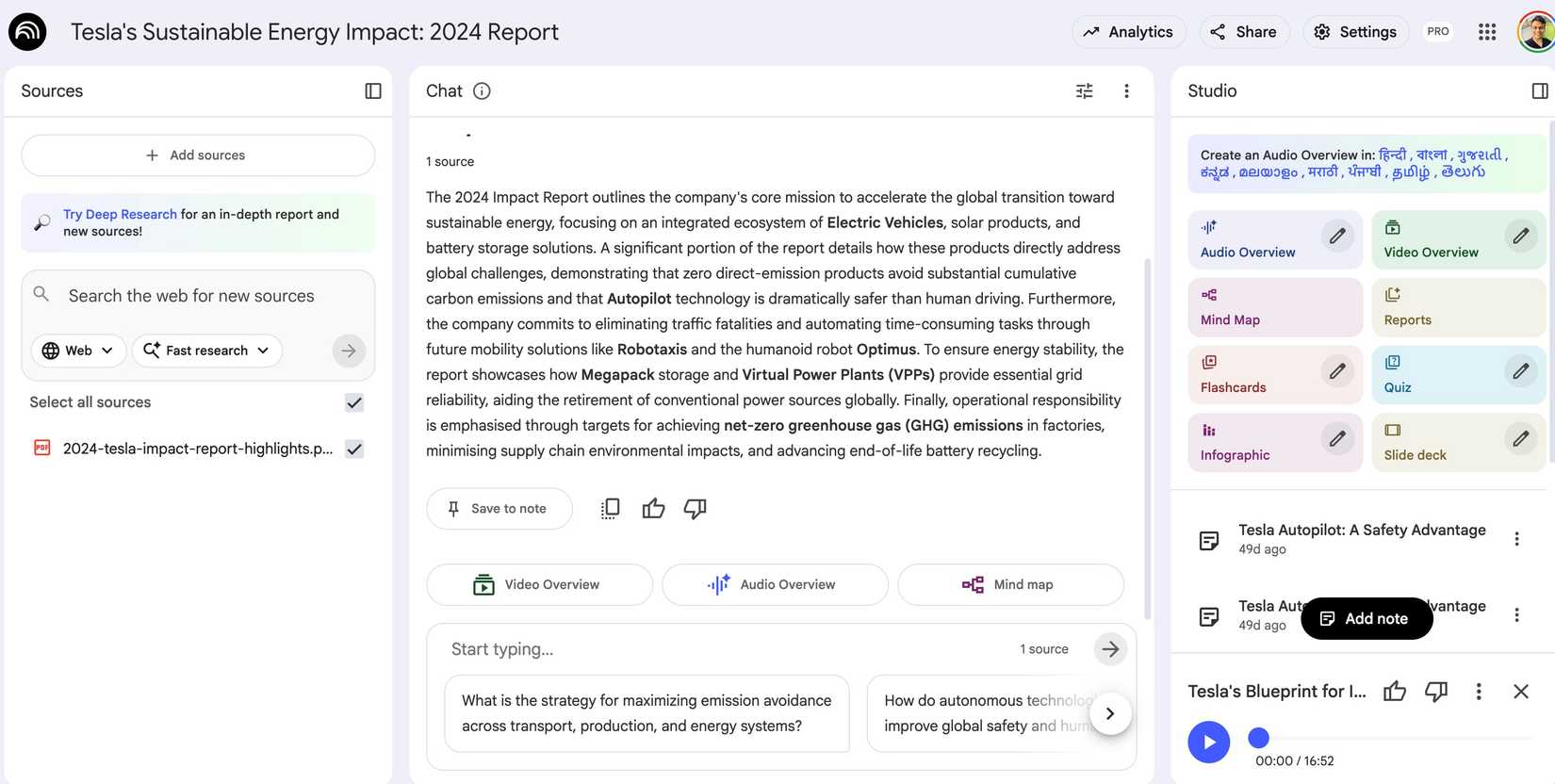
I faced the same issue while trying to summarize Tesla’s sustainable energy impact report. It was a long PDF file, and even NotebookLM’s superior summary tool failed to do a decent job.
What exactly is Audio Overviews, anyway?
It’s not enough to say that Audio Overviews is a time-saver; the real power is in how it works and why it’s so much more than the screen readers we have all ignored.
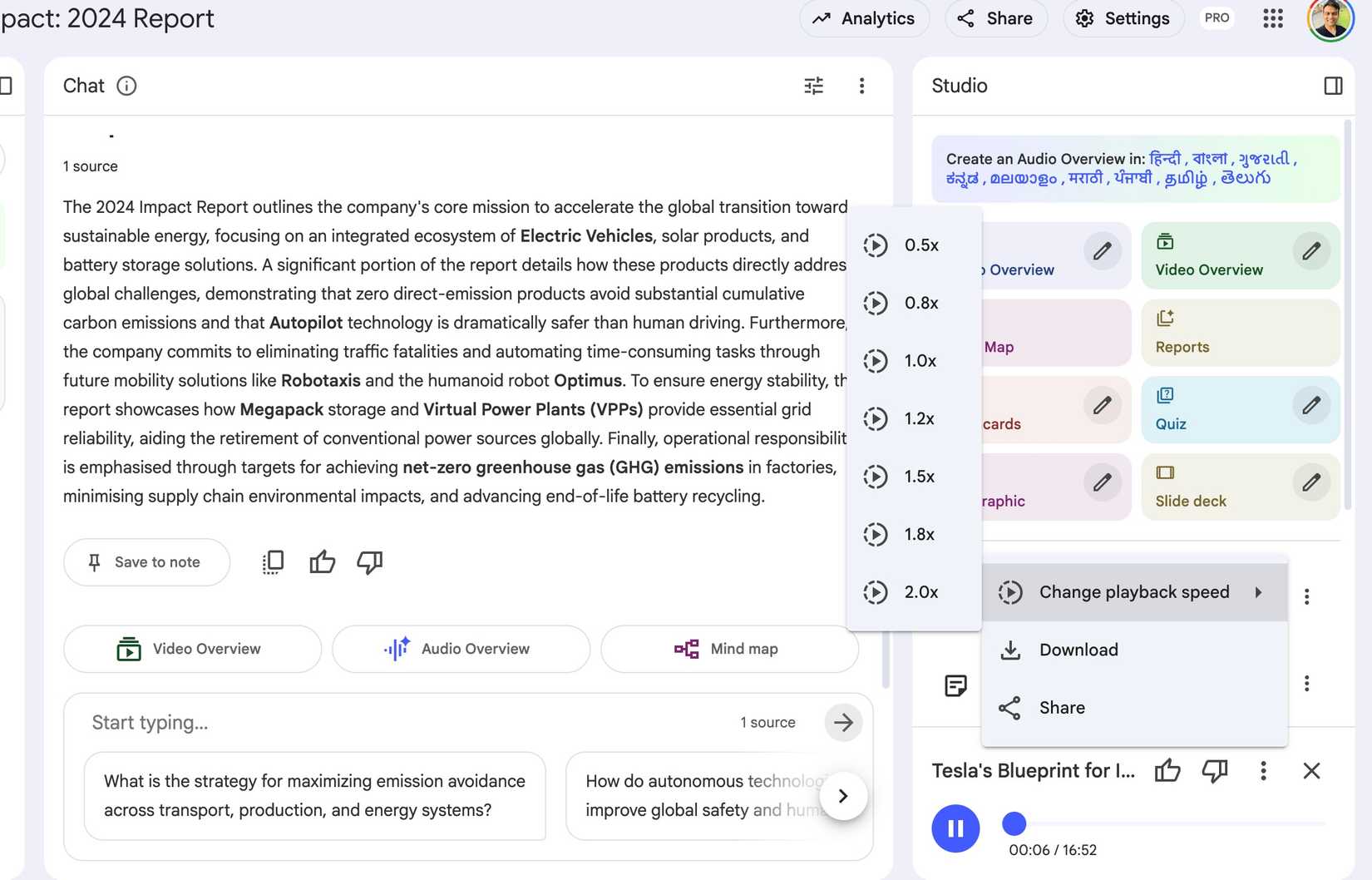
When I press the Play button on a Source in NotebookLM, the system doesn’t simply read the text word-for-word. Instead, it uses the underlying LLM to perform three crucial steps.
It reads the entire document (or the collections of documents and other sources) and extracts the main themes, contrasting arguments, and critical data points.
It doesn’t just list them; it organizes the information logically, creating a conversational script that flows like a guided lecture or a podcast.
This process was the key to unlocking my power-user status. It gives me instant, contextual clarity without having to go through complex documentation.
I was able to absorb the high-level analysis and critical data points while making coffee. The Audio Overview filtered out the fluff and delivered pure, actionable insight.
Google also offers the Video Overviews feature in NotebookLM. But in my experience, the Audio Overviews worked like a charm and helped me get the job done in no time.
Power user workflow integration
I previously mentioned my struggle with the dense documentation for self-hosting via Docker.
Before Audio Overviews, the sheer complexity of the configuration parameters — from network overlays to volume mounts — made it impossible to keep the big picture in my head while troubleshooting small errors.
After uploading 15 sources, I ran the Audio Overview. Within five minutes, NotebookLM gave me an astute summary of the entire deployment architecture.
It helped me establish a mental map of the system first and allowed me to approach the documentation with purpose.
At any point, I could go back and use NotebookLM’s other features to ask questions like ‘What is the recommended port for securing my reverse proxy in this setup?’ but the Audio Overview gave me the necessary foundation.
To prove this wasn’t just a fluke for technical content, I tested it on something entirely different: the Tesla Sustainable Energy Impact 2024 report. These corporate reports are long and full of figures, charts, and complex language.
Scrolling through hundreds of pages would have taken hours, and manually tracking the key numbers would be tedious.
I fed the entire PDF into NotebookLM, pressed Play, and within minutes, I had a clear audio briefing that highlighted the specific CO2 emissions savings from their fleet in 2023 versus the previous year, the breakdown of Megawatt-hours stored across their Powerwall and Megapack segments, and the key strategic shift towards leveraging their AI and robotics divisions for manufacturing efficiency.
I was able to absorb the high-level analysis and critical data points in no time.
Power up your workflow
The integration of Audio Overviews into NotebookLM is more than a convenience — it’s a major shift in how I engage with information.
By consistently providing an immediate, high-quality audio overview of complex source materials, this feature has done two things: it has dramatically sped up my research workflow, and it has earned NotebookLM the title of the single most essential tool in my productivity stack.
If you are looking to move beyond simple note-taking and unlock the potential of your sources, try Audio Overviews. Aside from this, you can even get creative and use NotebookLM to gamify your life.











