


Holiday sales have become a season of impulse shopping, driven by push notifications, app banners, and payment shortcuts that make overspending dangerously easy.
However, Android’s ecosystem also offers a suite of tools that can help curb impulse buying and encourage intentional spending.
Over the years, I’ve found that the key to navigating sales without going overboard isn’t just about self-discipline; it’s leveraging the right tools on my Android phone.
From price trackers to budgeting apps, these tools have transformed the way I shop, helping me save money while still snagging the deals I need.
Price tracking with Keepa
It monitors Amazon prices, so I don’t have to
The first rule of smart holiday shopping is knowing the actual price of an item.
Keepa has become indispensable for me. It tracks Amazon prices over time, showing price history charts so I can see whether something is actually a deal or if the item was quietly marked up last week.
If a product hits its 90-day low, I know it’s likely a genuine deal. If the graph spikes and suddenly drops, I hold off.
I set notifications for the products I’m eyeing, and when a price drops below a threshold I’m comfortable with, I get an alert on my phone. Without it, I’d likely impulse-buy at the first sale notification.
Keepa proves that many “limited-time” prices aren’t special at all. This action alone has prevented many panic purchases.
Digital wallets and budgeting apps
Turn your phone into your financial control center

Credit: Lucas Gouveia/Android Police
Holiday spending gets chaotic fast, especially when you’re bouncing between stores, payment methods, and impulse-driven sale banners.
What helped me gain control was moving more of my purchases into digital wallets paired with strict budgeting apps.
Google Wallet allows me to view my recent transactions and provides instant notifications whenever a payment is processed.
For actual budgeting, YNAB (You Need A Budget) has been the most effective system I’ve used. Unlike basic expense trackers, YNAB forces you to give every dollar a job, which makes impulse spending feel like stealing from a category you already planned for.
When I’m browsing a holiday sale and see something tempting, I open YNAB and check whether I have money assigned to gifts, electronics, or fun purchases.
Most of the time, that reality check is enough to shut down the urge.
Price comparison and barcode scanning
Instant price checks at your fingertips

Credit: Lucas Gouveia/Android Police | CandyRetriever/Shutterstock
When I’m shopping in-store or browsing online, Android’s barcode scanning features are a lifesaver. Apps like Google Lens allow me to scan a product in seconds and compare prices across multiple retailers.
I open my camera app, tap the Lens icon at the bottom, and point it at the product or barcode. Within seconds, I get a list of matches across online stores.
It shows images, product titles, and approximate pricing, and it’s surprisingly good at identifying even generic items.
For example, this Black Friday, I was eyeing a pair of wireless headphones in a local store. A quick scan in Google Lens revealed the same headphones were 20% cheaper online.
Without that immediate comparison, I would have bought it impulsively, believing the in-store discount was unbeatable.
Cashback and rewards tracking
Turning everyday purchases into real savings
Another habit that helps me control my holiday spending is tracking cashback offers and rewards points before making any purchases. Apps like Rakuten and Ibotta help earn money back on purchases.
Rakuten is beneficial for holiday shopping because it automatically applies cashback at major retailers like Best Buy, Walmart, and Target.
Ibotta is more effective for in-store purchases and groceries, which is crucial when hosting parties, buying ingredients, or preparing for the season.
Shopping lists and wishlist management
How I keep my holiday shopping under control

Credit: Lucas Gouveia / Android Police | Melimey / Shutterstock
A lot of overspending comes from buying items you didn’t intend to. To combat this, I maintain curated shopping lists in Google Keep.
I maintain three lists year-round: Household essentials, To replace soon, and Would love, but not urgent. When sale season arrives, these lists become my guardrails.
Instead of scrolling through deals in the hope of finding something useful, I first check my lists. If it’s on the list, I consider buying it. If it’s not, I skip the temptation entirely.
This simple tactic helps me avoid adding unnecessary items to my cart during a sale.
Deal alert notifications
Stay ahead of holiday price drops
Credit: Lucas Gouveia / Android Police
Many retailers and apps let you subscribe to deal alerts, and I’ve learned to use them strategically. Most shopping apps offer notifications for upcoming sales or price drops.
Rather than constantly browsing for deals, I rely on these notifications to alert me when the items go on sale. I pair this with my price-tracking apps to make sure the discount is worthwhile before committing.
The combination saves me hours of browsing and prevents impulsive spending triggered by limited-time banners.
Analytics for your spending habits
The spending insights that kept me honest
Widgets from budgeting apps can display your remaining monthly budget, provide category breakdowns, or indicate how close you are to overspending in specific areas such as dining out or impulse shopping.
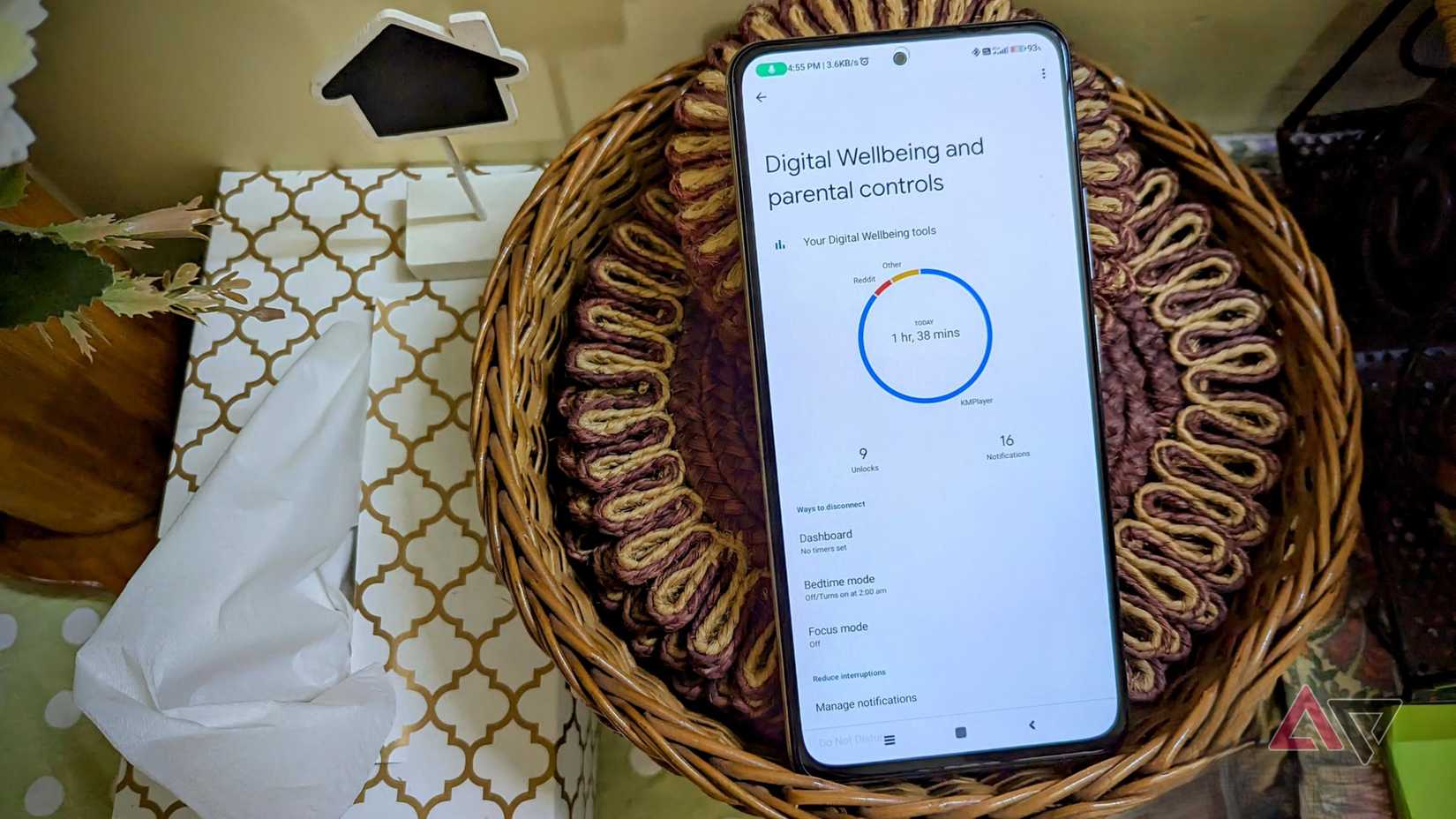
Android also lets you track app usage and notifications, which can be surprisingly beneficial for budgeting.
By checking Digital Wellbeing in the Settings app, I can see how often I visit shopping apps and whether my time on them correlates with overspending. For example, I noticed I was visiting fashion apps late at night and often making impulsive purchases.
Simply being aware of this pattern allowed me to adjust my behavior. I sometimes turn off notifications or set app timers to prevent late-night splurges.
How these habits stick beyond the holidays
What surprised me most about building a more intentional shopping system is that it didn’t fade after the holiday chaos ended.
Price-drop alerts became a permanent filter that stopped me from impulse-buying things just because they were on sale.
My shopping lists evolved into long-term planning documents for home upgrades and travel gear, helping me distinguish between short-term wants and needs.
Budgeting apps also nudged me toward healthier habits. Even when I wasn’t actively trying to save money, the daily and weekly insights encouraged me to consider whether a purchase was worth it.
Cashback trackers and reward dashboards made me more aware of the value I was leaving on the table. Now, I rarely check out without first scanning for rewards or bonus offers.
Holiday shopping doesn’t have to drain your wallet
The holiday season doesn’t have to mean reckless spending. By using Android tools strategically, you can make informed purchases, track your budget in real time, and avoid impulsive decisions.
From price tracking and cashback applications to alerts and lists, each tool contributes to my intention behind spending. Combined, they create a digital safety net that protects my wallet during holiday shopping chaos.










