
Updated on: February 9, 2026
Fact-checked by Kate Davidson
-
🥇Norton Mobile Security
: Norton offers the best antivirus apps for iOS, with features like phishing protection, advanced identity theft monitoring, and SMS message filtering. While it isn’t free, it provides native iOS support and has a generous 60-day money-back guarantee, so you can try it out risk-free for 2 months to see if it’s right for you.
iOS “antivirus” apps don’t actually work like traditional antivirus software. That’s because iPhones and iPads use an advanced security mechanism called “sandboxing” that prevents apps from changing other apps, files, or processes on your system.
So when people talk about “iOS antivirus,” they mean “security tools for iOS.” These apps have features to keep iPhones and iPads secure, like anti-phishing protection, scam SMS protection, and Wi-Fi network scanning. They also integrate well with other Apple products like the Apple Watch.
I found 6 iOS security apps that offer free features or extended free trials of premium features. But no free iOS app includes every security feature. Some even collect your data and sell it. If you know that your privacy is worth more than a few dollars each month, consider Norton’s low-cost iOS app or one of our top picks.
If you decide to go with a premium iOS security app, here’s a tip: use the links on this page to get lower prices and better money-back guarantees than the ones offered on the Apple App Store.
Quick Summary of the Best Free iOS Antivirus Apps for 2026



300+ people found the right antivirus today
1.🥇 Norton Mobile Security — Best Premium Antivirus App for iOS

Norton Mobile Security is by far my favorite iOS security app in 2026. It’s not free, but it offers a 60-day money-back guarantee for annual subscriptions (more than any other competitor on this list), so you can install and try Norton completely free for 2 whole months before committing to a subscription.
- Excellent phishing protection
- Unlimited-data VPN
- Great scam protection
- Blocks malicious calendar notifications
- Multiple apps to download
- Only free for 2 months
Honestly, Norton offers the best security features for iOS, including:
- Phishing protection.
- AI-powered Scam Protection (SMS & web).
- Secure calendar.
- VPN with unlimited data (360 plans only).
- Wi-Fi security scanning.
- Advanced Identity theft monitoring (LifeLock plans only).
- Ad blocker (separate free app).
- And more…
Norton has the best phishing protection on the market, detecting more malicious, fake, and risky sites than all other iOS apps. Its web protection doesn’t just keep you safe while browsing, but it also scans emails, messages, social media apps, and even calendar invites. I particularly like that if you enter a URL into Norton’s Safe Web, you get community reviews on whether you can trust a site. This is something you won’t find with Apple’s built-in protections or other antivirus programs like TotalAV or Bitdefender.
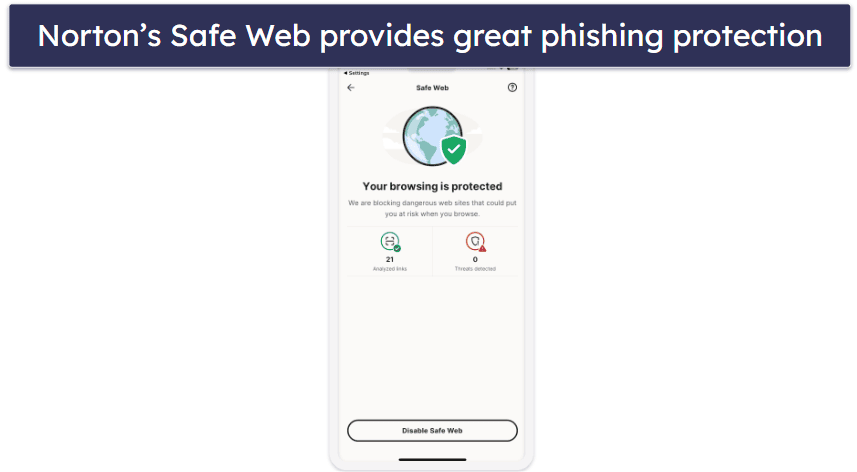
I really like Norton’s identity theft monitoring, too. It’s way better than similar features offered by other apps on this list. Most apps just scan email addresses for breaches, but Norton also scans for stolen credit card details, insurance details, bank account credentials, driving licenses, addresses, phone numbers, and more. It even scans for your mother’s maiden name, which is commonly used as a form of verification.
All of this is backed by dark web monitoring, which continuously checks underground forums and marketplaces for your leaked personal data. Norton has a device security scanner as well, which checks if essential protections like Touch ID, Face ID, or a passcode are enabled on your iPhone or iPad. Unfortunately, most of these features are only available for users in select countries, and only on the higher-tier 360 with LifeLock plans — but you can try them out for free with Norton’s 60-day money-back guarantee.
I’m also a huge fan of Norton’s VPN, which comes with top-notch security, pretty fast speeds, and tons of features. It works with popular streaming apps like Netflix, and thanks to its fast speeds, lets stream video lag-free. Plus, all Norton plans (except the entry-level — Antivirus Plus) come with unlimited VPN data, unlike competitors like Bitdefender and Panda Dome, which impose strict data limits on all but their most expensive plans.

While Norton 360 Deluxe isn’t free ongoing, it’s an excellent entry point for premium protection with minimal upfront risk. Depending on your region, you can start with a 7-day free trial (payment method required), then enjoy a full 60-day money-back guarantee on the annual plan ([insert price short code]). If you decide to stick with it, this best-value paid plan covers up to 5 iOS devices (or Android, Windows, or macOS) for comprehensive security across your ecosystem. It includes a VPN with unlimited data, plus extras like a password manager, system optimization tools, and parental controls — making it ideal for families or multi-device households seeking all-in-one peace of mind.
Users in the US and several other countries can also check out Norton’s LifeLock plans, which start at £51.40 / year and add the best identity theft protections on the market (which include up to $3 million insurance). If you just need protection for a single iOS device, then check out Norton Mobile Security. All Norton plans come with a generous 60-day money-back guarantee.

Bottom line:
Norton’s iOS security app is an excellent choice for iPhones and iPads in 2025. It offers advanced security features, including web protection, a VPN, and advanced identity theft scanning tools — depending on the plan you choose. Norton doesn’t have a free plan, but it does offer a 60-day money-back guarantee if you subscribe through Norton’s website.
2.🥈 TotalAV Mobile Security — User-Friendly iOS App With Smart Scanning
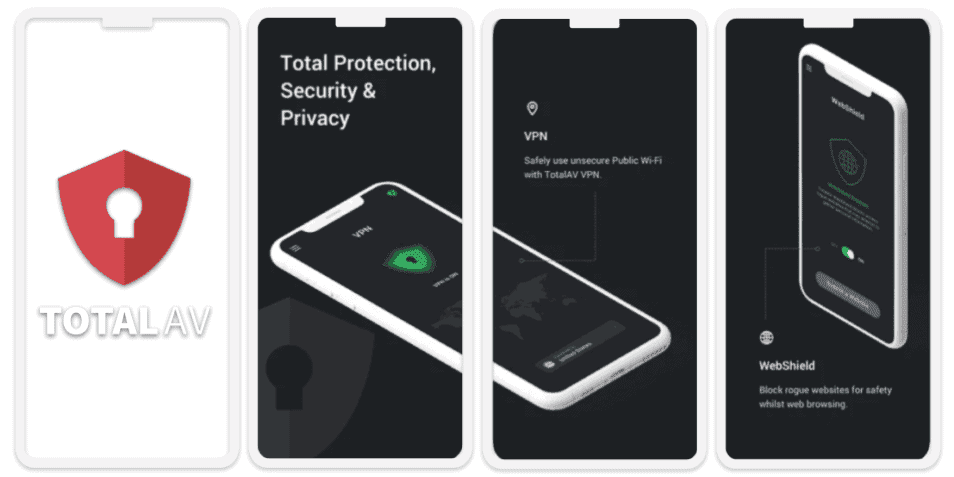
TotalAV Mobile Security is an iOS security app with useful free features, including a data breach scanner, a smart scanner, and a calendar cleaner. Plus, you get a duplicate photo and video finder in the free version. There’s also a 7-day free trial of TotalAV’s premium plan when you first sign up, which includes features like a web shield and a VPN.
- Smart security scans
- Good breach scanner
- Great device cleanup tools
- Extremely user-friendly
- Breach monitoring limited to emails
- Excessive upselling
TotalAV is incredibly easy to use with one of the most intuitive interfaces of the apps on this list. In my tests, navigating on my iPhone 16 was easy. Even better, I never experienced any slowdowns, even when I tested TotalAV on my older iPhone 13.
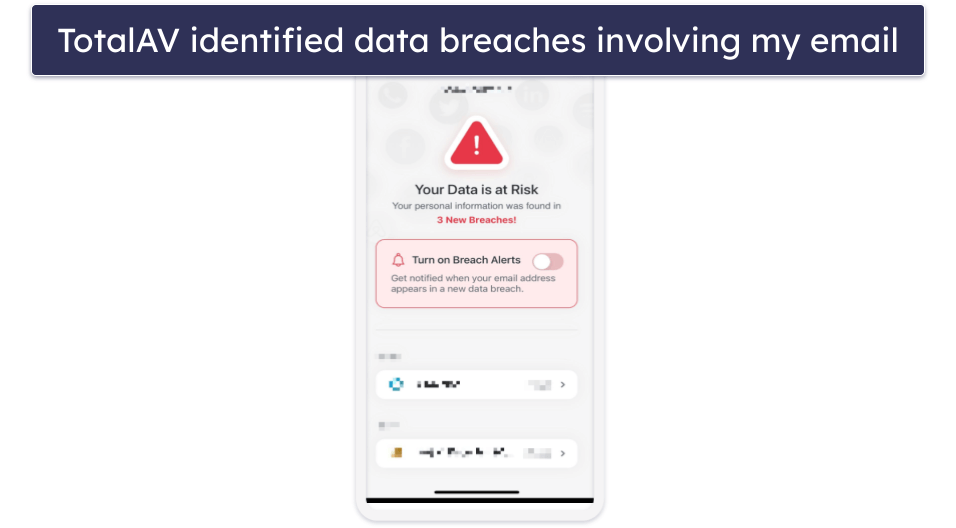
I really like TotalAV’s Breach Scan, which scans breach databases for compromised emails. You can enter any email, and TotalAV will list any associated breaches. I was impressed by the details given for each breach. For example, I could see when a breach occurred, what data was compromised, and what I needed to do to resolve it. That said, I prefer Norton’s data breach monitoring feature, which also looks for stolen credit card details, driver’s licenses, and much more.
TotalAV’s Smart Scan is good, too. It checks your iPhone or iPad for necessary iOS updates, confirms that you have basic security, like a passcode and Face ID set up, and checks if you have web protection (a premium feature) enabled.
TotalAV also includes Safe Search, which flags potentially dangerous links directly in your search results — helping iPhone and iPad users steer clear of phishing sites, fake login pages, and other web-based scams. It works seamlessly with WebShield, a built-in security feature that integrates with Safari and other browsers to block access to harmful sites in real time, displaying a clear warning instead of loading the page.
Upgrading to TotalAV Mobile Security Premium adds a lot of extra features, including:
- Anti-phishing protection.
- VPN (with unlimited data).
- Device optimization tools.
- SMS spam filter.
- Secure QR scanner.
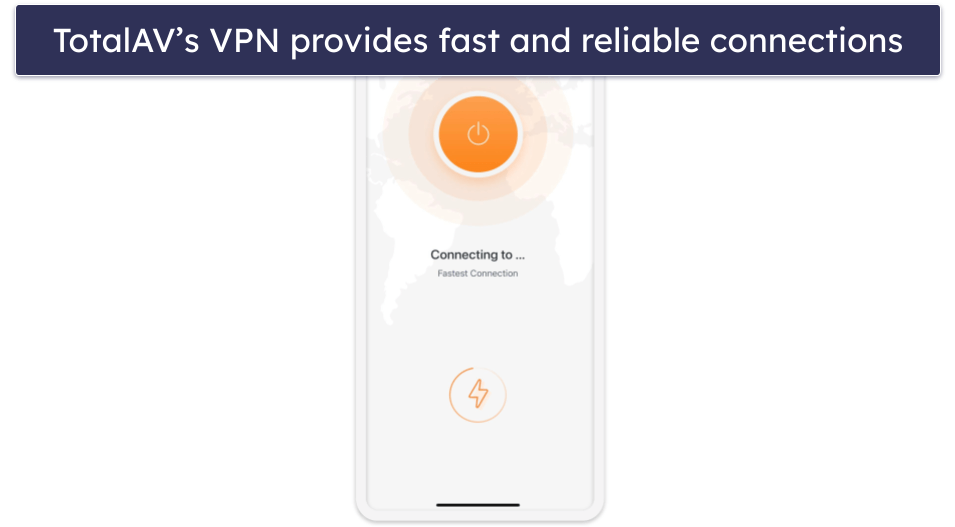
It doesn’t have as many extras as Norton, but it’s still a pretty good range. TotalAV’s VPN is one of the best antivirus-bundled VPN on the market, and the device optimization tools are excellent — in my tests, I deleted 500 unnecessary photos and videos and removed 300 duplicate contacts in just a few seconds.
TotalAV Mobile Security Premium is also included with TotalAV’s antivirus packages, which start at £19.00 / year and cover up to 8 devices. TotalAV’s internet security packages come with a 30-day money-back guarantee.

Bottom Line:
TotalAV provides a few forever-free features for iOS, including a system security scanner and a data breach scanner. Upgrading to TotalAV Mobile Security Premium gets you anti-phishing protection, device optimization tools, and a VPN. You can try out the premium features for iOS with a 7-day free trial, and there’s a 30-day money-back guarantee on all of TotalAV’s premium antivirus packages.
Read the full TotalAV review here >
3.🥉 Bitdefender Mobile Security — Good Web Protection & Decent Free VPN
Bitdefender’s iOS app provides a good range of free features, and they all work pretty well. I really like the free device security scanner, which analyzes your device’s safety. It checks your iOS version to ensure you’re running the latest updates and examines device access settings to spot any potential vulnerabilities.
- Good range of free features
- Device security scanner
- Wi-Fi security check
- Scam alert
- Limited VPN on most plans
- Inconsistent web protection on iOS
Additionally, it performs a Wi-Fi security check to identify unsafe networks that could expose your data. I tested it on my iPhone, and the scan was really quick and responsive, thanks to the app’s lightweight design. It didn’t slow down my device at all. Once the scan was complete, Bitdefender provided a detailed report on how to fix any detected issues, making it easy for you to improve your device’s security.
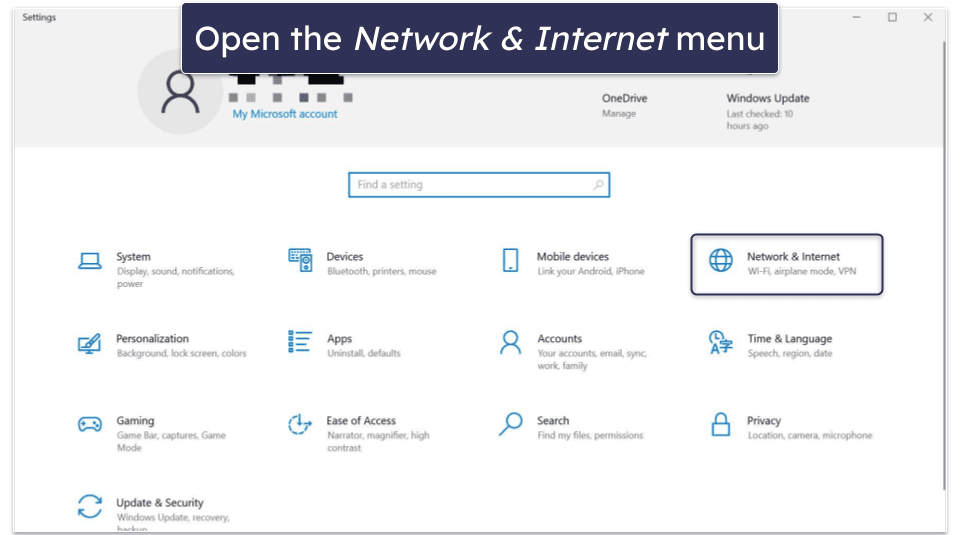
I like Bitdefender’s VPN, too, but the free plan only includes 200 MB of data daily, and you can’t choose your server. That said, it’s fast and reliable. However, even Bitdefender’s premium VPN doesn’t have as many features as Norton’s VPN.
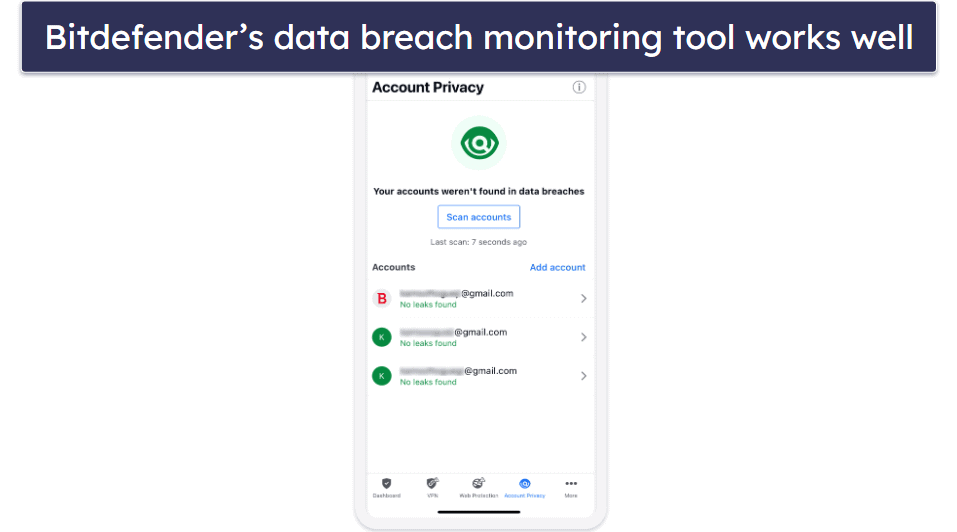
Bitdefender offers good data protection for iOS users. The data breach alert works in the same way as others on this list (so you can get emails about data breaches directly on your Apple Watch).
There’s a scam alert feature on the paid plans that scans your iPhone’s message inbox and your email for suspicious links. It automatically moves any it finds to your junk folder, so you don’t accidentally open them. This feature is powered by Scamio, Bitdefender’s AI-based scam detection platform, which helps identify new and evolving phishing attempts across various channels. It’s a pretty helpful way to stay safe online, especially if you’re not super tech-savvy.
Bitdefender’s paid plans are an excellent value, too — the paid Mobile Security plan for iOS comes with web protections and an advanced version of the VPN. Alternatively, you could upgrade to Total Security (£40.00 / year) to cover 5 devices across all operating systems, including iOS, and benefit from a huge range of additional features, or Premium Security (£49.99 / year), which also covers 5 devices but adds unlimited data on the VPN.
Bottom Line:
Bitdefender Mobile Security has a completely free plan that includes a good VPN (200 MB daily limit), data breach monitoring, a scam alert feature, and a device security checker. Its multi-device paid plans are some of the best (and most affordable) on the market, and they all come with a 30-day money-back guarantee, so you can try them out risk-free.
Read the full Bitdefender review here >
4. Panda Dome for iOS — Precise GPS Tracking & Decent Anti-Theft Tools

Panda Dome for iOS combines 3 features into 1 forever-free app: the VPN (150 MB/day), parental control, and anti-theft protection. In my tests, each feature worked really well on both my iPhone and iPad, complementing Apple’s built-in security features.
- Device tracking tools
- Parental controls
- Password manager
- Limited free VPN (150 MB/day)
- Limited features for iOS
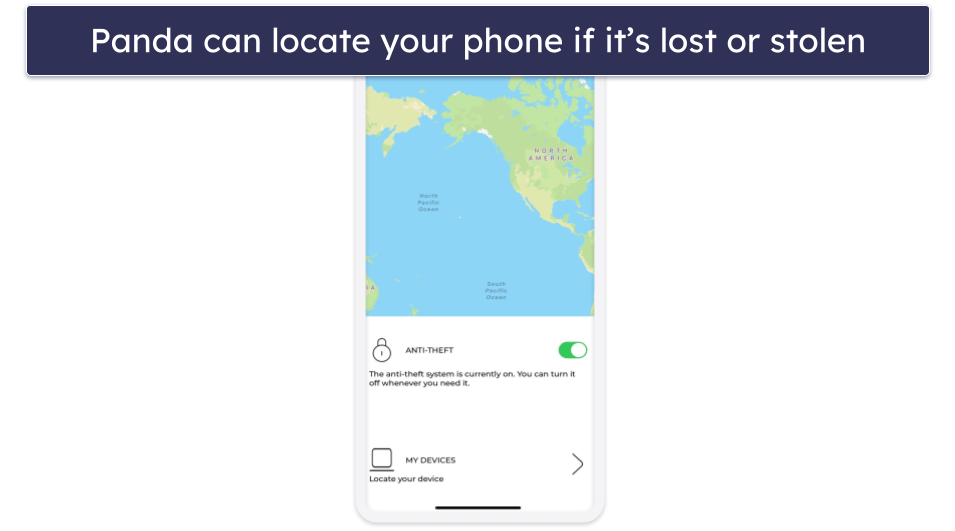
Panda’s anti-theft features are similar to Apple’s built-in Find My iPhone tools, but I still found them useful. The GPS tracker is very accurate, making it easy to locate a lost or stolen device. This also doubles as a tool for parents to keep track of their children.
Panda also includes a free VPN, but it’s pretty limited. You only get access to a single server location and a 150 MB daily data cap, which runs out quickly if you try to stream or download anything. It’s better than nothing, but still not good enough for most users.
This is pretty much the extent of Panda’s free features, which makes it look rather lackluster next to many of the other antiviruses on this list. As a result, I would only recommend Panda Dome if you’re specifically looking for a simple and lightweight security app for your iPad or iPhone (unfortunately, there’s no support for Apple Watch).

Upgrading to a premium Panda plan gets you coverage for up to 5 devices across all operating systems and a ton of extra features for your non-iOS devices, starting at £14.99 / year. The paid iOS app benefits from extra server locations, unlimited traffic on your VPN, and advanced parental controls that let you monitor and limit your children’s device usage (but Norton’s parental controls are better). Panda’s paid plans all include a 30-day money-back guarantee.
Bottom Line:
Panda Dome for iOS has a free plan with a VPN and an accurate device locator to prevent device theft and keep tabs on where your kids are. However, without upgrading to one of its premium plans, Panda lacks features compared to other free antiviruses for iOS. Fortunately, you can take advantage of the 30-day money-back guarantee, which lets you try out its paid features, including advanced parental controls and an unlimited-data VPN, risk-free.
Read the full Panda review here >
5. Avast Security & Privacy for iOS — Basic Network Scanner & Encrypted Photo Vault
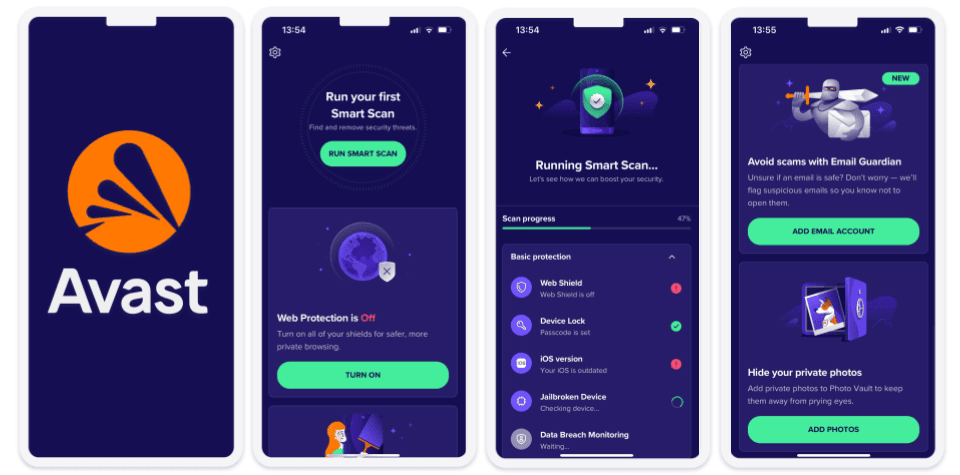
Avast Security & Privacy for iOS is a free, basic security toolset for iPhones and iPads that includes a Wi-Fi network scanner, data breach alerts, web protection, and a secure vault for your photos. While all the features work well, their range can’t really be compared to fully-fledged mobile security solutions for iOS, such as Norton or TotalAV.
- Phishing protection
- App insights
- Photo vault
- Limited features for iOS
- Confusing plans & pricing
The free network scanner, called Network Inspector, scans public Wi-Fi networks for intruders, weak passwords, and other vulnerabilities. Plus, it can alert you if your Apple Watch is connected to a dangerous network, too, which I think is really cool.
The Data Breach Monitoring tool provides basic data breach alerts for your email account. It monitors public databases and notifies you if it finds your passwords among the leaked credentials.
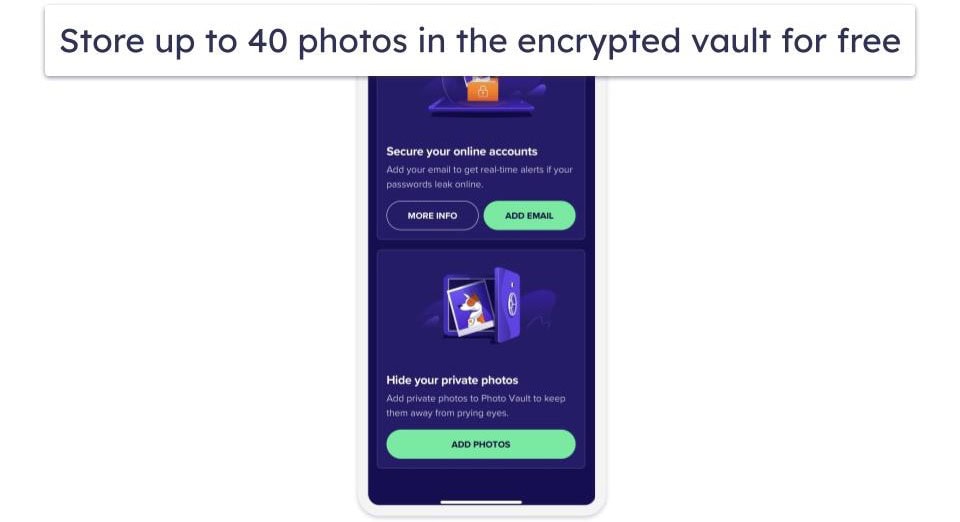
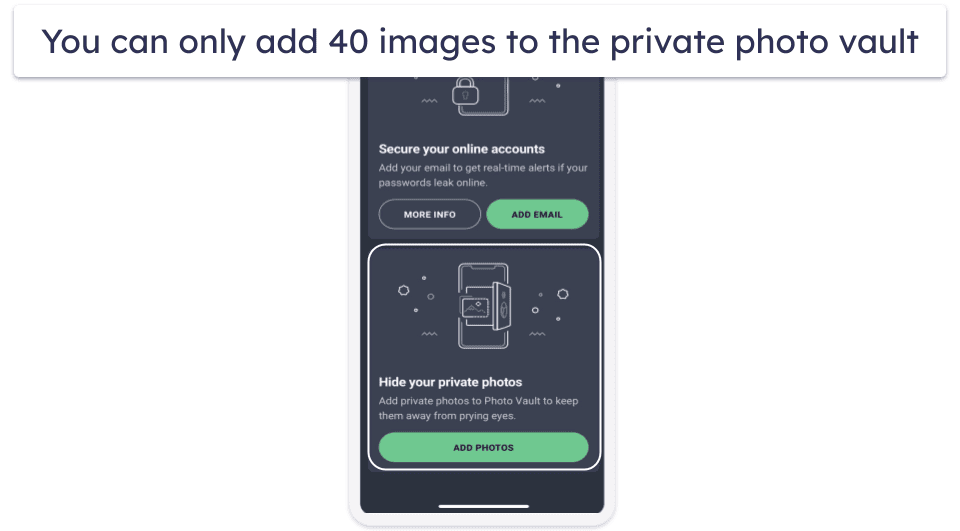
I really liked the Photo Vault feature as it lets you store up to 40 private photos in an encrypted vault, locked behind a PIN or Face ID/Touch ID. So, even if someone gets hold of your iPhone or iPad, they won’t be able to open it without you. I just wish it offered more space in the free version.
In the past, there have been concerns about Avast selling data, but Avast shut down the subsidiary company behind this scandal and has since received numerous certifications from data privacy advisors — so I’m very confident in how Avast handles user data today.
Apart from unlimited email monitoring and photo storage, Avast Premium Security adds a VPN, ransomware protection, and coverage for Mac, Android, and Windows devices, as well as iOS for £19.50 / year. A 14-day free trial is available for iOS users, and a 30-day money-back guarantee also backs up all plans.
Bottom Line:
Avast Security & Privacy is a decent, no-frills security app with a free plan that offers a Wi-Fi network scanner, data breach alerts, Web Shield, and a secure photo vault for iOS devices. The Premium plan includes unlimited email monitoring and photo storage, VPN, and ransomware protection, as well as coverage for multiple devices across different platforms.
Read the full Avast review here >
6. AVG Mobile Security — Simple App With Data Breach Alerts & Wi-Fi Protection
AVG Mobile Security is a free product developed by Avast Software, the same company that owns the Avast brand, which accounts for remarkable similarities between the two pieces of software.
- Wi-Fi scanning
- Secure browsing
- Strict limit on photo vault
- Breach scanning limited to 1 email
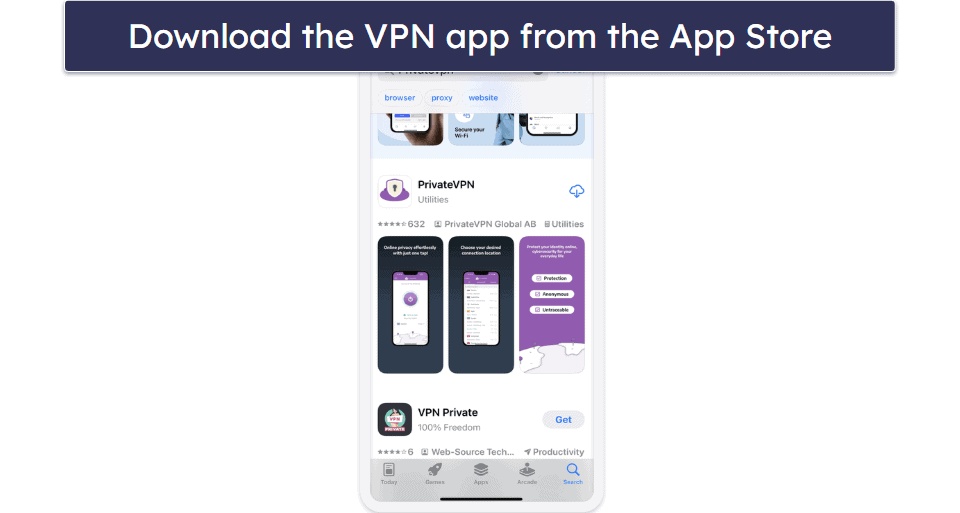
Just like Avast Security & Privacy, AVG offers the following free features in its app: a network scanner, data breach alerts, Web Shield, and an encrypted vault to store your photos. Annoyingly, this is a pretty modest list of features compared to what top competitors such as Norton and TotalAV offer. That said, like with Avast, the network scanner can alert you if your Apple Watch is connected to a dangerous Wi-Fi network.
The limitations of the free version of each feature are also the same: the data breach scanner, called Identity Guard, will enable you to monitor just 1 email address for leaks, while the Photo Vault will allow you to upload 40 photos max.
All 4 tools (the scanner, the vault, web protection, and Identity Guard) work well, and the app itself is intuitive to use. The user interface design is sleek and modern — and strikingly similar to Avast’s, with the only major difference being the color palette.
Although AVG has the same data-collection history as Avast, it has undergone the same audits and now only collects information to improve its own services, which is standard practice. Upgrading to the Ultimate plan will set you back £43.99 / year. For this price, you’ll get unlimited photo storage and monitoring for unlimited email addresses, plus an unlimited-data VPN to keep your browsing private. There’s a 14-day free trial for annual subscriptions and a 7-day one for monthly subscriptions.
Bottom Line:
AVG Mobile Security for iOS is a free app that offers a basic set of features, including a network scanner, data breach alerts, and a photo vault. The app works well and is intuitive to use, with a sleek, modern design. Upgrading to the Ultimate plan unlocks unlimited photo storage, email monitoring, and a VPN. The app offers free trials for both monthly and annual subscriptions.
Read the full AVG review here >
Quick Comparison Table
*Note: Money-back guarantees only apply if you buy through the vendor’s official website. If you purchase a mobile security plan directly from the Apple App Store, you’ll be subject to Apple’s refund policies.
Testing Methodology: Comparison & Ranking Criteria
As iOS doesn’t support traditional virus scanning, I focused on apps that actually improve security on iPhones and iPads — like tools for blocking phishing links, scanning Wi-Fi networks, detecting scam texts, and monitoring data breaches. I personally installed and tested each app on an iPhone 16 and an iPad Air, using our rigorous testing methodology to see how well the features performed in real-world use. Here’s what I looked for:
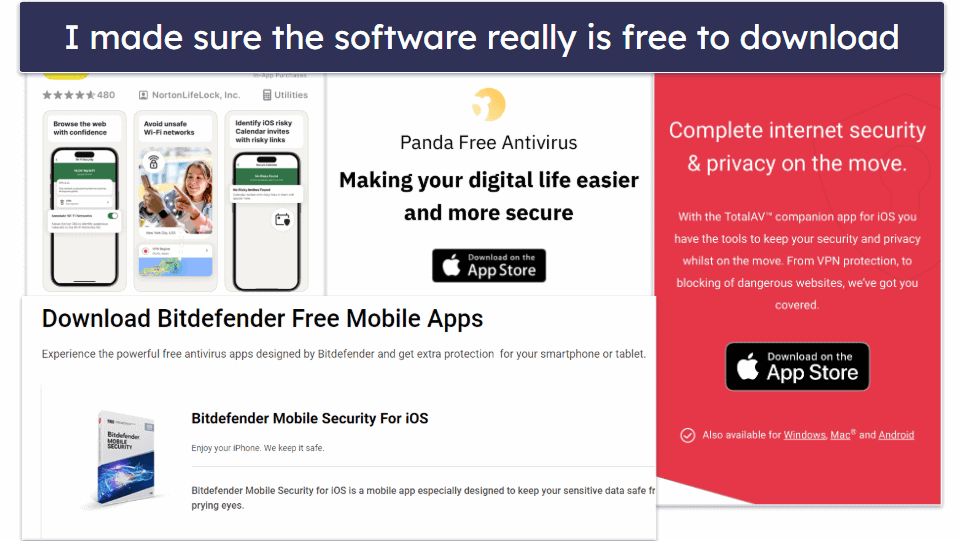
- I checked for free access. I looked for apps that offer a free plan, free trial, or money-back guarantee. These allow you to test features before committing long-term. Although there are some decent free antivirus apps available for iOS, you’ll always get better protection when you pay for it, which is why I included Norton on this list. It has the best free version and the best premium version on the market.

- I looked for useful features. I focused on tools that actually work on iOS — like phishing protection, scam alerts, data breach monitoring, and safe browsing tools. Many so-called “features” on other apps didn’t work at all on iPhones or were just marketing fluff. Plus, I considered value rather than just cost — while the free apps usually just cover the basics, the premium plans will include so many useful features that they are an amazing overall value.
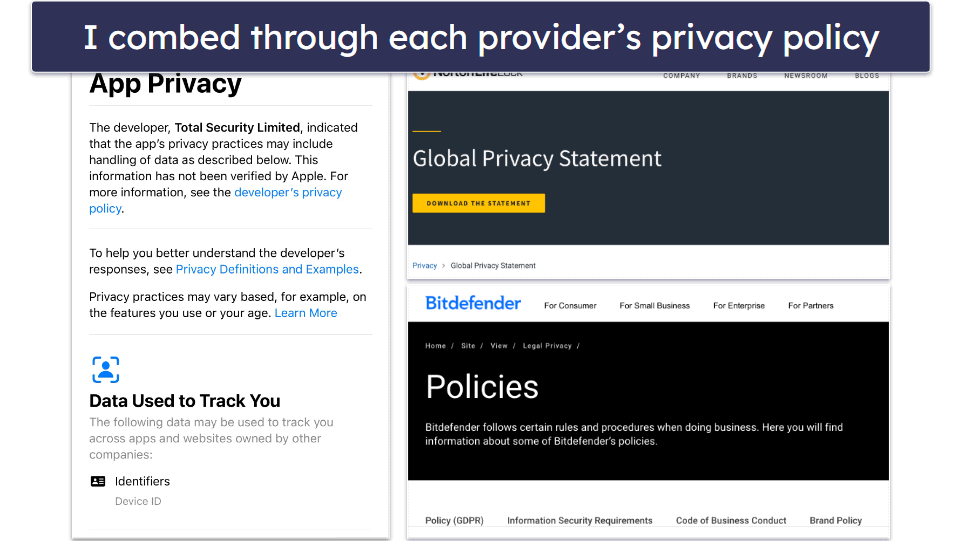
- I inspected each antivirus’s data privacy policy. Some free apps exist solely to log and sell user data — there aren’t that many ways to make money with free products! All of the free apps on this list protect user data, and some of them even include additional tools that ensure your sensitive data doesn’t get compromised.

- I tested apps to see how easy they are to use. I strongly believe there shouldn’t be a learning curve to using an antivirus app. The tools and apps on this list provide increased security protections with convenient, well-designed user interfaces. Norton and TotalAV are my top picks for ease of use, and they’re both great for all types of users, from people new to security apps to advanced users looking for higher levels of customization.
- I assessed each app’s efficiency. I analyzed my iPhone and iPad’s performance and battery life before and after installing each app. You can rest assured that none of the apps from my list slow down devices or drain batteries!
Do I Really Need an Antivirus for My iPhone?
Yes, I strongly recommend using a security tool for your iPhone — though these aren’t traditional antiviruses in the classic sense. iOS’s sandboxing prevents malware from spreading, so these apps focus on boosting your overall security and privacy rather than rooting out viruses. If protecting your data matters to you (and it should!), antivirus tools are a smart addition. Here’s what they can do for you in 2026:
- Protects against unauthorized access. If your iPhone is lost or stolen, apps with anti-theft features can remotely locate, lock, or wipe it, safeguarding your data. While iCloud’s Find My can do this, a security app adds a backup layer if your iCloud account is compromised.
- Optimizes device settings. iOS has strong built-in security, but misconfigured settings can weaken it. A good security tool ensures your iPhone’s setup is robust, patching potential vulnerabilities.
- Enhances internet privacy. If you’re worried about being tracked online, a VPN encrypts your traffic, and free options like Bitdefender’s iOS VPN offer a solid start for privacy on the go.
- Shields you from web-based threats. iPhones resist viruses, but phishing sites can still steal your info. Security tools block these risks, keeping your personal data safe across all devices.
- Keeps your device updated. iOS updates fix vulnerabilities fast, but skipping them leaves gaps. The right app nudges you to stay current, minimizing exposure.
- Alerts you to dangerous networks. If a network is not secure, neither are the devices connected to it. A good iOS security app like Norton will let you know as soon as you connect to a network that isn’t protected.
- Blocks spam and SMS scams. Robotexts aim to steal info. A good app filters these out, protecting your inbox.
- Secures your personal information. Features like password managers store and generate strong passwords, reducing the risk of breaches.
- Notifies you of data breaches. If your data hits the dark web, these tools alert you fast, letting you act before damage spreads.
- Monitors app permissions. Some antivirus apps can monitor when other apps request excessive access, helping you lock down your privacy.
- Provides safe browsing tools. Antivirus apps often come with safe browsing tools that can warn you about dangerous websites, blocking phishing and malicious downloads in real time.
- Ensures secure online shopping and banking. If you frequently shop or bank online using your iPhone, an antivirus app can help ensure that your financial transactions are secure and that you are protected from phishing and other cyber threats targeting financial information.
What Security Threats Do iPhone Users Face?
iPhones are known for being secure — and they are. But that doesn’t mean they’re bulletproof. In 2026, there are still plenty of ways things can go wrong if you’re not careful. Here are some of the biggest threats iPhone users should actually watch out for:
- Smishing and phishing attacks. Fake SMS messages (smishing) and emails often impersonate banks, delivery services, or toll companies to trick you into clicking malicious links. These lead to fake login pages designed to steal your credentials. While iOS’s Mail and Messages filters catch some threats, additional layers like web protection from apps such as Norton, Bitdefender, or TotalAV can flag dangerous sites before they load.
- Zero-click spyware like Pegasus. Advanced spyware, such as Pegasus, can infect devices via iMessage or FaceTime without requiring any interaction. Once in, it can monitor calls, messages, and location, or activate your mic and camera. While these attacks are rare and targeted, Norton’s Security Alerts can warn of known exploits and risky conditions that may expose you.
- Malicious configuration profiles. Fake profiles can reroute your traffic, sideload harmful apps, or weaken encryption. Norton’s Device Security checks for unsafe profiles and flags them before they compromise your phone.
- Unsafe public Wi-Fi. iOS warns when joining untrusted networks, but it can’t detect man-in-the-middle attacks where hackers intercept traffic — even on HTTPS sites. Security apps like Norton and Avast enhance your safety by offering Wi-Fi security scans to detect vulnerabilities, and VPNs to encrypt your data.
- Data tracking and harvesting. Even with App Tracking Transparency, many apps still collect location and behavioral data. Norton’s Ad Tracker Blocker and privacy monitoring tools help cut down on this background surveillance.
- Fake or deceptive apps. While rare on the App Store, Trojan-infected apps like SparkKitty have appeared, hiding in crypto wallets and fake TikTok clones to steal sensitive images. Norton’s App Advisor and web scanning can warn you before you download risky apps or visit unsafe app marketplaces.
Risks & Disadvantages of Using a Free iOS Antivirus
It’s best to avoid free antivirus software. While they provide basic protection, advanced features are usually only available in paid versions. Free antivirus is better than nothing, but a paid option offers more complete security. Plus, many free versions collect and share your data for advertising or selling to third parties.
iOS devices are different from Windows and Android because Apple has built-in strong security. iOS apps run in their own isolated environments, preventing them from interfering with other apps, files, or processes on your device. As a result, traditional malware is less of a threat, which is why iOS “antiviruses” don’t include typical antivirus engines. Still, iOS devices face other risks like phishing attacks and unsecured Wi-Fi.
Protecting all your devices and online identity is key. Some free iOS antiviruses offer tools like VPNs, password managers, and anti-phishing protection, but these features are often limited. For full protection, it’s worth paying for a premium plan that covers all your devices. Most top antivirus options are affordable and come with money-back guarantees. For instance, Norton 360 Deluxe protects 5 devices for £29.99 / year, with a 60-day money-back guarantee.
Free vs. Paid Antiviruses for iOS
Free antivirus apps can protect you from some common online security risks, such as attacks from unsecured Wi-Fi networks or data that’s been exposed in a breach.
However, free apps will always have some features behind a paywall, and these will almost always be their most useful features — for example, TotalAV only includes anti-phishing protection and unlimited VPN data in its paid plans.
Typically, free apps only provide coverage for a single device and user. On the other hand, paid plans offer coverage for multiple devices, resulting in enhanced protection from cyber threats across all your devices and providing better value for your money.
The best antiviruses, like Norton, have comprehensive internet security suites that include advanced versions of tools such as password managers, VPNs, and device optimization tools, which you may otherwise need multiple separate subscriptions for.
Overall, I’d always suggest going for a paid plan — while free antiviruses for iOS are worth trying out, if you’re truly interested in protecting yourself from online threats, there are a lot of really great-value premium options out there.
Free iOS Antiviruses to Avoid
While Apple does a good job keeping scams off its app store, some bad apps still slip through and get millions of downloads. This includes fake security apps and others that just don’t work well.
Here are a few examples:
- Mobile Protection: Clean & Security VPN claimed to offer a VPN and other security features, but charged users thousands after a short trial.
- Anti-Virus Detective falsely promised to scan iPhones for malware and was removed by Apple. If you see it, delete or avoid it.
- Mobile Security offers a VPN and supposedly safe browser, but charges high monthly fees after a 3-day trial, costing more than top iOS antivirus apps.
Top Brands That Didn’t Make the Cut:
- Trustd. Trustd’s iOS security app is very easy to use and offers some decent features. However, it doesn’t offer as many features as the other apps on this list.
- Webroot. Webroot Mobile Security is a free iOS app, but it’s limited to just one feature (a secure web browser).
- Trend Micro. Trend Micro has a decent app for iPhones and iPads, but the free version isn’t worth the space it takes up on your device. After the trial of the premium features expires, all that remains is a QR code checker and a basic scanner that checks your device’s security settings.
- Comodo. Comodo has a decent desktop app, but I can’t recommend the free iOS version. You need to pay extra for the VPN and web protections; otherwise, all you’ll get is a battery-draining space waster.
- Acronis Mobile. The Acronis iOS app is basically just an additional way to back up your contacts, photos, and other data.
Frequently Asked Questions
Can iPhones get viruses from websites?
Phones rarely get traditional viruses thanks to iOS’s sandboxing and strict App Store review process. However, unsafe websites can still expose you to phishing scams, malicious malware, and social engineering attacks — and jailbroken devices are at much higher risk. Safari’s WebKit engine blocks most harmful code, but it can’t stop phishing pages from stealing your login credentials or financial details.
To reduce your risk further:
- Keep iOS and apps updated to patch security flaws.
- Avoid suspicious links or QR codes, especially in messages and emails.
- Use a security app like TotalAV with WebShield to block malicious sites and flag dangerous links in real time.
These steps add an extra layer of protection so you can browse securely on your iPhone.
What’s the best free antivirus for my iPhone and iPad?
The best free antivirus for iPhone and iPad is TotalAV Mobile Security. It’s a very intuitive app with all of the essential security features for iOS, including a system scanner and a data breach scanner.
But a free antivirus will never be as good as a paid one, and TotalAV’s free plan is no exception, lacking essential security features such as anti-phishing protection. For this reason, you may want to consider upgrading to the Pro plan, which offers advanced features like anti-phishing protection, a VPN with unlimited data, SMS spam filtering, and a secure QR code scanner, giving you more comprehensive protection against all types of online threats.
What do free iOS antiviruses do?
Each free iOS app is different, but the best free iOS security apps include a number of tools. I think the most important features are phishing protections and VPNs. iPhones have strong security, but the internet is a dangerous place. Anyone can make a fake website designed to steal your personal information. You’ll need an app to confidently identify such threats. In the same vein, a VPN will encrypt your traffic so no one can see the sites you visit.
Unsurprisingly, free tools generally aren’t as good as those you need to pay for. Norton, which has the best features for protecting iOS users, only lets you use the free app as a trial. Other developers include a limited feature set on the free versions of their software. Still, having access to such tools is better than nothing.
Is a free antivirus safe to use on iPhone or iPad?
Yes, so long as you choose an antivirus from a trusted brand. All of the antiviruses I recommend have proven track records and protect the privacy of their users.
By using a free antivirus, however, you’re potentially missing out on advanced security features like anti-phishing protection, unlimited VPN usage, data breach monitoring, and more, which can indirectly put your device or your personal information at risk, so it’s worth considering upgrading to a good premium antivirus like Norton.
Do free antivirus apps collect your data?
Many free antivirus apps collect and share your data to improve their services, advertise relevant products, or sell your information to third parties. You should read the privacy policies of any antivirus app you plan to download to understand what data is collected and how it’s used.
Furthermore, pay attention to the permissions the app requests, as excessive or unrelated permissions are a red flag. Stick to antivirus apps from reputable companies (like those we listed above) that are known for prioritizing user privacy and data security. Additionally, look for transparency reports or third-party audits that verify the app’s data handling practices.
Will iPhone antivirus apps work on my iPad?
In most cases, yes. iOS antivirus apps like Norton and Bitdefender will work for most iOS devices, including iPads. But still, you should check with each product to make sure that the app offers the protection you want. There may be certain features that will only work on iPhones.
What kind of antivirus features do I need to stay protected?
Norton 360 offers the best range of security features, including phishing protection, data breach alerts, anti-theft tools, spam text and call protection, and more. Norton 360 isn’t free, but downloading a premium iOS security app is the only way to get all of the security features you need for your iOS device.
How can I scan my iPhone for viruses?
iOS doesn’t support traditional virus scans because apps are restricted from accessing system files, thanks to a robust security feature called sandboxing. This design keeps threats contained and sets iPhone security apart from Android or desktop devices.
To protect your iPhone effectively, follow these steps:
- Keep iOS and your apps updated to address known vulnerabilities.
- Avoid clicking suspicious links, emails, or QR codes from unknown sources.
- Use a VPN like Norton’s on public Wi-Fi to encrypt your data and prevent interception.
- Steer clear of jailbreaking, as it removes Apple’s built-in safeguards, increasing the risk of malware.
While deep system scans aren’t possible, security apps like Norton offer layered protection within iOS limits. Features such as Device Security, Web Protection, and Wi-Fi Security help shield you from real threats like phishing and unsecured networks, tailored to iPhone-specific in 2026.