
Updated on: February 13, 2026
Fact-checked by Katarina Glamoslija
-
🥇 TotalAV
: An excellent internet security suite with one of the best antivirus scanners on the market, includes a secure VPN with a strict no-logs policy that maintains fast connection speeds, works with Netflix and Amazon Prime, and is easy to use.
Many good antiviruses include VPNs, but most of these bundled VPNs aren’t great — some aren’t secure enough, some aren’t fast enough, and some are only good for basic online activities like web browsing.
That said, a few antivirus suites offer genuinely high-quality VPNs alongside strong malware protection, real-time threat detection, and system optimization tools. These VPNs deliver decent speeds and strong privacy for streaming, torrenting, gaming, and everyday browsing.
It’s a convenient and cost-effective combo — with one subscription, you get both antivirus and VPN protection, managed from a single dashboard. There is no need for separate accounts, apps, or customer support teams.
Quick Summary of the Best Antiviruses With VPNs


February 2026 update: We’ve updated this guide with current feature comparisons and reordered the list based on the latest test results. Additionally, each antivirus now includes pros and cons, newly added features, and revised descriptions. We also updated our testing methodology to reflect current evaluation criteria for both antivirus and VPN performance.


300+ people found the right antivirus today
🥇1. TotalAV — Best Overall Antivirus With a VPN in 2026
Approved by our experts

Approved by our experts
Most readers pick TotalAV

TotalAV is my favorite antivirus with a VPN. It’s reliable and lightweight, and its VPN offers unlimited bandwidth, servers in 85 countries, and strong privacy-oriented features in a simple-to-use interface. The VPN is built directly into the TotalAV app, so you don’t need to download a separate VPN app.
- Excellent system tune-up tools
- Works with top streaming sites
- P2P support on all servers
- Low system impact
- Frequent AV false flags
The VPN comes with:
- 256-bit AES encryption — Makes your data unreadable to prying eyes and is the same encryption used by banks and governments.
- Kill switch — Automatically disconnects you from the internet if your VPN connection drops, preventing your data from leaking online.
- No-logs policy — Prevents TotalAV from storing logs of any user data, including the websites you visit and files you download.
- Security protocols — TotalAV supports WireGuard, IKEv2, OpenVPN, IPSec, and Hydra. This variety lets you choose the best balance of speed, security, and compatibility based on your needs, whether you’re streaming, browsing, or torrenting.
- Leak protection — TotalAV provides WebRTC and DNS leak protection. WebRTC leak protection ensures that your private and public IP address is never leaked online. DNS leak protection makes sure all of your DNS requests (the websites you visit) are routed through the VPN and not your internet service provider.
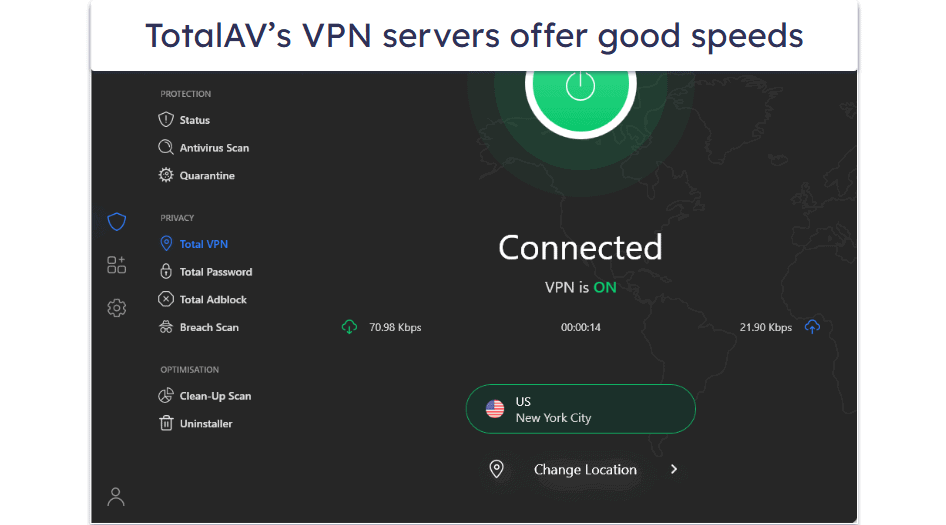
I was impressed with TotalAV’s VPN. It offers good speeds — websites instantly load on local and distant servers, and videos start immediately without buffering. Downloads were equally fast — I downloaded a 20 GB file in about 30 minutes, which is comparable to standalone VPNs like ExpressVPN.
I also found TotalAV’s VPN to be great for streaming. It works with all popular streaming services — Netflix, Disney+, and many more. It’s a good pick for torrenting, too, as it supports P2P file sharing on all of its servers and works with all the popular torrenting clients.
TotalAV’s anti-malware engine is fast and effective. It detected all my malware samples during testing. When I ran a full system scan, I didn’t experience any slowdown, so I could use my PC to work, stream movies, and play games without issues.
TotalAV also offers decent web protection and excellent system optimization tools. The WebShield feature blocks most dangerous websites, while Smart Scan checks for malware, junk files, and performance problems, providing quick fixes to boost your device’s speed and security. It also includes a data breach checker and an ad blocker to keep your personal data safe and your browsing experience cleaner.

TotalAV’s mobile app is also quite useful, and it’s available for Android and iOS. That said, malware scanning and App Lock are exclusive to Android. Meanwhile, the phishing protection, Wi-Fi checker, VPN, junk cleaner, and secure browser are available on both platforms and work really well. I tested the VPN on a public Wi-Fi network and experienced no leaks or slowdowns while browsing and shopping online.
That said, during testing, I noticed that TotalAV flagged a few safe files as threats. While I quickly resolved this by adding the files to the allowlist, it can be a bit annoying if you frequently use lesser-known apps or files.
You can get TotalAV’s antivirus and VPN with its Internet Security and Total Security plans. TotalAV Internet Security is the best overall plan — it’s reasonably priced at £39.00 / year and covers up to 6 devices. All TotalAV products come with a 30-day money-back guarantee.
Bottom Line:
TotalAV is one of the best antivirus programs on the market and has an excellent VPN. Its antivirus scanner has near-perfect malware detection rates, and its Safe Browsing VPN has excellent security features, good speeds, allows unlimited data, works with top streaming services like Netflix and Amazon Prime, and supports torrenting on all non-US servers. TotalAV also has phishing protection, system tune-up tools, a password manager, and more. It backs all purchases with a 30-day money-back guarantee.
Read the full TotalAV VPN review
🥈2. Norton — Best Antivirus Protection With a Feature-Rich VPN


Norton is my favorite antivirus in 2026, and its VPN provides good security, good speeds, and a wide range of cool extra features.
- Impressive local server speeds
- Advanced smart firewall
- Excellent parental controls
- Secure password manager
- Limited VPN features on iOS
- Some utility tools cost extra
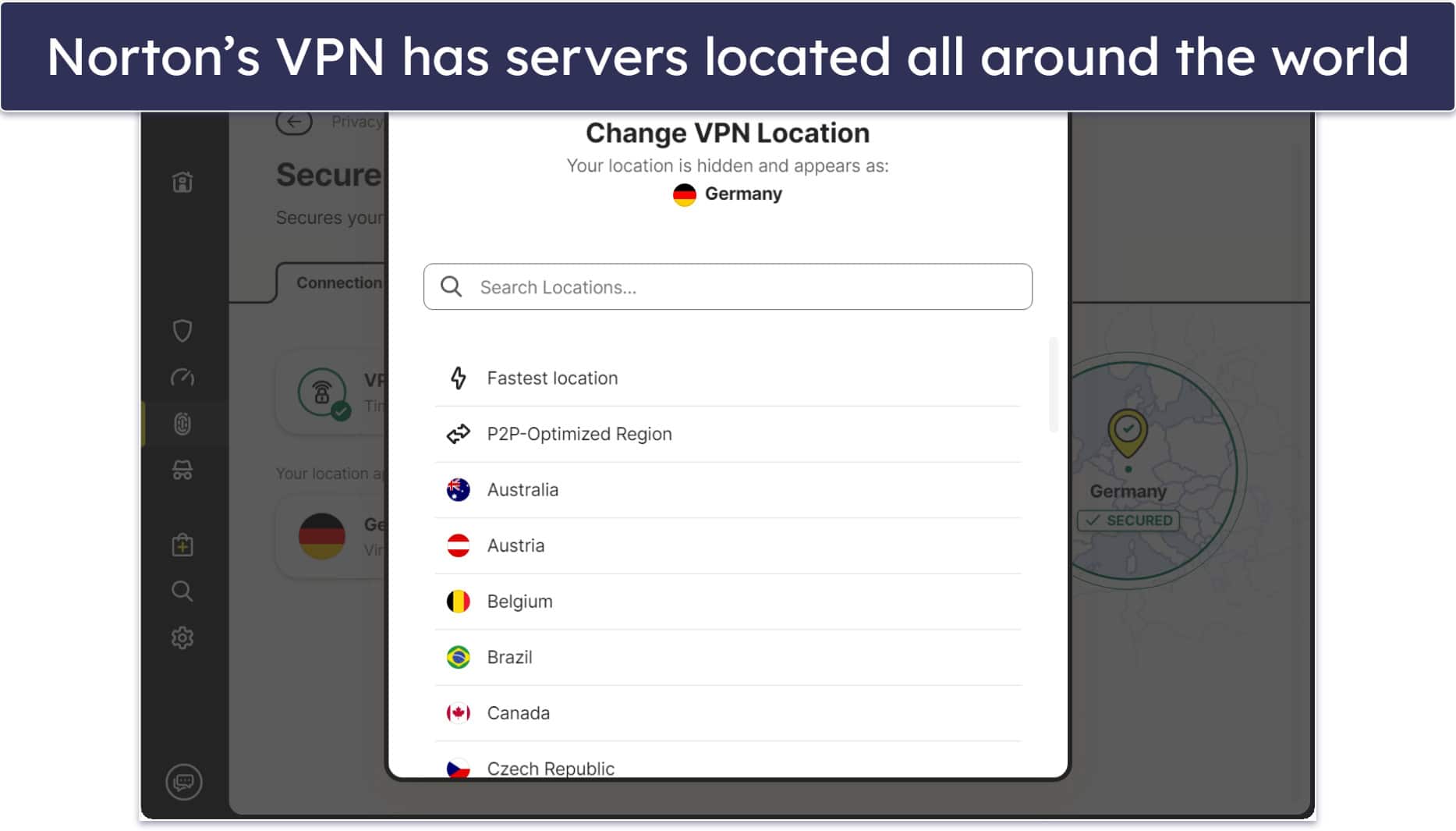
It comes with a decent server network (100+ server locations in 29 countries), industry-standard features, and delivers impressive speeds on local servers, making it great for streaming or browsing with minimal lag. However, speeds drop noticeably on distant servers, and latency can be an issue for non-local connections, which will affect tasks like online trading, gaming, or video calls. Key features include:
- Split-tunneling — Allows you to choose which apps use the VPN and which don’t, optimizing performance (e.g., torrenting while gaming locally) and ensuring faster antivirus updates via your local network.
- Ad tracker blocker — Successfully blocks ad trackers, protecting your online privacy by stopping sites from collecting info about you and targeting you with ads.
- Wi-Fi Secure feature — Identifies dangerous networks and lets you know when you connect to one.
- Full leak protection — Protection against DNS and WebRTC leaks.
- Streaming and torrenting support — Works with platforms like Netflix, Disney+, and HBO Max (but not BBC iPlayer). Offers limited torrenting support on dedicated servers.
Norton’s VPN doesn’t log your IP address, but it does collect some user data, such as your bandwidth and timestamps. If you’re concerned about this, consider Bitdefender’s VPN instead, which has a super strict privacy policy.
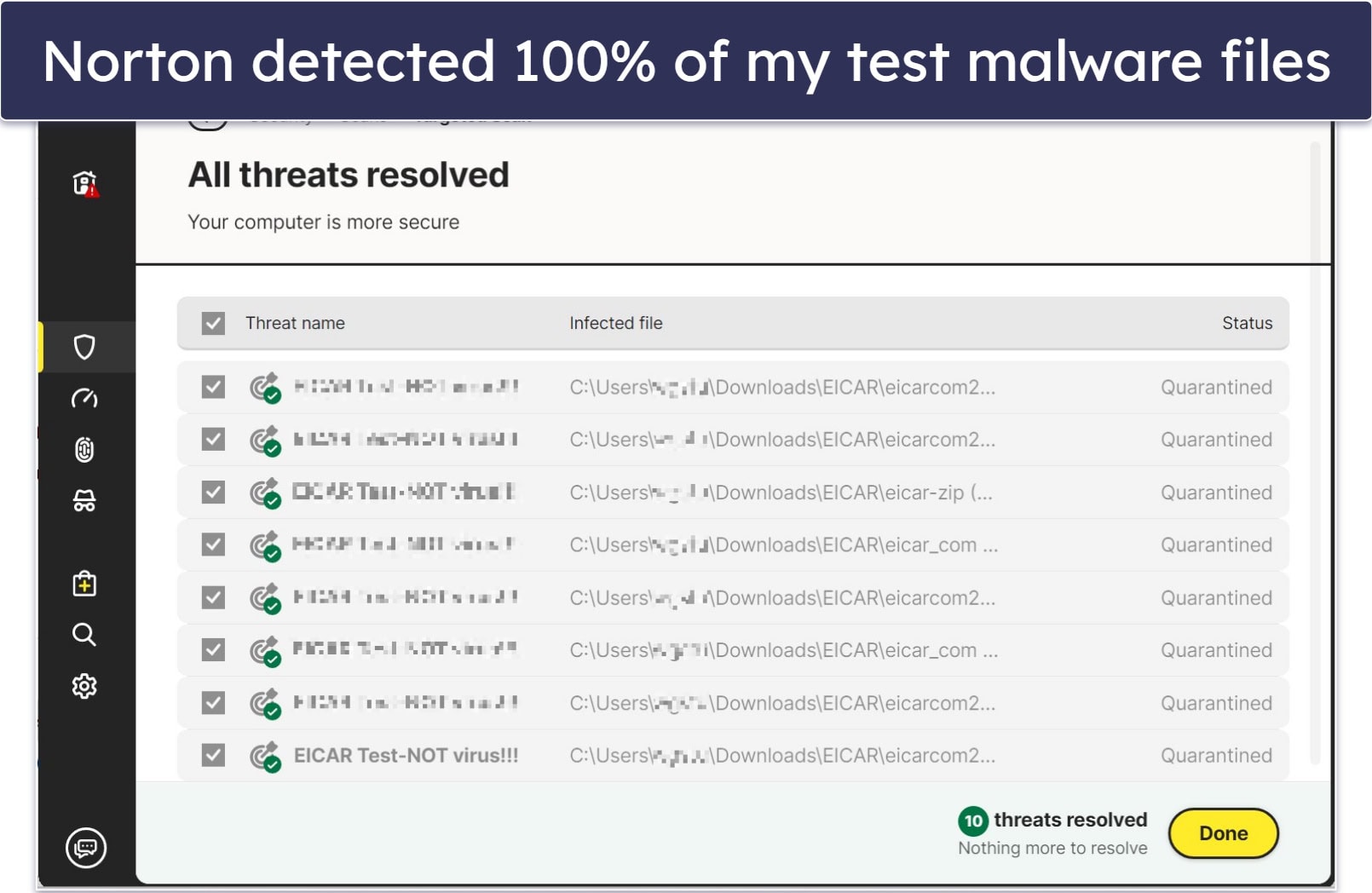
Norton’s antivirus engine detects malware using a massive malware directory, heuristic analysis, and machine learning. During testing, it consistently detected and removed 100% of the malware samples I had hidden on my device.
Norton 360 also includes a Smart Firewall that can monitor suspicious outbound traffic, even over VPN. Plus, it has a good password manager, webcam protection, dark web monitoring, Wi-Fi security alerts (Android and iOS only), cloud storage (250 GB on the 360 with LifeLock Select plan), a private browser, and ransomware protection.
Norton Family lets you monitor your children’s online activity, set screen time limits, block inappropriate websites, and track your child’s location (on supported mobile devices). This feature is included with the Norton 360 Deluxe and Premium plans.
The mobile apps for Android and iOS are good, with most tools, including the VPN, now integrated into the Norton 360 app. However, tools such as parental controls, the password manager, anti-track, and junk cleaner remain separate apps.
Features on the mobile apps include a malware scanner, web protection, VPN, and an SMS spam filter. App Security for Android scans your apps for risks, while the secure calendar for iOS blocks phishing messages.
One minor downside is that some of Norton’s more common utility features, like the file shredder and driver updater, aren’t included in its standard plans. Instead, you’ll need to purchase separate tools like Norton Utilities Ultimate or the Driver Updater to access them. In contrast, some antiviruses sometimes include these extras at no additional cost.
Norton’s best-value internet security package is Norton 360 Deluxe, which is competitively priced at £29.99 / year. It includes coverage for 5 devices (including all major platforms), an excellent malware scanner, web protection, 50 GB of cloud backup storage, a firewall, a password manager, parental controls, SMS and web scam protection, web camera protection, and dark web monitoring. Norton backs each plan with a generous 60-day money-back guarantee.
Bottom Line:
Norton provides excellent protection against the most advanced malware threats, and it includes a decent VPN with many extra features. In addition to detecting all malware samples in my tests, Norton has various security features like web protection, cloud storage, a firewall, a password manager, parental controls, and much more. Norton VPN is secure, easy to use, and fast on local servers, and it comes with great extra features like split-tunneling, an ad tracker blocker, and full leak protection. Norton covers each purchase with a 60-day money-back guarantee.
Read the full Norton VPN review
🥉3. Bitdefender — Advanced Antivirus Scanner With a Very Fast VPN


Bitdefender has an excellent malware scanner and one of the fastest VPNs on this list. The VPN is free with some of Bitdefender’s antivirus bundles and is powered by the standalone VPN provider Hotspot Shield. But I’m not a big fan of the free version — you only get 200-500 MB per day, and there’s no option to pick a server manually. Upgrading to Bitdefender’s premium VPN solves this problem by giving you unlimited data and access to servers in 50+ countries.
- VPN offers double-hop connections
- Ad and tracker blocker
- App traffic optimizer
- VPN is limited on most plans
- Auto-selects server on lower-tier plans
The VPN offers strong security with military-grade 256-bit AES encryption, a kill switch to protect your data if the connection drops, and a strict no-logs policy to keep your online activity private. It includes extras like split-tunneling, letting you choose which apps use the VPN for better speed and flexibility. It uses modern, high-performance protocols (Hydra, OpenVPN, WireGuard, and IPSec) to ensure fast and secure connections across devices, with double-hop connections available on Windows, Android, and iOS for extra privacy.
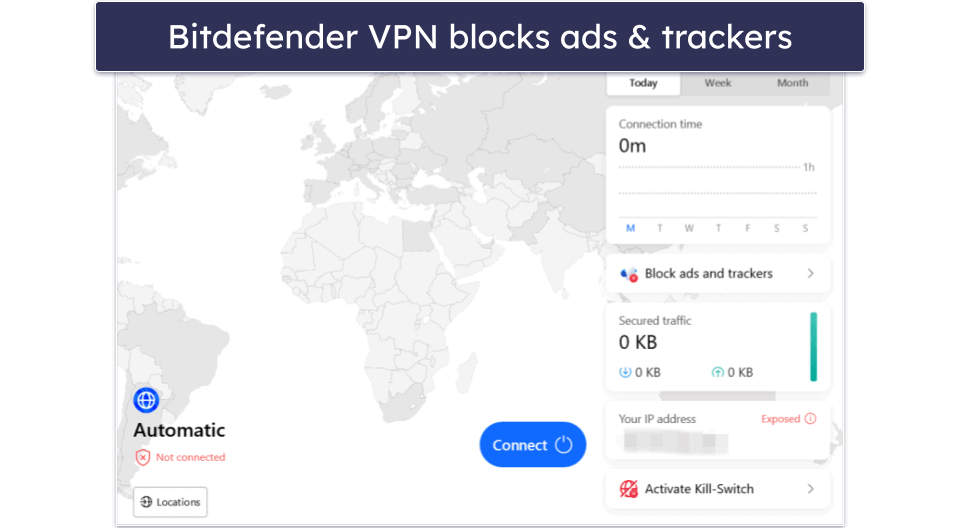
Bitdefender’s VPN comes with an ad and tracker blocker. The ad blocker is great at blocking intrusive ads and helping websites load faster, while the anti-tracker blocks trackers from collecting your data. The VPN works reliably with popular platforms like Netflix, Amazon Prime, Disney+, Hulu, and BBC iPlayer.
Other notable Bitdefender VPN features include Perfect Forward Secrecy, which ensures your past online sessions stay secure even if a hacker breaches the server, plus obfuscation to bypass VPN blocks and an App Traffic Optimizer to prioritize bandwidth for specific apps — perfect for streaming or gaming. In addition, it includes SafePay for secure online banking, a file shredder, anti-spam filters, and a secure browser to protect against phishing, scams, and keyloggers.
The cloud-based virus scanner uses machine learning along with traditional signature-based scanning, which provides 100% malware detection while keeping the impact on your system to a minimum in terms of performance, with full-system scans averaging 21% CPU usage and less than 1% during background scans.
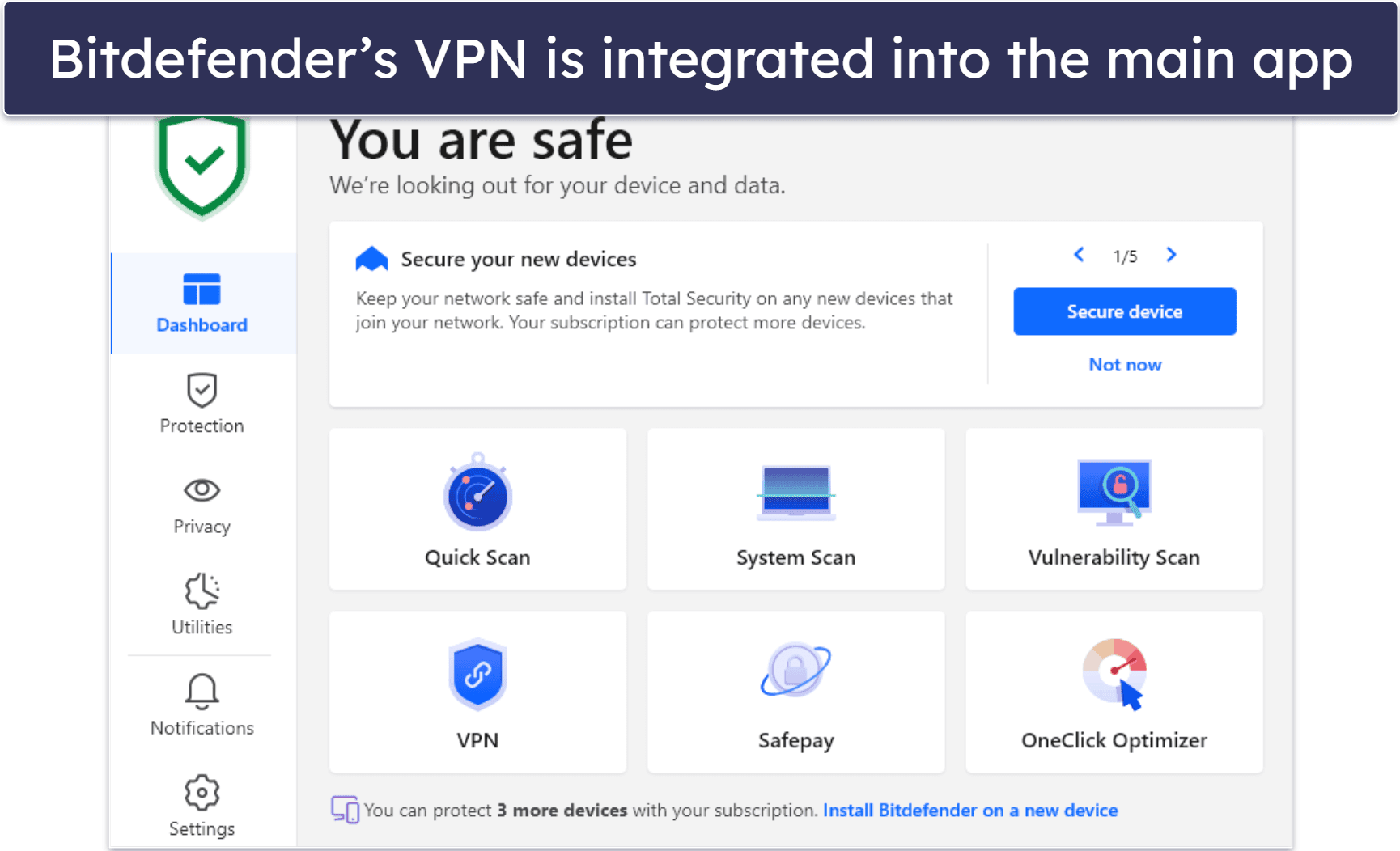
Bitdefender has mobile apps for iOS and Android. The Android app includes an antivirus scanner, free VPN, web protection, app lock, app anomaly detection, and anti-theft protection. The iOS app has a free VPN, web protection, data breach monitoring, and a scam alert feature. Bitdefender VPN is integrated into the main antivirus app on both desktop and mobile, but you can also install it separately.
My only complaint about Bitdefender Premium VPN is that it lacks some advanced protections found in top standalone VPNs. For instance, it doesn’t use RAM-only servers (servers that store data only in temporary memory), and its WebRTC and IPv6 leak protection are only available on Windows.
Bitdefender offers several reasonably priced plans. Antivirus Plus costs £19.99 / year, covering 3 devices (Windows, macOS, Android, and iOS) with basic protection and offering 200 MB/day VPN. Total Security, at £40.00 / year, extends coverage to 5 devices and adds extras like a firewall, parental controls, and more. You can add the premium VPN to any of these plans for £2.14 / month, or opt for Premium Security, which is £49.99 / year and covers 5 devices. All plans come with a 30-day money-back guarantee.
Bottom Line:
Bitdefender comes with lightweight and advanced malware scanning, and its VPN has the fastest speeds on this list. It also has anti-phishing and anti-ransomware protection, a firewall, webcam and microphone protection, and parental controls. Most plans include a VPN that only allows 200 MB per day, but Bitdefender Premium VPN allows unlimited data (and is available as a standalone purchase or as part of the Premium Security plan). Bitdefender Premium VPN is good for streaming, supports torrenting on all servers, and includes split-tunneling and an ad and tracker blocker. All Bitdefender plans have a 30-day money-back guarantee.
Read the full Bitdefender review
Read the full Bitdefender Premium VPN review
4. McAfee — Excellent Web Protection + Great VPN for Beginners


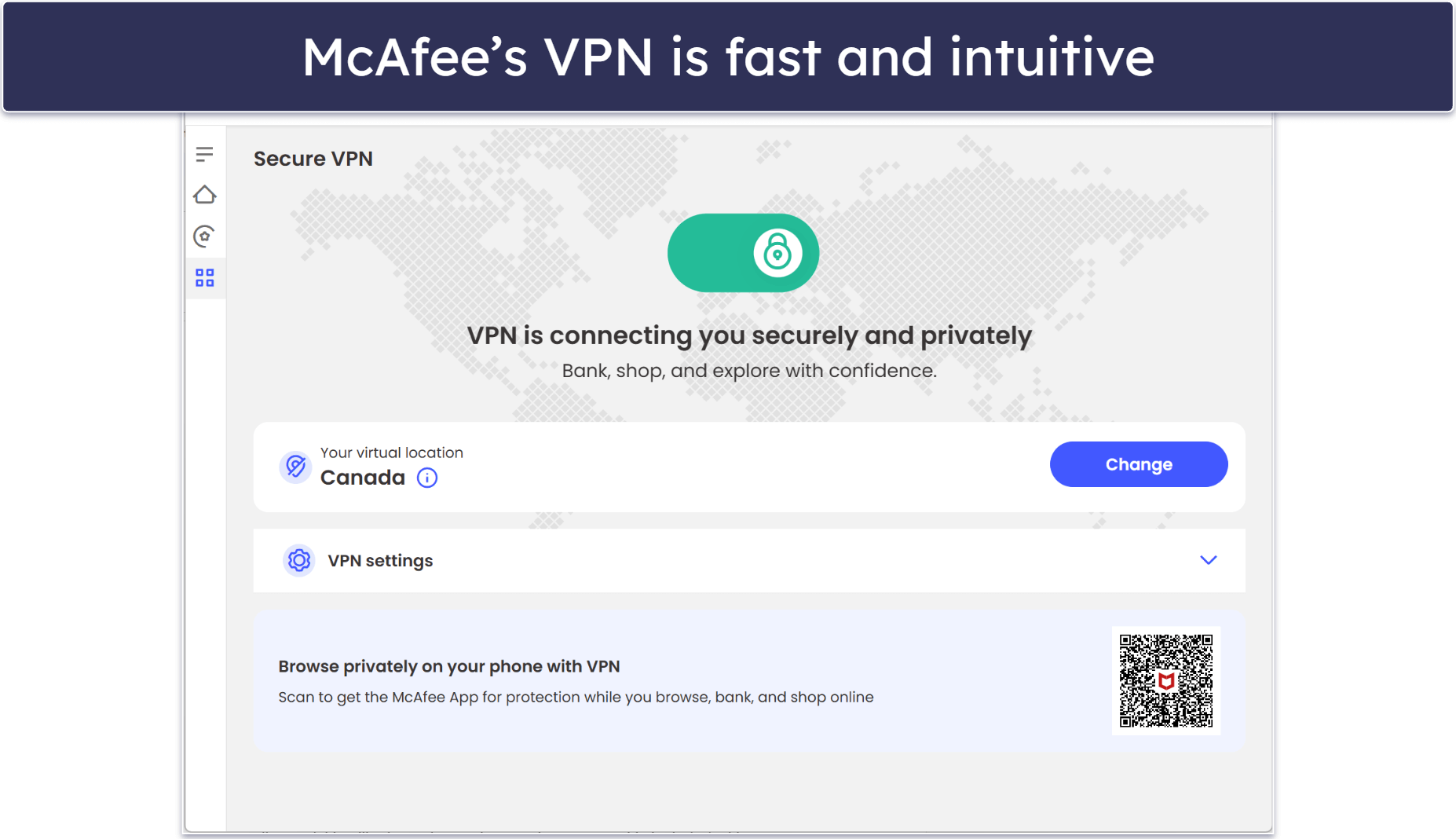
McAfee has a great malware scanner, excellent web protection, and a user-friendly VPN. Secure VPN has an intuitive dashboard for easy navigation, with the VPN built into the antivirus app. It includes 256-bit AES encryption, a kill switch, and an audited no-logs policy (confirmed yearly), but that’s about it in terms of features. However, it does offer solid global coverage across 50 countries. Secure VPN supports WireGuard and OpenVPN on Android and iOS, but the Windows app only supports WireGuard, which limits flexibility.
- Unlimited devices on most plans
- Web tracker remover
- Social Privacy Manager
- Desktop VPN lacks split tunneling
- Not reliable for streaming
You get convenient connection options, though: you can choose to connect manually or opt for auto-connect on non-secure Wi-Fi and LAN networks. This way, McAfee’s VPN will launch instantly on untrusted Wi-Fi (like at hotels or gyms). You can also set trusted networks, such as your home network.
However, I don’t like that Secure VPN lacks useful extra features like split-tunneling — both Norton and Bitdefender have good split-tunneling features. It’s also not the best for streaming. During our tests, we couldn’t get it to work with Netflix, Amazon Prime, HBO Max, or Disney+. TotalAV is a better choice in this regard.
The antivirus scanner offers effective anti-malware protection (it detected all of the malware samples I hid on my device). It also comes with features like anti-phishing and identity theft protection to keep you safe online.
The antivirus suite includes a strong firewall that guards against unauthorized access and network intrusions. You also get performance tools that speed up your system by clearing out unnecessary files and managing startup programs, and I appreciate the inclusion of encrypted storage for sensitive files.
McAfee has an app for iOS and Android. It features an easy-to-use interface, real-time scam protection to block malicious links in texts, and a Wi-Fi network scanner for security issues. While it lacks anti-theft features, it includes the VPN and ID theft protection.
All of McAfee’s antivirus plans come with the VPN. The Essential plan, which covers 5 devices and is priced at £34.99 / year, is great for couples or individuals with multiple devices. The Premium plan, which costs £44.99 / year, adds parental controls, data clean-up tools, and coverage on unlimited devices. The Advanced plan, priced at £66.09 / year, adds identity theft coverage features. McAfee backs all plans with a 30-day money-back guarantee.
Bottom Line:
McAfee is very effective at protecting your device against malware, and Secure VPN is easy to use. McAfee’s scanner detected every malware file in my tests, and the internet security suite also comes with great features like a firewall, file shredder, identity protection, optimization tools, and a password manager. The VPN is secure, fast, but it’s missing extra features like split-tunneling. McAfee has a 30-day money-back guarantee for all of its plans.
Read the full McAfee VPN review
5. MacKeeper — Good Mac Antivirus With a Basic VPN


MacKeeper is a lightweight antivirus for Mac that includes a secure and fast VPN (Private Connect), ideal for general browsing. Private Connect is integrated into the main antivirus app, but you can also download it separately from the Mac App Store.
- Fast and effective adware cleaner
- System cleanup tools for Mac
- Easy to use
- Only works on Mac
- Lacks anti-phishing protection
- Cannot detect rootkits
Private Connect includes unlimited data, has a minimalistic, user-friendly dashboard, uses a secure protocol (OpenVPN), and comes with DNS and WebRTC leak protection. It also has servers in 50+ countries, allowing you to connect to a server nearby to get the fastest speeds. It even worked with Netflix in our tests, which is impressive for a basic VPN. That said, Private Connect isn’t as fast as TotalAV or Bitdefender.
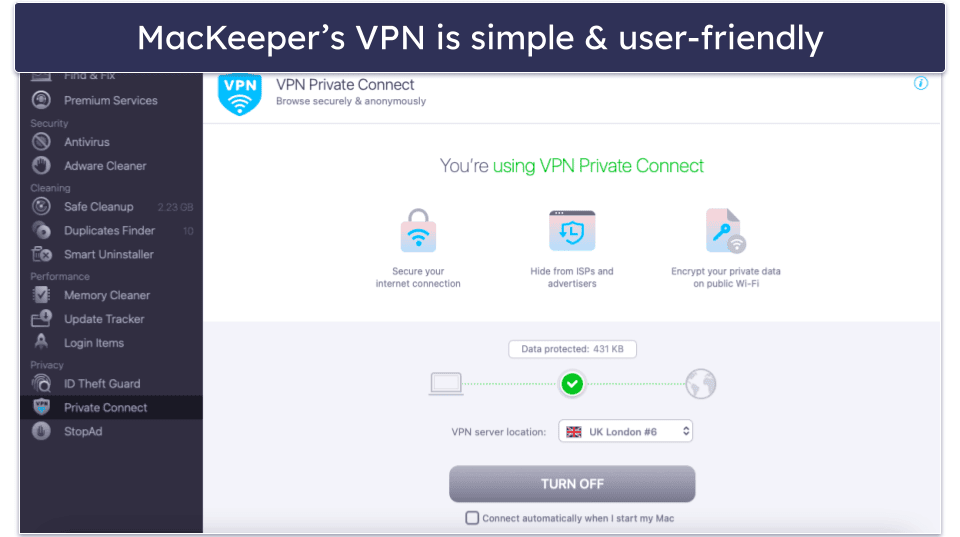
The integrated antivirus scanner detected most of my malware samples, but unfortunately, MacKeeper can’t detect rootkits.
The suite also offers a great set of security and performance tools for Macs. Its adware cleaner effectively removes unwanted ads, while the StopAd feature blocks intrusive ads and pop-ups, improving your browsing experience. The ID theft guard monitors your email for data breaches, and the system cleanup tools help free up space by removing junk files and optimizing system performance.
However, I was disappointed with MacKeeper’s privacy policy. The company collects your data and activity, including your IP address and screenshots of the visible areas of your browser’s active tab whenever you use its products. MacKeeper may also share your data with other companies, consultants, and contractors.
MacKeeper includes all of the same features in each plan — the only difference is the number of macOS devices it covers. There are 1-month and 12-month plans for 1 Mac and a 12-month plan that covers up to 3 Macs. MacKeeper’s plans start at £41.95 / year and include a 30-day money-back guarantee, the shortest refund time on this list.
Bottom Line:
MacKeeper is a decent choice for Mac users who want simple antivirus protection with a secure VPN for everyday browsing. The VPN is easy to use, has decent speeds, and supports torrenting on dedicated P2P servers, but it doesn’t work with most streaming platforms and has a questionable privacy policy. The malware scanner flagged almost all of the malware in my tests. You also get useful Mac-specific tools like an adware cleaner, ad blocker, email breach monitoring, optimization tools, and system cleanup tools. All of MacKeeper’s plans come with a 30-day money-back guarantee.
Read the full MacKeeper review
6. Malwarebytes — Minimalistic Antivirus With a Fast VPN

Malwarebytes is a good and intuitive antivirus program with a fast VPN, but it lacks many of the features that other top antiviruses like Norton, Bitdefender, and TotalAV offer. For example, its VPN doesn’t include perfect forward secrecy, streaming support, or RAM-only servers, while the antivirus lacks features like a firewall, password manager, and parental controls.
- Excellent split-tunneling on desktop
- Manual and automatic multihop
- Tamper protection for Windows
- VPN lacks RAM-only servers
- Doesn’t support streaming
- Limited features
Malwarebytes’s Privacy VPN has servers in 36 countries and uses WireGuard, one of the fastest protocols out there. It isn’t as fast as some other VPNs, but we had good speeds for browsing and gaming on local servers. However, on distant servers, websites loaded in 2–4 seconds, and I experienced some lag playing video games. The VPN also supports P2P file sharing and includes split tunneling.
When it comes to antivirus software, Malwarebytes provides effective real-time protection that continuously monitors your system to detect and block threats immediately. Likewise, its ransomware protection safeguards your files from being encrypted and held for ransom. Malwarebytes also includes a browser guard that blocks malicious websites and phishing attempts. Additionally, I was pleasantly surprised to learn that Malwarebytes includes tamper protection on Windows to prevent unauthorized changes to your antivirus settings.
Malwarebytes has mobile apps for iOS and Android. The Android app offers more functionality, including malware scanning, web protection, spyware protection, and a privacy audit tool. The iOS app provides web protection, ad blocking, SMS filtering, and scam call blocking. Both apps are well-designed and easy to use. The VPN is integrated into the main antivirus app, but you can also download it as a standalone app.
Malwarebytes Privacy VPN is included with the Plus plan, which is priced at £29.37 / year. For users considering identity theft protection, Malwarebytes has various plans available with prices starting at £73.44 / year. These packages are more costly but offer comprehensive protection and come bundled with the antivirus, web protection, and VPN. Malwarebytes backs each purchase with a lengthy 60-day money-back guarantee.
Bottom Line:
Malwarebytes is an easy-to-use antivirus that is good for detecting malware, and it comes with a decent VPN that works well for basic online activities like secure browsing. You also get excellent web protection (like anti-phishing protection) and real-time protection. However, Malwarebytes lacks features that other top antiviruses offer in their internet security suites, such as a firewall and parental controls.
Read the full Malwarebytes review
Read the full Malwarebytes VPN review
Quickly Compare the Best Antiviruses With VPNs
Our Comparison & Ranking Criteria
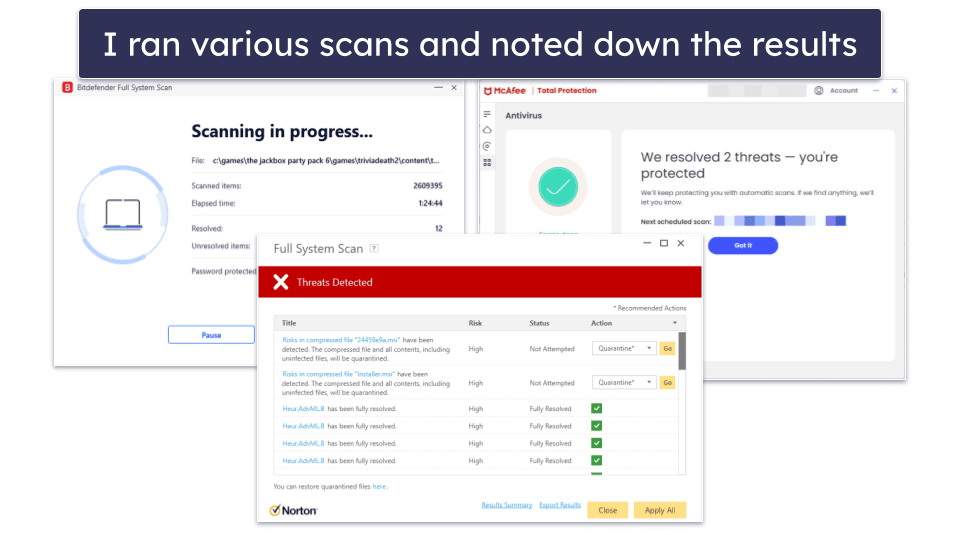
Ranking antiviruses isn’t easy. You need a unified set of clear-cut criteria to make a fair judgment. That’s why I used our testing methodology to develop this list. In addition to rigorously checking everything in the software, I tested the following areas:
- I made sure the VPN had good security features. A good VPN needs to have industry-standard security features like 256-bit AES encryption (used by banks and militaries), a kill switch that shuts down your internet connection if it drops, a strict no-logs policy to prevent the provider from keeping logs of your online traffic, and protection against IPv6, DNS, or WebRTC leaks.
- I looked for advanced malware protection. Each antivirus listed here has the most up-to-date protection against advanced threats, including trojans, spyware, and ransomware.

- I looked for additional features. I only recommend antiviruses that offer extra features (in addition to an excellent malware scanner and a VPN). The antiviruses on my list include great security features like advanced firewalls, anti-phishing protection, data breach monitoring, identity theft monitoring, parental controls, and password managers. The VPNs on my list offer extra features like split-tunneling, ad blockers, and more.
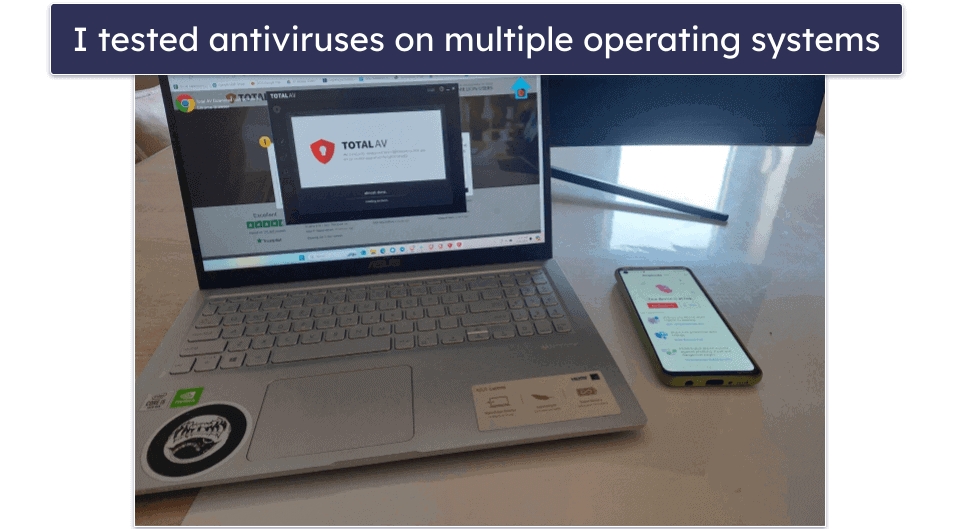
- I checked if the antiviruses worked with multiple operating systems. All the antiviruses I recommend include Windows, Mac, Android, and iOS apps (with the exception of MacKeeper, which is designed exclusively for Macs).

- I went for good value. All the antivirus programs listed above offer affordable plans that include a VPN and many other features, such as anti-phishing protection, password managers, and parental controls. They also accept multiple forms of payment and offer a money-back guarantee for each purchase.
- I considered VPN data limits. Some antivirus VPNs come with unlimited data, while others restrict usage — for example, limiting users to 200MB per day. I factored this in when evaluating each provider.
- I tested customer support. I only recommend antiviruses that provide responsive and helpful customer service via live chat, email, or well-maintained help centers.
Difference Between Antivirus and VPN — And Why You Need Both
An antivirus and a VPN perform two completely different tasks:
- Antivirus programs protect your device from malware like viruses, ransomware, and rootkits. They can also remove malware and prevent future infections. Antivirus software such as TotalAV, Norton and McAfee scored 100% in detecting malware in my tests.
- VPNs protect your privacy and secure your data. They offer advanced encryption standards that make your data indecipherable to any third parties, including governments, hackers, or even your internet service provider. VPNs protect your privacy by hiding your location behind a virtual IP address.
Even if a VPN hides your browsing activities, without an antivirus a rogue download or shady email link can still infect your device. Think of it like wearing a seatbelt and having airbags — one doesn’t replace the other.
Depending on just one security tool isn’t the safest choice, as you might find yourself unprotected from malware or threats to your privacy. By merging a high-quality antivirus with a dependable VPN, you’ll reap both benefits and ensure you can engage in swift and secure browsing, streaming, torrenting, or gaming.
Antivirus-VPN Bundles vs. Standalone Solutions
Buying an antivirus bundled with a VPN gives you comprehensive protection in one package. These bundles typically come at a discounted price compared to purchasing each product separately. Also, integration between the antivirus and VPN can lead to smoother operation and fewer compatibility issues as they are designed to work together.
However, bundled solutions might not always provide the best features or performance for antivirus and VPN services. Some bundled products can be basic, lacking the advanced features of standalone versions. Additionally, if you are dissatisfied with one component, you may need to replace the entire bundle, leading to unnecessary costs.
By choosing individual products, you can select the best antivirus and the best VPN according to your specific needs and preferences. This approach often results in better performance and more advanced features, as you can pick top-tier products for each function. However, this option is generally more expensive since you purchase two separate services. Setting up and managing standalone solutions can also be more complicated, as you must ensure compatibility and handle multiple subscriptions.
Ultimately, deciding between antivirus-VPN bundles and standalone solutions depends on your priorities. If convenience and cost-saving are top of your list, bundles are a great option. But if you value flexibility and advanced features, standalone VPNs and antiviruses offer the customization you need. Serious gamers or streaming enthusiasts might prefer a dedicated VPN with high-speed servers, while typical home users could find a bundle more than sufficient — and easier on the wallet.
How to Use an Antivirus With a VPN?
It’s very easy to use an antivirus with a VPN. You can just follow these quick and easy steps:
- Step 1. Choose a high-end antivirus with a good VPN. I recommend TotalAV because it has an excellent malware scanner and other top-notch security features. It also has a secure, fast VPN and good streaming and torrenting support.

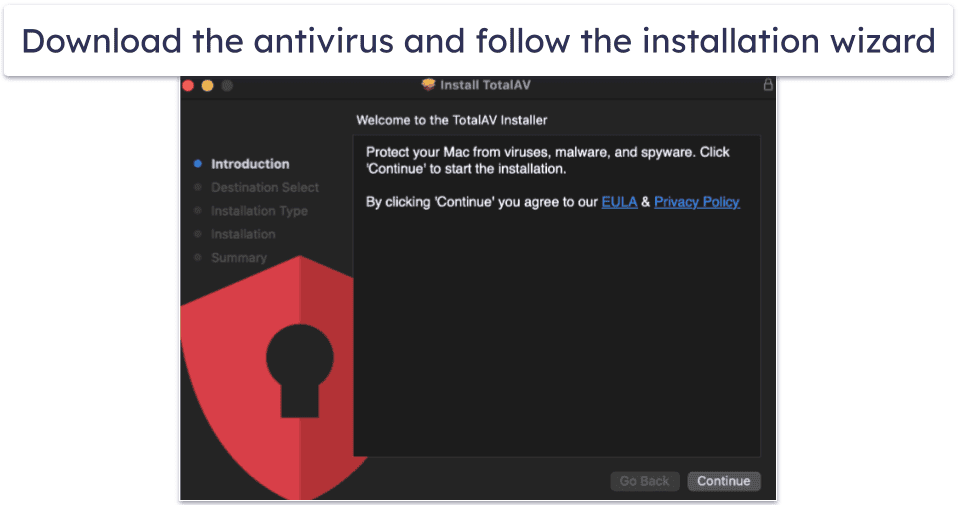
- Step 2. Download and install the antivirus. The whole process should only take a couple of minutes. Just follow the installation wizard’s instructions.

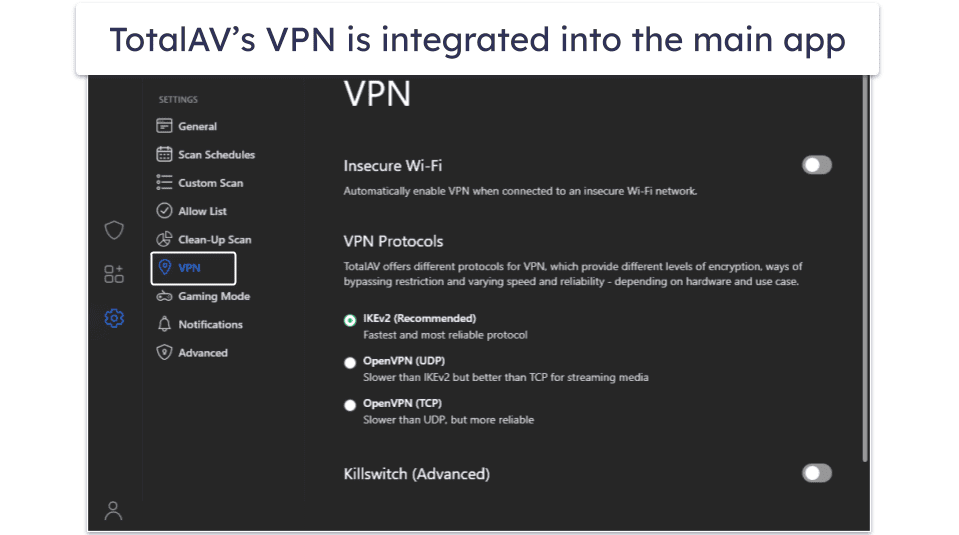
- Step 3. Launch the antivirus app and download the VPN. Some antiviruses have built-in VPNs within their apps, while others require you to download a separate VPN app.

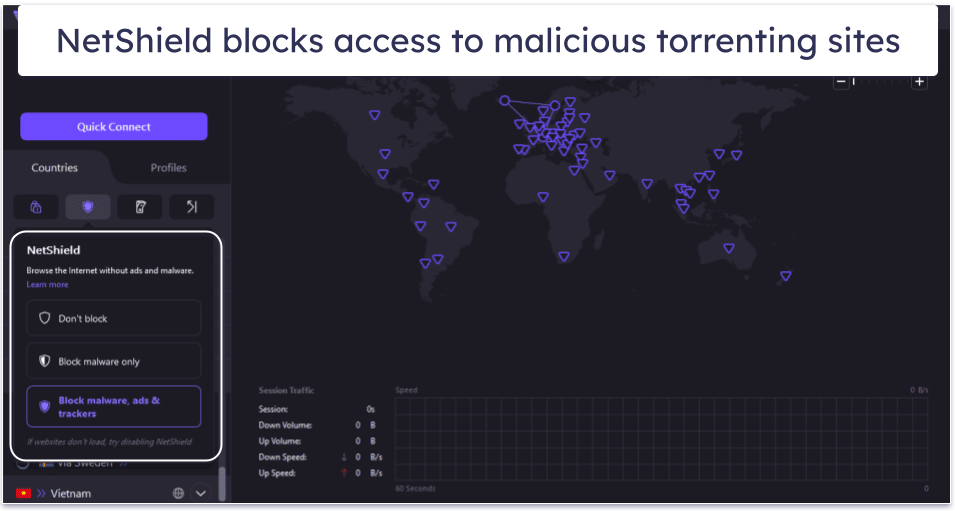
- Step 4. Connect to a server. Open the VPN app, scroll through the list of server locations, and click on your desired country. Now, you can browse the internet with an IP address that matches the country you’re connected to.

Top Antiviruses That Didn’t Make the Cut
- Aura. Aura antivirus has a pretty good malware detection rate and excellent ID theft protection for US users, but its VPN isn’t very good. It won’t allow you to choose a VPN server manually, it doesn’t have a kill switch, and it’s not very good for streaming.
- Sophos. Sophos is easy to use and offers reliable protection from malware, spyware, trojans, rootkits, and viruses. That said, its apps aren’t nearly as feature-rich as top competitors, and it doesn’t include a VPN.
- Webroot. Both Webroot’s antivirus and VPN are decent, but none of Webroot’s plans, not even the most expensive one, include the VPN. Plus, even if you get it as a separate purchase, Webroot’s VPN only covers 3 devices.
Frequently Asked Questions
Can an antivirus and a VPN work together?
Yes, these two tools coexist seamlessly. An antivirus protects against malware, phishing, ransomware, and more, while a VPN encrypts your traffic to protect your online privacy. The antiviruses on my list all bundle excellent antivirus software with secure, fast VPNs.
What’s the best antivirus with a VPN?
TotalAV is my top pick for the best antivirus with a VPN in 2026. It has a powerful malware engine, features a secure and fast VPN with unlimited data, and works with top streaming sites like Netflix and BBC iPlayer. TotalAV’s VPN includes industry-standard VPN security features (256-bit AES encryption, a kill switch, and a clear no-logs policy) and protects against DNS and WebRTC leaks. All TotalAV plans are backed by a 30-day money-back guarantee.
That said, each antivirus on this list includes a good VPN.
Are VPNs legal?
Yes, VPNs are perfectly legal in most countries. However, some countries have regulated or banned VPNs, including Belarus, China, Iran, Iraq, North Korea, Russia, and the UAE. If you’re caught using a VPN in a country that has banned VPNs, you may face fines or even prosecution. Checking whether a VPN is allowed at your destination is important if you’re going abroad.
If you’re looking for a VPN that consistently works in censor-heavy nations, I recommend a standalone VPN. While VPNs are legal in most countries worldwide, any illegal activity carried out without a VPN remains illegal using a VPN.
Do I need an antivirus and a VPN?
You don’t have to use an antivirus and VPN, but I strongly recommend doing so. Combining an antivirus and a VPN gives your devices maximum protection from malware and helps minimize the risk of a hacker stealing your personal information.
All of the antivirus providers on this list include secure VPNs that are easy to use and have fast speeds.
Is there a free antivirus with an included VPN?
Yes, Panda Dome’s free version includes a VPN, real-time protection, and a 95% malware detection rate, plus a Rescue Kit for damaged PCs. But free combos always limit you — Panda’s VPN caps at a measly 150 MB/day. I prefer premium options like TotalAV’s Internet Security for unlimited data and good speeds.
What are the disadvantages of using an antivirus with a VPN?
Bundled VPNs (like TotalAV’s) are convenient and cost-effective, but often lack the advanced features that standalone VPNs have, like full leak protection and perfect forward secrecy. Some bundled VPNs also limit data, slow speeds, or skip streaming and torrenting support. That said, my top picks all offer unlimited-data options and perform well in speed tests.