
Updated on: February 10, 2026
Fact-checked by Sam Boyd
-
🥇 RoboForm
: Featuring excellent security, password strength checking, and password sharing. This is a simple-to-operate and cost-effective password manager, and it’s well-suited for both individuals and families.
Opera has its own password manager, but it’s far from perfect. My biggest gripe with it is that anyone using your computer can freely access all the passwords stored by Opera: there’s no master password or auto-lock of any kind. It also lacks even some basic features — although it has auto-save and auto-fill, there’s no password generator.
The password managers I’m talking about here do a much better job at securing your accounts. They also give you useful features like syncing across different operating systems and devices, reliable auto-fill, secure sharing, emergency access, controls for family use, and even extra cloud storage.
Bear in mind that not all of these password managers have native extensions for Opera — but that wasn’t a factor when creating this list. The ones that don’t are still easy to install via the Chrome Web Store and work perfectly on Opera.
Overall, RoboForm is my favorite password manager for Opera and Opera GX — it pulls ahead of the competition with its excellent array of features and its user-friendly interface. But the other options on this list hold their own and are well worth your attention, so keep reading to discover which one will best meet your needs.
Quick Summary of the Best Password Managers for Opera


🥇1. RoboForm — Impressive Form-Filling, Plus Bookmarks Storage
Approved by our experts


Approved by our experts
Most readers pick RoboForm

RoboForm is a secure and intuitive password manager with exceptional form-filling capabilities that works flawlessly with the Opera browser. Many password managers can handle your basic information like credit card details and home addresses, but RoboForm really shines when it comes to storing and filling complex data. It’s got 7 different templates for things like passports, vehicle registration, and tax info — I love to see this kind of attention to detail! Choose an identity template you’ve filled out, hit auto-fill on a desired website, and just like that, all those tedious fields on advanced web forms are accurately filled in.

RoboForm comes with all the password management basics and does them well. I could store unlimited passwords across all my devices, secure my account with 2FA, share passwords safely, and perform a password audit.
When it comes to extra features, I really like the secure bookmarks storage. It let me keep my favorite sites organized and within easy reach — no matter the device or browser I was using.
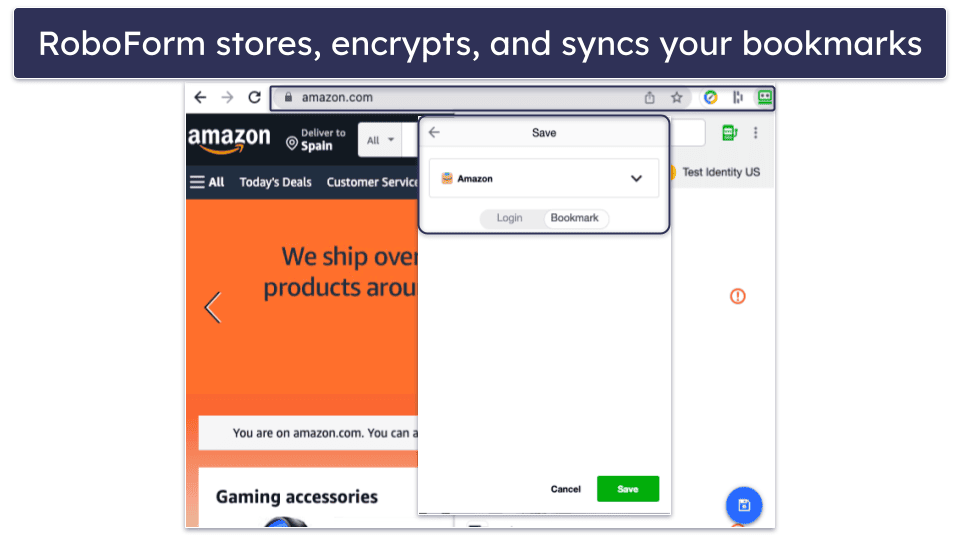
With unlimited password storage, form filling, password security auditing, 2FA, and bookmarks storage for 1 device, RoboForm Free is one of the best free password managers out there.
Upgrade to RoboForm Premium for just £0.79 / month, and you’ll get syncing across all your devices and emergency access. And if you’ve got a family with passwords to look after, RoboForm Family covers up to 5 users for £1.25 / month.
Bottom Line:
RoboForm is a safe and reliable password manager for Opera. Its unmatched form-filling capabilities, easy-to-use interface, and practical features make it a solid choice. It might not tick every box, but it’s got plenty going for it, and it’s kind to your wallet. Plus, with a 30-day money-back guarantee, there’s no harm in giving it a try.
🥈2. 1Password — Great Security and Unique Features like Travel Mode

1Password is the ideal solution for Opera users in search of an excellent password manager. It offers outstanding security features and usability.
1Password’s advanced features include:
- Password sharing.
- Password vault auditing.
- Dark web monitoring.
- Passkey authentication.
- Vault sharing with family members.
- Integrated TOTP authenticator.
- Travel Mode for hiding vaults.
- And more…
I particularly like the ability to create multiple vaults — this is perfect for managing all my different passwords and bits of personal data. Compared to the other brands I’ve tried, this level of customization and organization is hard to beat.
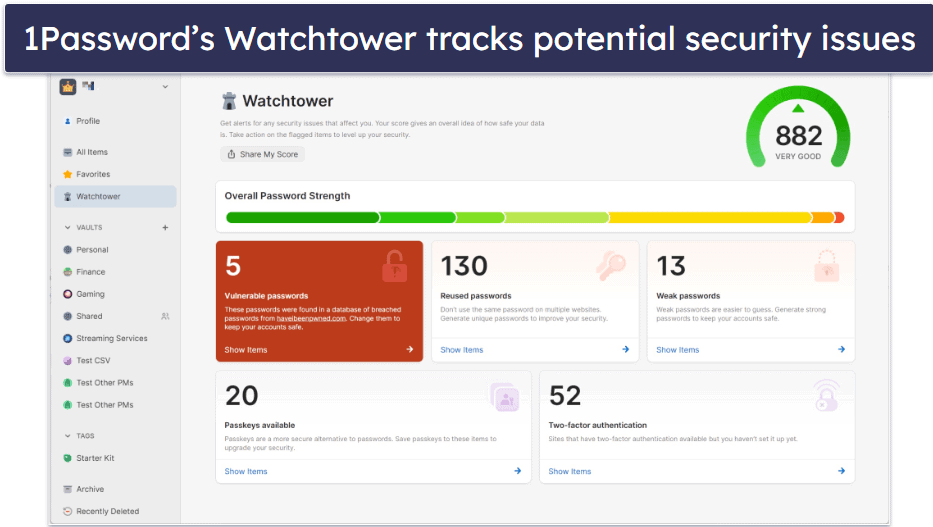
The Watchtower tool makes it easy to identify and strengthen weak passwords, as well as alerting you when your stored credit cards are set to expire. The recent addition of passkeys in the Opera extension is also a great bonus, as an increasing number of sites are starting to offer passwordless authentication. Watchtower even lets you know when one of your stored sites starts offering passkey support.
There’s also the Travel Mode feature that’s exclusive to 1Password. This lets you hide entire vaults while traveling — an added security measure I found myself using a lot. For US users, the virtual payment cards also hide your card number while shopping online for added privacy and security.
Another great perk is 1Password’s integration with Fastmail, which offers masked emails. This means I can create anonymous email addresses when signing up on websites for less chance of data breaches (and a clutter-free inbox).
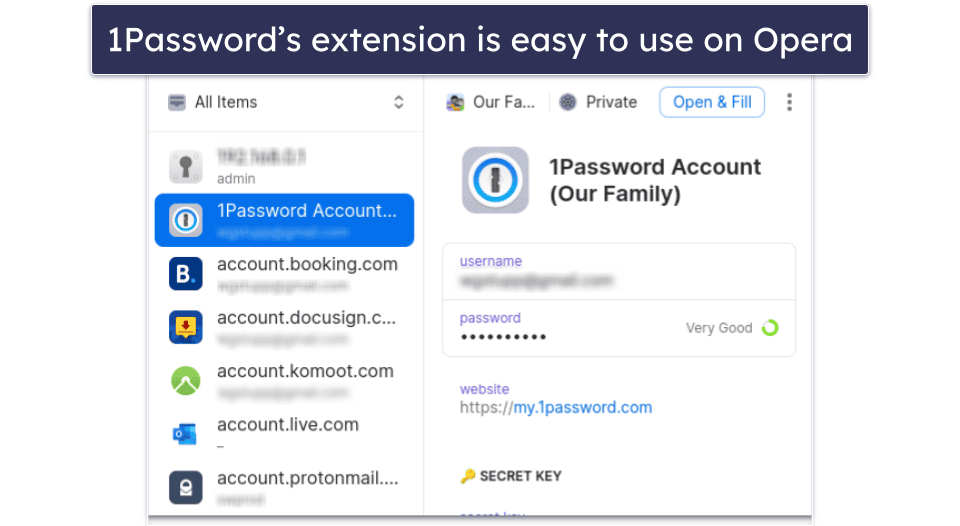
Available from the Chrome Web Store, 1Password was super easy to install on Opera. And unlike some password managers I tested on Opera that interfered with Opera’s built-in ad and tracker blocker, the 1Password extension worked like a charm, effortlessly saving, auto-filling, and recommending highly secure passwords.
1Password offers the choice between two plans — the Individual package at £2.20 / month and the Familiespackage at £3.66 / month. The latter supports 5 users and includes shared vaults, permission management, and account recovery tools. You can even add more users at a low cost, a benefit I haven’t seen in other password managers.
Bottom Line:
1Password provides an exceptional password management solution for Opera users. It’s easy to use and offers features such as multiple vaults, password sharing, password auditing, and dark web monitoring. With a 14-day free trial, you can try 1Password on Opera risk-free.
Read the full 1Password review
🥉3. Dashlane — User-Friendly Interface With a VPN

Dashlane is another great choice when it comes to managing passwords on Opera. Its secure encryption, efficient auto-fill functionality, and impressive add-ons (including a VPN and live dark web monitoring) certainly caught my attention.
Dashlane’s feature list is rather impressive, including:
- Password strength auditing.
- Integrated VPN.
- Advanced anti-phishing protection.
- Dark web monitoring.
- 1 GB of secure cloud storage.
- 2FA options.
- Secure account recovery options.
- Unlimited secure password sharing.
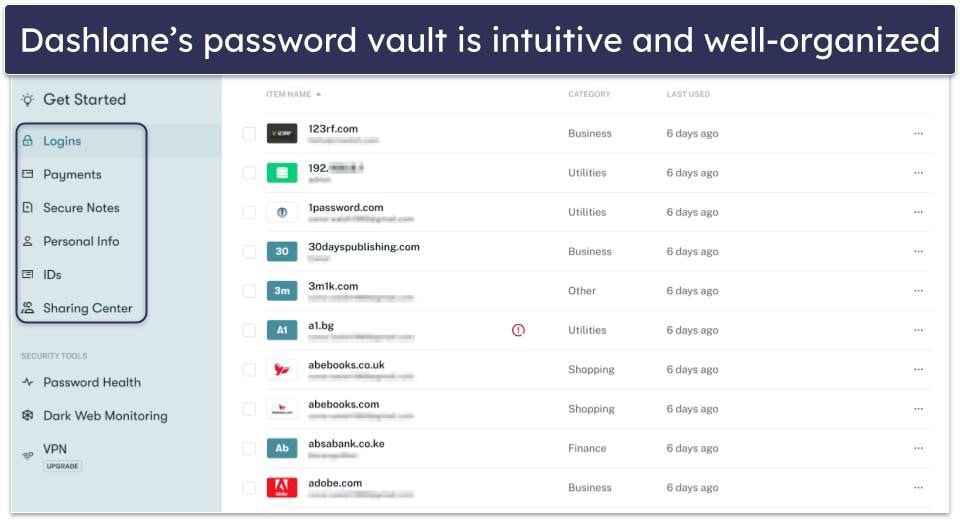
When testing Dashlane’s performance with Opera, I was not disappointed. It seamlessly filled in logins and generated strong passwords, outperforming Opera’s built-in password manager. Additionally, Dashlane accurately auto-filled complex web forms with personal details like addresses, credit card numbers, and driver’s license information. The Opera version also includes anti-phishing protection, which lets you know if you’re about to enter a saved password on an incorrect (and potentially scammy) website.
Dashlane provides 1 GB of secure cloud storage and allows you to easily back up files and notes in your password vault. This was particularly handy after I’d scanned copies of my passport and driver’s license to store in my records.
The live dark web monitoring is my favorite of Dashlane’s extra features. It continuously scans the dark web for data linked to your emails. If your details are detected, Dashlane promptly alerts you, ensuring your digital life remains secure. I appreciate how Dashlane hosts its own dark web databases. Most competitors simply use a free online database.
Another thing that caught my attention was Dashlane’s VPN. My tests showed that it provides a secure internet connection without significant speed losses. Regardless of the server I connected to, I was able to get good speeds and uninterrupted HD video streaming. It’s not quite as good as the best VPNs in 2026, but it’s still better than Opera’s built-in VPN (and even its Pro version).
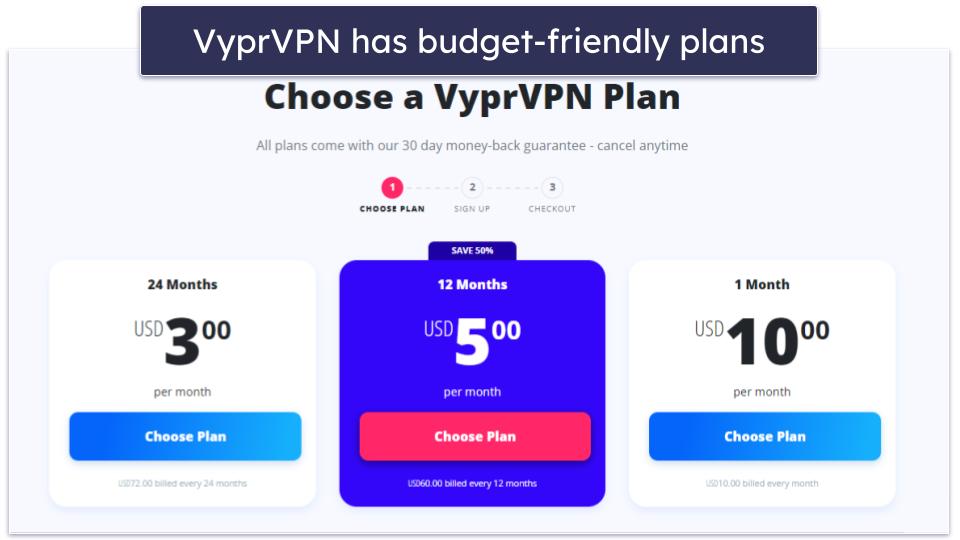
Dashlane offers the best free plan on the market, but while it offers unlimited sharing and 1 GB of secure file storage, it’s limited to use on 1 device. For those wanting everything Dashlane offers, Dashlane Premium costs £3.66 / month and includes unlimited passwords across unlimited devices, advanced dark web monitoring and phishing protection, plus the VPN. There’s also Dashlane Friends & Family, which covers up to 10 users and includes a family management dashboard and the VPN for 1 user, for £5.50 / month. Each of Dashlane’s plans also comes with a 30-day money-back guarantee.
Bottom Line:
Dashlane strikes a great balance between stringent security and convenience, offering attractive extras like a VPN, phishing protection, and live dark web monitoring. It impressed me with its flawless performance across different login fields and websites. It also offers a generous 30-day free trial of its premium plan and a 30-day money-back guarantee on all paid plans.
Bonus. Proton Pass — A Private & Feature-Rich Choice for Opera Users

Proton Pass is a highly secure password manager that combines a clean design with dependable performance. The Opera extension works well, allowing you to save, manage, and auto-fill passwords with ease. What sets Proton Pass apart, though, is how much it focuses on protecting more than just your logins — it also shields your personal data, email identity, and browsing activity from unnecessary exposure.
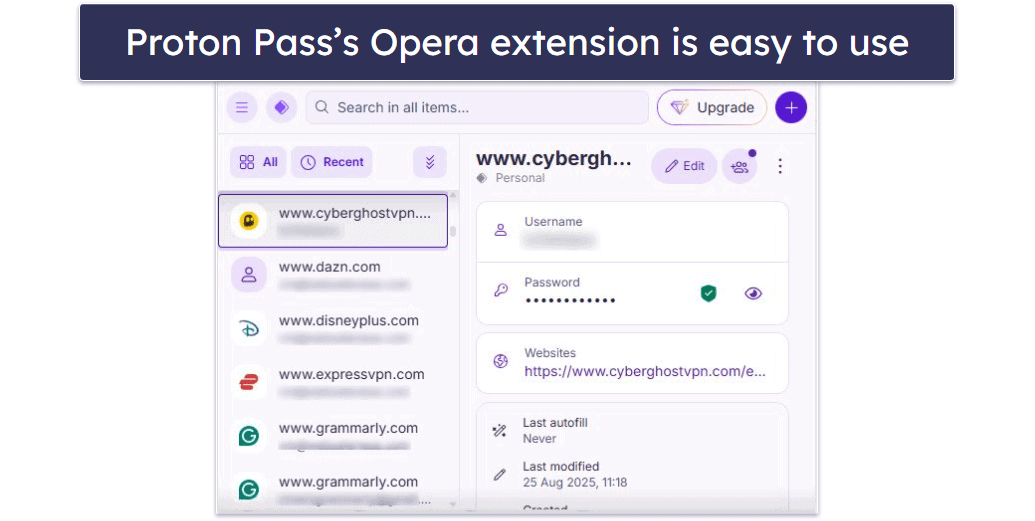
Unlike many other managers that only encrypt your passwords, Proton Pass goes a step further by encrypting everything — including metadata such as usernames, email addresses, and URLs. This prevents anyone, including Proton itself, from seeing sensitive details.
Other key features you’ll find on Proton Pass include:
- Unlimited password storage across devices (even on the free plan).
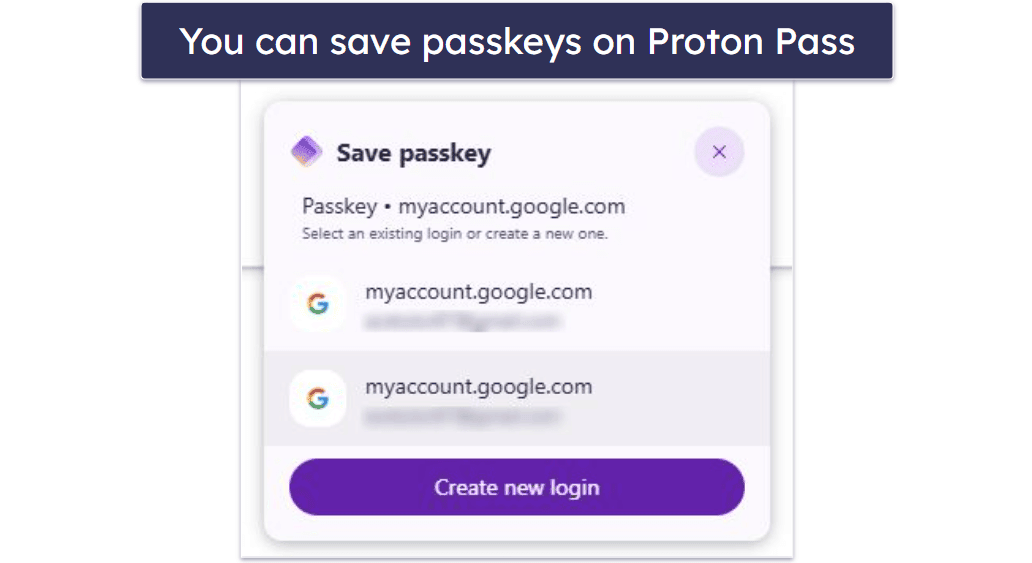
- Passkey support — this enables passwordless logins as more sites adopt them.
- Emergency access — allows trusted contacts to recover your vault.
- Secure password and vault sharing — even with non-users.
- Full cross-platform support (including Windows, macOS, Linux, iOS, and Android).
Opera users who care about protecting their identity online will especially appreciate Proton Pass’s email alias feature. It allows you to generate disposable email addresses, enabling you to sign up for services or newsletters without revealing your actual inbox. In my tests, the aliases worked flawlessly, and I like how quickly you can create them right from the extension. This makes it easier to reduce spam and keep your primary address private.
Proton Pass offers the best free plan on the market, with unlimited logins and device sync. The paid Proton Pass Plus plan is very affordable (starts at £2.20 / year) and unlocks extras like dark web monitoring, advanced sharing, file attachments, 2FA support, 10 GB encrypted storage, and unlimited email aliases. There’s also a Family plan that covers up to 6 users at just £3.66 / year and includes 50 GB of encrypted storage. Proton backs all plans with a 30-day money-back guarantee.
Bottom line:
Proton Pass is a great option if you want a modern, security-first password manager that goes beyond just filling logins. Its focus on encrypted metadata, aliases, and passkeys makes it a strong Opera companion, especially if you care about privacy as much as usability.
Read the full Proton Pass review >
Quick Comparison Table
Testing Methodology: Comparison & Ranking Criteria
As I mentioned, having a native browser extension for Opera was not a criterion for this list — but the requirements of our strict testing methodology certainly were. Specifically:
- I made security a priority. I checked whether the provider uses 256-bit AES encryption or equivalent, facilitates 2FA, and implements a zero-knowledge structure.

- I tested user-friendliness. A password manager should be straightforward and intuitive to use. Dashlane is a good example of this. When testing options, I paid special attention to how easy it is to save, auto-fill, and generate passwords, as well as navigate through the various features.
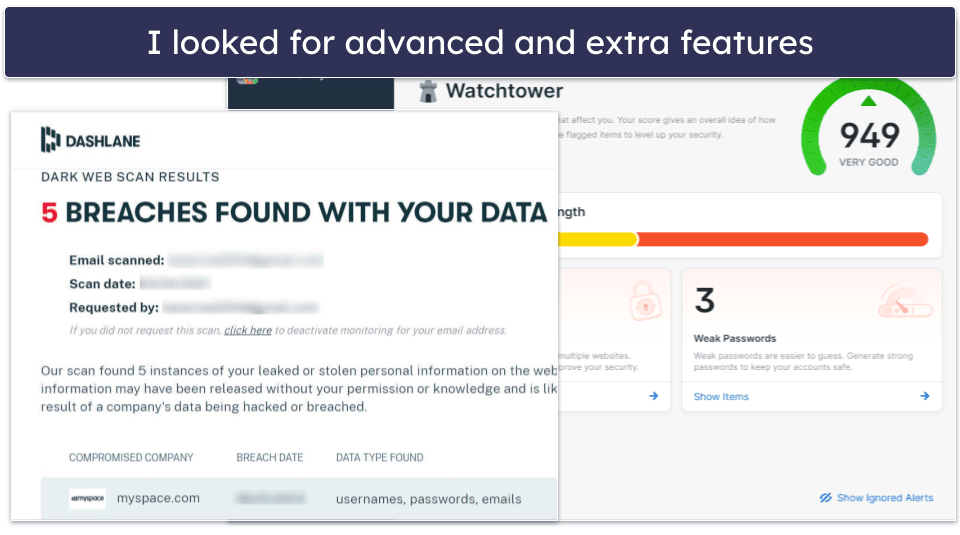
- I looked for advanced features. A good password manager is about more than just storing passwords — it should offer added layers of security and convenience with standout features like live dark web monitoring, secure file storage, and password sharing.

- I evaluated pricing and plans. When making this list, I compared the pricing and plans of each brand, and looked for plans that offer unlimited password storage, multi-device syncing, password sharing, and secure file storage. I also looked at what you get with the free version of each password manager.

Opera Password Manager vs. Third-Party Password Managers
Relying on your browser for password management is not a good idea, and Opera’s embedded password manager is no exception. Here’s why:
- Lack of security features. Like many other popular browsers, Opera doesn’t allow you to set a master password to protect your vault. This is horrible for the security of your passwords, as anyone who has or gains access to your computer can readily access all that sensitive info. Other important security features like 2FA, secure sharing, and encrypted storage are missing, too.
- Lack of advanced features. Modern password managers come with various advanced features that both make your life easier and enhance your security, such as virtual credit cards, Travel Mode, dark web monitoring, VPNs, and more.
- Potential password loss after updates. Although this is not common, there have been cases of users reporting the loss of their entire vault after updating Opera. In case you don’t have a backup, this can put you in a very inconvenient situation.
- Auto-fill and auto-save issues. While Opera does have these basic features (but no password generator!), in my tests, all of my top picks performed auto-fill and auto-save operations better than Opera’s built-in password manager.
In short, using Opera’s password manager may be convenient, but given that the best third-party password managers of today are so intuitive and well-designed, I don’t see a reason for sacrificing security for the sake of convenience when you can easily have both.
Top Brands That Didn’t Make the Cut
- LastPass. LastPass, once a reliable option for Opera users, faced major breaches in recent years, raising serious security concerns. Due to these issues, we can no longer recommend it.
- Keeper. Keeper is easy to use and comes with high-grade security features. However, it falls behind competitors like Dashlane because important features like dark web monitoring aren’t included in the premium plans and are only available as paid add-ons.
- Password Boss. While feature-rich and easy to use, its free plan has severe limitations, and the value-to-cost ratio of its premium plan when compared to other top contenders kept it from being a top pick.
- Avira Password Manager. This manager has a user-friendly interface and solid security features, but it lacks advanced features like password sharing and emergency access found in competitors like 1Password.
Frequently Asked Questions
What makes a good password manager for Opera?
A good password manager for Opera should have an extension that works smoothly on that browser and doesn’t clash with Opera’s built-in tools, while providing strong security, an intuitive user-friendly interface, and a good selection of extras. Beyond securing your data with strong encryption, it should offer features like password generation, auto-fill, and multi-device syncing. Password managers like 1Password not only meet these criteria but also offer additional features like dark web monitoring, enhancing their overall value.
Is using a password manager for Opera safe?
Yes, using a password manager for Opera is safe. In fact, it’s typically safer than using Opera’s built-in password manager. Good password managers, like the ones on this list, use strong encryption methods such as 256-bit AES to protect your data from unauthorized access. They also incorporate additional security features like two-factor authentication and zero-knowledge protocols, which means even the company providing the password manager service cannot access your stored data.
Do password managers work seamlessly with the Opera browser?
Yes, password managers are designed to work seamlessly with various browsers, including Opera. They offer browser extensions that auto-fill your login credentials, generate strong passwords, and store them securely. All the best password managers in 2026 also sync across different devices, ensuring a consistent experience regardless of the device used.
Are there free password managers available for Opera?
Yes, there are free password managers available for Opera. However, they often come with limitations, such as restricted storage or limited syncing. If you need more comprehensive features, premium plans from brands like Dashlane offer more value.
How do password managers for Opera help protect my online accounts?
Password managers help protect your online accounts by creating strong, unique passwords for each of your accounts, storing them securely, and auto-filling them when you log in. This not only enhances security but also eliminates the need to remember multiple passwords. Some password managers like Dashlane also offer dark web monitoring to alert you if your credentials are compromised.