


The advent of AI has also led to a rise in sophisticated phishing scams. Scammers are using AI to recreate bank websites and rely on punycode to make fake domains closely resemble legitimate ones. To help protect users from such scenarios, 1Password is adding a new phishing detection feature to its arsenal.
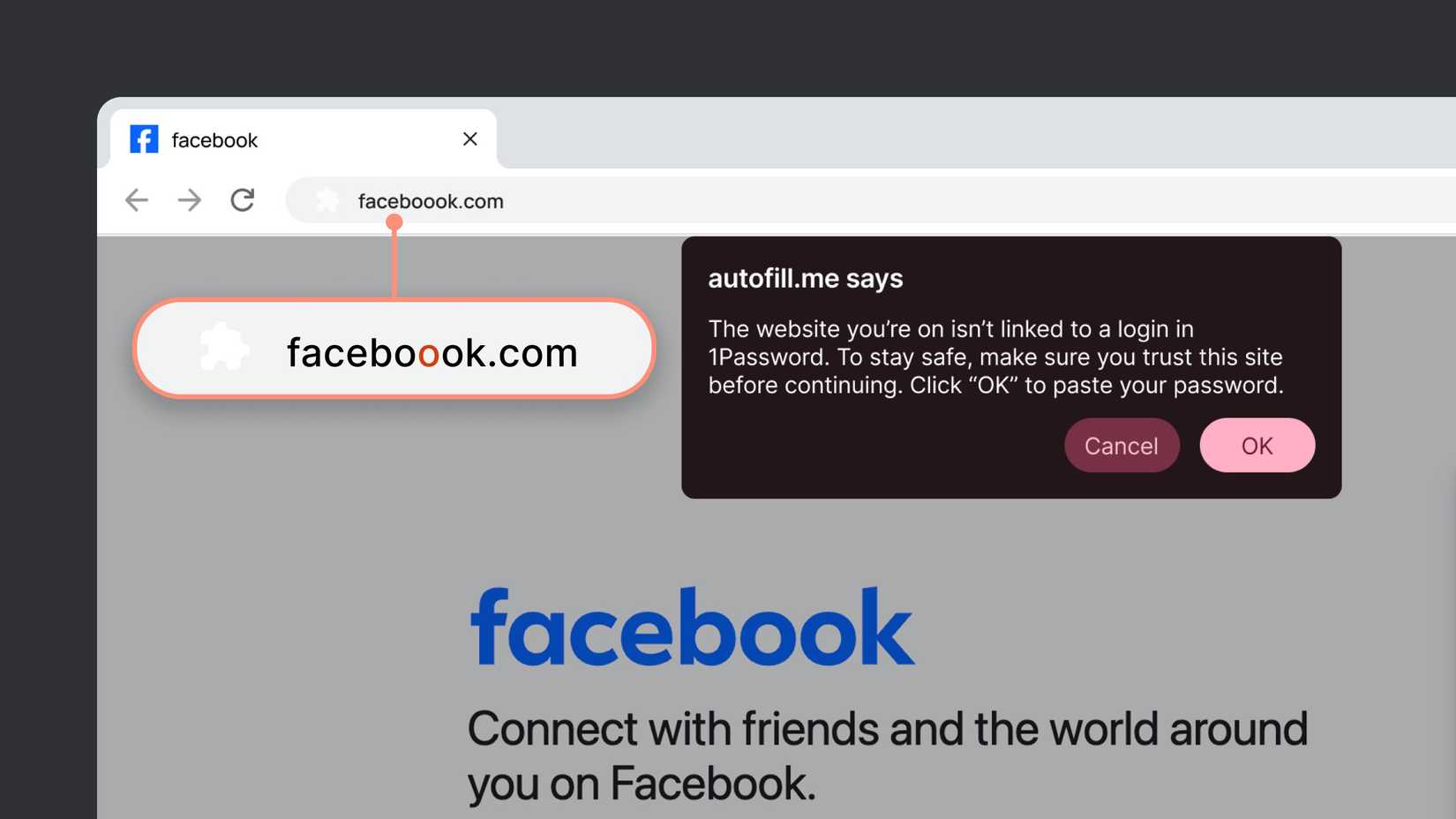
Going forward, 1Password will not autofill login details if the link does not match the URL saved with your login credentials. This itself should alert most users, as banks and financial institutions rarely ever change their domains. And there’s little reason for 1Password to suddenly stop autofilling your bank login if it has worked reliably up until that point.
The company says this feature will act as a second pair of eyes and add an extra layer of protection for sensitive logins.
Given how sophisticated punycode-based phishing attacks have become, 1Password’s autofill not filling in login credentials automatically on a frequently visited banking site should itself be good enough to ring alarms.
Credit: 1Password
If a user tries to manually paste their login credentials even after that, 1Password’s browser extension will warn them to check the URL, as it’s not linked to a stored login. This should force most users to verify the domain again, thereby saving them from a possible phishing attempt. And if they still want to proceed, they must press the “OK” button in the alert window.
Extra checks matter for high-risk logins
While 1Password’s new phishing detection feature alone might not always be enough, it adds enough friction to make users double-check. And in most cases, that should be enough to prevent them from falling prey to a sophisticated phishing attack, especially for high-risk logins like banking, payments, and work accounts.
The feature does assume that users have saved the correct domain in their vault and don’t end up adding a phishing site as a trusted login.
1Password’s new phishing detection feature is rolling out starting today and will be automatically enabled for users on individual and family plans. In enterprise settings, 1Password Admins will have to enable the feature for their employees through the admin panel.







