
Sam Boyd
Updated on: December 29, 2025
Fact-checked by Katarina Glamoslija
-
🥇 Norton
: Best anti-spyware on the market, combined with a complete antivirus suite to protect you from every online threat. Comes with anti-phishing protection, a VPN, dark web monitoring, identity theft safeguards, and much more.
1 in 5 people believe their partner has stalked them using tech. Add to that the surge in AI-powered spyware and silent keyloggers targeting both desktops and mobile devices, and it’s clear that spyware is no longer just a low-level threat — it’s a deeply personal, deeply sophisticated form of surveillance that’s often invisible until it’s too late.
That’s why we tested the top antivirus and anti-spyware tools — not just for catching basic threats, but for how well they handle advanced spyware, behavior-based detection, and even IoT vulnerabilities. Some tools missed dangerous samples entirely or triggered false positives. Others quietly crushed every threat we threw at them.
Below are the 10 best antivirus tools for blocking spyware in 2026, including options with built-in VPNs, AI-powered protection, stalkerware detection, and privacy tools you’ll actually use.
Quick Summary of the Best Anti-Spyware Software in 2026


September 2025 update: For this update, we’ve changed the vendor order and fact-checked the entire article.


300+ people found the right antivirus today
Editor’s Note: Intego and this site are in the same ownership group.
🥇1. Norton — Best Overall Anti-Spyware Protection in 2026
Approved by our experts


Norton 360 offers great protection against spyware and other internet threats in 2026. Its malware scanner uses a unique scanning engine powered by a massive malware database, heuristic analysis, and machine learning to detect every kind of malware threat, including spyware.
The real-time protection engine uses behavior-based detection to block spyware before it can do any damage. Instead of relying solely on known virus signatures, Norton monitors for suspicious activity, like keylogging, unauthorized system changes, or hidden file transfers, and stops threats based on their behavior. This makes it especially effective against brand-new or unknown spyware strains.
During my tests, Norton detected and removed 100% of the spyware samples on my PC. And once I turned on Norton’s real-time protection, it stopped me from downloading malware (including spyware) onto a test hard drive.
Norton comes with a ton of extra features, such as:
- Smart firewall.
- Data broker removal service (US only).
- VPN (virtual private network).
- Dark web monitoring.
- Secure browser.
- Password manager.
- Webcam protection (Windows only).
- Parental controls.
- And much more…
If malicious software does manage to make changes to your device, Norton’s Rollback feature can restore system settings, reverse browser hijacks, and undo other unwanted modifications. This provides an extra layer of protection that many antiviruses still don’t offer. Unfortunately, though, it’s a separate subscription from its antivirus packages and is only included in Norton Driver Updater.
The VPN is a great privacy tool that can also protect you from spyware. It comes with essential features like a no-logs policy, a kill switch, 256-bit AES encryption, and an ad tracker blocker. A lot of spyware comes from malicious ads and pop-ups. Beyond that, a VPN will encrypt your traffic and hide your true location, so any spyware tracking you won’t get accurate information.
I also really like Norton’s webcam protection, which prevents hackers from remotely controlling your webcam and spying on you directly. This adds another layer of security and peace of mind. However, it’s only available for Windows.
Starting at £19.99 / year, Norton offers a range of plans that all provide excellent value. Its entry-level AntiVirus Plus plan comes with the fewest features, but it has real-time malware protection that guarantees complete protection against all types of threats — including spyware — as well as a firewall, password manager, and 2 GB cloud storage, covering a single device.
Norton’s 360 plans include additional security tools for multiple devices. Norton 360 Deluxe (£29.99 / year) is the best-value plan. It includes Norton’s advanced security features — a VPN with unlimited data, dark web monitoring, parental controls, and much more — and covers up to 5 devices. Norton offers a 60-day money-back guarantee on all its plans.
Bottom Line:
Norton has great anti-spyware capabilities. In addition to 100% malware detection and removal rates, its real-time protection immediately blocked all of the spyware samples I tried launching during testing. Norton also provides additional internet security features like dark web monitoring, privacy monitoring, and webcam protection. There’s a 60-day money-back guarantee on all of Norton’s plans.
Read the full Norton review here >
🥈2. TotalAV — Comprehensive Anti-Spyware Protection

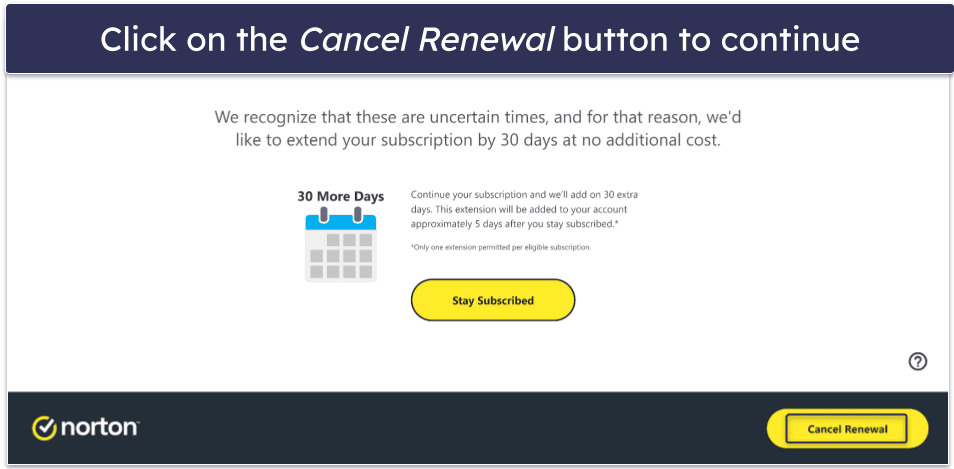
TotalAV offers the best overall spyware protection, featuring an easy-to-use antivirus scanner and a decent range of security features, making it a great option for beginners and less tech-savvy users. It uses a whitelisted version of Avira’s malware scanner and, in my testing, detected over 99% of the spyware on my system, including browser extensions like CanisLupusLupus and even rootkit/spyware hybrids like Look2Me.
TotalAV also offers:
- Real-time malware protection.
- Anti-phishing protection.
- VPN (with unlimited data).
- Ad blocker.
- Password manager.
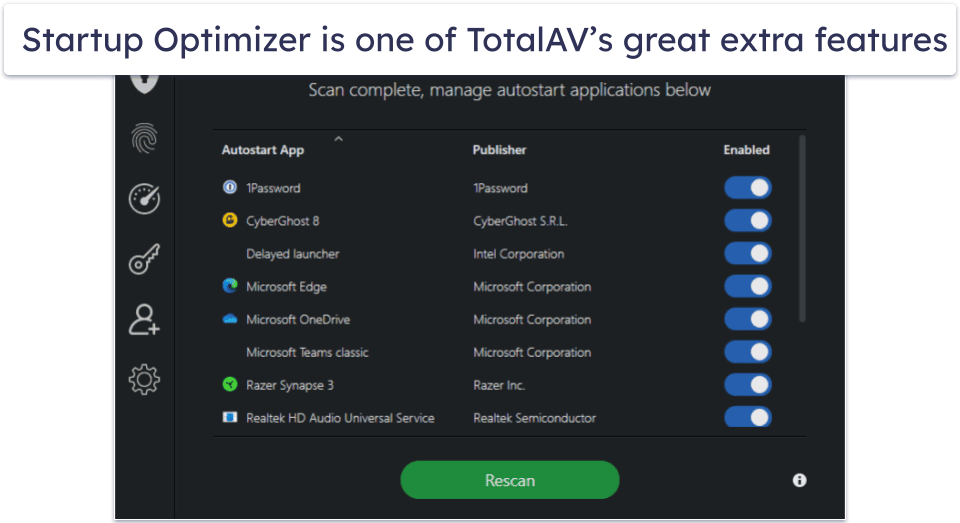
- System clean-up tools.
- Secure browser (with ad blocker).
I really like its automatic scheduling system, which is especially useful for low-maintenance users who may forget to run scans regularly. This feature is particularly effective against spyware that evolves gradually — for example, programs that first modify browser settings before escalating to keystroke logging or data exfiltration.
If you’re not the most tech-savvy person, you’ll appreciate TotalAV’s simple interface. After I downloaded TotalAV, it automatically scheduled a system scan and initiated real-time protection. I was able to access and customize all of TotalAV’s features — including the VPN, system optimization tools, and password manager — with just a few clicks on the desktop app.
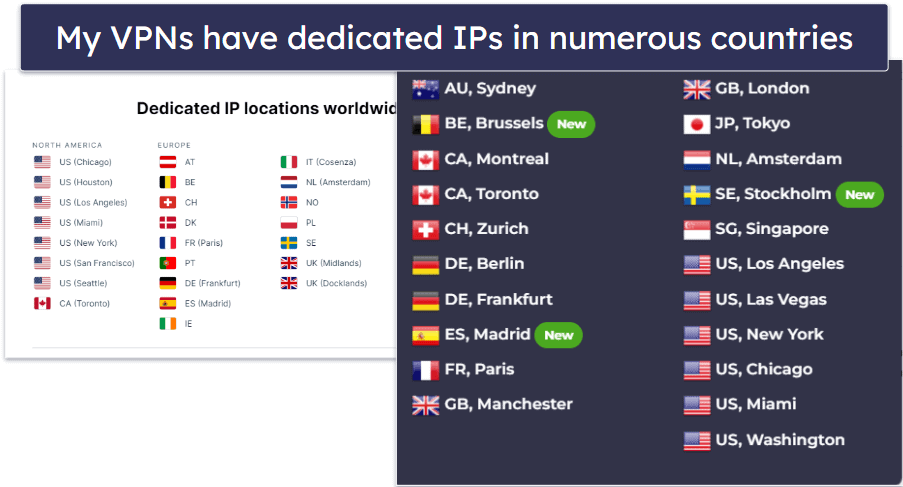
I also really like TotalAV’s VPN, which comes with unlimited data. It maintains good speeds, works with every major streaming site, and supports torrenting. If you don’t want to download a separate VPN and just want something that performs well and is easy to use, TotalAV offers the best antivirus-VPN bundle available.
Other great tools include Total Browser and an array of optimization tools. The browser clean-up tool is especially useful, as it makes deleting tracking cookies much easier — a huge boost that limits the effect spyware can have on your privacy. Available as a separate download, Total Browser is a secure browser that comes with great privacy protections and an ad blocker, both of which can help you avoid spyware and minimize its effects.
All TotalAV packages include anti-spyware protection. TotalAV Premium is a good basic package, providing malware scanning and system tune-up for up to 3 devices for £19.00 / year, while TotalAV Internet Security adds a VPN and covers up to 6 devices for £39.00 / year. TotalAV Total Security adds an ad blocker, a password manager, and coverage for up to 8 devices for £49.00 / year. All plans are covered by a 30-day money-back guarantee.
Bottom Line:
TotalAV provides excellent anti-spyware protection and a comprehensive range of additional features within an intuitive interface. Users looking to protect their systems from spyware and malware without dealing with a confusing user interface will love TotalAV’s mix of simplicity and quality. All of TotalAV’s plans are available with a 30-day money-back guarantee.
Read the full TotalAV review here >
🥉3. Bitdefender — Excellent Spyware Detection & Tons of Additional Features


Bitdefender’s advanced cloud-based scanner is one of the best on the market, capable of detecting and removing every kind of malware, including spyware. In my tests, it removed all malware samples from my computer, including deeply embedded spyware bundled with legitimate programs.
Bitdefender also includes:
- Firewall.
- Anti-phishing protections.
- Secure browser (Safepay).
- VPN (limited to 200 MB per day per device on most plans).
- Webcam and microphone protection.
- Parental controls.
- Password manager.
- System optimizer.
- And much more…
The Exploit Detection Engine also provides strong protection against spyware that uses zero-day vulnerabilities in browsers or operating systems, rather than relying on traditional executable files. This makes it highly effective against advanced threats that bypass conventional scanners.
Plus, the Android app is equally impressive, with solid detection rates for emerging spyware threats, including those found in apps compromised by the SpinOK malware module.
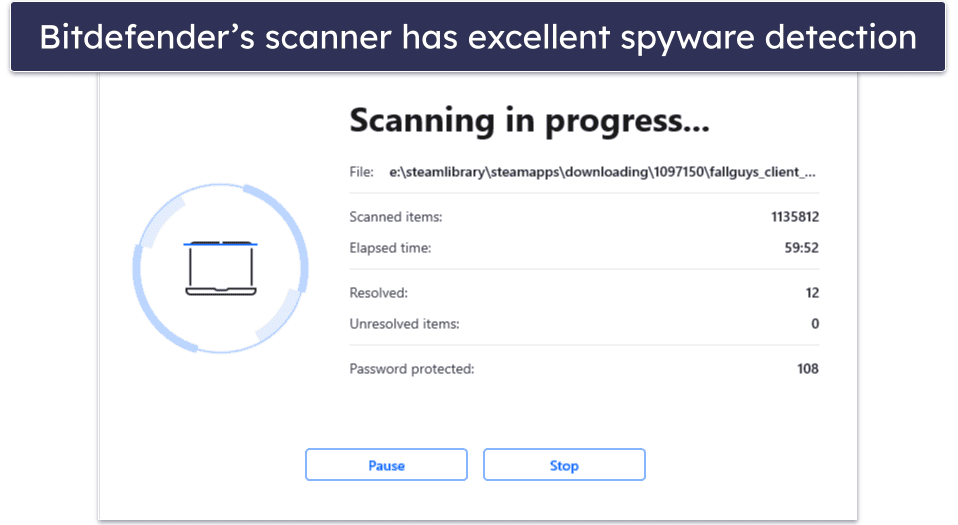
I really like Bitdefender’s secure browser, Safepay. It’s a completely isolated, read-only browser window for online transactions — spyware can’t monitor your traffic, gather information through screen capture, or infect the toolbar or search engines. If you regularly visit banking sites or even payment websites like PayPal, Safepay is an excellent tool to keep your private data and login credentials hidden. However, it isn’t great as an all-purpose browser. To be fair, it isn’t meant to be one. Bitdefender recommends its use for sensitive transactions and little else. If you just want to use a single browser for everything (including streaming), Norton’s Safe Search browser extension might be better, as it works best across all websites.
Bitdefender’s VPN is one of the best antivirus-bundled VPNs on the market. Built on Hotspot Shield’s lightweight VPN software, it’s fast, secure, easy to use, and good for streaming. However, on most plans, you’re limited to 200 MB per day per device, which is almost nothing. If you need to protect unlimited data, I suggest a standalone VPN like ExpressVPN.
Bitdefender offers a huge range of extra security and privacy features. For example, its phishing, webcam, and microphone protections are all excellent, providing important extra layers of protection against hackers. Its parental control features are also among the best on the market. You’ll be able to monitor your kids and keep them safe online via Bitdefender’s easy-to-use parental control app.
Starting at £19.99 / year, Bitdefender offers a range of plans to suit most needs and budgets. Bitdefender Total Security (£40.00 / year) is the best value, providing all of Bitdefender’s features for up to 5 devices across Windows, macOS, iOS, and Android. If you’re only looking to cover 3 devices, you can get Bitdefender’s Antivirus Plus (£19.99 / year). Bitdefender has a 30-day money-back guarantee on all of its plans.
Bottom Line:
Bitdefender quickly and effectively detects and removes all types of malware, including spyware. It barely slowed my system down during scans, and it has an excellent range of additional security features — I especially like the secure Safepay browser, which secures all online transactions. Bitdefender has a 30-day money-back guarantee on all of its plans.
Read the full Bitdefender review here >
4. McAfee — Advanced Anti-Spyware That’s Great for Families
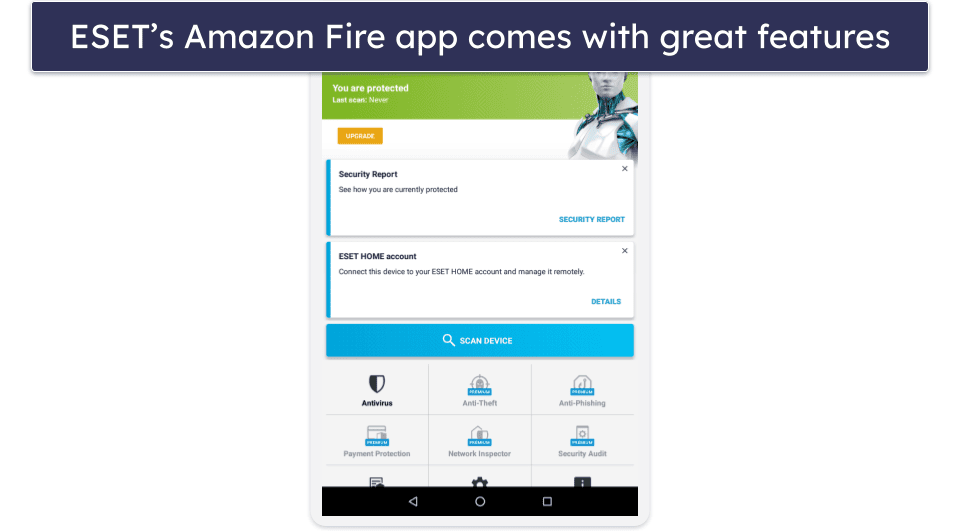

McAfee offers excellent spyware detection and removal rates, as well as a variety of useful internet security tools on an unlimited number of devices. Its scanner detected 100% of my malware samples, including various types of spyware. However, the scanner slowed down my computer significantly while it was running. I could still browse the internet and perform simple tasks, but streaming was impossible.
McAfee’s huge range of internet security features includes:
- Firewall.
- Wi-Fi network protection (Android and iOS only).
- Anti-phishing and web protection.
- Unlimited-data VPN (for auto-renewal subscribers).
- Parental controls.
- Password manager.
- Identity theft protection (in certain countries).
- And much more…
I like McAfee’s VPN, which is fast, secure, and has thousands of servers worldwide with unlimited data protection. While it’s not as powerful as standalone VPNs like ExpressVPN, it’s a good option if you’re looking for a convenient way to boost your anti-spyware protection even more.

McAfee is one of the best antiviruses for families, with the option of unlimited device coverage and excellent parental controls. It’s also easy to use, with preset filters for web and app usage, customizable settings, and accurate location tracking for your kids’ devices. I tested the location tracking with a friend’s iPhone and confirmed the accuracy myself.
McAfee Total Protection offers several plans to choose from. Its Essential plan (£34.99 / year) covers just 5 devices, and isn’t the best deal when compared to similar plans from the likes of Norton. The Premium plan (£34.99 / year) is a better deal, covering unlimited devices (select countries only) and including monitoring of 40+ data broker sites for your PII. The Advanced plan includes everything offered on Premium, plus identity theft monitoring and protection, while the Ultimate plan adds ID theft and ransomware coverage as well as extensive credit score monitoring and Credit Lock. All McAfee plans are backed by a 30-day money-back guarantee.
Bottom Line:
McAfee offers really good anti-spyware protection, a ton of excellent internet security tools, and great value. However, it’s a shame the malware scanner impacts device performance so much, but it makes up for this with the sheer number of tools available.
Read the full McAfee review here >
5. Intego — Excellent Spyware Protection for Mac


Intego is the best antivirus suite for Mac computers, ideal for eliminating spyware. It was able to identify and remove spyware, including new threats aimed at Mac users like RustBucket. Unlike most antiviruses — even Norton and Bitdefender — which primarily focus on Windows devices, Intego is designed exclusively for Macs. Its features are all a significant improvement on Apple’s built-in versions and other Mac-focused antiviruses, such as MacKeeper.
Intego’s security features include:
- Malware scanner.
- Real-time protection.
- Firewall.
- Parental controls.
- System optimizer.
- Data backup tool.
Intego’s anti-spyware detection is excellent, especially for Mac users. In my tests, it successfully identified and removed every spyware sample I installed, including ThiefQuest and SearchAwesome — two well-known spyware threats that specifically target macOS. One standout feature is Intego’s ability to silently scan for keyloggers that attempt to access iCloud Keychain, which is increasingly important as more Mac users rely on Safari’s auto-fill and password management tools.
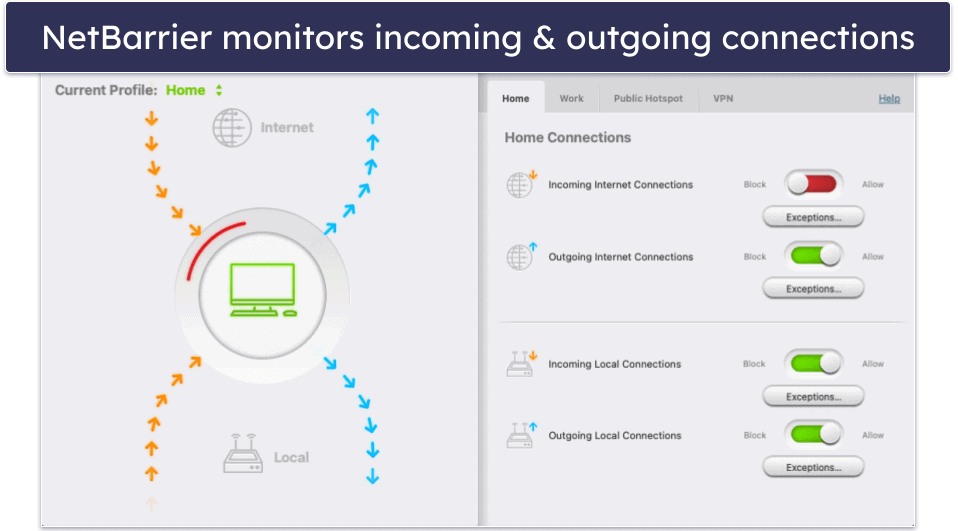
The NetBarrier firewall is another excellent layer of protection. It builds on your Mac’s native firewall and automatically detects what kind of internet network you’ve joined — for example, your home or work network, or a public Wi-Fi network. It then adjusts its settings to provide the most appropriate protection for that network type.
Intego’s ContentBarrier provides comprehensive parental controls, enabling website blocking, content filtering, and usage scheduling. It also tracks keystrokes and sends customizable alerts for detailed monitoring of online activities. Overall, I’m impressed with ContentBarrier’s extensive features. They significantly surpass the built-in parental controls on Macs.
Intego offers a range of plans, starting at £17.99 / year. The Mac Internet Security X9 plan offers real-time antivirus protection, anti-phishing protection, anti-spyware tools, and a firewall. The Mac Premium Bundle X9 (£27.99 / year) adds Intego’s excellent parental controls, system optimizer, and file backup. A range of other packages are also available, which include different combinations of Intego’s various features, and there’s a 30-day money-back guarantee on all Intego plans.
Bottom Line:
Intego is my favorite Mac anti-spyware and anti-malware protection in 2026. It has comprehensive spyware protection and some excellent extra features, like a great firewall, parental controls, clean-up features, and more. Intego offers a 30-day risk-free money-back guarantee on all its plans.
Read the full Intego review here >
Editor’s Note: Intego and this site are in the same ownership group.
6. Avast — Free Spyware Removal Tool With Excellent Real-Time Shields


Avast offers a free anti-spyware scanner and remover (also called the Spyware Removal Tool), which is a simple but highly effective way to detect and eliminate spyware, keyloggers, and browser hijackers. I tested it on a Windows laptop I had deliberately loaded with several spyware samples, and it removed them all, including a hidden browser hijacker that many scanners missed. I like that this tool is completely free and easy to run — you don’t even need to install the full Avast suite to benefit from its spyware protection.
Beyond the standalone spyware tool, Avast includes several advanced features that provide real-time spyware defense. Behavior Shield monitors apps for suspicious actions, such as unauthorized keystroke logging or system file modification, and automatically blocks them. In my tests, it stopped a disguised spyware installer the moment it attempted to inject itself into system processes. I also found the Web Shield very reliable. It prevented me from accessing multiple spyware delivery sites and blocked a malicious script that tried to install tracking software through a pop-up ad.
Avast also includes:
- File, Web, and Behavior Shields.
- Ransomware Shield.
- Sandbox for suspicious apps.
- Rescue Disk for cleaning infected PCs.
- VPN.
- Data Shredder and Wi-Fi Inspector.
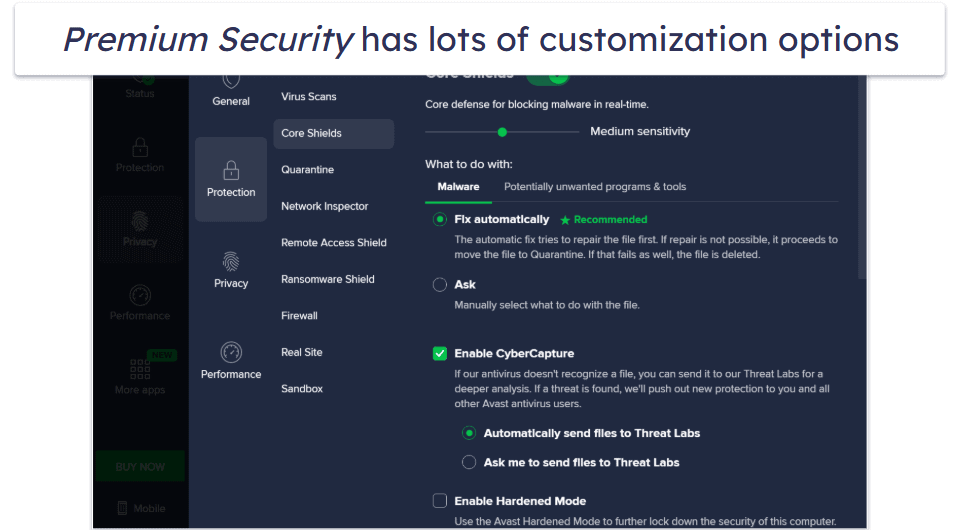
I also like how Avast’s Premium Security provides a wide range of customization options that let you fine-tune how the software responds to potential threats. You can adjust the sensitivity of the Core Shields and decide whether spyware and other malware should be automatically repaired, quarantined, or manually reviewed. You can even enable CyberCapture, which sends unknown files to Avast’s Threat Labs for deeper analysis. I like that it gives you the flexibility to choose between hands-off automation and direct control.
Avast’s Anti-Spyware Scanner and Remover is a completely free download. Coupling it with Avast’s Free plan gives you essential protection, including malware scanning and removal, real-time defenses, ransomware protection, web protection, and data breach monitoring. Upgrading to Avast Premium Security (starting at £19.50 / year) unlocks extras such as phishing protection, Wi-Fi security verification, an advanced firewall, and webcam and microphone protection. All paid plans include a 30-day money-back guarantee.
Bottom Line:
Avast’s Spyware Removal Tool is a focused and effective free utility for detecting and removing spyware, keyloggers, and tracking threats. However, it doesn’t replace a complete antivirus suite, so you should use it together with Avast’s free or paid antivirus plans.
Read the full Avast review here >
7. Avira — Best Free Spyware Protection


Avira is one of the better free antiviruses on the market — it provides excellent spyware protection and includes some pretty good additional features, too.
Avira’s antivirus also comes with a potentially unwanted application (PUA) Shield — this feature is specifically designed to detect and remove spyware apps that come bundled with legitimate software. A colleague recently downloaded several adware and spyware programs, so I tried to download the same files from the original source, but Avira flagged all of the spyware .exe files that came bundled with my download.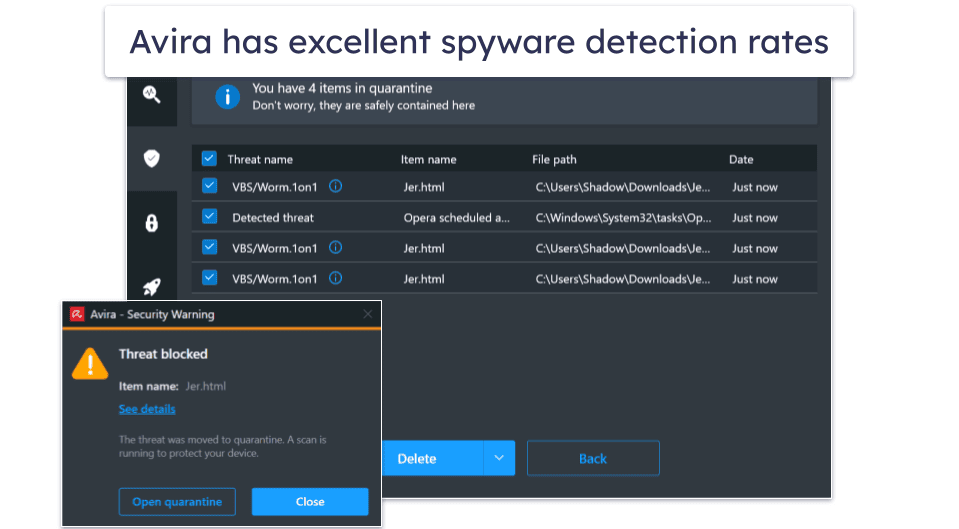
Avira offers a comprehensive suite of additional tools to enhance system security and performance. Features include file encryption for sensitive data, file shredding to prevent recovery of deleted files, and a network traffic manager for monitoring and managing internet connections. The suite also includes a process manager and file recovery options.
The Free Security package also offers a couple of extras, including excellent internet privacy browser extensions, a secure password manager, and a free VPN (limited to 1 GB/month) — this is a very limited amount of data, but few antiviruses offer free VPNs, and other top antiviruses like Norton don’t offer any free plans at all.
Avira also has a range of paid plans, the best of which is Avira Prime (£51.99 / year). It comes with unlimited data on the VPN, advanced system tune-up tools, dark web monitoring, excellent mobile apps, and more. All Avira’s plans are covered with a 60-day money-back guarantee.
Bottom Line:
Avira offers great free spyware protection, and it also comes with a couple of decent internet privacy protections, including a built-in PUA Shield that detects spyware and adware. Avira’s premium plan, Avira Prime, provides multi-device coverage and an unlimited data VPN. Avira offers a 60-day money-back guarantee on all its annual subscription plans.
Read the full Avira review here >
8. Malwarebytes — Minimalistic Antivirus With Good Spyware Protection
Malwarebytes is a simple, minimalistic antivirus program that is able to detect all types of spyware. In my tests, Malwarebytes detected and removed every spyware sample I installed, including the WebDiscover Browser, a fake spyware browser that secretly collects your data and displays annoying pop-ups. However, Malwarebytes’s scanner only detected around 95% of malware types I tested overall, which isn’t bad, but it’s nowhere near as good as top competitors like TotalAV or Norton.
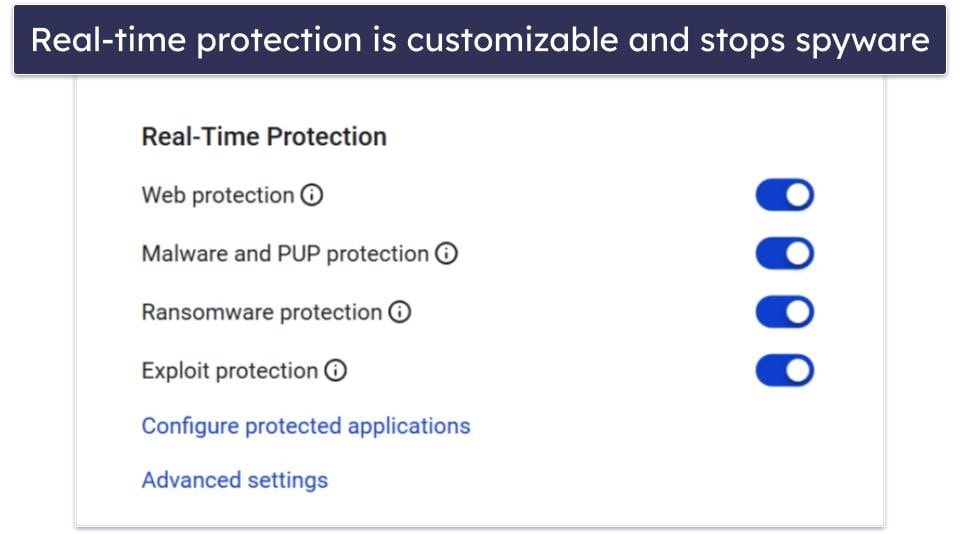
Malwarebytes also provides:
- Real-time protection.
- Web protection.
- VPN (unlimited data).
- Browser Guard (a browser extension that blocks ads and malicious sites).
The VPN is only available with Malwarebytes Plus, the most expensive plan. Although it supports torrenting, it struggles with streaming sites. For reliable streaming support, I’d look at TotalAV’s bundled VPN or a standalone VPN service.
Unfortunately, Malwarebytes lacks important features like a firewall, password manager, parental controls, and system optimization tools, standard in the best antivirus packages. While it provides basic antivirus protection, there are many better alternatives available.
However, if you’re considering Identity Theft Protection, Malwarebytes offers this service as a separate package starting at £22.13 / year. This price is competitive compared to similar offerings and effectively addresses one of the most severe outcomes of spyware — identity theft. The package also includes the antivirus and VPN.
Malwarebytes offers 2 standard antivirus plans. Malwarebytes Standard (from £22.13 / year) includes the anti-malware scanner with real-time protection, web protections, and Browser Guard, while Malwarebytes Plus (£29.50 / year) adds the unlimited-data VPN. There is also a free plan available, but it only scans your device for existing infections — there’s no ongoing or real-time protection. Malwarebytes offers a 60-day money-back guarantee on all its paid plans.
Bottom Line:
Malwarebytes offers excellent spyware detection and removal, but it lacks a lot of the cybersecurity protections I want to see in a top-quality antivirus. It may be too basic for some users, but if you’re just looking for a lightweight, affordable antivirus with excellent anti-spyware capabilities, Malwarebytes isn’t a bad choice. All plans come with a 60-day money-back guarantee.
Read the full Malwarebytes review here >
9. MacKeeper — Simple, Fast Spyware Removal (Mac Only)


MacKeeper is one of the few antivirus suites designed exclusively for macOS, and it comes with good malware protection that is able to quickly remove spyware and other threats. When I tested MacKeeper, the malware scanner took just 50 minutes to scan every file on my Mac. It removed most spyware samples I’d installed, including Search Marquis, a browser hijacker and spyware that collects your data and sells it to third parties.
However, Mackeeper is missing anti-phishing protection and a firewall — TotalAV has great anti-phishing protection, Norton has a firewall, and Intego, my favorite Mac-focused antivirus, comes with an excellent firewall.
MacKeeper does include:
- VPN (unlimited data).
- System cleanup tools.
- Ad blocker.
- Adware removal.
- Data breach monitoring.

MacKeeper’s Adware Cleaner tool is great for removing Mac-specific adware hidden on your device. It’s easy to use, only took 5 minutes to scan my test laptop, and identified a number of adware threats hidden on it. There’s a lot of overlap between adware and spyware, and this tool works for both types of malware.
The VPN is also an excellent addition. It works great with Macs and offers excellent security — including industry standards like military-grade encryption, DNS leak protection, and much more. It also has unlimited data on its paid plan. It’s really rare to get an antivirus-VPN bundle with no limits, without paying a premium. Only TotalAV and McAfee offer similar value in their VPN.
MacKeeper has just one premium plan, starting at £8.08 / month. The price changes depending on the number of devices you want to cover (1 or 3), and whether you pay monthly or annually. MacKeeper offers a 30-day money-back guarantee on its annual plans.
Bottom Line:
MacKeeper is a decent antivirus suite for Mac with good spyware protection. It also includes a good VPN, solid identity theft protection, and system tune-up tools. However, it’s missing some other essential features, like anti-phishing protection, that come as standard with competitors like Norton. MacKeeper only offers one premium plan, and there’s a 30-day money-back guarantee.
Read the full MacKeeper review here >
10. SUPERAntiSpyware — Best for Additional Spyware Protection
SUPERAntiSpyware is an effective anti-spyware program for Windows PCs with some additional anti-malware tools. Even though it’s advertised as an anti-spyware tool, SUPERAntiSpyware also offers decent protections against other types of malware, including adware, trojans, rootkits, and ransomware.
SUPERAntiSpyware can’t compete with TotalAV or Norton in terms of virus detection, but it detected most of the spyware that had found its way onto my computer, including malicious browser extensions. I like that the main scan also removes trackers. The browser extension did a good job of blocking phishing sites and even comes with basic content filtering, but I was annoyed to find that it automatically changed my default search engine. SUPERAntiSpyware also lacks extras like a VPN, a firewall, or support for platforms other than Windows.
That said, it does come with:
- AI-powered detection engine.
- Real-time threat blocking.
- Automatic updates.
- Scheduled scanning.
- Email notifications.
- Web protections.
- Browser cleanup.
That said, the app has recently been showing a lot of false positives, especially with serious-sounding threats like rootkits. In one Reddit thread, a user said the software flagged a rootkit virus on their PC, but other trusted tools like Malwarebytes and HitmanPro didn’t find anything. After updating SuperAntiSpyware, the alert went away, confirming it was a false alarm.
Other than that slight issue, I like how SUPERAntiSpyware offers both a free and a paid version. The free version only performs on-demand scanning. The paid version, SUPERAntiSpyware Pro X Edition, costs £14.75 / year and continuously monitors your device for spyware infections with its AI-powered engine. It also includes multiple scan options, real-time threat blocking, automatic updates, and email notifications. The Pro X Edition plan is available on a free 14-day trial, and it also comes with a 30-day money-back guarantee.
Bottom Line:
SUPERAntiSpyware is an excellent anti-spyware tool that also offers good protection against adware and spyware. You can’t expect it to do everything your antivirus software can do, but if you’re looking for an anti-spyware program to complement your existing antivirus software, SUPERAntiSpyware is a pretty good option.
Bonus. SpywareBlaster — Best for Additional Browsing Protection


SpywareBlaster offers both free and paid versions. SpywareBlaster Free protects against spyware and other PUPs (potentially unwanted programs) being installed on your browsers and blocks tracking cookies. The paid version, SpywareBlaster AutoUpdate, which starts at £11.03 / year, adds technical support and multi-user coverage. Basically, it’s a way to support the developers, but you don’t get much out of it. There’s also an enterprise product, SpywareBlaster Network Edition.
That said, SpywareBlaster doesn’t scan your computer like an antivirus software — it only prevents spyware installation. It’s an affordable option for users looking to tighten up their browser security, but it should only be used together with a good antivirus program like TotalAV or Norton. It’s also worth pointing out that the program hasn’t been updated since 2020 and that spyware deployed through ActiveX isn’t very prevalent these days.
Bottom Line:
SpywareBlaster blocks spyware aiming to hijack your computer via ActiveX website content. However, it’s not a replacement for antivirus software — or even for other dedicated anti-spyware applications. You’ll need additional antivirus software like Norton to protect you from other types of malware.
Quick Comparison Table
Editor’s Note: Intego and this site are in the same ownership group.
Testing Methodology: Comparison & Ranking Criteria
To determine which tools are best at tackling spyware, I used our thorough methodology. Basically, I used my own computers and virtual machines to check each antivirus, exploring each feature and ultimately testing them against real spyware. I also went through the various customer service experiences firsthand and considered things like ease of use, convenience, speed, and the overall value proposition. Here are the specific criteria I used while ranking these antiviruses:
- I tested detection rates for spyware and other types of malware. I tested each antivirus multiple times against different malware packets, each including hundreds of different malicious files. I made sure that each malware packet included lots of spyware and took note if any got through. Only products that were able to identify the vast majority of spyware made it onto this list. I took into account each antivirus’s scanner as well as its real-time protections.

- I verified the antivirus software’s usability. Many antivirus programs can be plagued by clunky interfaces that are not user-friendly. However, I rigorously tested both the desktop and mobile versions to ensure they were straightforward to install and operate, emphasizing ease of use and accessibility.
- I considered the inclusion of extra features. The majority of antivirus companies include supplementary features in their premium packages. However, many times, these add-ons serve more as decorative frills that can slow down your computer and degrade performance, all while bumping up the cost. I meticulously evaluated the utility and efficiency of each feature provided with the products mentioned here to ensure their real-world applicability and effectiveness. Bitdefender stands out for its extensive assortment of beneficial features, whereas TotalAV is notable for its outstanding optimization tools.

- I assessed each product’s overall value. Investing in antivirus software can be significant. I took into account all relevant aspects, including web and browsing security, the number of devices protected, and the availability of a free trial or money-back guarantee. Each of the top antivirus solutions reviewed offers substantial value, ensuring users get comprehensive protection and features worth their investment.
- I counted the number of false positives. Though it isn’t reasonable to expect an antivirus to never identify harmless files as spyware, too many false positives can be a problem. They aren’t only annoying; they can also lead one to distrust the program, potentially resulting in genuine threats getting through. I only endorse products that don’t suffer from an overabundance of false positives.
What Is Spyware & How Does It Affect Your Device?
Spyware is a form of malware that’s main function is to “spy” on the user. It works sneakily, often without the user’s knowledge, collecting information and monitoring activities conducted on their device. It can be anything from mildly intrusive to severely malicious.
The less dangerous forms of spyware are mostly used for advertising — collecting user data to offer targeted ads. While this may appear benign, it still constitutes a breach of privacy and should be removed using an antivirus. The more malevolent forms of spyware are designed to steal sensitive information such as passwords and financial credentials. Some even let cybercriminals take control of a victim’s device, letting them inject additional malware into it.
Spyware affects devices in multiple ways. Firstly, it degrades system performance by consuming significant system resources. Secondly, it can result in increased data usage on a victim’s device. Thirdly, it exposes users to potential fraud, identity theft, and loss of personal and financial assets.
There are different types of spyware, which can include:
- Keyloggers: Capture every keystroke a user makes, allowing attackers to obtain passwords, chat logs, and other typed information.
- Screenloggers: Capture screenshots of the user’s activity. This can be particularly dangerous when users view sensitive documents or enter credentials.
- Adware: While some may argue that not all adware is spyware, malicious adware can track browsing habits and display intrusive ads based on user activity.
- Browser hijackers: Alter the user’s browser settings, redirecting them to unwanted websites or replacing their default search engine. This can lead the user to phishing sites or other malicious web pages.
- Trojan horses: Trojans are a type of malware that disguises itself as a safe file or program. Once a trojan has infected your computer, it can have any number of negative effects, including spying on you, stealing your data, and installing additional malware.
- Info stealers: These harvest specific types of data from the infected system, such as financial information or login credentials.
- Tracking cookies: These are not always malicious, but they do monitor users’ browsing habits and can create a profile based on their activities.
- OSINT-based spyware (public data exploiters): Some spyware doesn’t even need to run on your device to invade your privacy. Using Open-Source Intelligence (OSINT) techniques, data brokers can collect detailed profiles on you, including your address, contact info, job history, family connections, and more — all from public records. While these companies are legally required to delete your data if you ask, most people don’t even know they’re being tracked. While not spyware in the traditional sense, this passive surveillance model can be just as invasive.
In short, spyware represents a multi-faceted cybersecurity threat. Being vigilant and proactive, and using security solutions like TotalAV, Norton, and Bitdefender while also practicing safe browsing habits is essential in defending against it.
How to Avoid Getting Spyware in the First Place
Even with the best antivirus software, avoiding spyware starts with how you use your device. Here are some basic but essential habits that significantly reduce your risk, especially if you’re not a tech expert:
- Don’t click on random links. If someone sends you a link over email, Discord, or any chat app and you weren’t expecting it, don’t click it. This includes links from people you know, since compromised accounts can be used to spread malware.
- Avoid sketchy downloads. Stay away from pirated software, unofficial torrents, and shady websites that offer free versions of paid tools. These are some of the most common sources of spyware and other malware.
- Always use custom install settings. When installing new software, choose the Custom or Advanced installation option. This helps you avoid bundled junkware or hidden spyware posing as optional add-ons.
- Show and check file extensions. Enable file extensions in Windows Explorer so you can see what you’re actually opening. A file that says it’s a photo but ends in .exe is a red flag. Don’t open it.
- Watch your system performance. If your CPU, RAM, or GPU usage is spiking when your system is idle, something might be running in the background. Open Resource Monitor or Task Manager, run a malware scan, and investigate further.
- Use a browser-based ad blocker. Spyware often spreads through malicious ads, even on legitimate websites. Using a reliable ad blocker can stop these threats before they even load.
- Be skeptical online. Anyone can say anything on the internet. Don’t blindly trust random advice, software recommendations, or miracle tools. Always verify information through multiple, trustworthy sources.
Do Smart Home Devices Need Anti-Spyware?
You don’t need traditional anti-spyware software for smart home/IoT devices like voice assistants, connected cameras, or smart light bulbs — but that doesn’t mean these devices are safe from spyware. In fact, they can be one of the weakest links in your home’s digital security.
Most people think of their home network as a hub for phones, laptops, and tablets. But behind the scenes, it’s also supporting dozens of Internet of Things (IoT) devices — smart TVs, thermostats, speakers, even toys. And while it might seem harmless that your child’s connected doll can learn her name and respond to questions, some of these devices have been caught secretly collecting data. In rare cases, spyware-like behavior is built into the product itself.
More commonly, the real threat comes from poorly secured IoT devices. Many manufacturers prioritize speed and cost over security, skipping proper encryption or firmware safeguards to get products to market faster. That unsecured smart plug or doorbell might seem insignificant, but for a hacker, it could be a direct entry point into your network.
You can’t install antivirus software on a smart thermostat or a Wi-Fi-connected lightbulb. That’s why it’s essential to take network-level precautions.
For example, you should keep the smart home device’s firmware up-to-date, since manufacturers often patch security gaps. You should also use a good password manager to create and store a strong password if the device allows for password protection. Furthermore, a powerful antivirus equipped with a good firewall can monitor and block suspicious inbound and outbound traffic, providing an added layer of protection for your smart devices.
To further protect your network, you can segment your IoT devices onto a separate network, like a guest network. This containment strategy minimizes risks to your main network by isolating your smart devices from your primary operations. It’s also important to disable any unnecessary features on these devices to reduce potential vulnerabilities.
Some security suites now include network security tools that help mitigate these risks. For example, Bitdefender offers a Home Scanner that checks your Wi-Fi settings, catalogs connected devices, and flags any that look vulnerable.
Moreover, educating anyone using these devices in your household about their security risks and best practices is vital. In short, smart home devices don’t need their own anti-spyware, but your network does. The best defense is a mix of good digital hygiene, strong router settings, and a security product that keeps an eye on the entire home.
Top Brands That Didn’t Make the Cut
- Comodo. Comodo is a free antivirus that comes with decent spyware protections, but it only detected 93% of the malware samples in my tests and allowed me to visit websites that had spyware samples on them.
- Avast. Avast is an excellent antivirus with 100% malware detection rates, but it’s let down by a pretty average VPN, and it lacks a password manager and identity theft protections.
- AVG. AVG provides top-quality protection against spyware, but it forces you to download multiple apps to access every feature, and its ransomware simulation results were disappointing.
- Panda Dome. Panda is a decent antivirus with an excellent malware scanner and other great features. However, its web protection tools detected less than 50% of the phishing sites in my tests. This is way too low for me to recommend it.
Frequently Asked Questions
What is anti-spyware software?
Anti-spyware software is designed to detect, remove, and protect against spyware threats. Advanced anti-spyware software, such as TotalAV, provides real-time protection to prevent spyware from infecting your device by constantly scanning files and programs before they’re downloaded. It also protects against other types of known malware, including rootkits, ransomware, trojans, and cryptojackers.
Are anti-spyware and antivirus software the same thing?
Anti-spyware and antivirus software are not the same thing, but the best antivirus providers offer anti-spyware and anti-malware protection as standard. However, most standalone anti-spyware tools only offer protection against spyware and adware — nothing else. This is why I always recommend buying a complete antivirus package that includes spyware protections.
In my tests, premium antiviruses like TotalAV and Norton offered the highest detection rates for both spyware and other types of malware. They cost more than standalone anti-spyware tools, but they also offer internet security tools like anti-phishing protection, VPNs, password managers, dark web monitoring, and mobile device protection. So, in the end, you’ll save money because you won’t need to buy all those tools separately.
What’s the best anti-spyware software for webcams?
TotalAV, Norton, and Bitdefender are all excellent anti-spyware programs with dedicated webcam protection features. If you have either one of these installed, you’ll receive immediate alerts when an application or website attempts to access your webcam. You’re then given the option to allow or disallow the access, which is excellent for preventing unsolicited access. Beyond this, these antiviruses provide comprehensive security against a multitude of cyber threats, enhancing the overall protection of your device.
How does anti-spyware software work?
Anti-spyware software scans any files on your device for spyware, and then removes any it finds. The best anti-spyware scanners, like those offered by TotalAV and Norton, also detect every other type of malware, using a combination of heuristics, machine learning, and massive cloud databases.
Good anti-spyware tools can also perform real-time threat detection, analyzing files before they’re downloaded onto your device and blocking their download to prevent a spyware infection from occurring.
Additionally, full-suite antivirus/anti-spyware software can:
- Block access to your camera or microphone.
- Protect your web browser and block phishing tools.
- Scan the dark web for data leaks and hacks containing your data.
- Hide your files.
- Hide your IP address (using a VPN).
- Encrypt your keystrokes.
How do I install anti-spyware software?
Installing anti-spyware software is pretty easy. Just follow these steps:
- Pick an anti-spyware (or complete antivirus) program. My #1 anti-spyware choice is TotalAV — it’s a feature-rich and easy-to-use antivirus that provides total spyware protection.
- Download the antivirus or anti-spyware app. Whichever software you decide on, follow one of our links to get the best deals available. Some offer free plans or free trials, and most of them offer money-back guarantees.
- Click Install & run the installer. All the best anti-spyware apps come with an installer that will guide you through the process. Simply accept the end user license agreement (EULA), accept the program destination, and you will have a high-quality anti-spyware solution running in no time.